Improved Message Filters for Customer Replies
SMBcrm has improved message filters for customer replied workflow triggers with two updates: a Has Attachments filter and a more complete Message Body filter.
These updates make workflow automation filters clearer and more flexible while keeping existing workflows unchanged.
What Changed
Has Attachments Filter
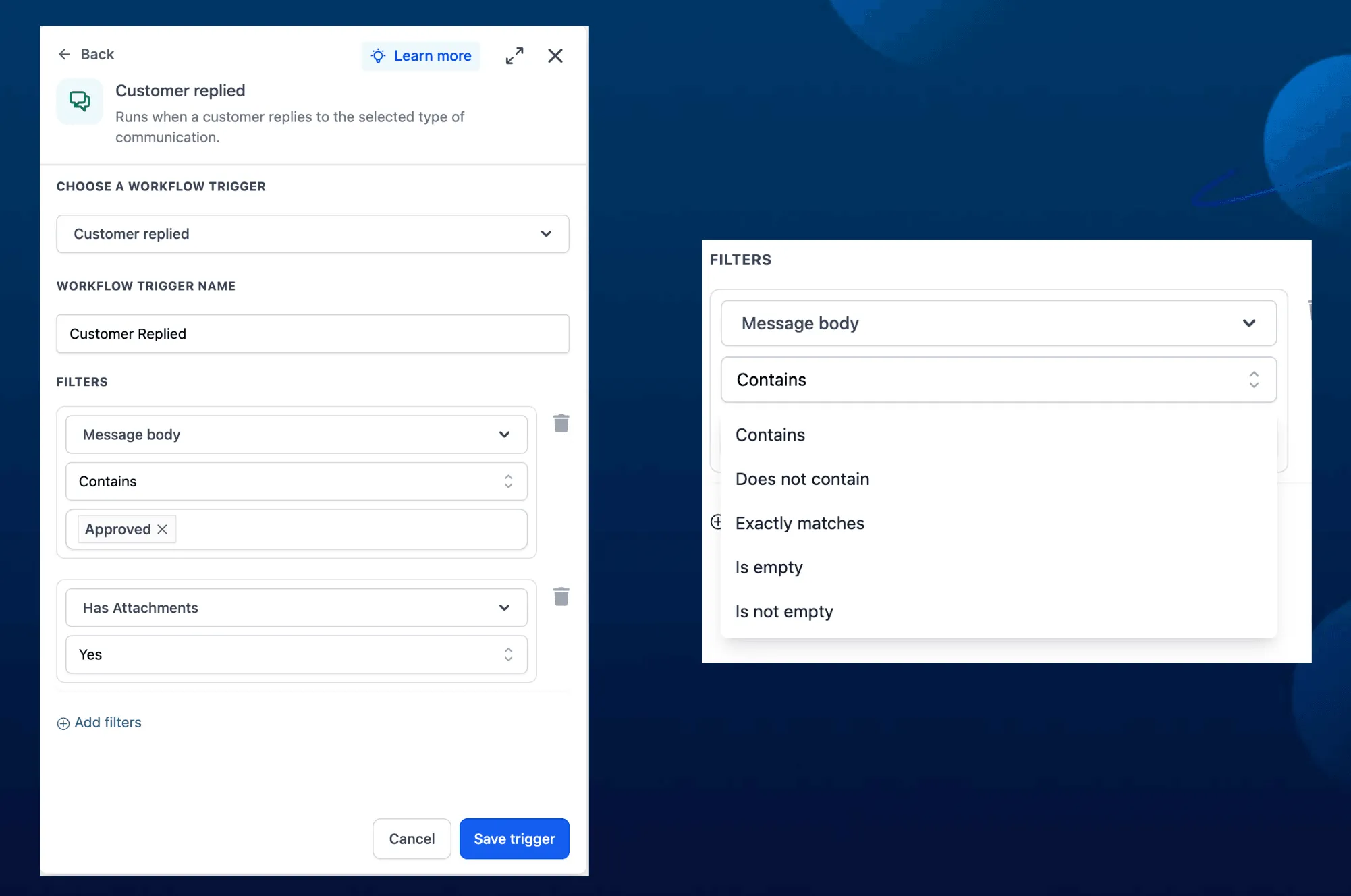
Use Has Attachments to check whether an incoming message includes files. The filter supports yes or no values.
This can help route messages that include uploaded documents, creative files, or other attachments to the right team or workflow path.
Message Body Filter
Message Body now brings the older Contains Phrase and Exact Match Phrase options into one place.
You can filter messages based on whether the body:
- Contains specific text
- Does not contain specific text
- Exactly matches specific text
- Is empty
- Is not empty
Existing workflows that use Contains Phrase or Exact Match Phrase will continue to work.
How to Use It
- Open the message filter setup in your workflow.
- Choose Has Attachments or Message Body.
- Select the condition.
- Enter the phrase or yes/no value.
Examples
A marketing team can use Has Attachments = Yes to route messages with uploaded creative files to a design workflow.
A real estate team can use Message Body contains “showing” to send property showing requests to the right pipeline.
Preview
In Case You Missed It
For another workflow update, read about how Array Formatter is free with a clearer workflow UI.
Need Help Applying This Update?
Want help turning this update into a working part of your CRM, marketing, or automation setup?
Get Started or schedule a demo and we’ll help you map the right next step.