Sync Community Membership Answers to CRM Fields
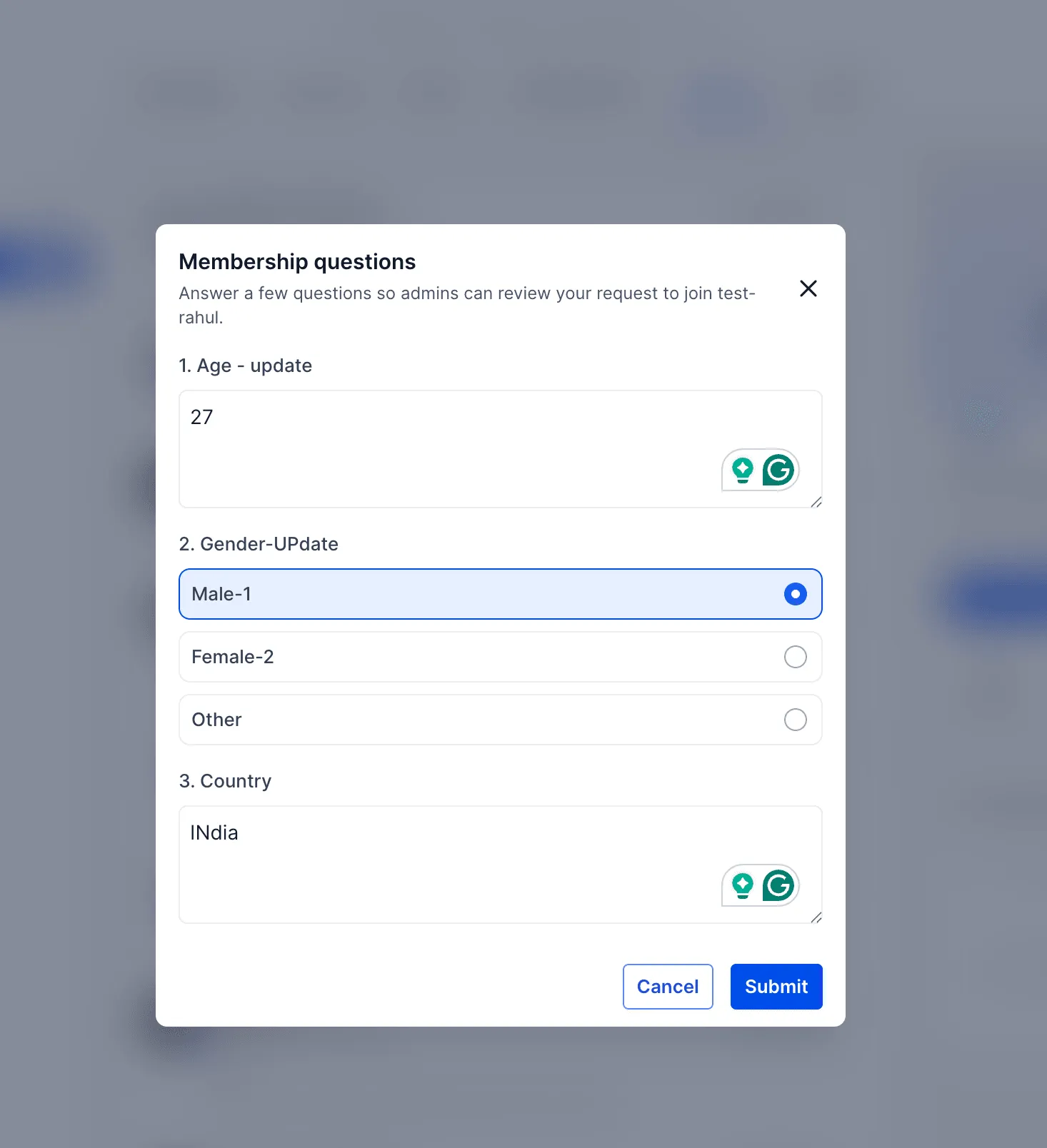
Community membership questions can now be linked to CRM custom fields in SMBcrm. When someone joins a community and answers those questions, their responses sync to the matching CRM contact record.
This helps teams collect onboarding details in Memberships & Education and use them in CRM & Sales workflows without re-entering data.
Why it matters
Membership answers can keep contact records up to date automatically. That makes it easier to support approvals, workflows, and follow-up processes using the information members provide when they join.
How to use it
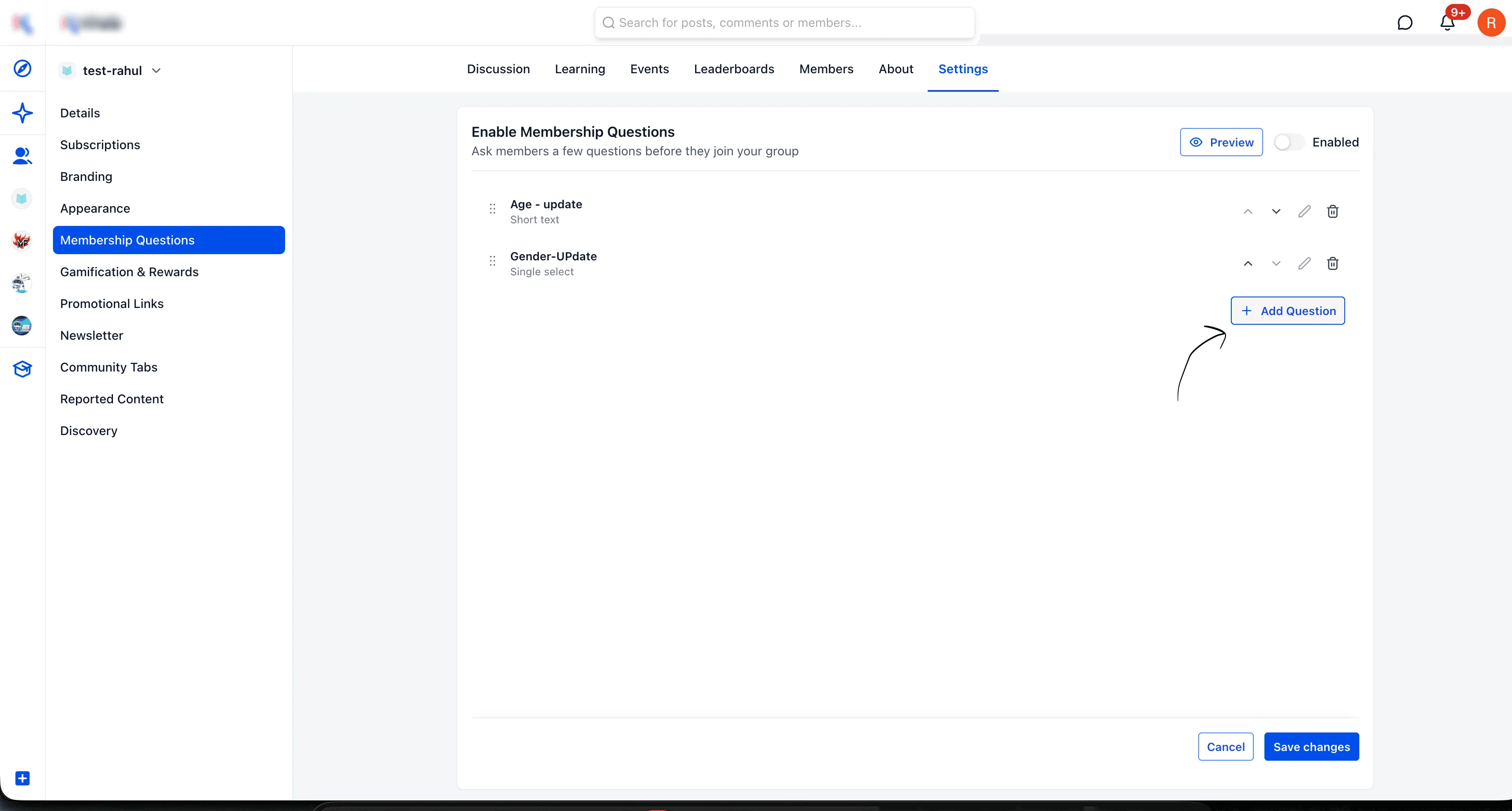
- Go to Community Settings > Membership Questions.
- Click Add Question.
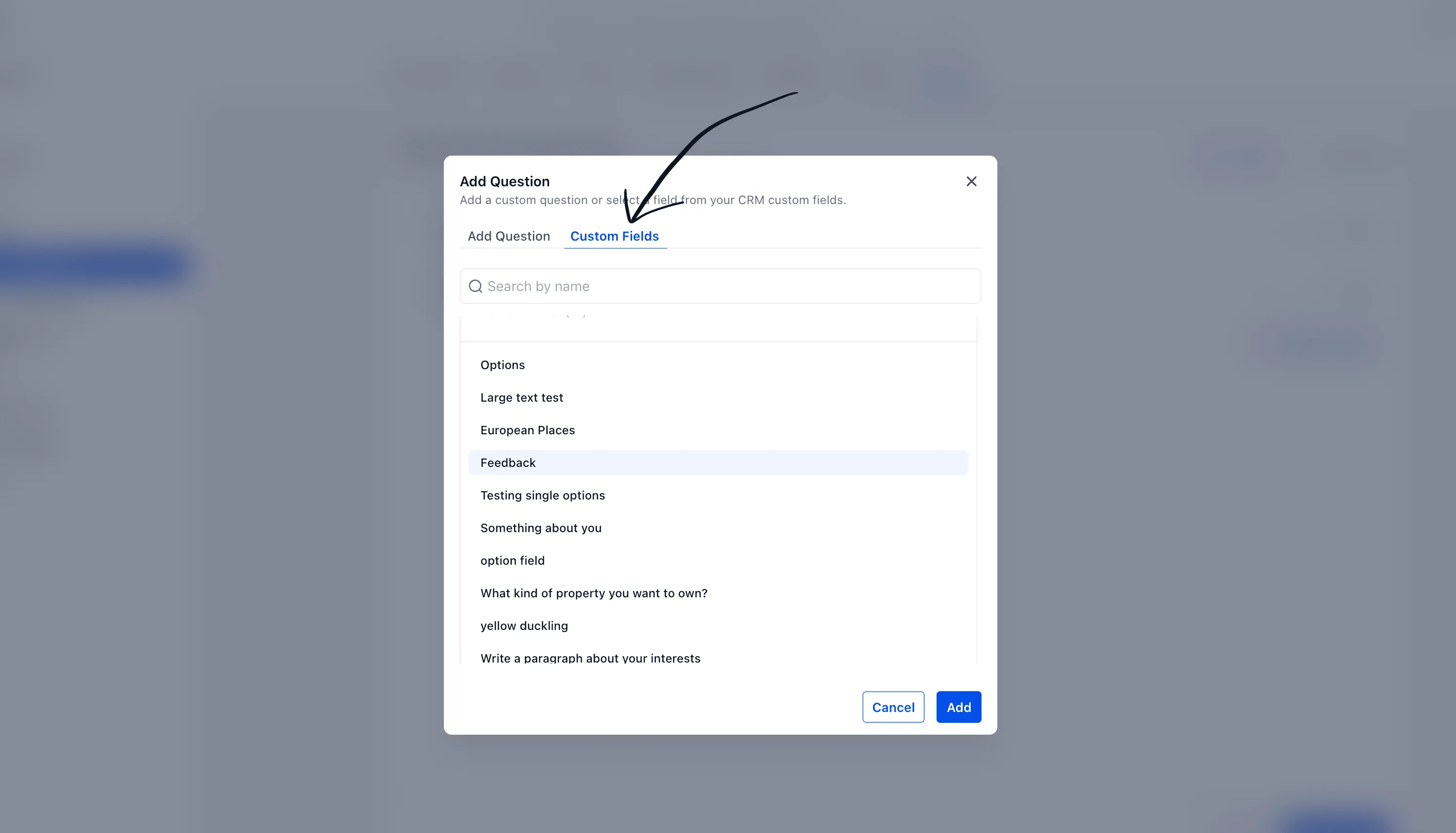
- Select the Custom Fields tab.
- Choose the CRM custom field you want to use.
- Click Save.
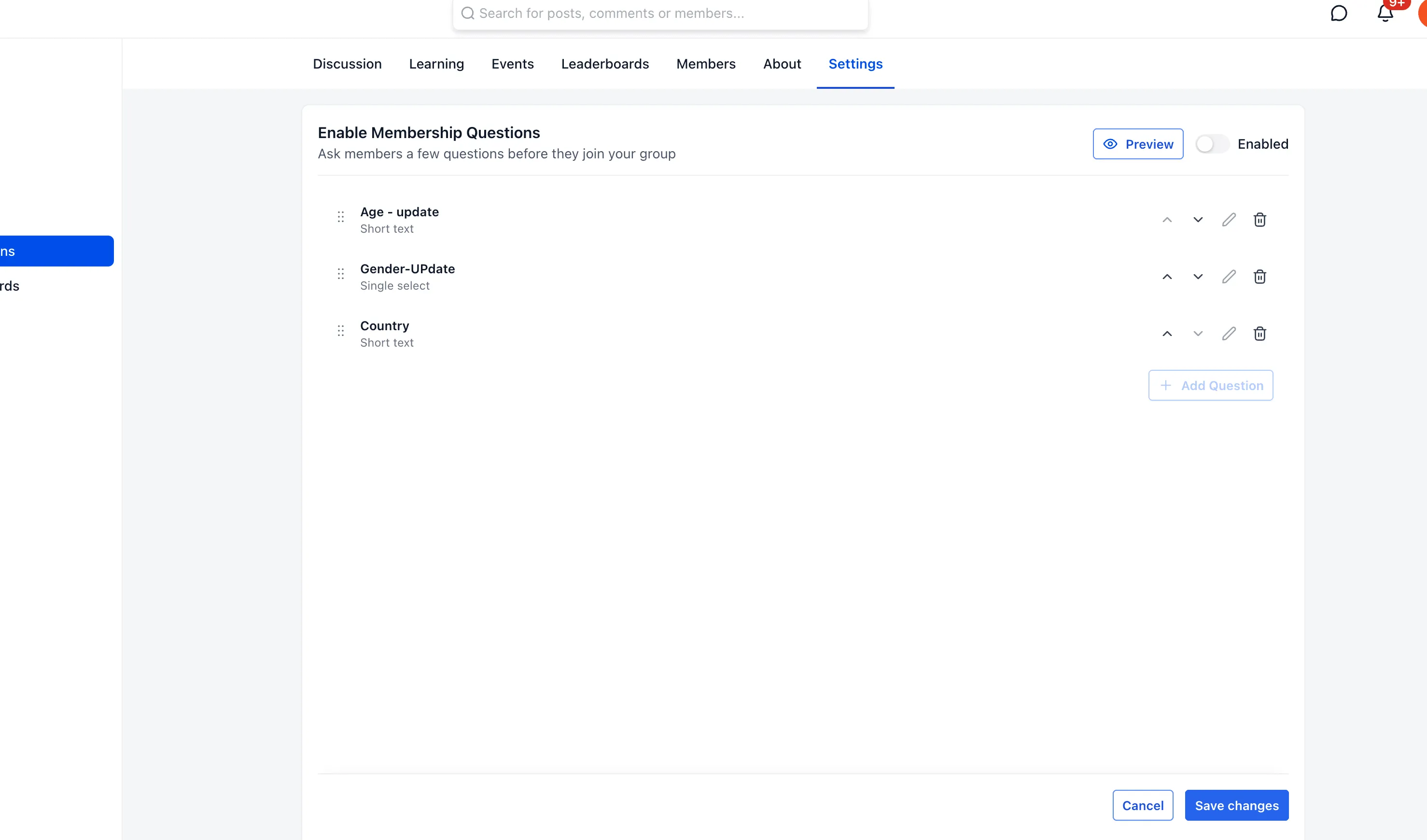
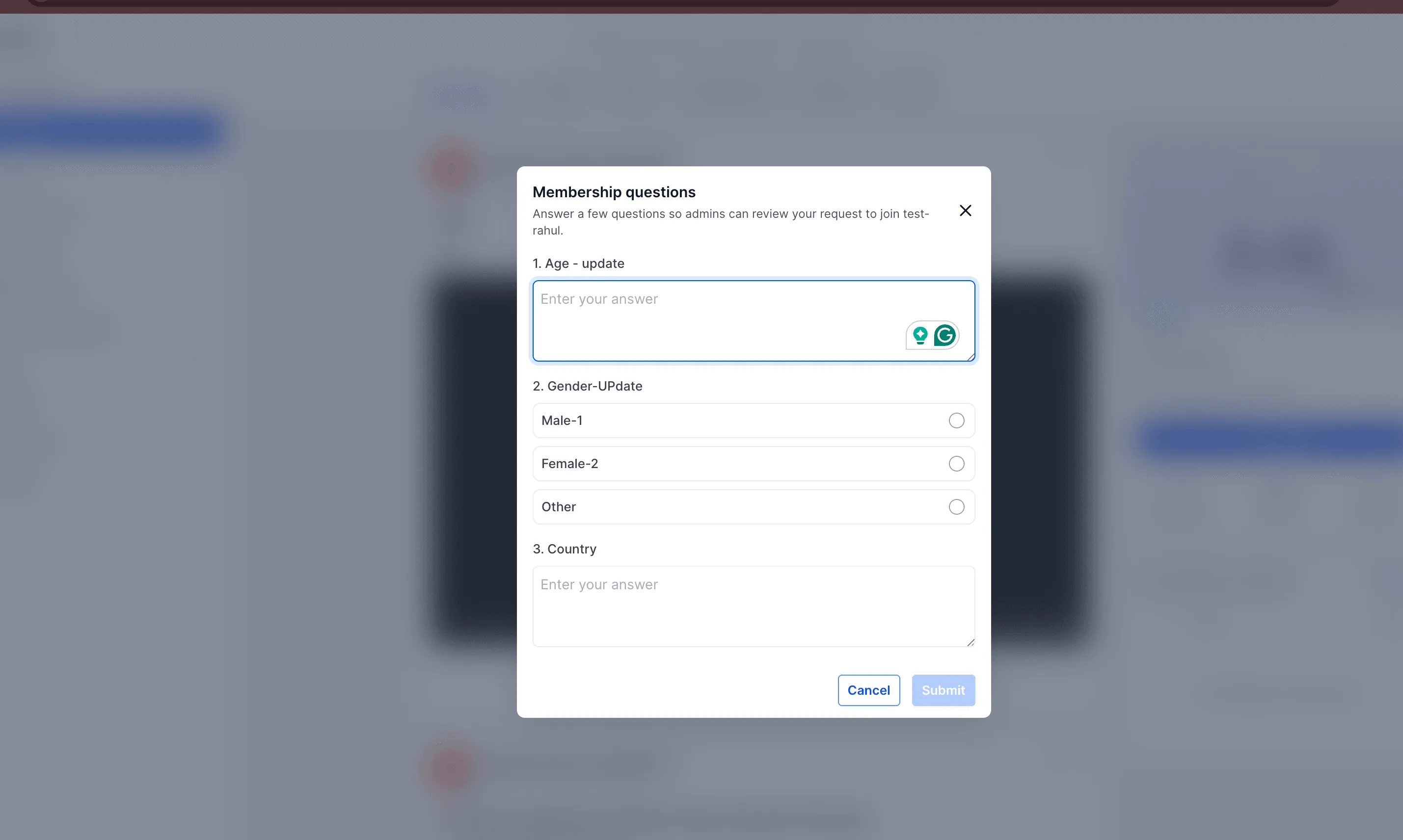
Once a member submits their answers during the join process, the linked CRM custom fields are updated automatically.
Where to view answers
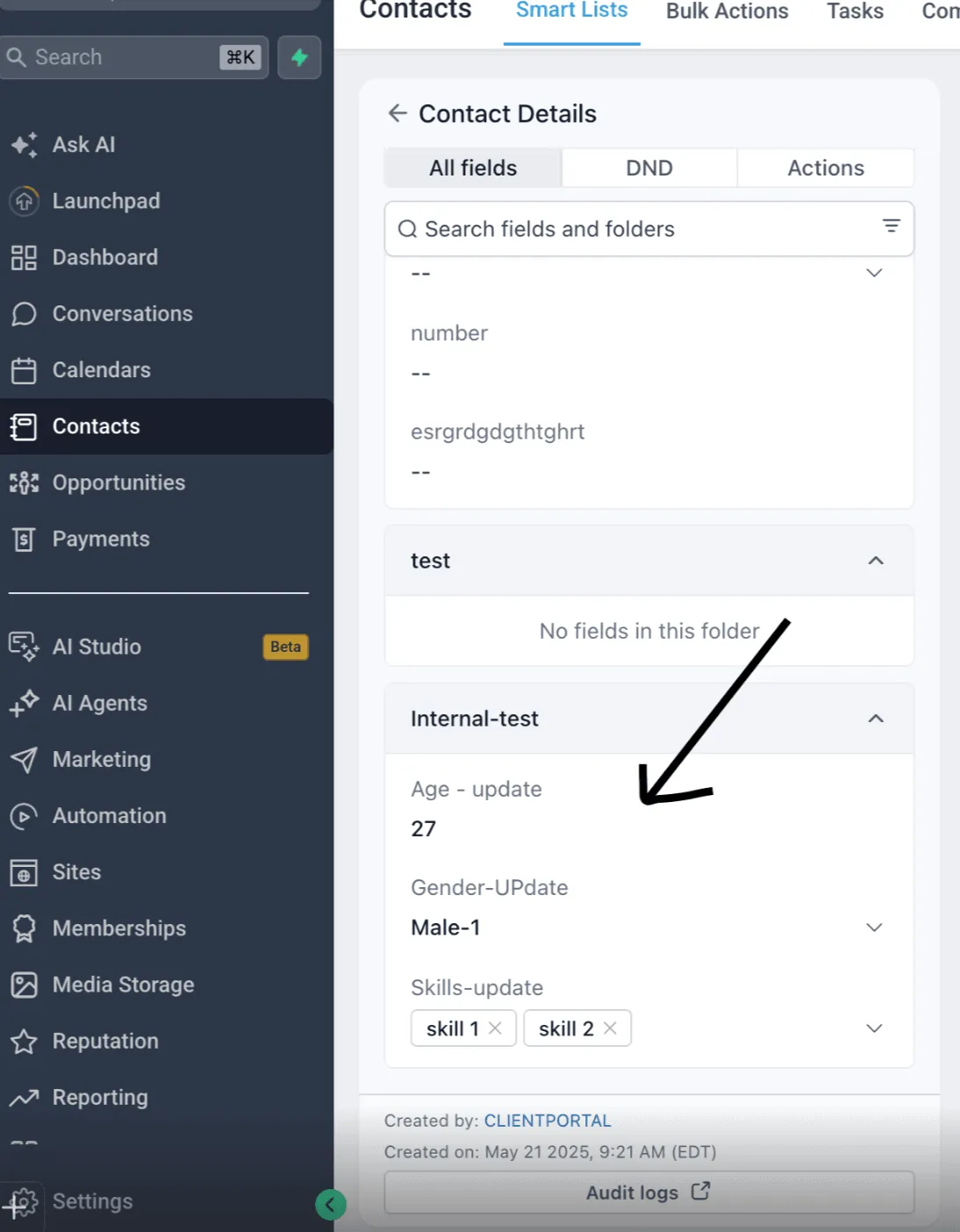
Submitted answers are visible in the Contact Details section under the selected custom field folder.
In Case You Missed It
You can also read Upload and Download Folders in Media Center for another recent SMBcrm update.
Release Images
Need Help Applying This Update?
Want help turning this update into a working part of your CRM, marketing, or automation setup?
Get Started or schedule a demo and we’ll help you map the right next step.