Spintax Adds Dynamic Variations to Emails
SMBcrm now supports Spintax in emails, making it easier to create randomized wording variations inside a single message or template.
With Spintax, you can define multiple versions of a word, phrase, or sentence. When the email is sent, SMBcrm automatically selects one variation at random.
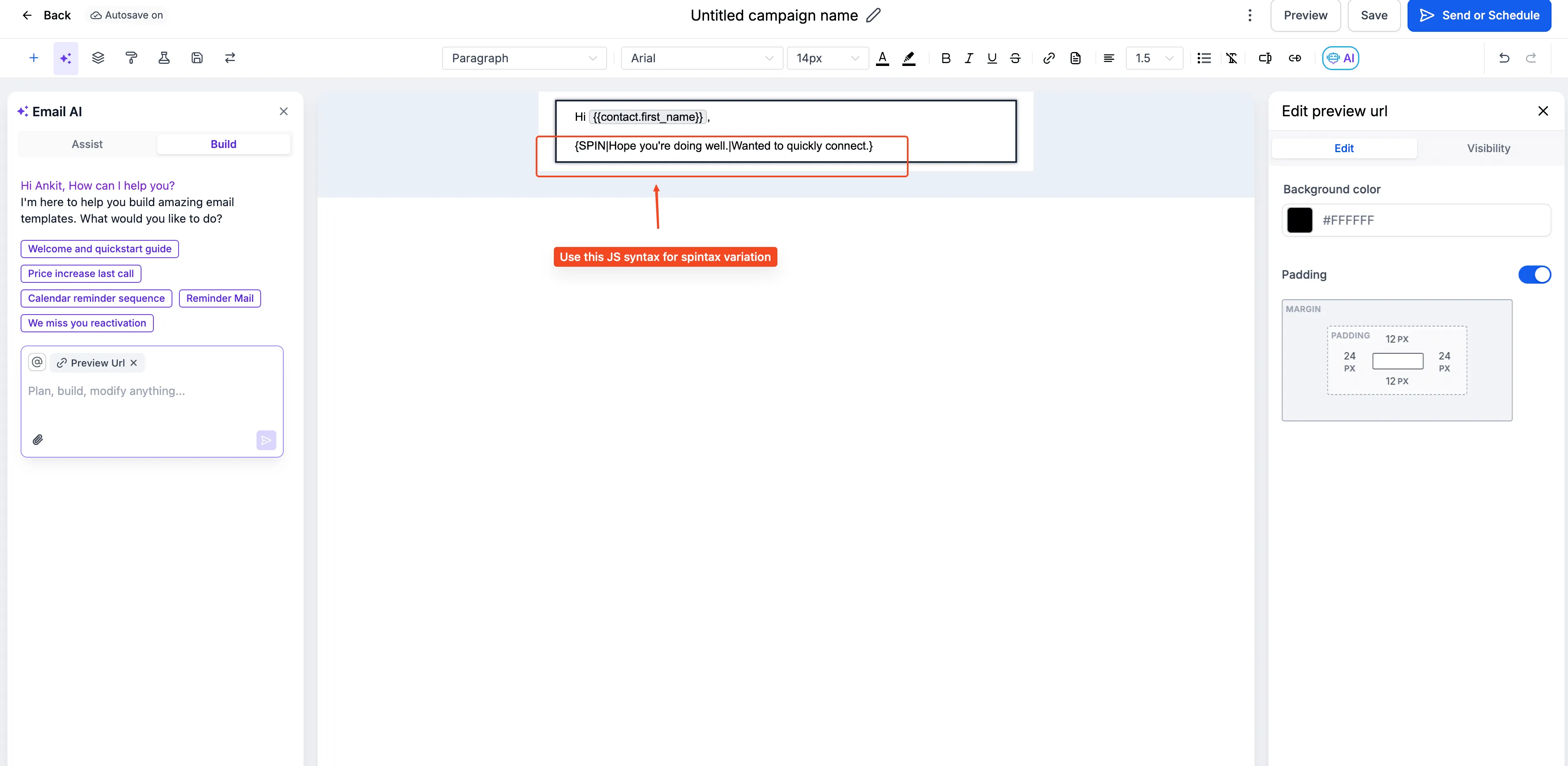
For example, {{SPIN|Hey|Hello|Hi}} there! can appear to the recipient as “Hey there!”, “Hello there!”, or “Hi there!”
Where Spintax Works
Spintax can be used in:
- Subject lines
- Preview text
- Email body content
It also supports nested custom values inside variations, such as {{contact.first_name}}.
Why It Matters
Spintax helps teams reduce repetitive wording across larger cold outreach sequences. It can also support deliverability and spam best practices by reducing content uniformity across similar emails.
You can also test different messaging approaches without maintaining multiple separate versions of the same email.
How to Use Spintax
- Open the email builder.
- Add your content variations inside the Spintax format.
- Separate each option with a pipe character.
- Save your message or template.
- When the email is sent, SMBcrm selects one option at random.
Example: {{SPIN|Hey|Hello|Hi}} {{contact.first_name}}
You can test the result by checking the email after it has been sent.
In Case You Missed It
See the recent update on contact tag updates now requiring confirmation.
Need Help Applying This Update?
Want help turning this update into a working part of your CRM, marketing, or automation setup?
Get Started or schedule a demo and we’ll help you map the right next step.