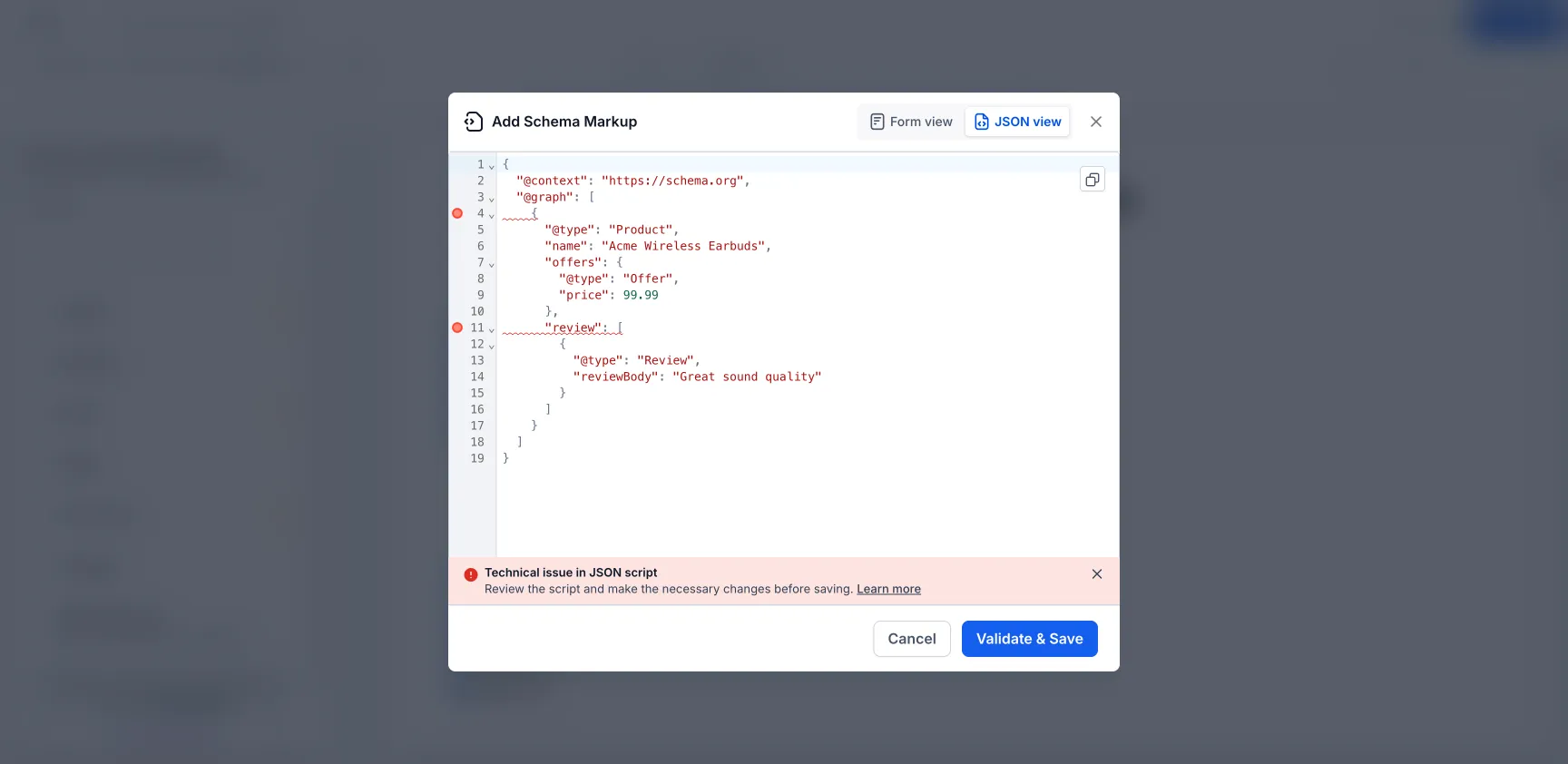
SMBcrm improved the Schema Markup JSON view in the Website and Funnel Builder so validation errors appear directly on the lines that need attention.
Previously, JSON validation issues appeared as a general alert, which could make it harder to locate the problem. Now, each error is marked inline with a tooltip that explains the issue in plain language.
What Changed
- Validation errors now appear inline next to the exact JSON line causing the issue.
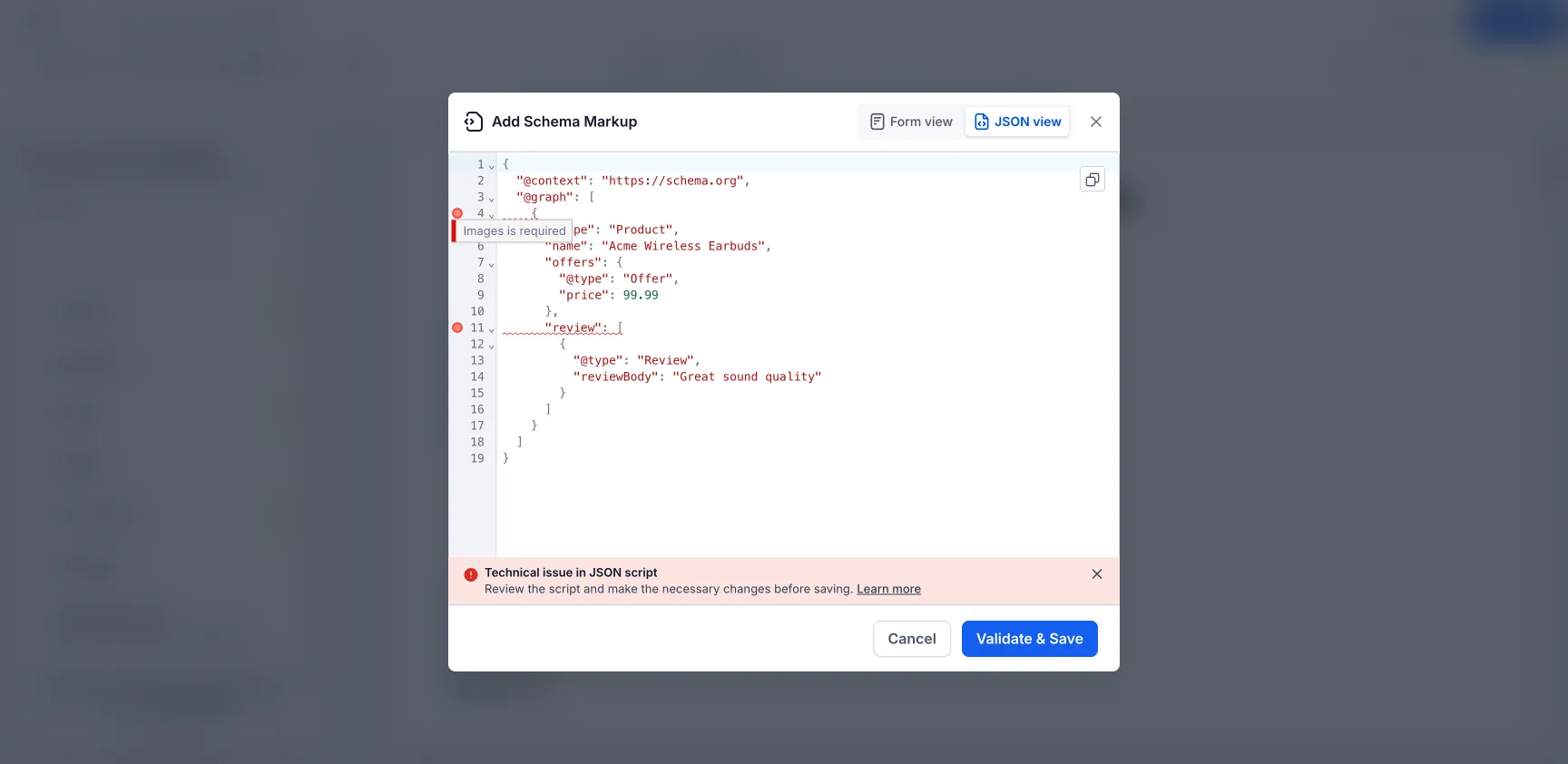
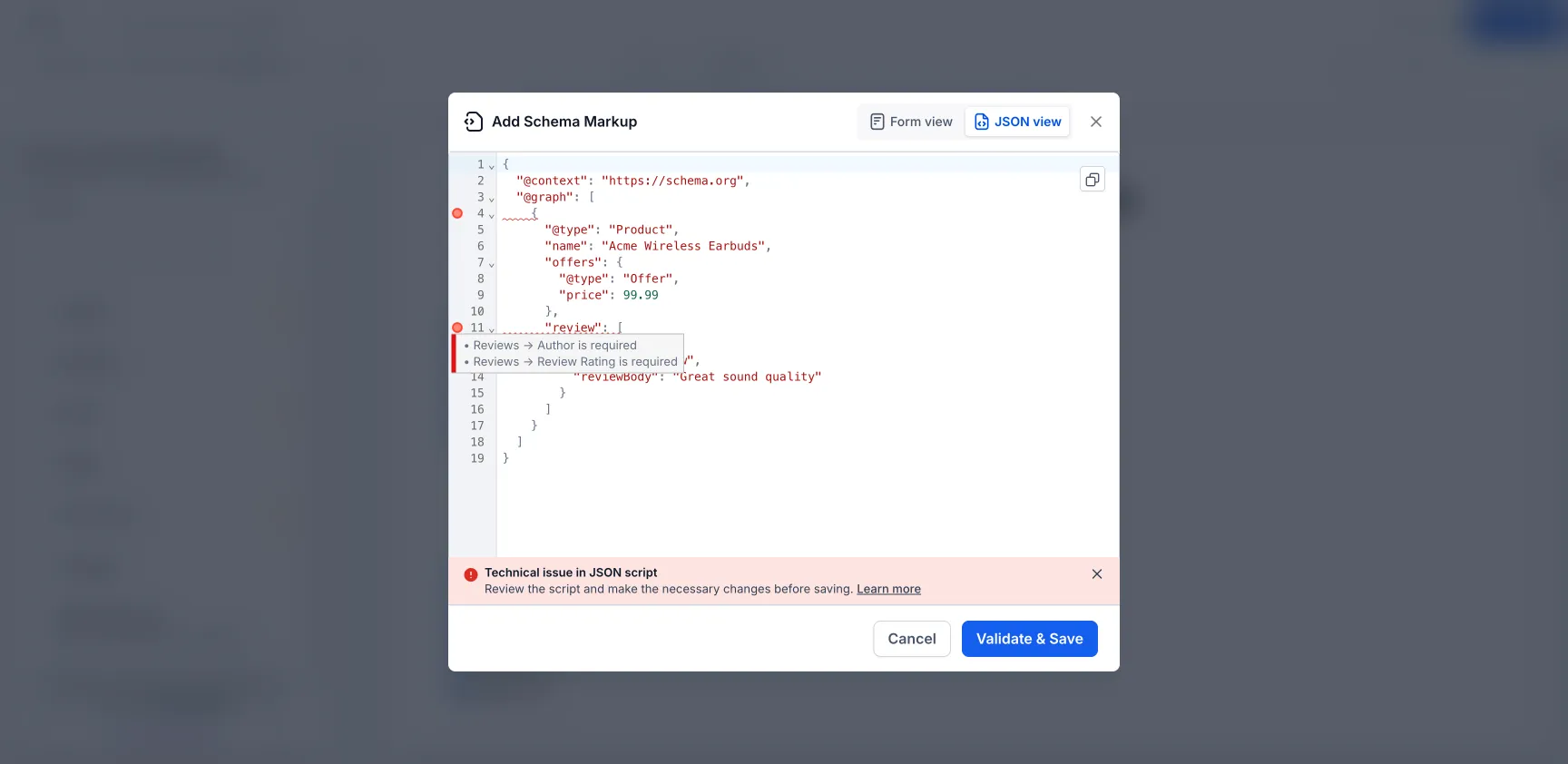
- Hovering over an error marker shows a plain-language explanation.
- Nested fields and more complex schema structures are supported.
- Multi-schema JSON using @graph is supported, with errors routed to the correct schema block.
- Errors clear one by one as each issue is fixed.
How to Use It
- Go to Website Builder or Funnel Builder.
- Open Edit Page.
- Go to SEO & AI search optimization.
- Open Schema Markup.
- Choose Add/Edit Schema and switch to JSON view.
- Select Validate & Save to see inline error markers.
Why It Matters
Inline validation makes schema errors easier to find and fix, especially when working with large JSON-LD scripts or advanced schema setups.
This improvement supports all schema types referenced in the editor, including Product, Organization, FAQ, LocalBusiness, Article, Recipe, Event, and more.
In Case You Missed It
For another builder improvement, read about Targeted Edits in AI Builder.
Need Help Applying This Update?
Want help turning this update into a working part of your CRM, marketing, or automation setup?
Get Started or schedule a demo and we’ll help you map the right next step.
Explore this in SMBcrm
Connect a website visit to a useful next step.
Explore website and funnel tools, then plan the form, booking, or conversation that follows a visit.
Explore website and funnel toolsAlready using this feature? Find setup help