AI Builder now follows targeted-edit instructions more precisely inside the workflow builder. You can name the actions or triggers you want changed, and AI Builder updates that scope while leaving the rest of the workflow untouched.
This improvement is designed for larger automation workflows, where manual action-by-action editing can take extra time.
What’s Changed
More precise scoped edits
You can specify whether AI Builder should update all actions, a set number of actions, or only specific actions and triggers.
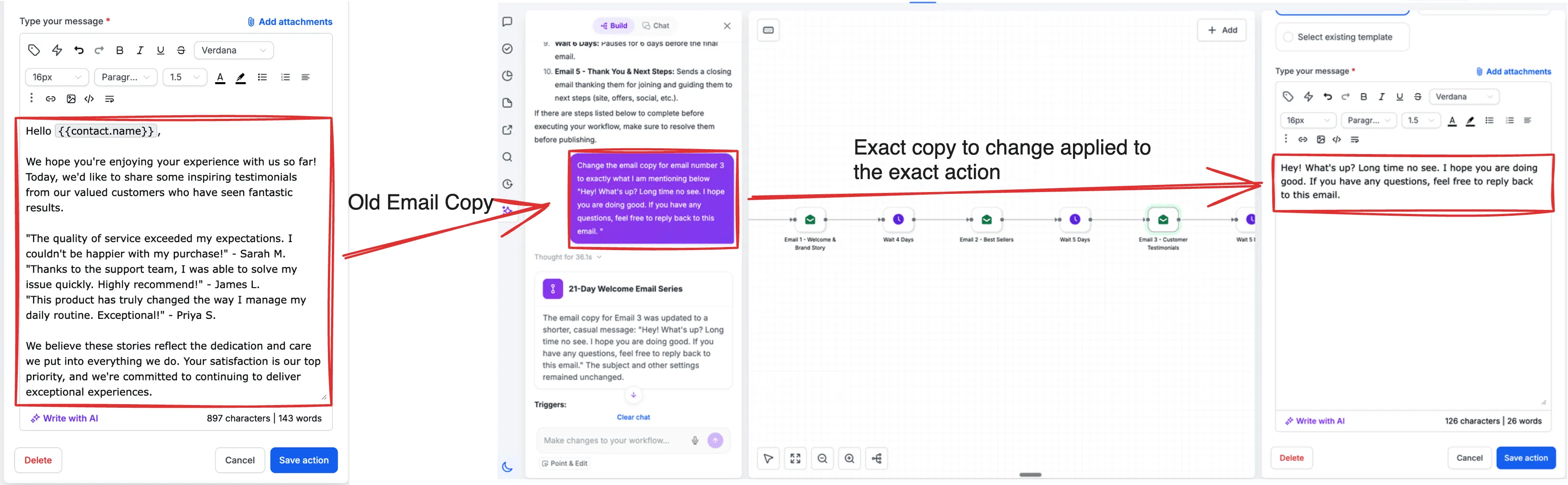
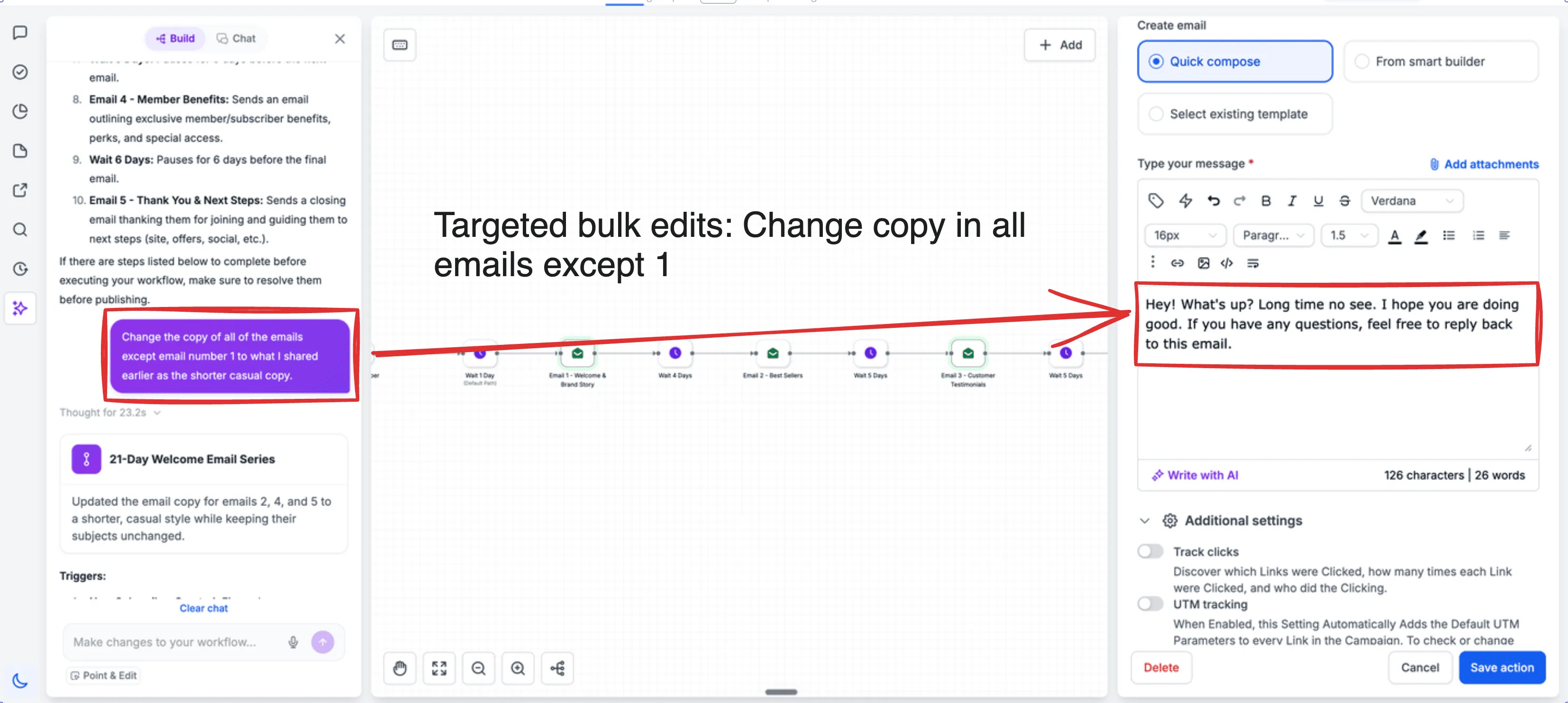
Bulk copy edits
AI Builder can update email, SMS, or other channel copy across multiple workflow actions in a single instruction.
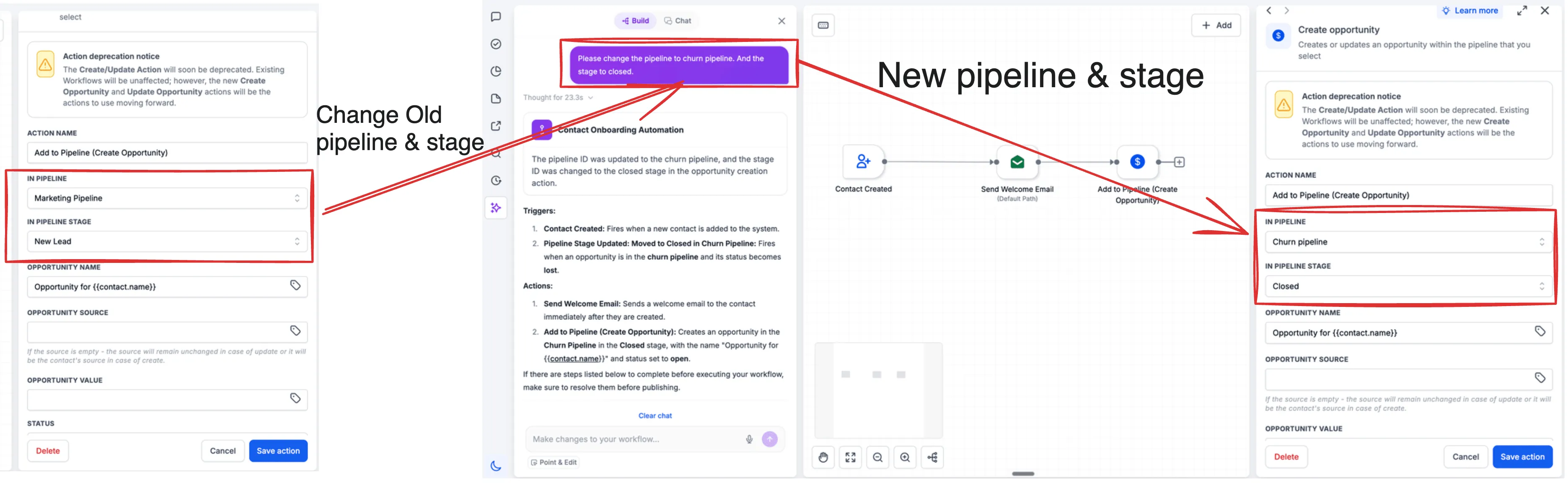
Bulk pipeline stage changes
You can change pipeline stages across all or selected actions and triggers at once.
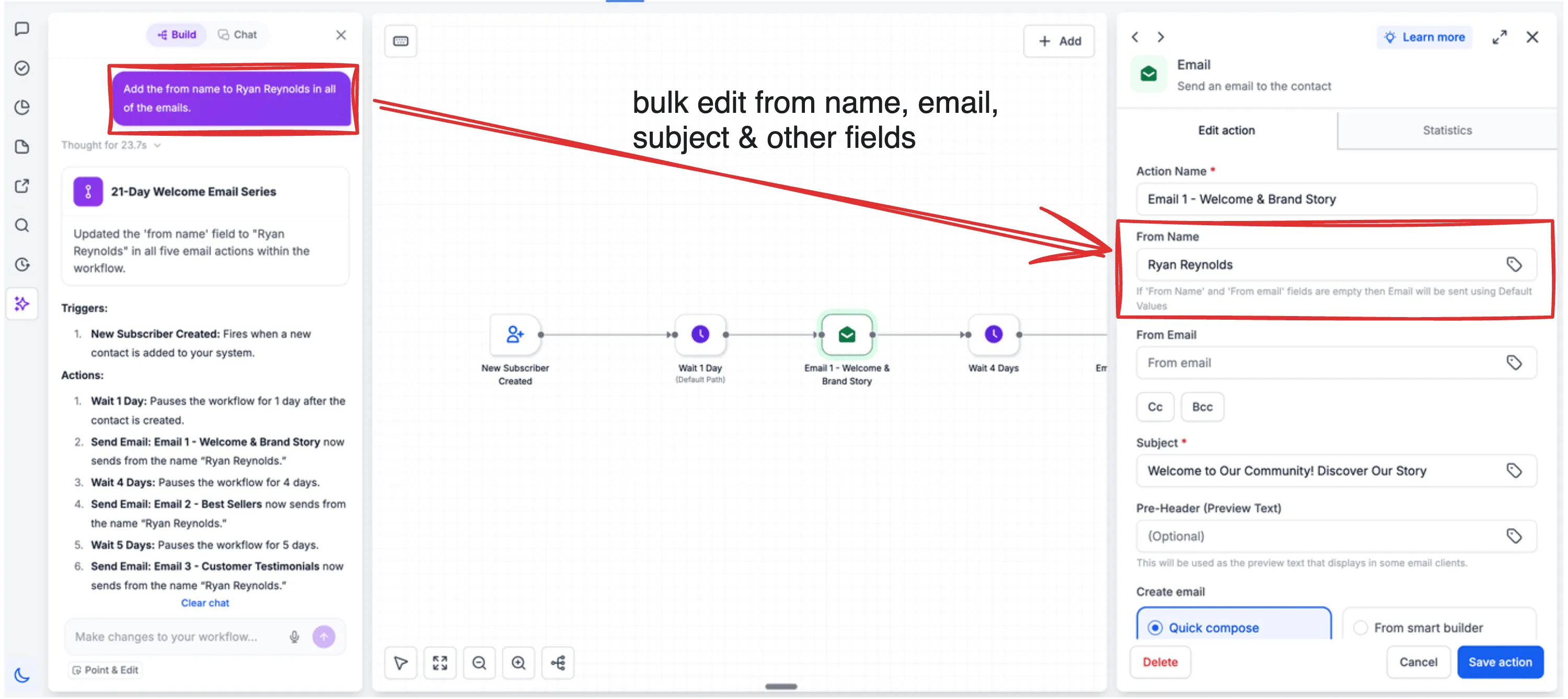
Bulk sender identity updates
AI Builder can set the From Name and From Email across all or selected email actions with one instruction.
How to Use It
- Open the AI assistant in the sidebar within the workflow builder.
- Describe the change and its scope, such as “Set the From Name to Aviv in all email actions” or “Update the SMS copy in only the first two actions.”
- Review the preview and save.
Why It Matters
For long or complex workflows, editing effort no longer has to scale action by action. A single scoped instruction can apply the same change across the exact set of actions or triggers you choose.
That precision also makes bulk editing safer to review because AI Builder is designed to change only the named scope, with no spillover into other workflow steps.
Learn more about SMBcrm’s AI features for workflow building and editing.
In Case You Missed It
You may also want to read about how teams can edit paid and unpaid service bookings.
Need Help Applying This Update?
Want help turning this update into a working part of your CRM, marketing, or automation setup?
Get Started or schedule a demo and we’ll help you map the right next step.