Interactive Ask AI Responses in SMBcrm Mobile
Ask AI now supports interactive responses in the SMBcrm Mobile app, making it easier to review answers and take action from iOS or Android.
What changed
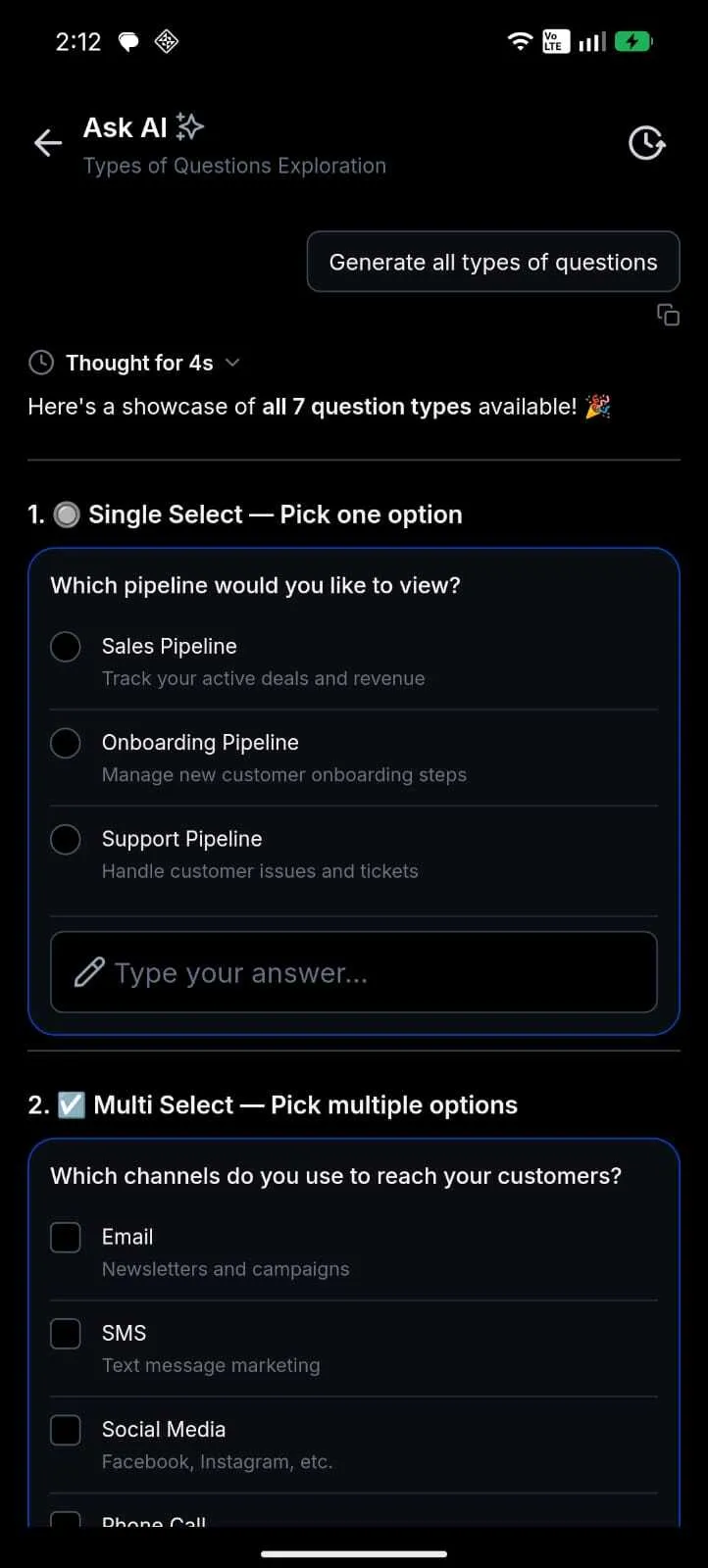
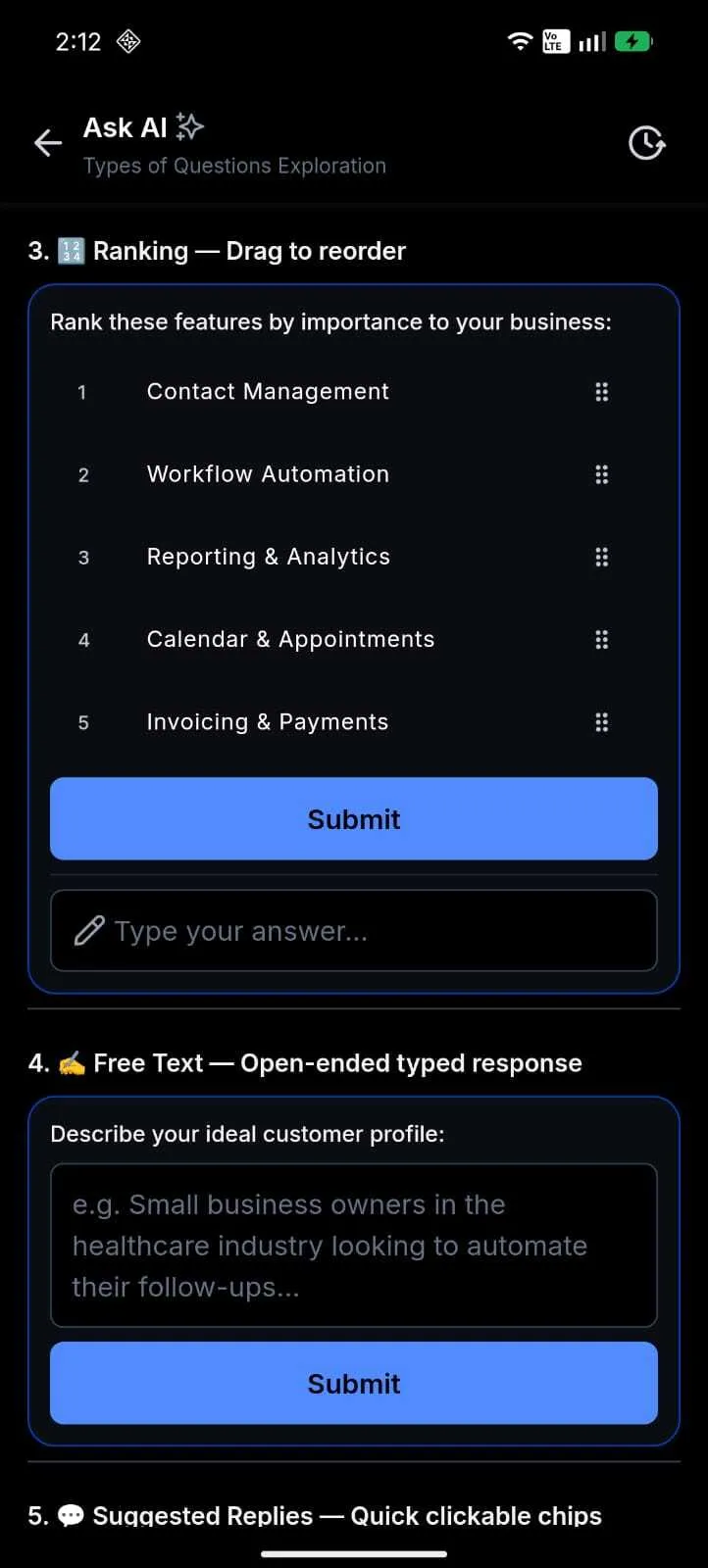
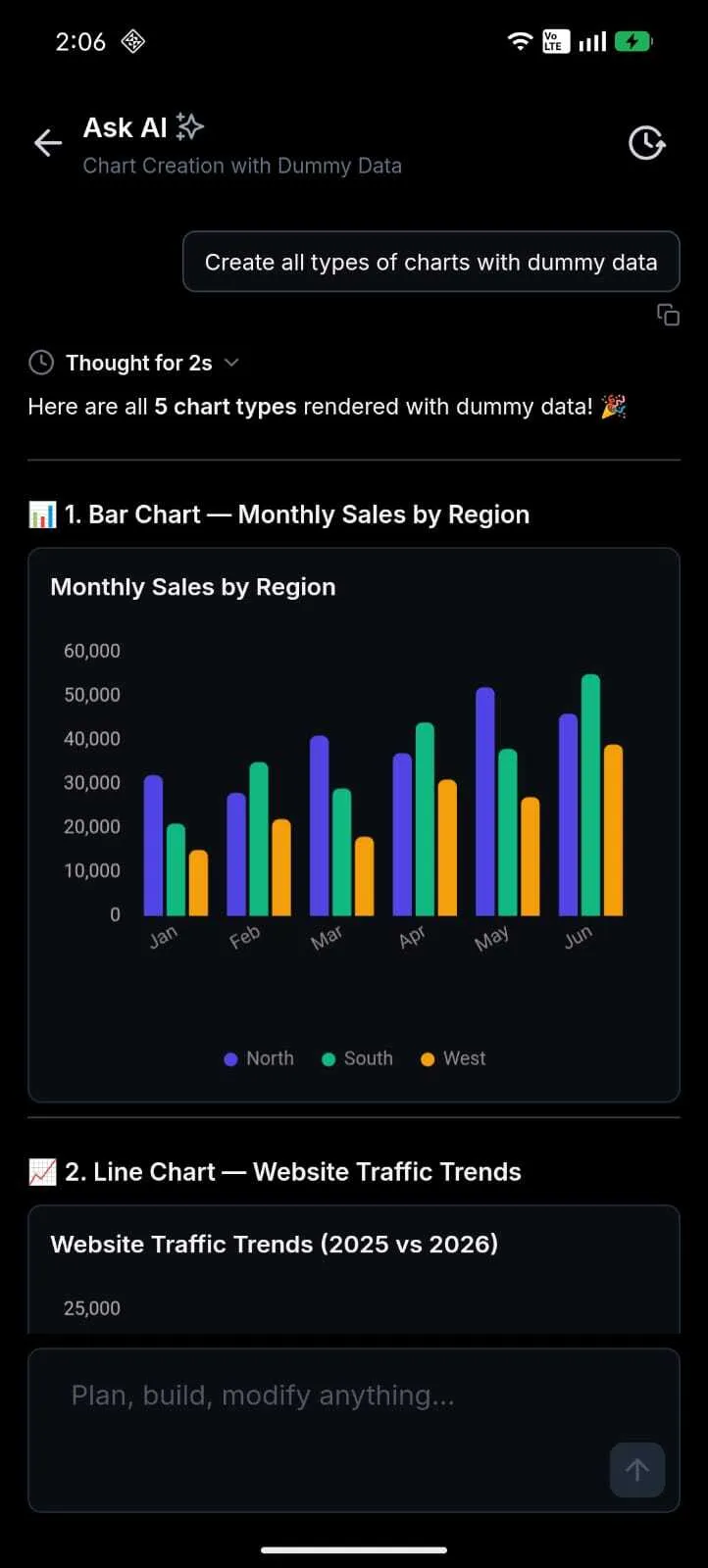
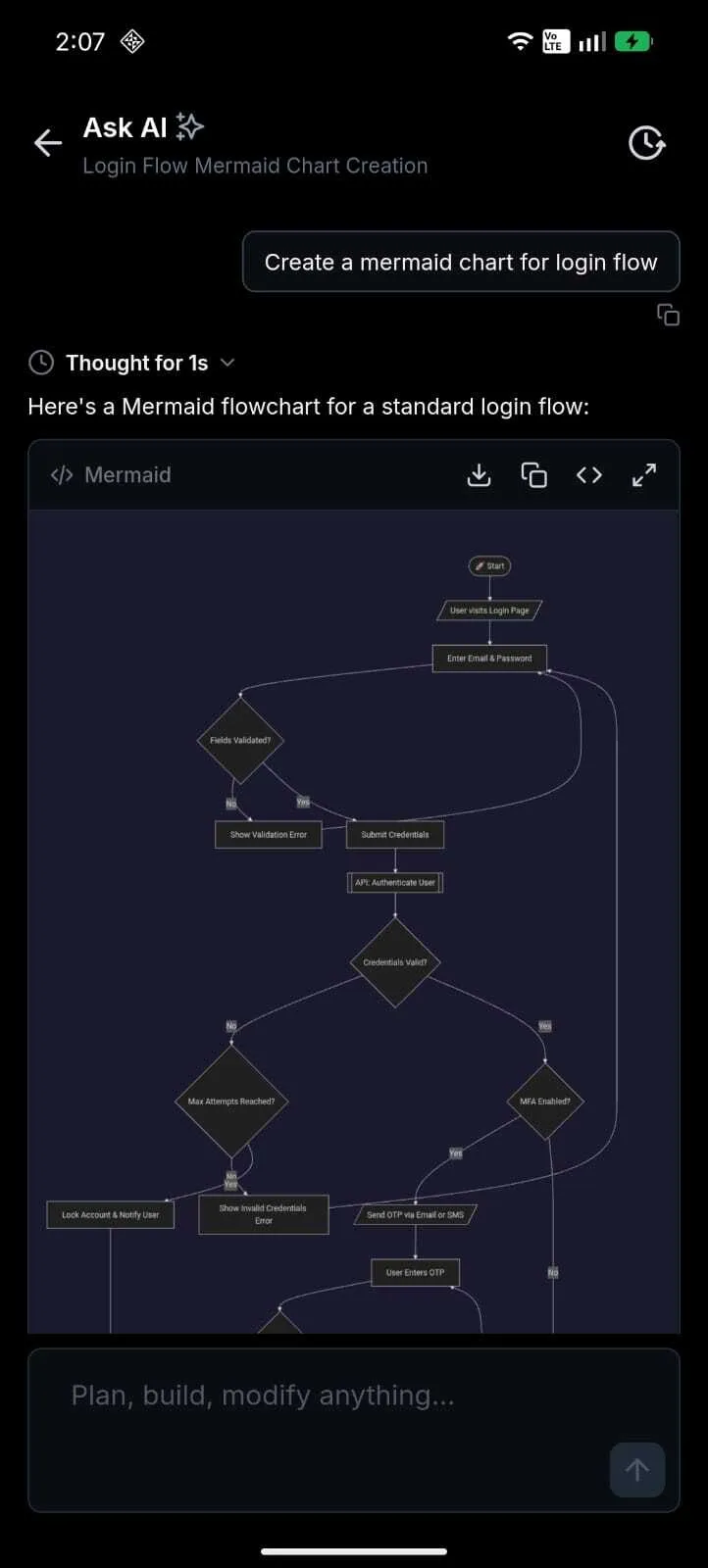
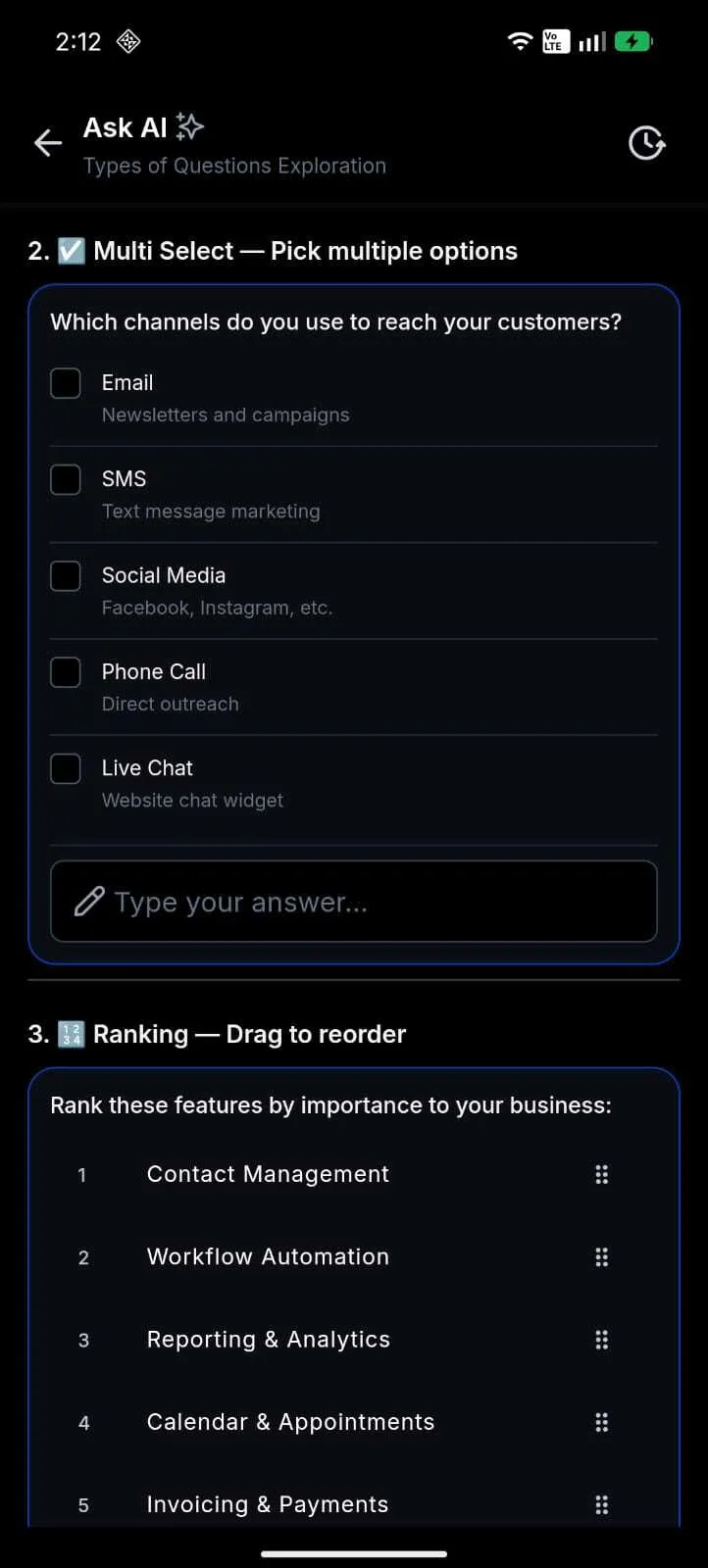
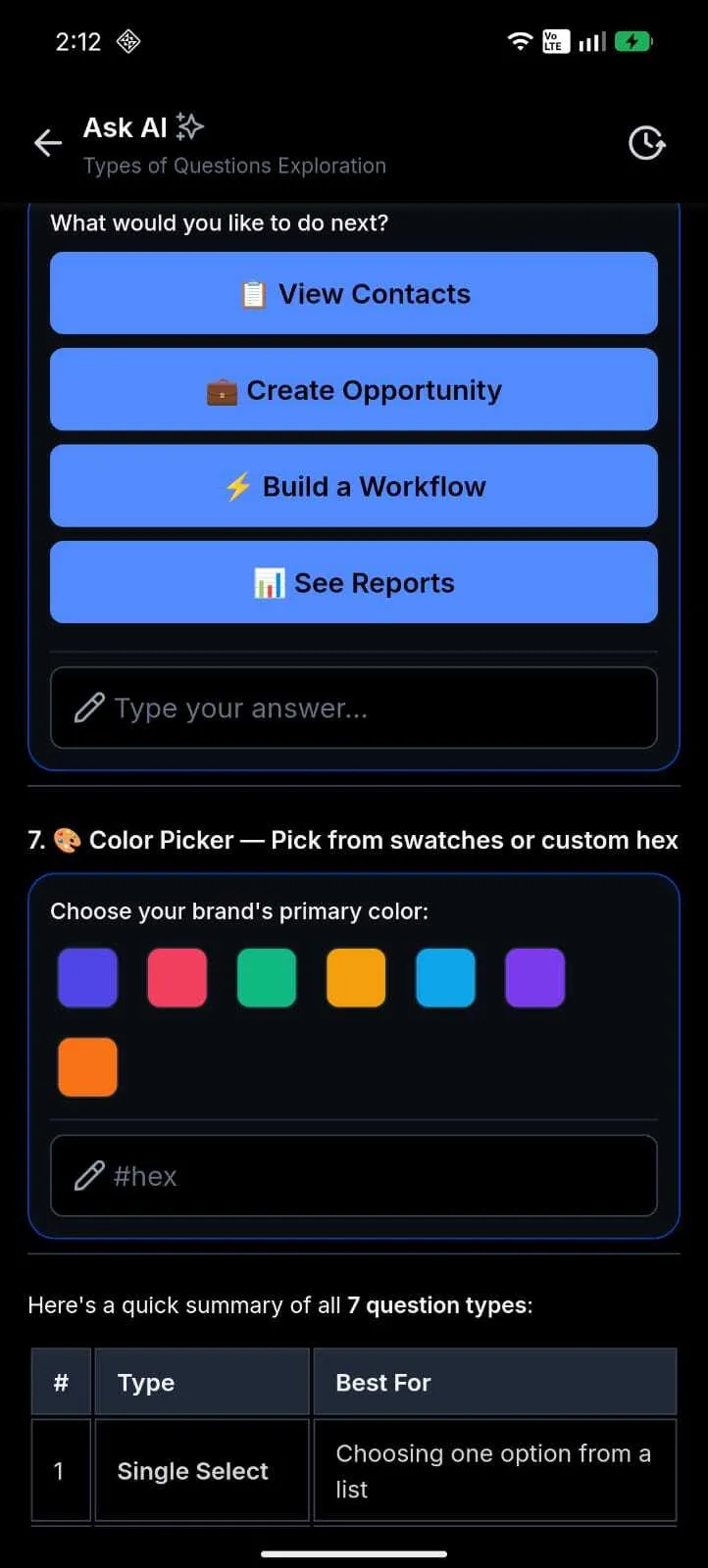
Ask AI V2 adds native mobile rendering for 10 interactive response types. Responses can include charts, data tables, code blocks, approval flows, question wizards, and other artifact types that respond to touch.
Answers stream in real time, with a live thinking indicator while the AI works. Conversation history is searchable, so you can return to prior Ask AI sessions from your phone.
This update extends SMBcrm’s AI features for users who need to review information or complete structured tasks away from a desktop.
Why it matters
- Review business insights from charts and data tables while away from your desk.
- Complete structured tasks from your phone using approval flows and question wizards.
- Resume previous Ask AI sessions with searchable conversation history.
- See responses arrive in real time instead of waiting for a completed answer.
How to use it
- Open the SMBcrm Mobile app and tap Ask AI.
- Enter your question in the composer bar.
- Interact with the response by tapping charts, copying code, following a wizard, or opening Sources when web search results are available.
Availability details
- Release date: June 18, 2026
- Available version: 4.18.1 (build 833)
- Status: Public
- Platforms: iOS and Android
- Dark mode is supported across artifact types and follows your device theme.
- Model selection is available.
- A Canvas preview pipeline with 9 preview types is included but dormant and can activate through a backend toggle without requiring an app update.
In Case You Missed It
For another recent update, read June Template Release: Websites, Funnels, Email, Social, and Ads.
Release Images
Need Help Applying This Update?
Want help turning this update into a working part of your CRM, marketing, or automation setup?
Get Started or schedule a demo and we’ll help you map the right next step.