Jotform Actions and Triggers Added to Workflows
SMBcrm automation now supports Jotform triggers and actions inside workflows. Use them to respond to form activity and write submissions back to Jotform without manual imports.
What’s Changed
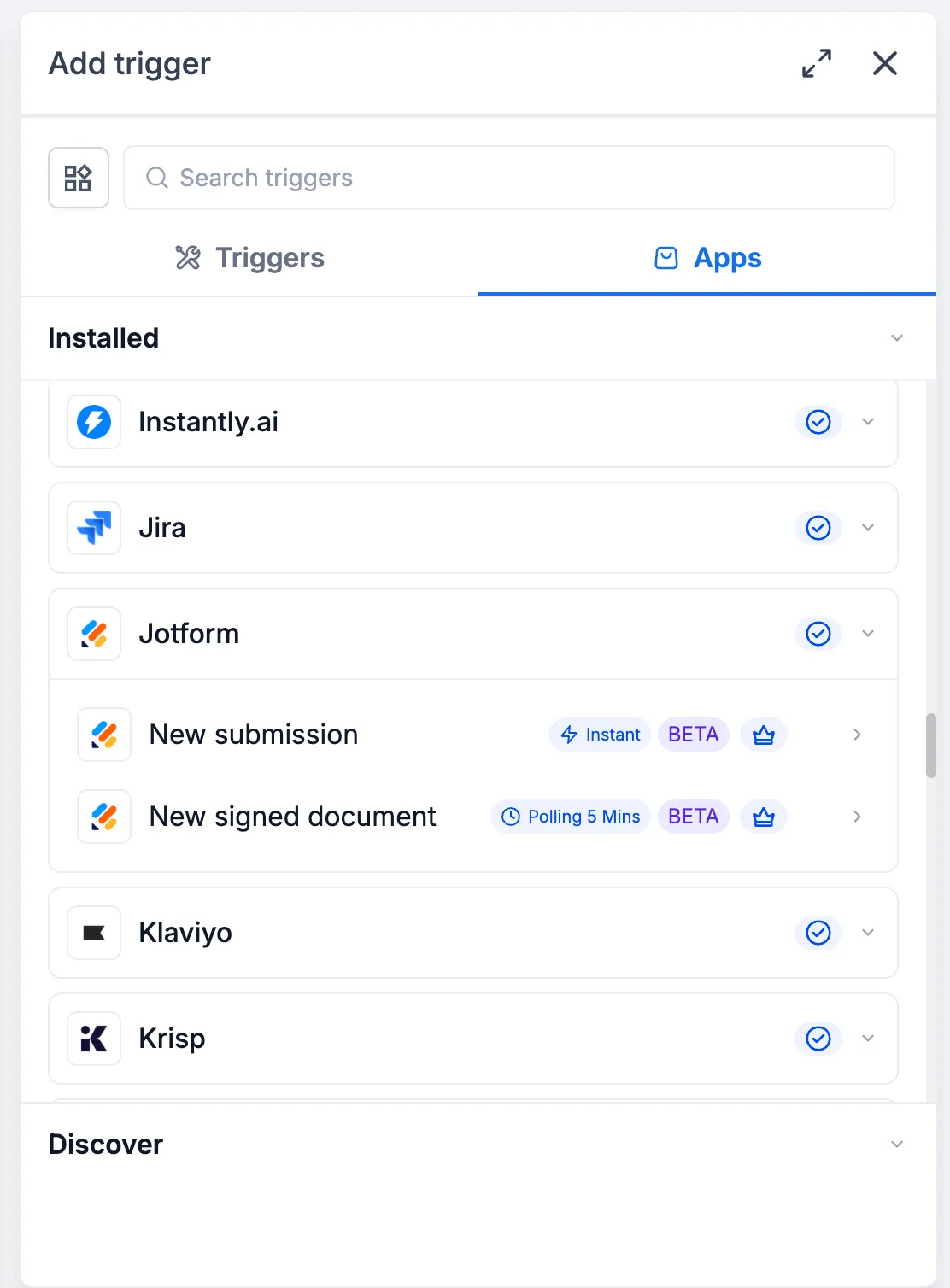
Triggers
- New Submission: Starts a workflow when a new response is submitted to a Jotform form.
- New Signed Document: Starts a workflow when a document with an e-signature field is completed and signed. This is checked every 5 minutes.
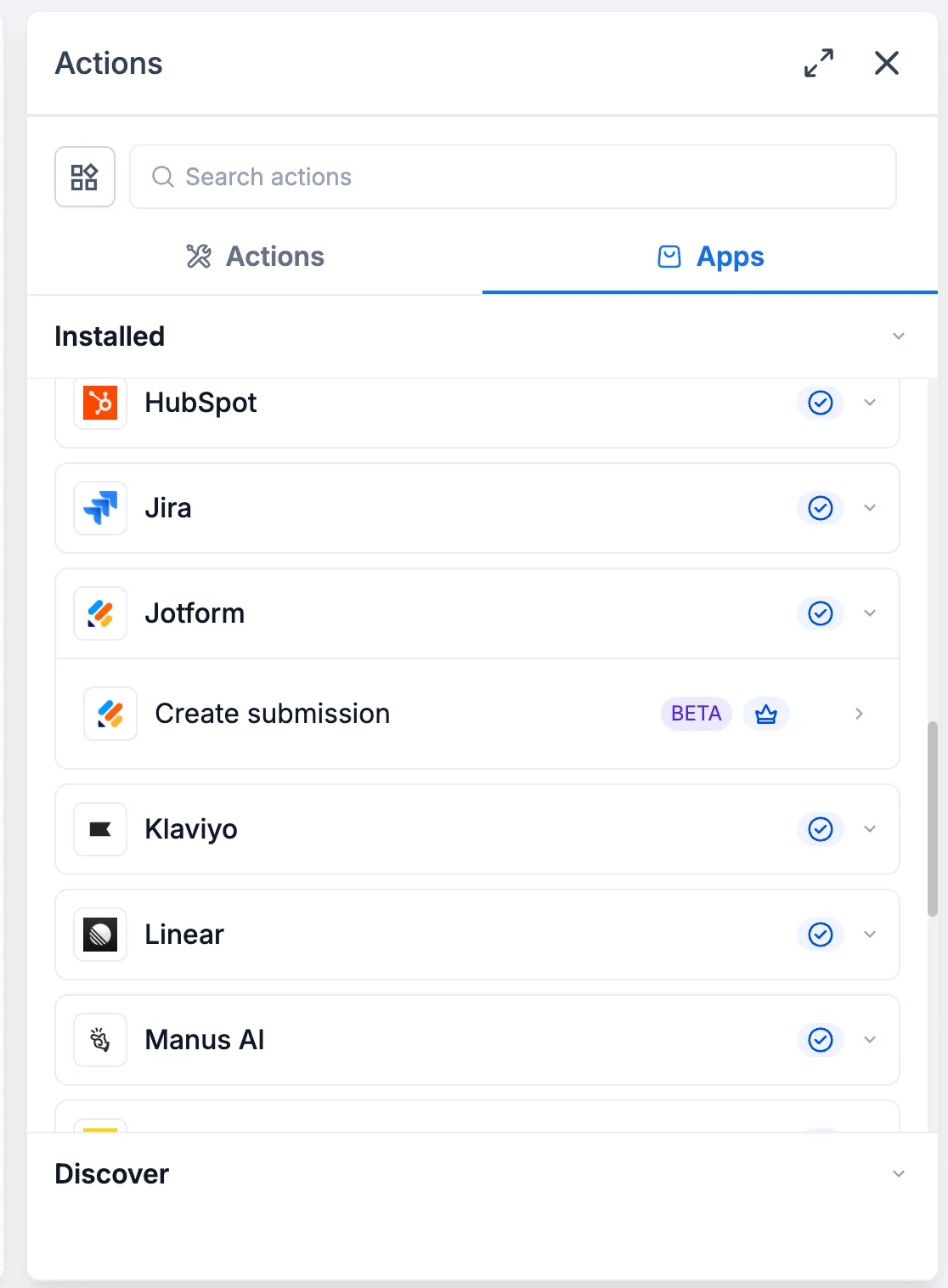
Action
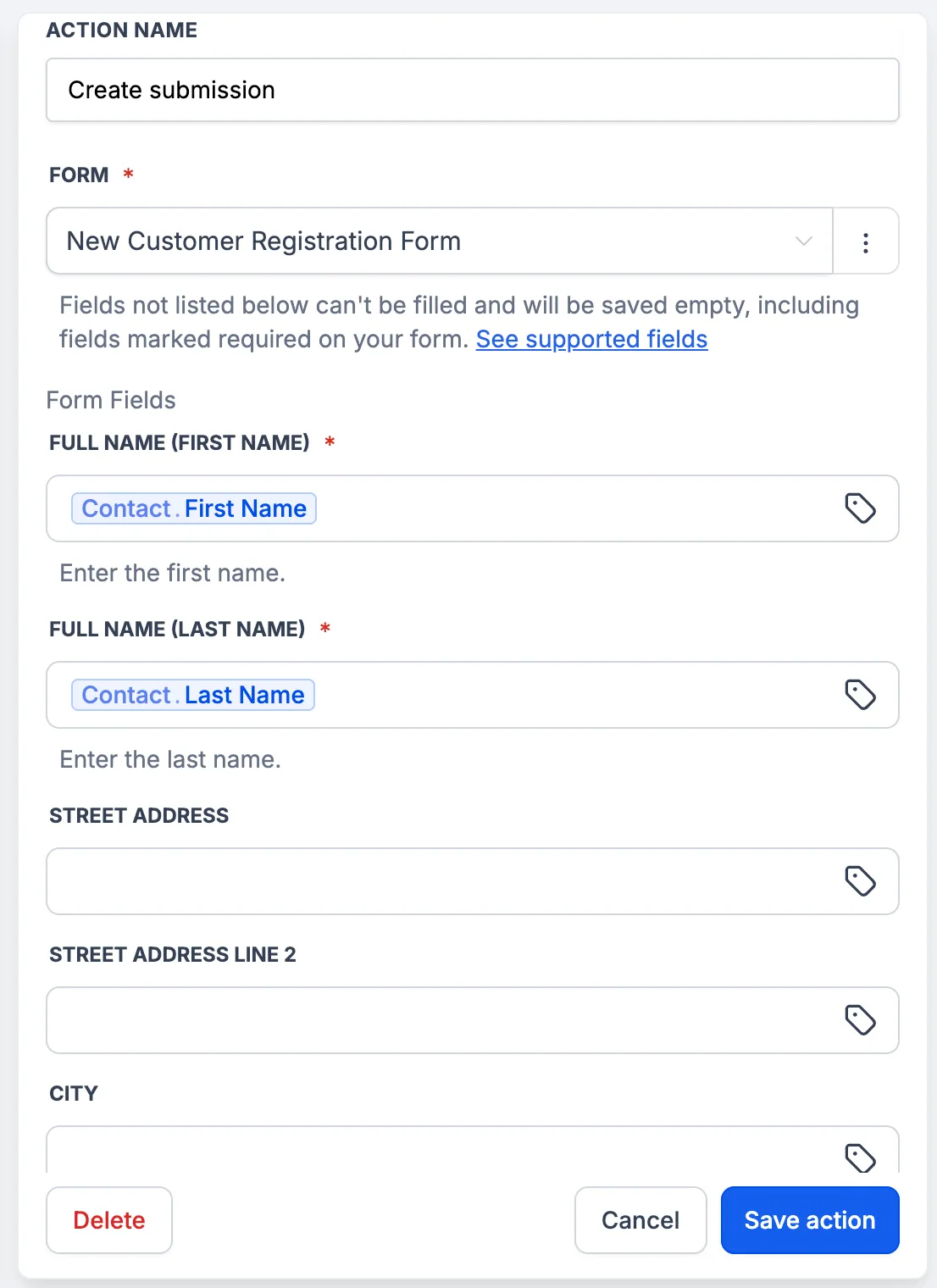
- Create Submission: Adds a new submission to a selected Jotform form, with values mapped from the workflow.
Why It Matters
With Jotform workflow support, teams can:
- Follow up with leads as soon as a form is submitted.
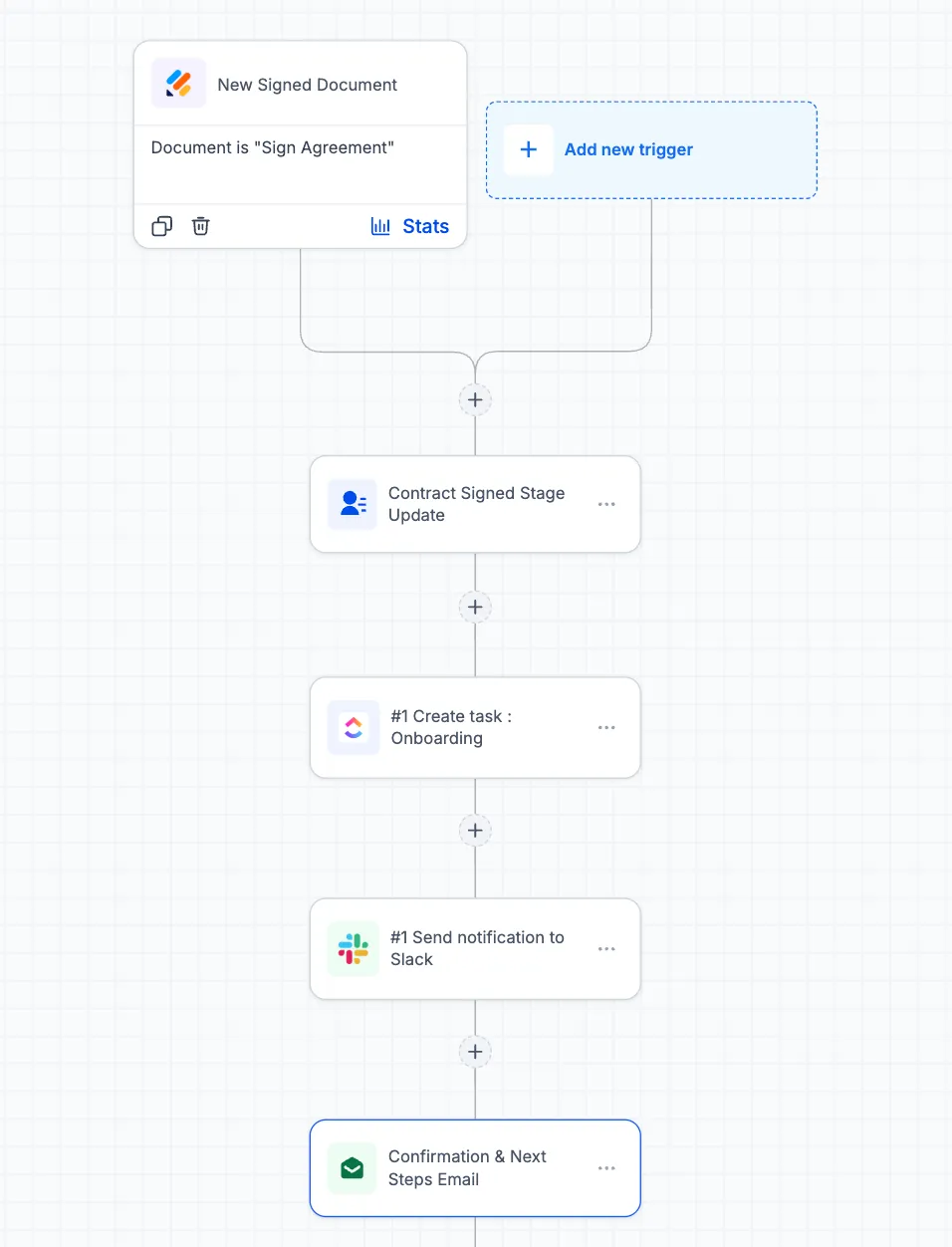
- Start onboarding when a signed contract is completed.
- Add phone, event, and walk-in sign-ups into Jotform so reporting includes more than online submissions.
- Reduce reliance on separate zaps and webhooks.
How to Connect Jotform
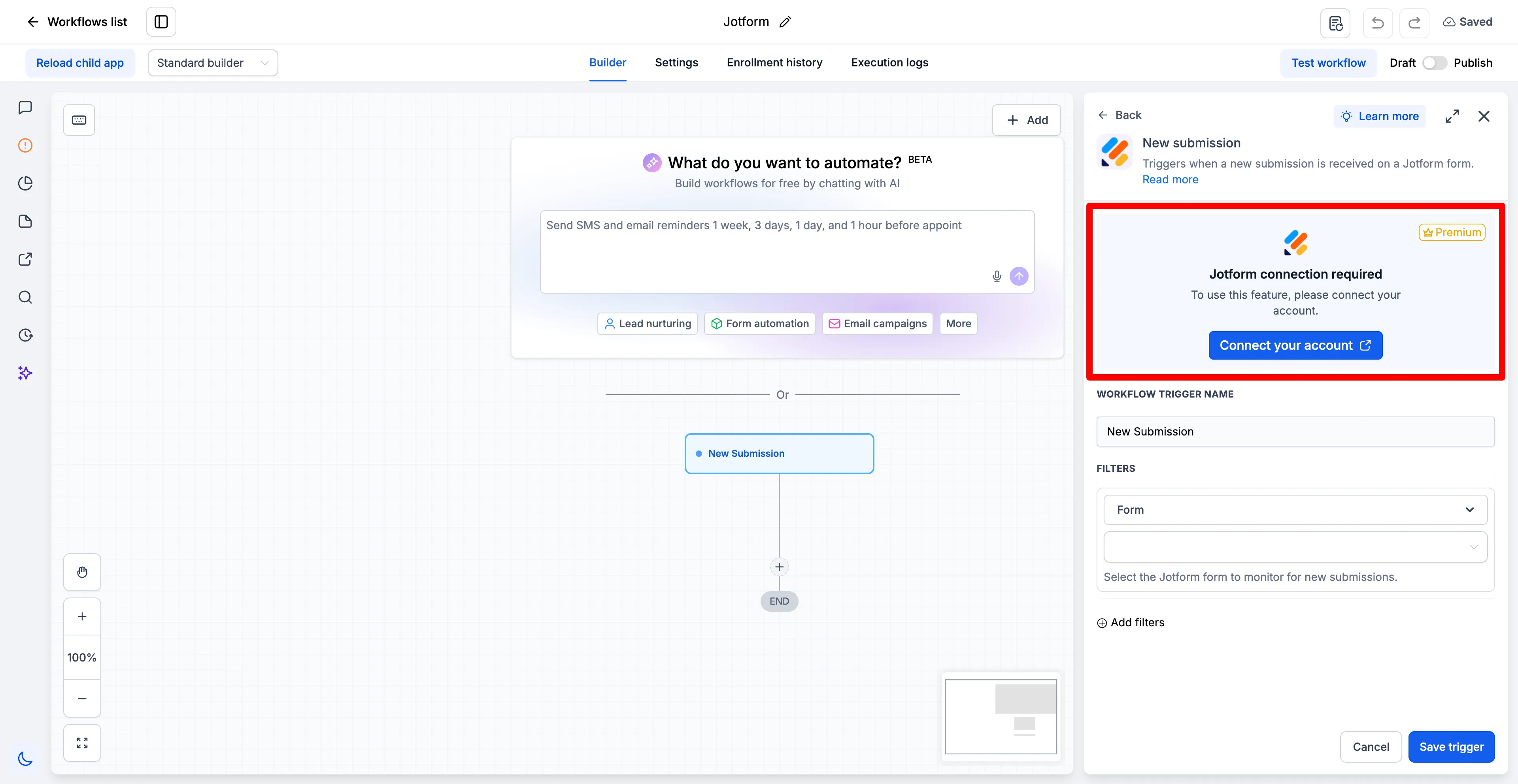
- Open the Workflow Builder and search for Jotform actions or triggers.
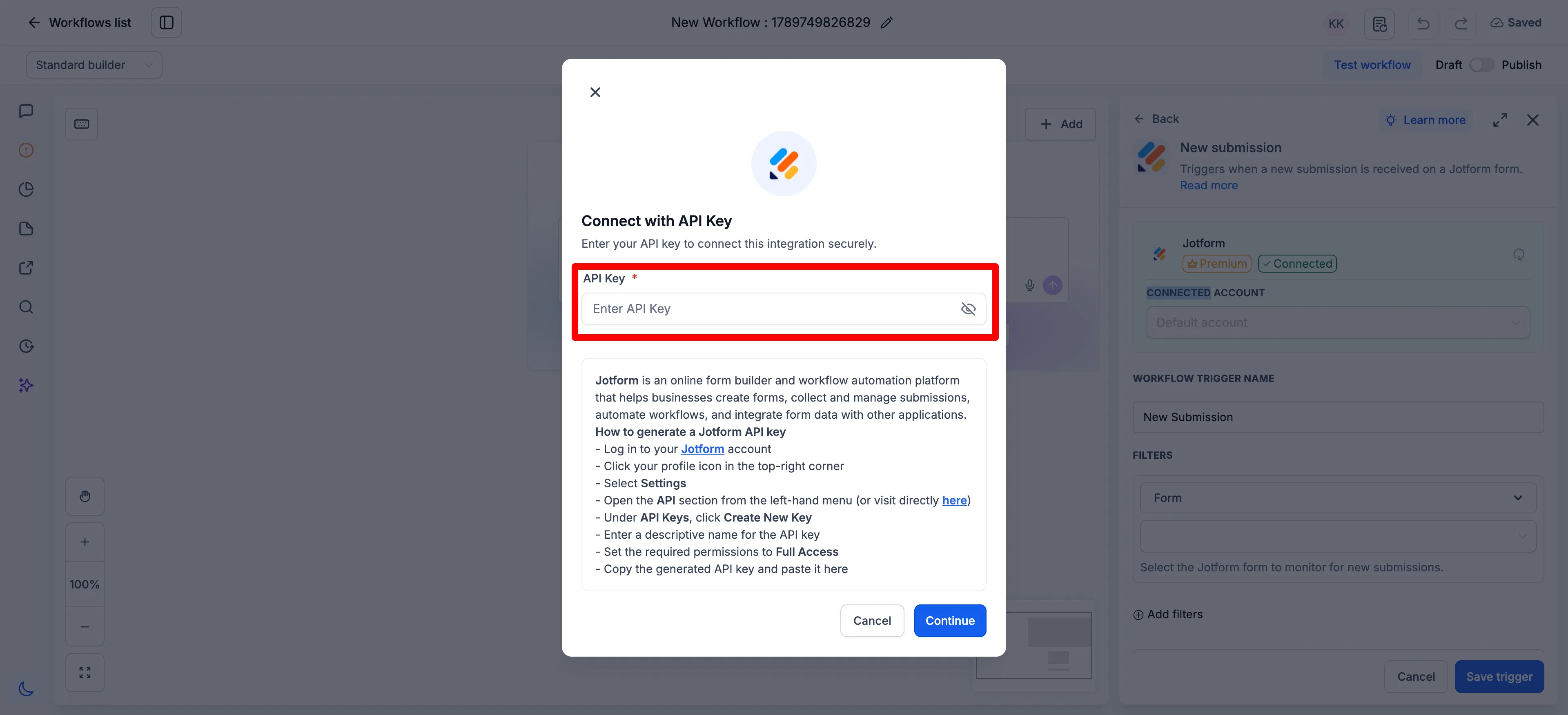
- Select Connect Now when prompted, then sign in with your Jotform account.
- After connecting, select a form. Its fields will load automatically for mapping.
- You can also connect first from Settings > Integrations > Jotform.
Field Support and Details
The Create Submission action supports these Jotform field types: Full Name, Email, Address, Phone, Short Text, Long Text, Number, Dropdown, Single Choice, Multiple Choice, Yes/No, Star Rating, Scale Rating, Date Picker, and Time.
Unsupported fields do not appear in the mapping list. These include File Upload, Signature, Appointment, Payment, Product List, Input Table, Fill in the Blanks, Spinner, Emoji Slider, Image Choice, Captcha, and widgets such as Terms and Conditions and Checklist.
Additional details:
- Unsupported fields are saved empty. This also applies when the field is marked required on the form.
- Submissions created by this action do not include payment, amount, product, or booked time slot details. On payment forms, treat these as unpaid unless payment was collected another way.
- The New Signed Document trigger reads documents signed in Jotform. Create Submission cannot write a signature because signatures must be captured from a person.
- Dates use YYYY-MM-DD format, and times use HH:MM format.
In Case You Missed It
You may also want to read Workflow Publish Validation Blocks Errors.
Release Images
Need Help Applying This Update?
Want help turning this update into a working part of your CRM, marketing, or automation setup?
Get Started or schedule a demo and we’ll help you map the right next step.