Publishing a workflow in SMBcrm is now safer. When unresolved configuration issues remain, the workflow cannot be published until those issues are fixed.
For teams using automation workflows, this adds a clearer review path before a workflow goes live while still allowing progress to be saved.
What changed
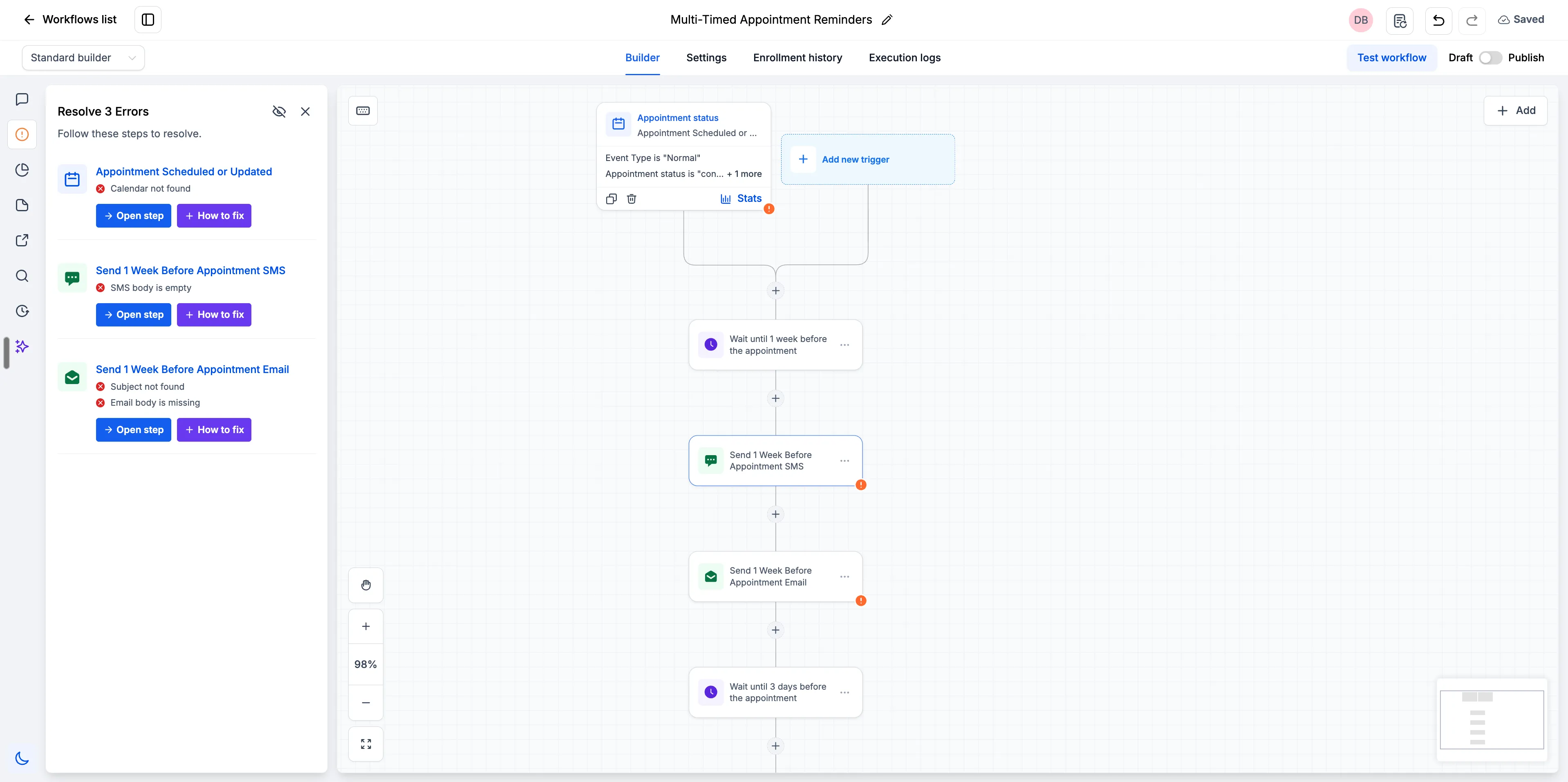
One place to review errors
Workflow validation errors from the frontend and backend now appear together in a single Highlight Error sidebar. Instead of seeing different errors in different parts of the interface, users get one consolidated view.
Each error includes clear next actions:
- Open the affected step directly
- Use AI help to resolve the issue
Save progress before every issue is fixed
Auto save and manual save now work even when errors exist on the canvas. Users can stop midway, keep what they have built, and return later to finish resolving the remaining issues.
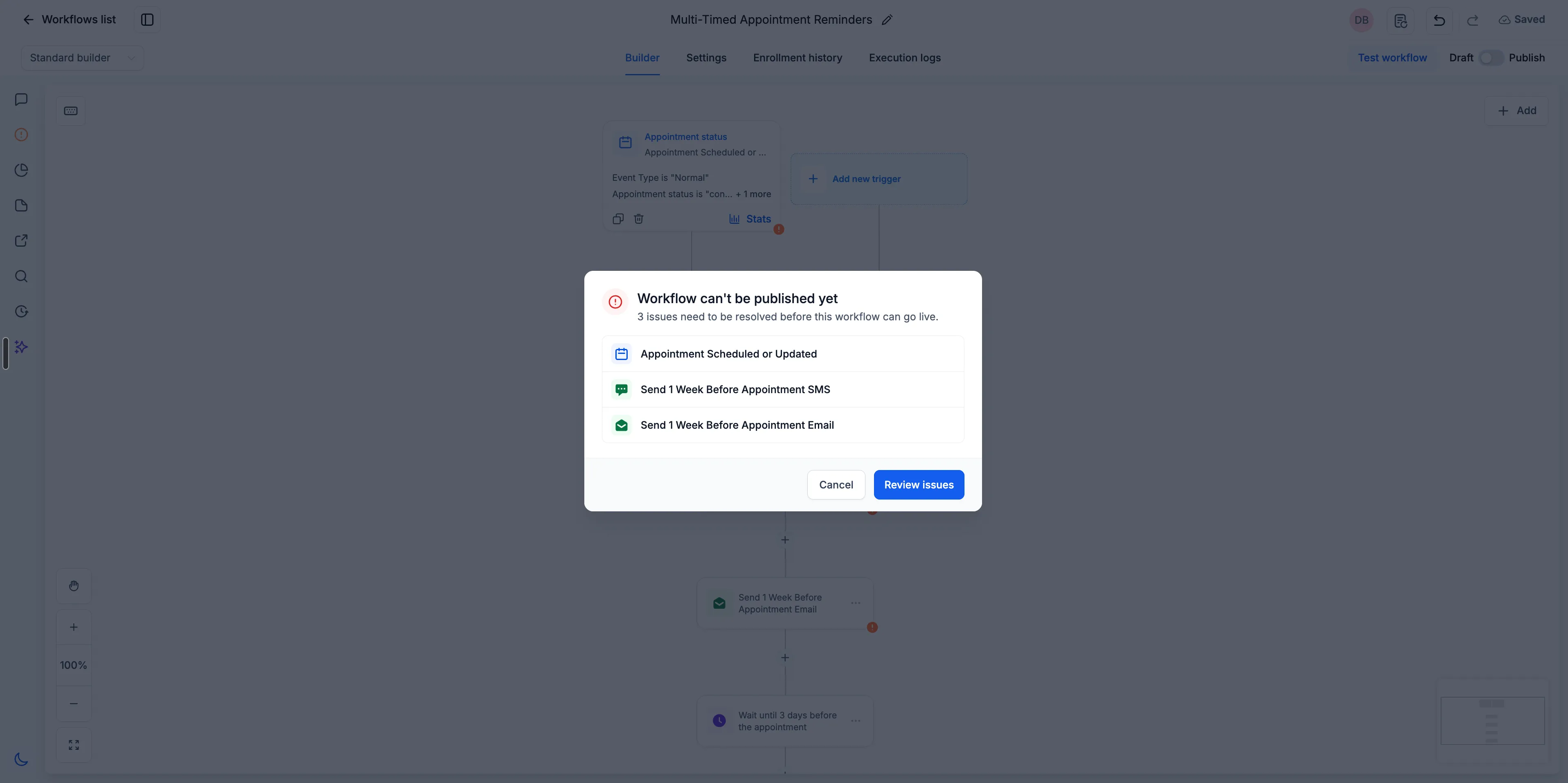
Publishing is blocked until errors are resolved
When a user clicks Publish with unresolved errors, SMBcrm shows a modal listing the issues. From there, users can review the issues, open the Resolve Errors sidebar, fix each problem, and publish once the workflow is clean.
How to use it
- Click Publish on your workflow.
- If errors exist, review the modal listing unresolved issues.
- Click Review Issues to open the Resolve Errors sidebar.
- For each error, choose Open Step to jump to the relevant action or trigger, or use AI help to resolve it.
- Resolve every issue, then publish.
Why it matters
This update reduces guesswork during workflow setup. The canvas identifies misconfigured steps, the sidebar gives users a direct path to fix them, and the publish gate helps prevent workflows with unresolved errors from going live.
Release Images
Need Help Applying This Update?
Want help turning this update into a working part of your CRM, marketing, or automation setup?
Get Started or schedule a demo and we’ll help you map the right next step.
Explore this in SMBcrm
Turn a follow-up plan into a working sequence.
See how triggers and actions connect, then plan a workflow you can test before turning it on.
Explore workflow automationAlready using this feature? Find setup help
Optional AI help
Add AI only where a defined task needs it. Review the information it may use, its permissions, and the handoff to your team.
Explore AI options and controls