The SMBcrm Mobile app now shows connection quality during phone calls and lets you rate the call after hanging up. These features are available in version 4.27.x and later on iOS and Android.
Check Your Connection During a Call
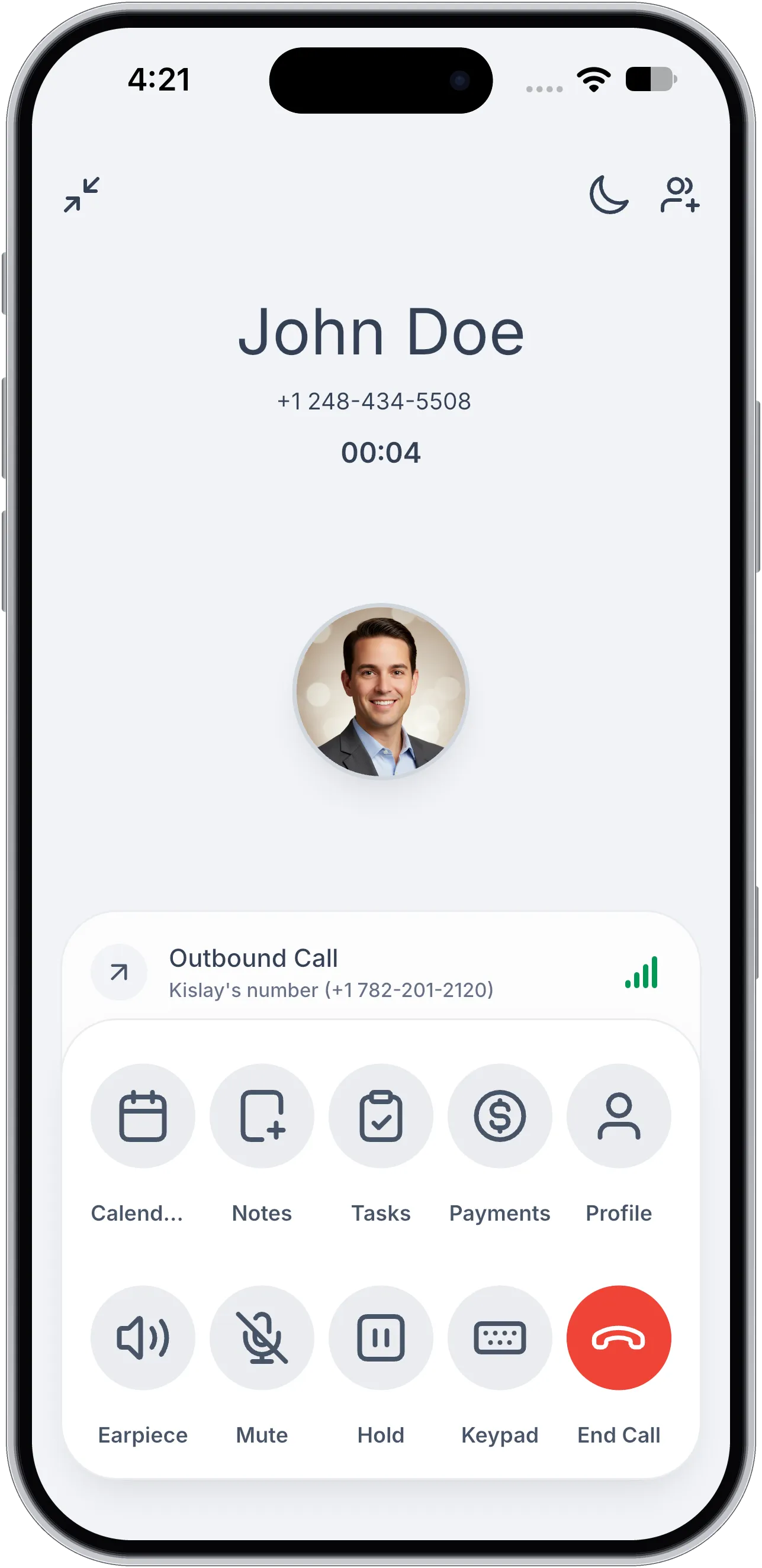
When a phone call connects, a four-bar indicator appears on the call screen. Its color changes between green, orange, and red as your connection changes.
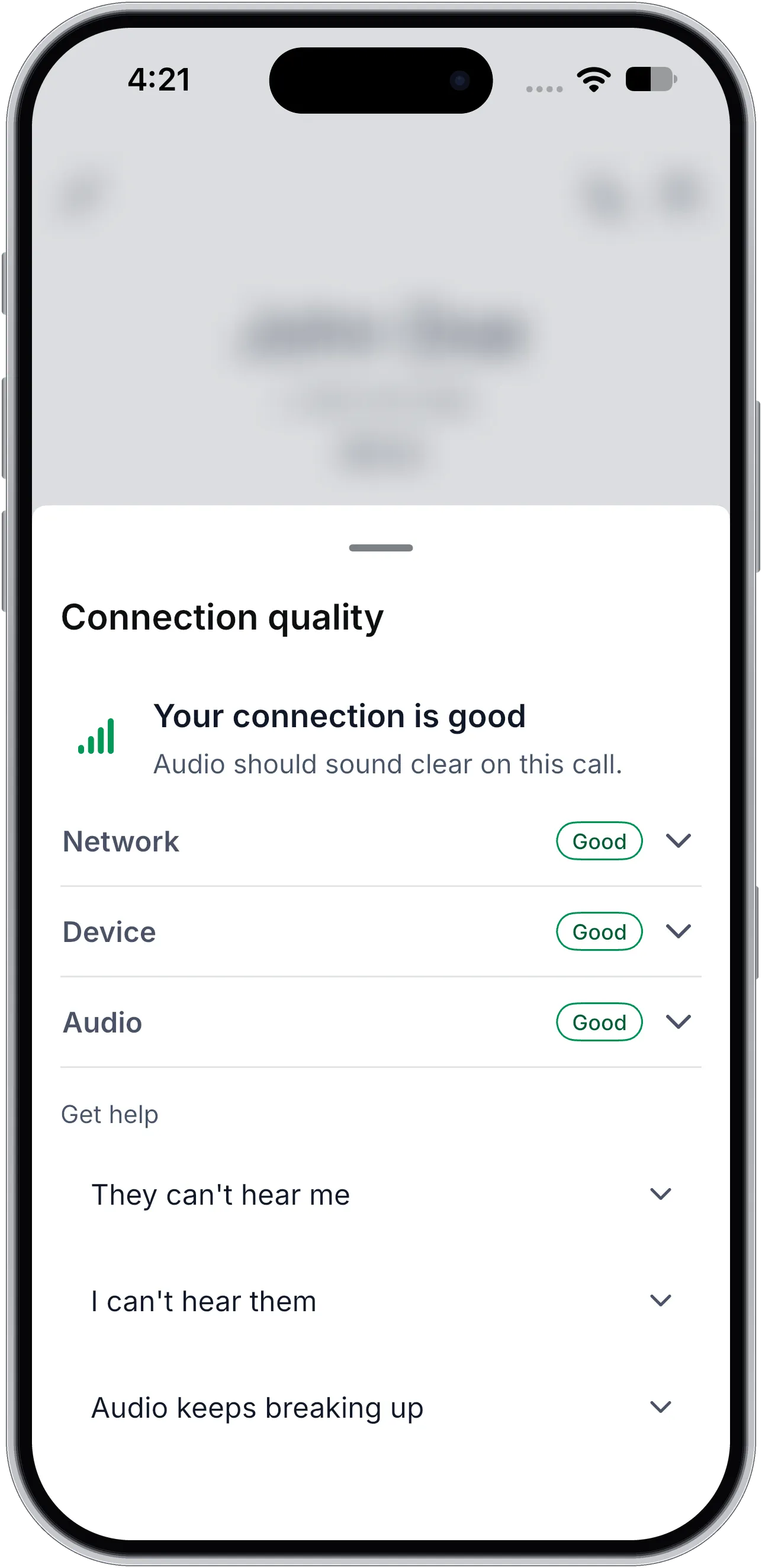
Tap the bars to open Connection quality, which includes a plain-language summary and Good, Weak, or Poor ratings for:
- Network
- Device: Connection type, Wi-Fi strength, phone temperature, battery saver, and low data mode.
- Audio: Your microphone, incoming audio, and where sound is playing.
When the connection weakens, a tip suggests a relevant action, such as moving closer to your router, switching to Wi-Fi, or turning off battery saver. Under Get help, you can also find quick answers for problems hearing the other person, being heard, or audio breaking up.
Rate a Call After Hanging Up
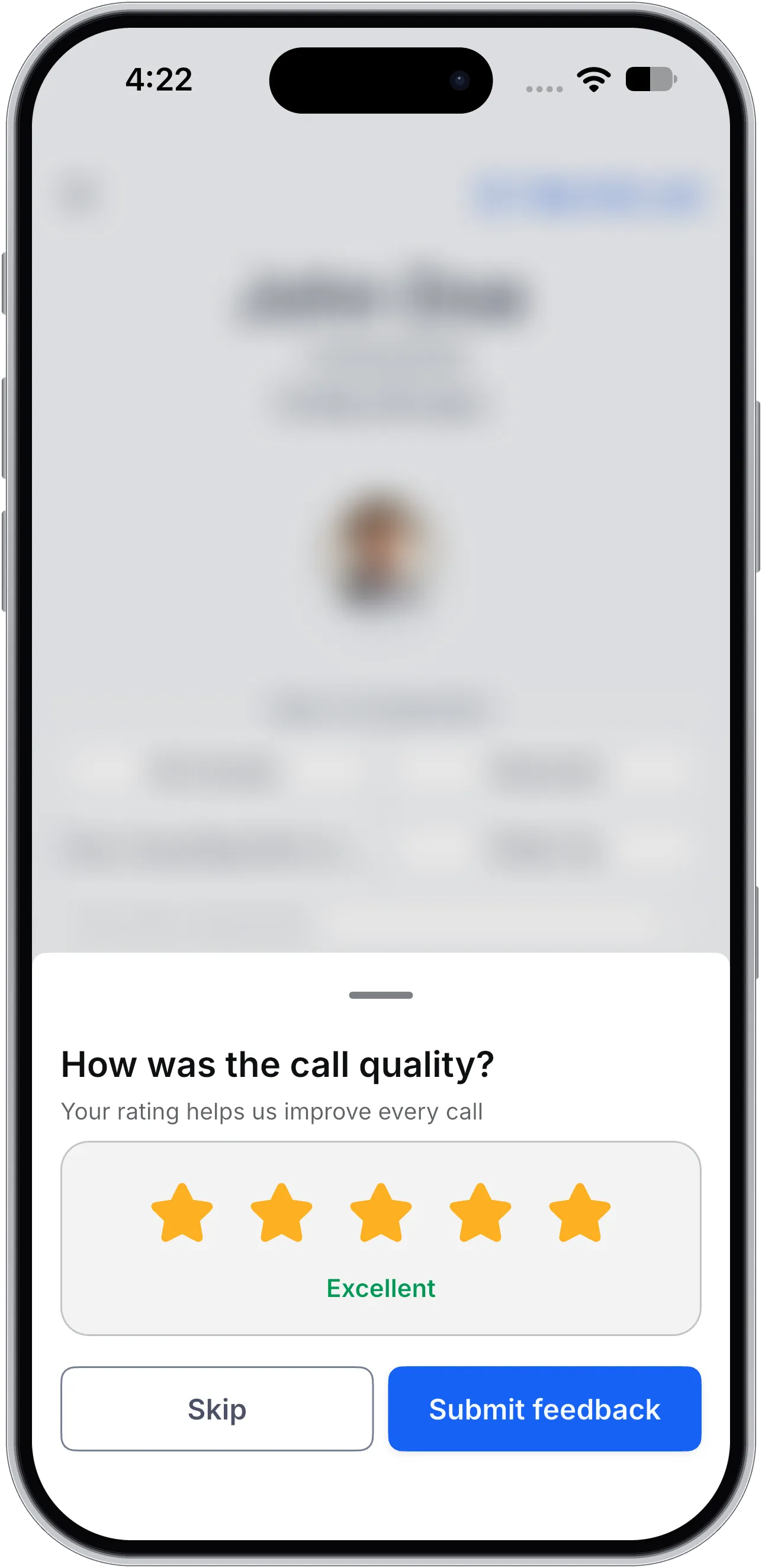
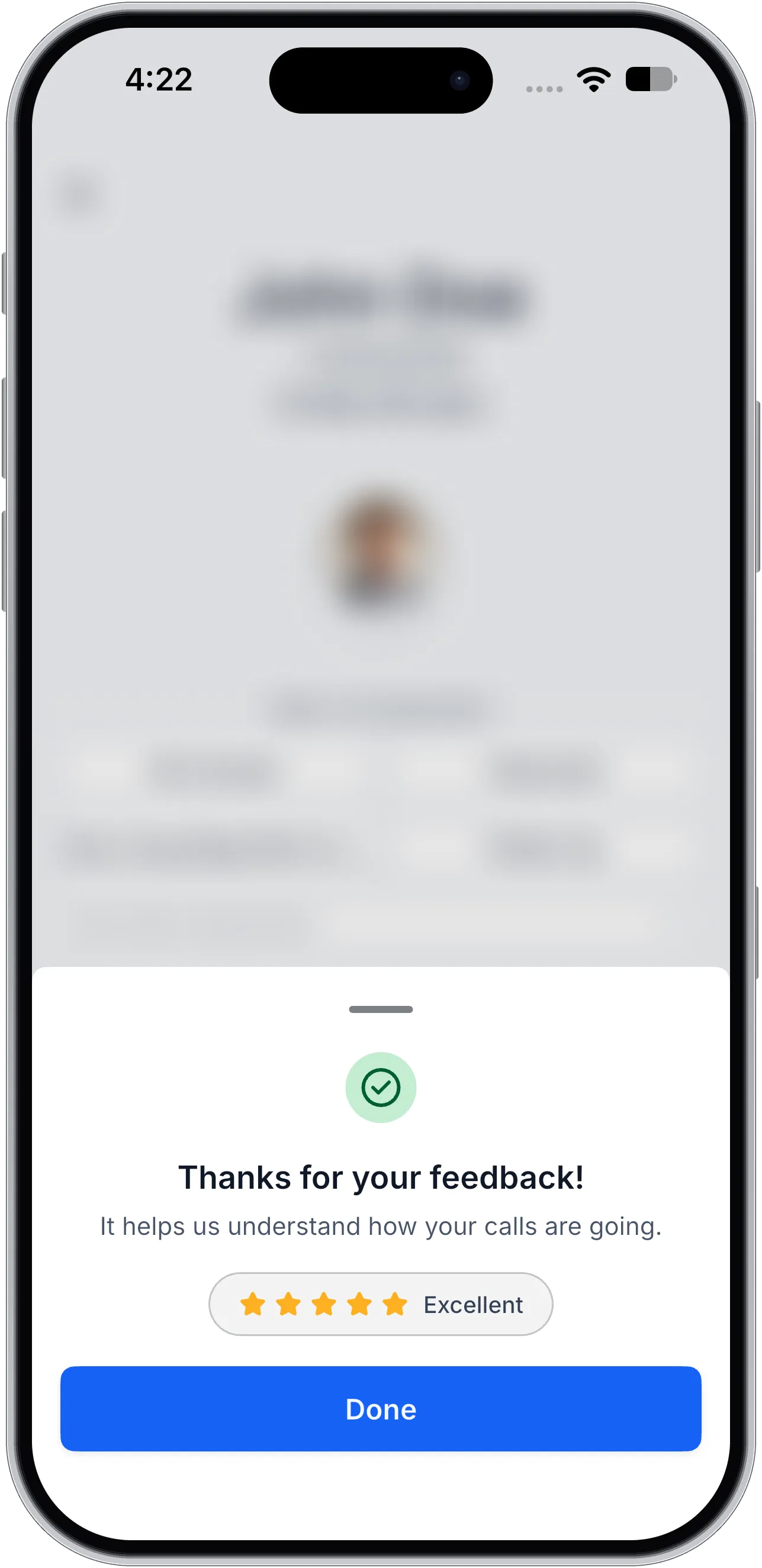
After a phone call ends, you can submit a star rating:
- 4 or 5 stars: Your rating is sent immediately.
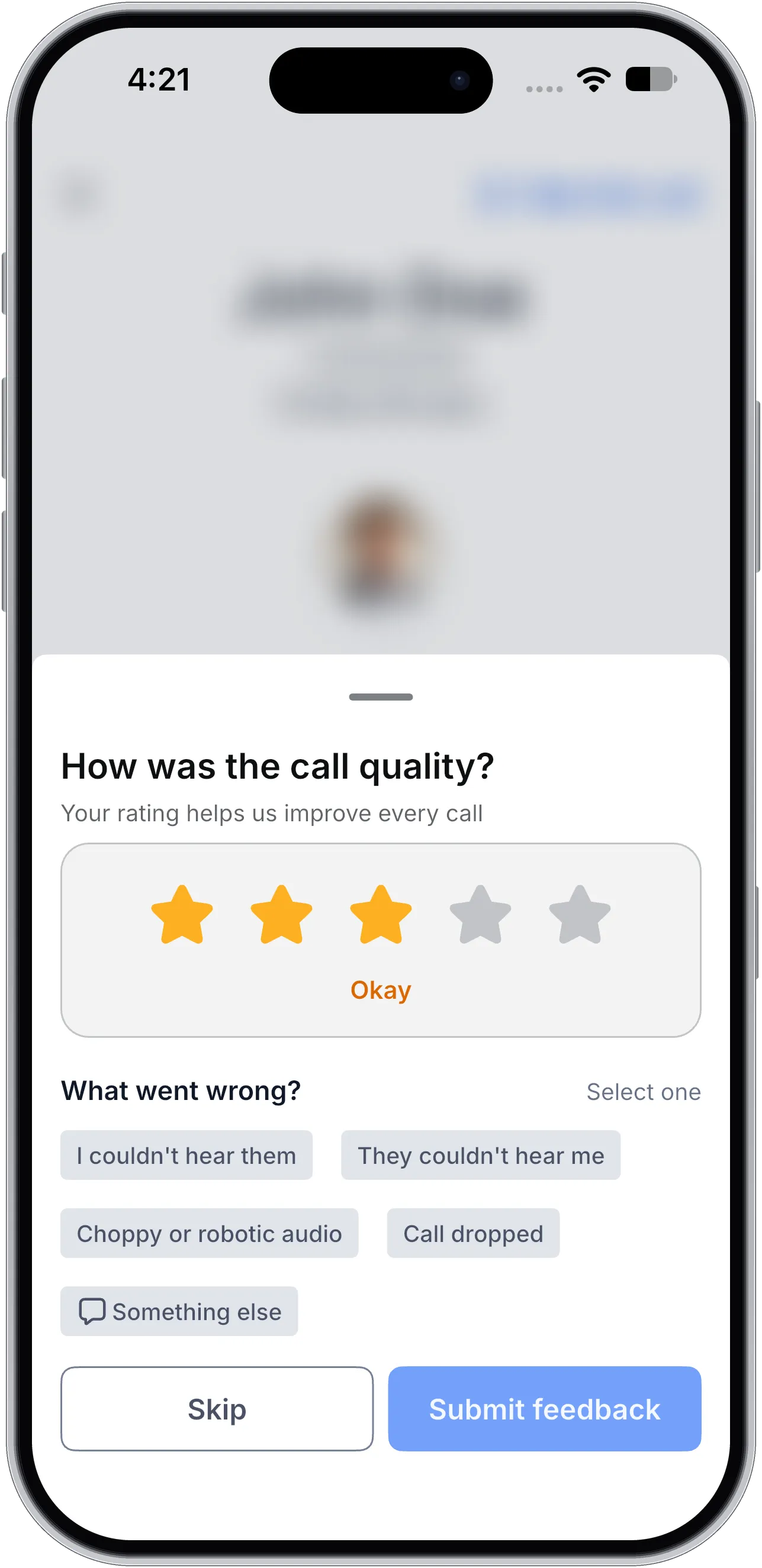
- 3 stars or fewer: You’re asked what went wrong, with options for trouble hearing either person, choppy or robotic audio, a dropped call, or another issue with an optional note.
The rating prompt opens automatically at most once a week. To rate another call, tap Rate this call on the call end screen.
Reconnection Audio
If a phone or WhatsApp call briefly loses connection, a soft reconnect tone plays until the connection returns. This replaces the previous vibration and banner.
WhatsApp call ratings are not included in this update.
Release Images
Need Help Applying This Update?
Want help turning this update into a working part of your CRM, marketing, or automation setup?
Get Started or schedule a demo and we’ll help you map the right next step.