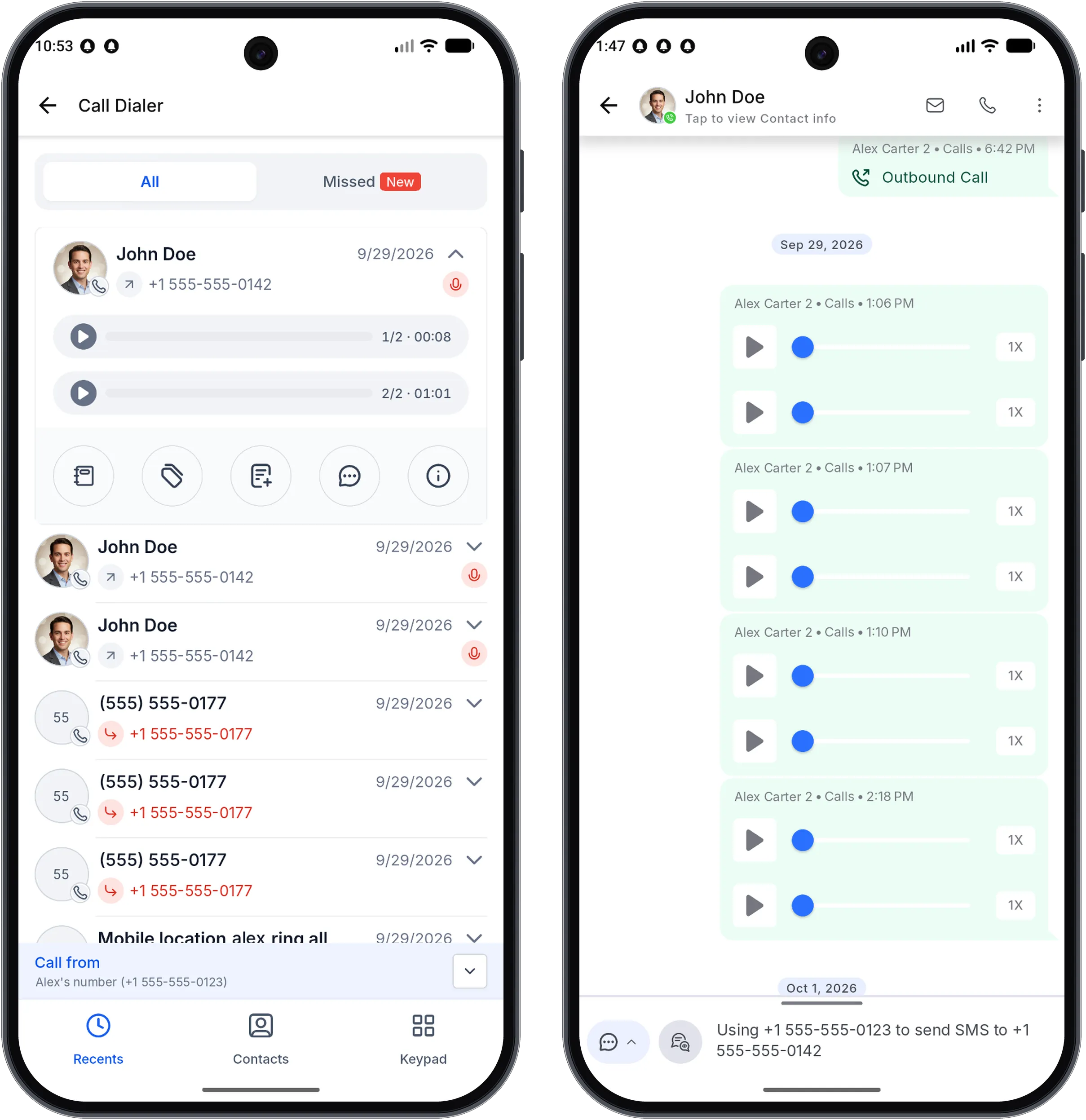
The SMBcrm Mobile app now displays every recording associated with a call instead of only the first recording. This helps you review recorded portions of transferred or multi-leg calls.
Each recording has separate playback, and its transcript is available in Conversations when one exists.
How to Review Recordings
- Open Recents, a contact’s Call Details, or a call in Conversations.
- Find a call with more than one recording.
- Use the recording labels, such as 1/2 and 2/2, to play each recording separately.
- Read each recording’s transcript in Conversations, when available.
Availability and Notes
- Available in SMBcrm Mobile app version 4.27.x and later on iOS and Android.
- Calls with a single recording look the same as before.
- A transcript appears only if the system has one for that recording.
Release Images
Related SMBcrm Features
Need Help Applying This Update?
Want help turning this update into a working part of your CRM, marketing, or automation setup?
Get Started or schedule a demo and we’ll help you map the right next step.