Manage Fields Shows All Form, Survey, and Quiz Fields
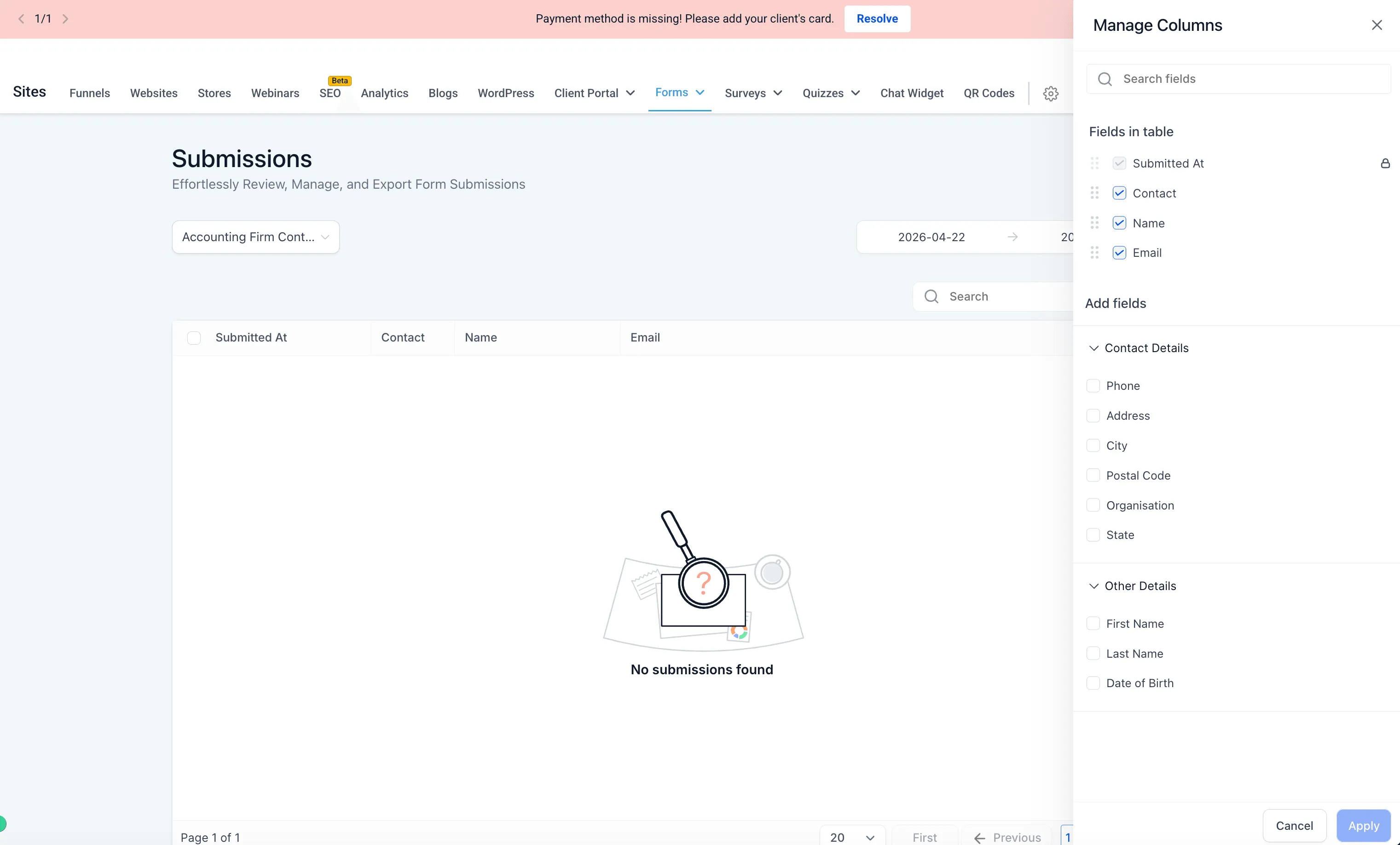
SMBcrm improved Manage Fields for form, survey, and quiz submissions. You can now see all fields from the item definition, including fields with no submission data yet.
This helps teams using lead capture prepare columns and submission views before test or live responses come in.
What changed
- Manage Fields shows all fields from form, survey, or quiz definitions.
- Fields are visible even if they have not received submission data.
- Fields added after earlier submissions appear in the available fields list.
- Available but unselected fields appear in the Add Fields section.
How to access
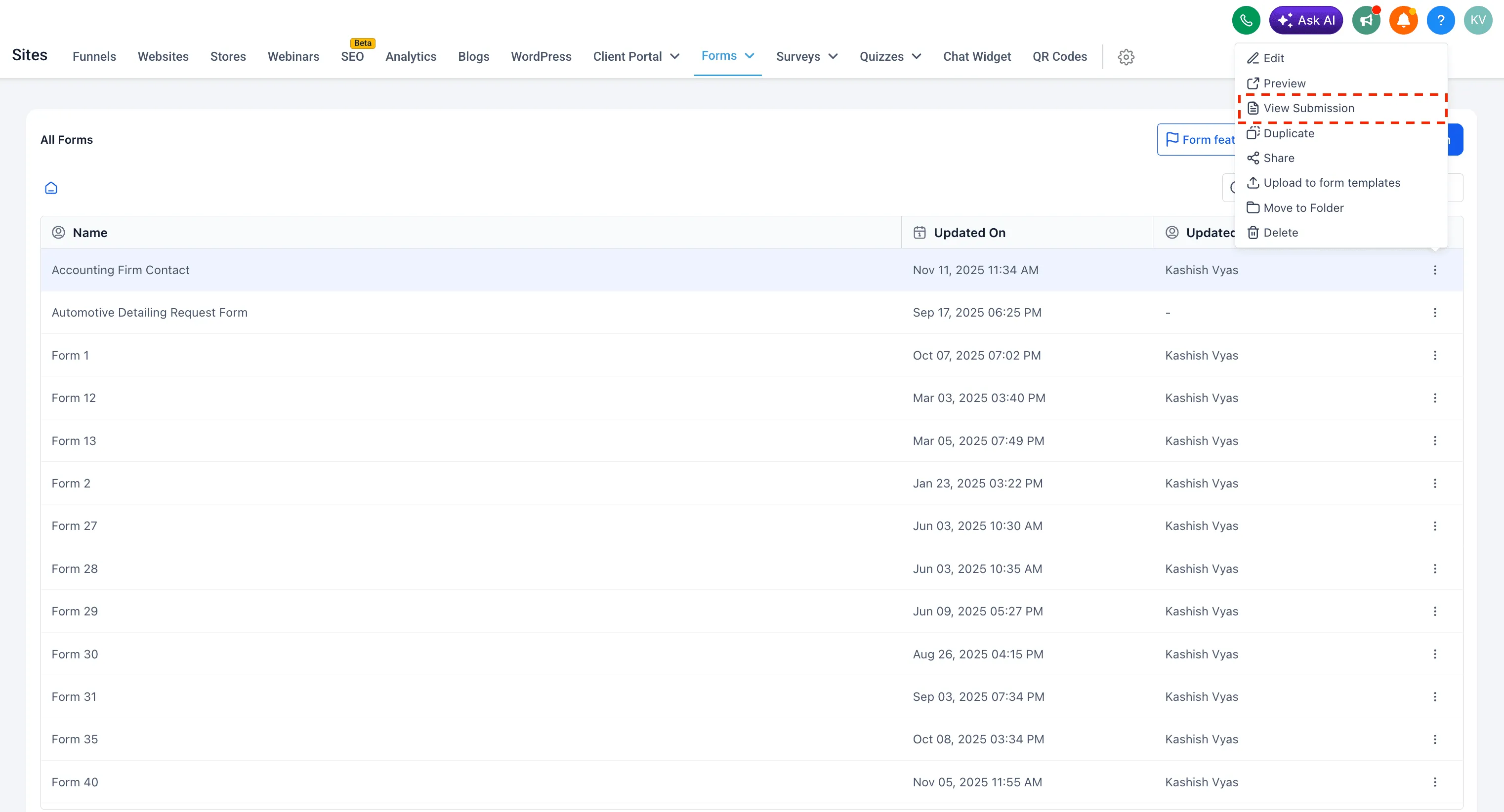
- Go to Sites, then Forms, Surveys, or Quizzes.
- Open the three-dot menu for the item you want to review.
- Select View Submission.
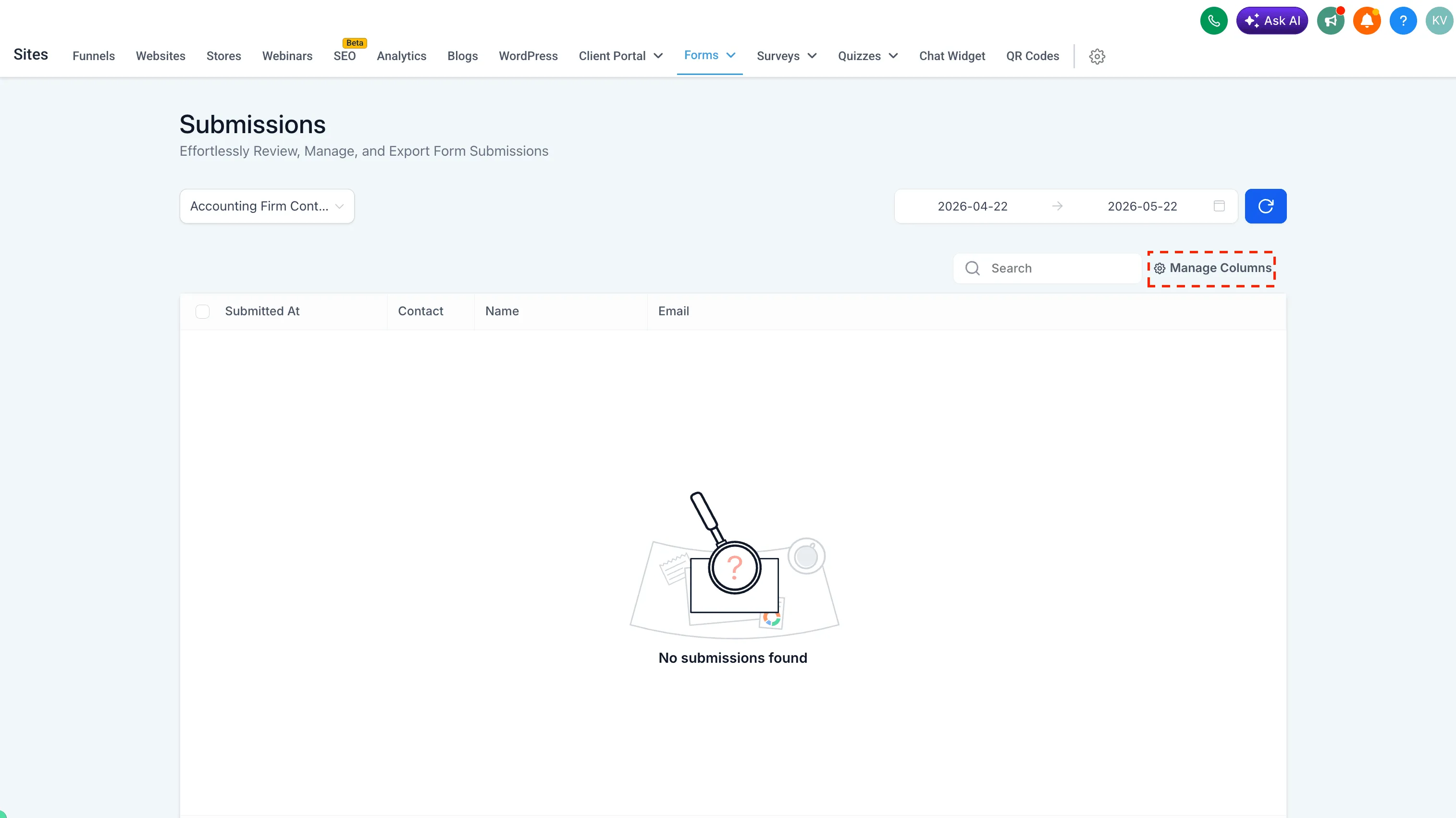
- On the Submissions page, select Manage Columns to view and add fields from the definition, including fields without submission data.
Why it matters
- You can manage submission columns before responses come in.
- You get better visibility into all available fields.
- You can prepare reports and views without waiting for test or live submissions.
- Submission management is more complete and predictable.
In Case You Missed It
For another CRM workflow safeguard, read Contact Tag Updates Now Require Confirmation.
Need Help Applying This Update?
Want help turning this update into a working part of your CRM, marketing, or automation setup?
Get Started or schedule a demo and we’ll help you map the right next step.