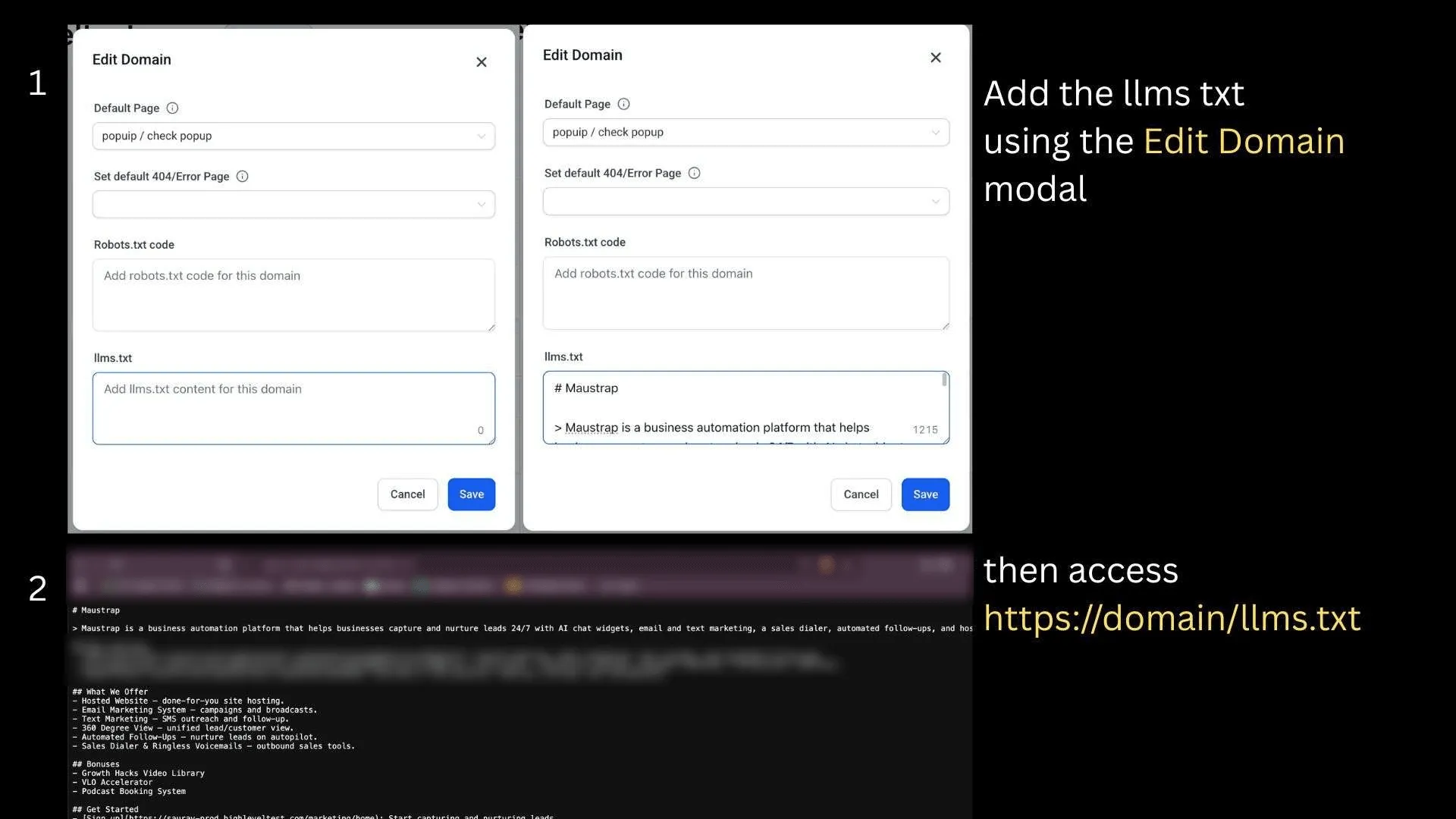
Funnels and Websites now supports per-domain llms.txt file management directly in SMBcrm. You can configure and edit a site’s llms.txt content from the Edit Domain modal, and SMBcrm serves it automatically at https://<domain>/llms.txt.
This update supports SMBcrm’s AI features by helping AI crawlers and site audit tools read structured guidance about your site.
What changed
- Manage
llms.txtcontent inside the Edit Domain modal. - Serve a Markdown-based site map at the root of each connected domain.
- Configure unique
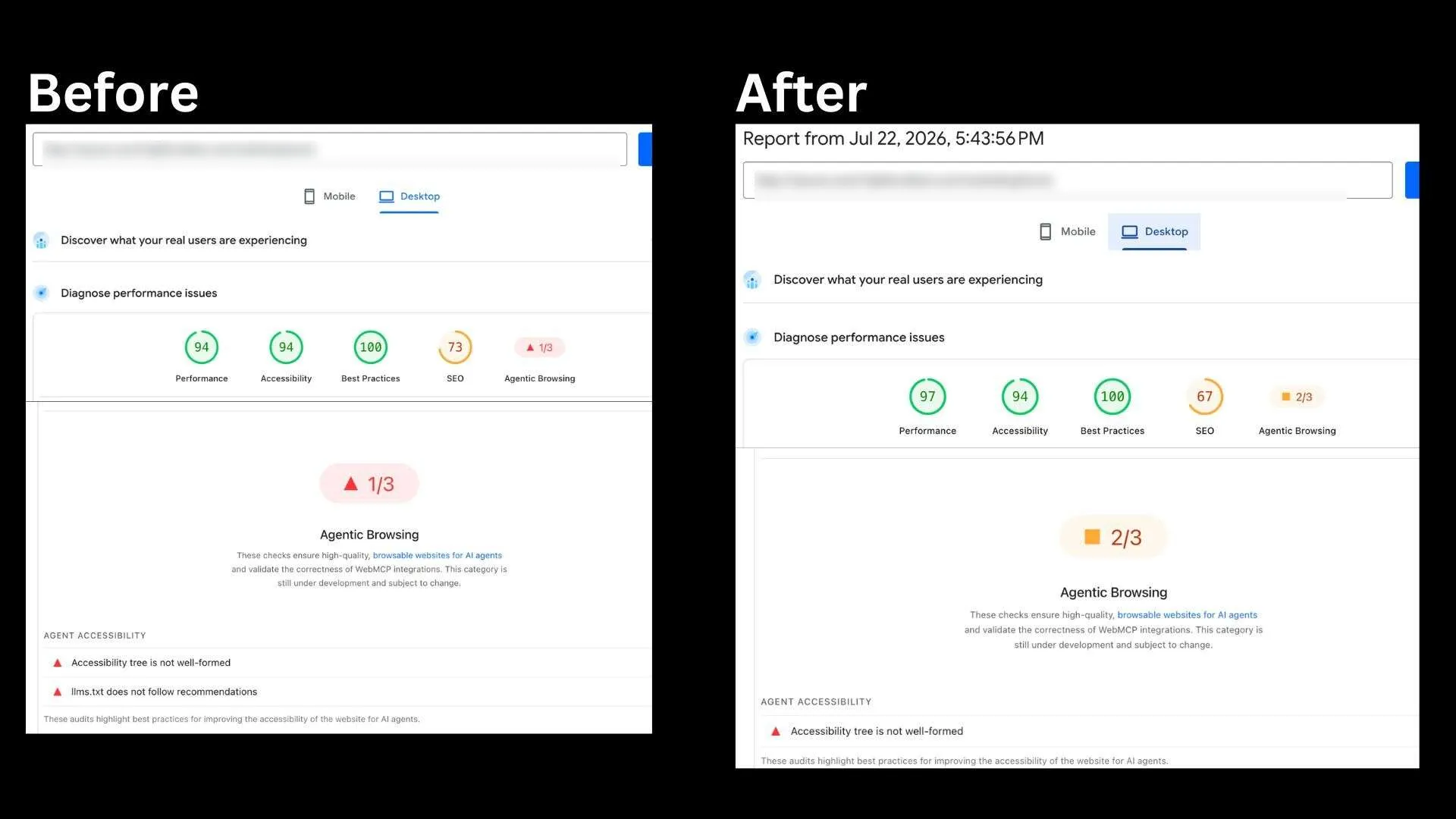
llms.txtcontent for each domain. - Support audits that check for AI-readable site guidance, including Google PageSpeed’s Agentic Browsing check.
How to access it
- Go to Funnels and Websites in your account.
- Open Settings.
- Select Domains.
- Choose a domain and open the Edit Domain modal.
- Scroll to the
llms.txtsection. - Add or edit your site map content, then save your changes.
After saving, the file is published at https://<domain>/llms.txt.
Need Help Applying This Update?
Want help turning this update into a working part of your CRM, marketing, or automation setup?
Get Started or schedule a demo and we’ll help you map the right next step.