SMBcrm now supports email actions in company and custom object workflows. This extends automation and communication options beyond contact-based workflows.
What changed
Previously, workflow email actions were limited to contact workflows. With this update, you can send automated emails directly from:
- Company workflows
- Custom object workflows
This helps teams reach associated contacts without adding extra workflow logic or triggering a separate contact workflow manually.
How it works
To use the email action in these workflow types:
- Go to Settings, then Labs.
- Enable Email Action in Company & Custom Object Workflows.
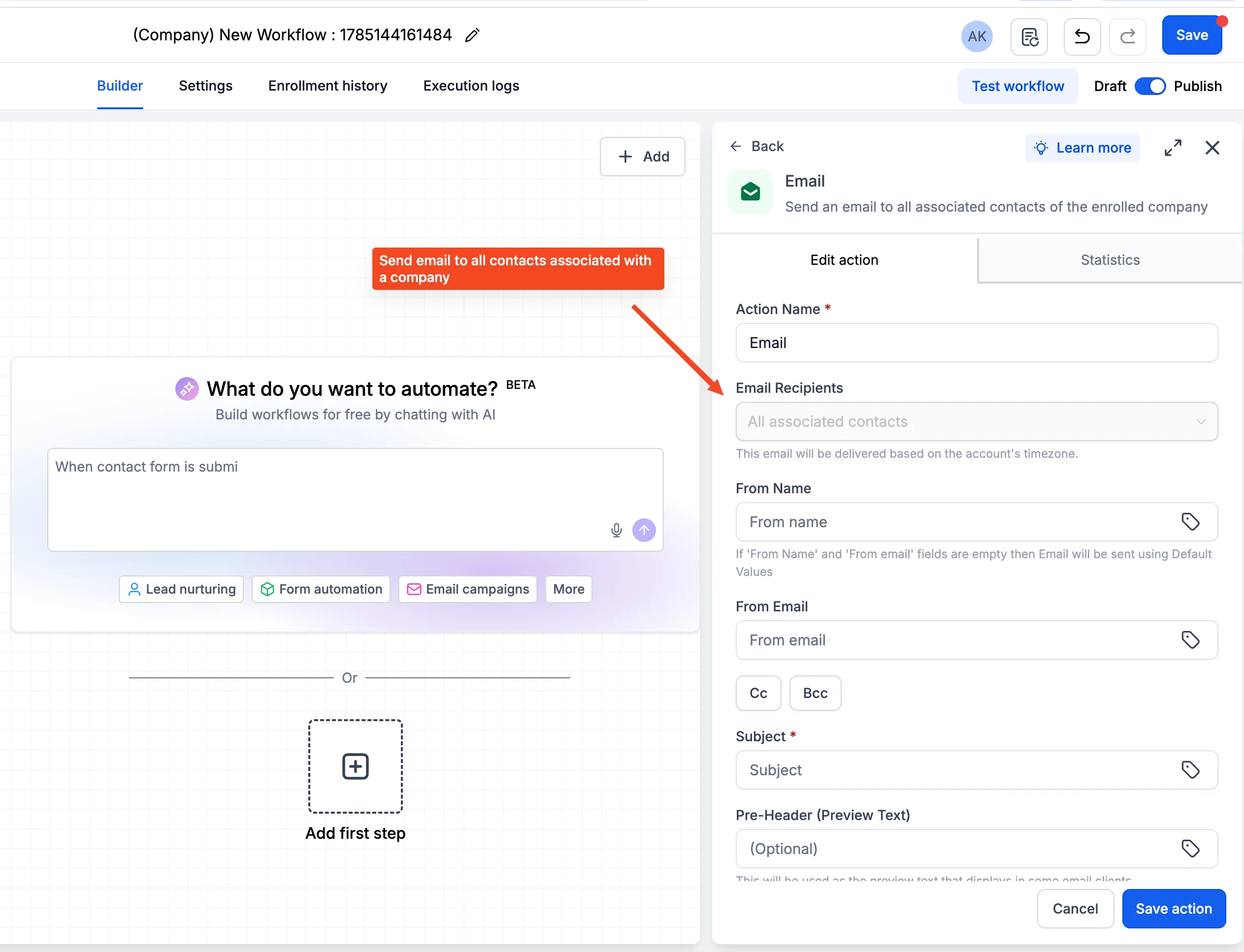
- Open a company or custom object workflow.
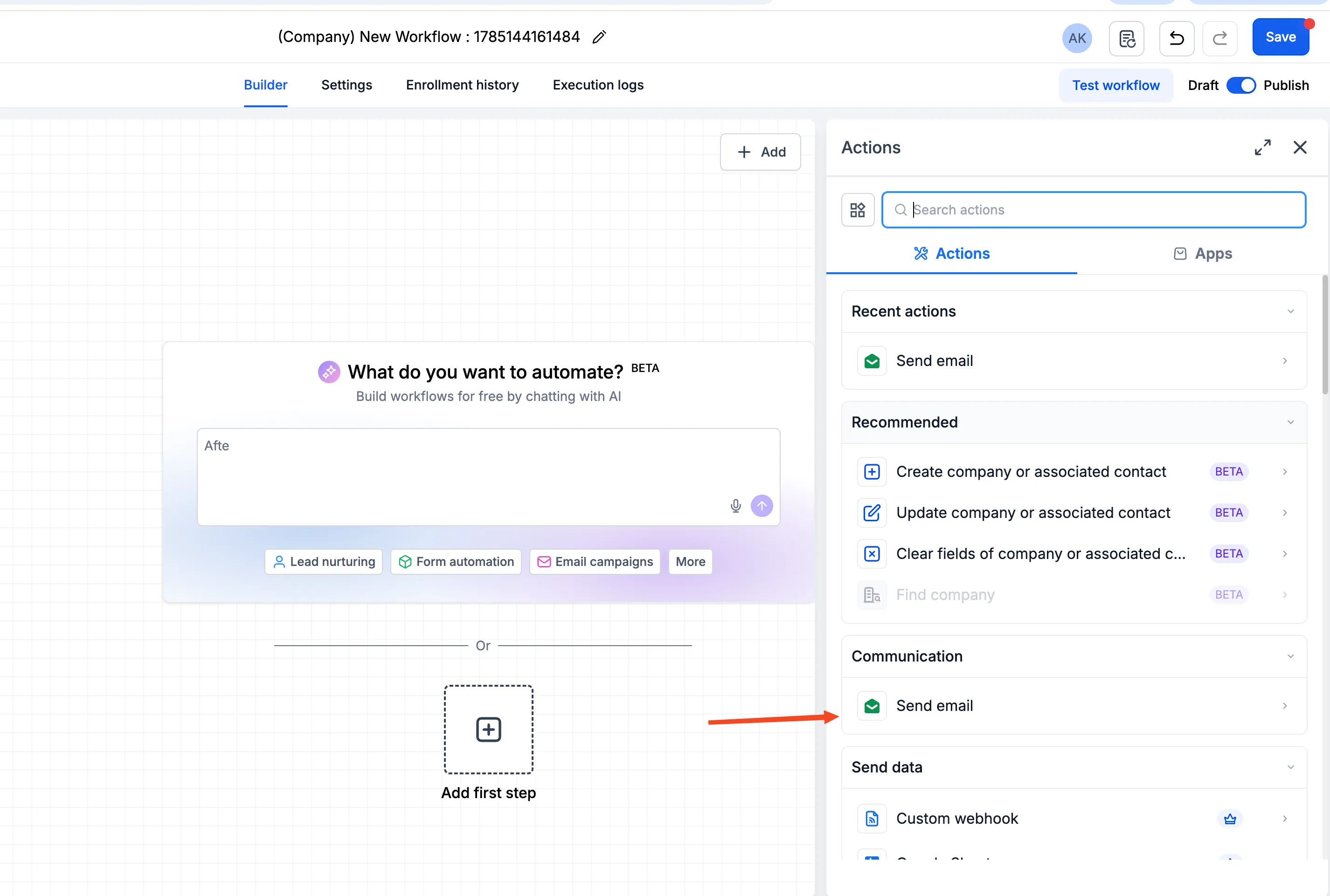
- Add an action and search for Send Email.
- Select the association labels that identify which contacts should receive the email.
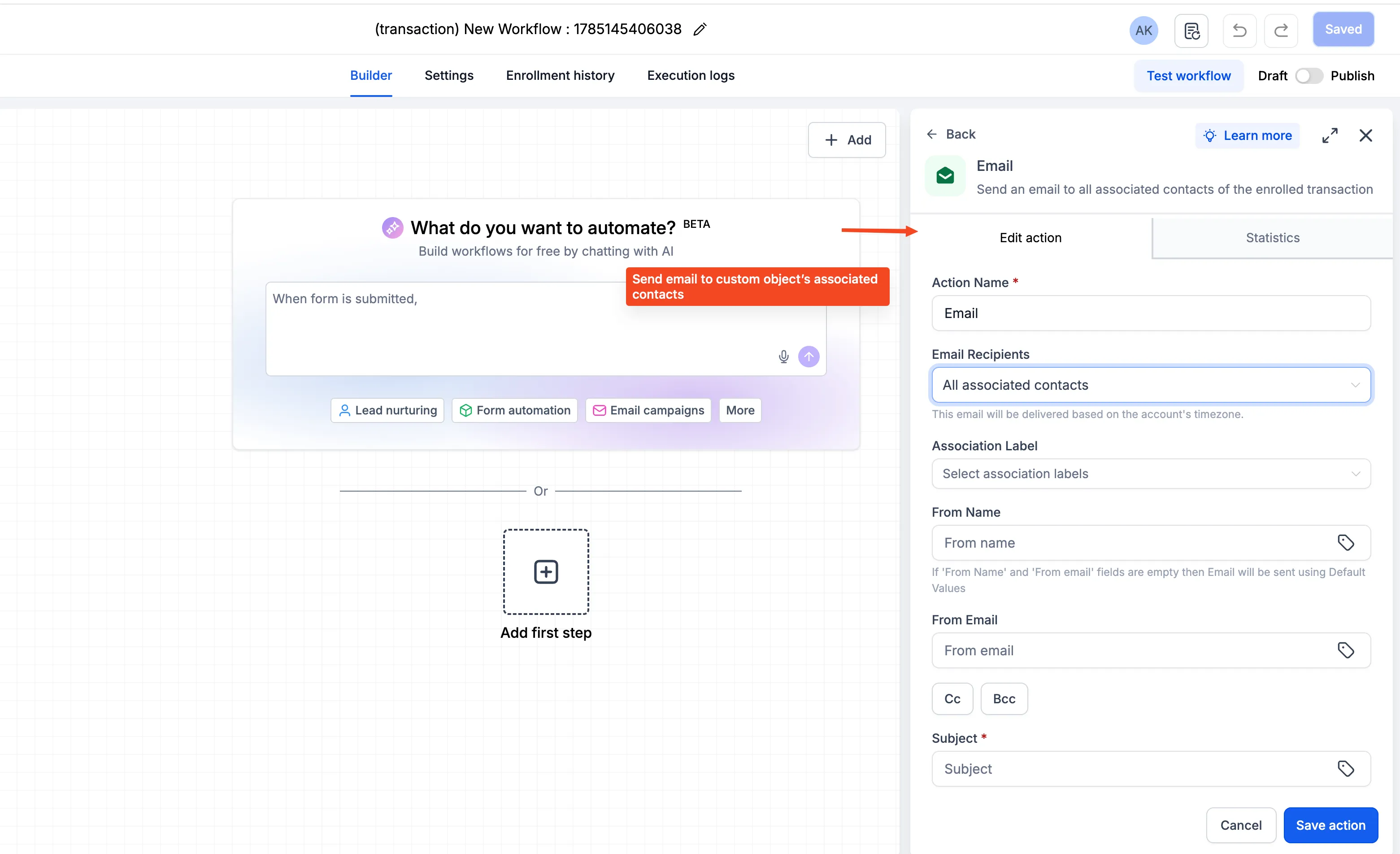
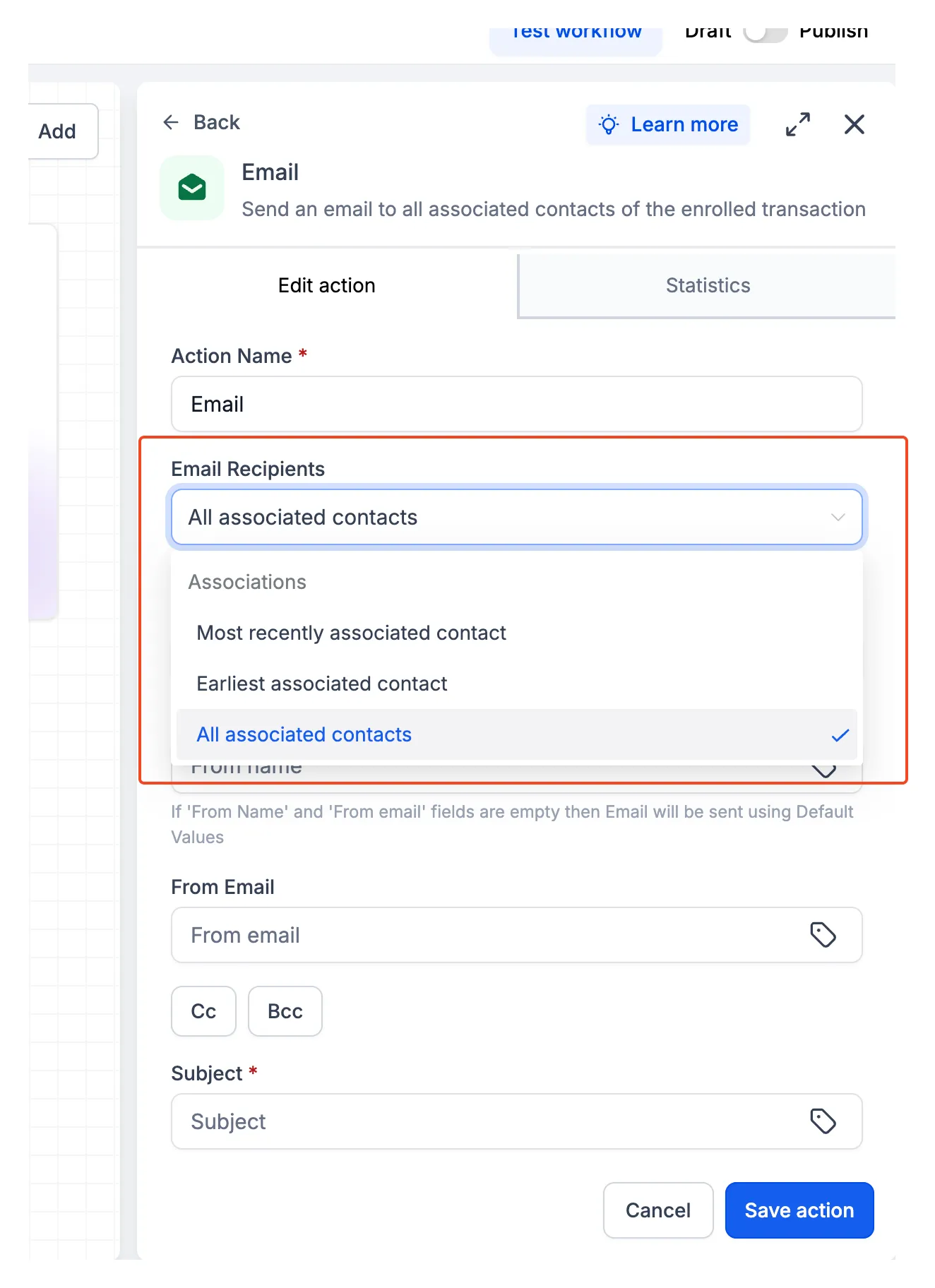
For custom object workflows, you can choose whether to send the email to the earliest associated contact, the most recently associated contact, or all associated contacts.
After selecting recipients, add the email subject and content, then save and publish the workflow.
Important details
- Emails are sent using the domain configured for Bulk Email.
- You can select up to 10 association labels for a single email action.
- If a contact matches multiple selected association labels, they will receive only one email.
In Case You Missed It
You may also want to read Auto-Generated Schema for Published Pages.
Need Help Applying This Update?
Want help turning this update into a working part of your CRM, marketing, or automation setup?
Get Started or schedule a demo and we’ll help you map the right next step.