Overview
Every WordPress site now opens to one page with a clear menu on the left, and the sites list shows the key numbers for every site in one table. Find any tool in one click. Switch sites faster. See every site at a glance. 🚀 What’s new 1. On
Details
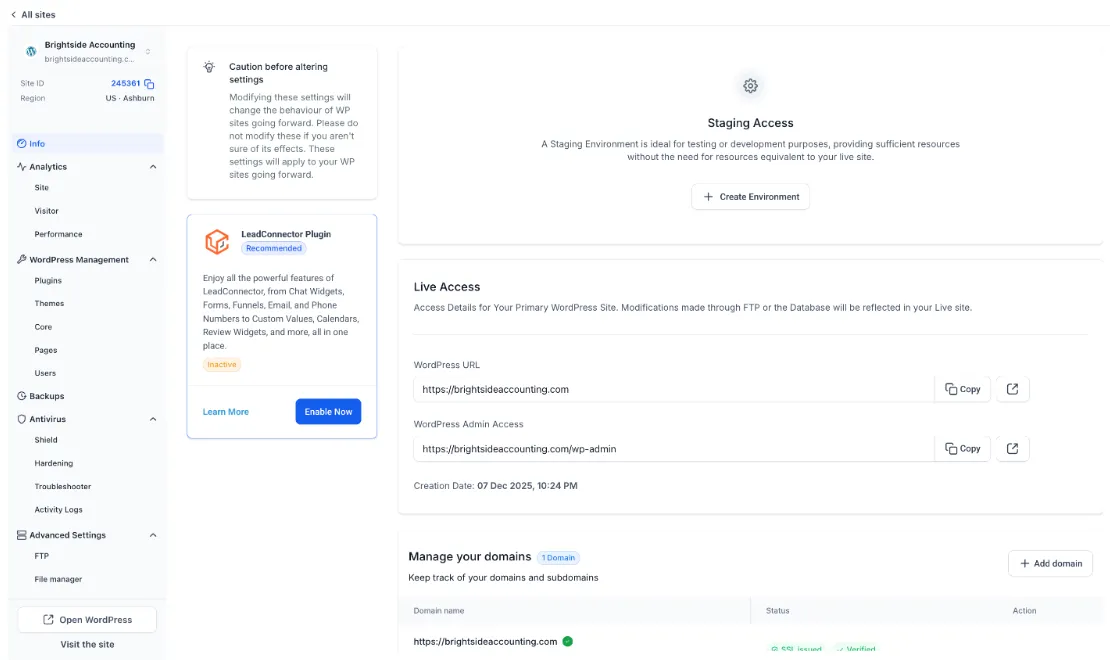
Every WordPress site now opens to one page with a clear menu on the left, and the sites list shows the key numbers for every site in one table. Find any tool in one click. Switch sites faster. See every site at a glance. 🚀 What’s new 1. One Menu for Everything Every tool for the site is grouped by what it does: - Info: live access, staging and domains - Analytics: Site, Visitor and Performance - WordPress Management: Plugins, Themes, Core, Pages and Users - Backups - Antivirus: Shield, Hardening, Troubleshooter and Activity Logs - Advanced Settings: FTP, File manager, Cache management, Search and replace, WordPress debugging, Server settings and Delete site 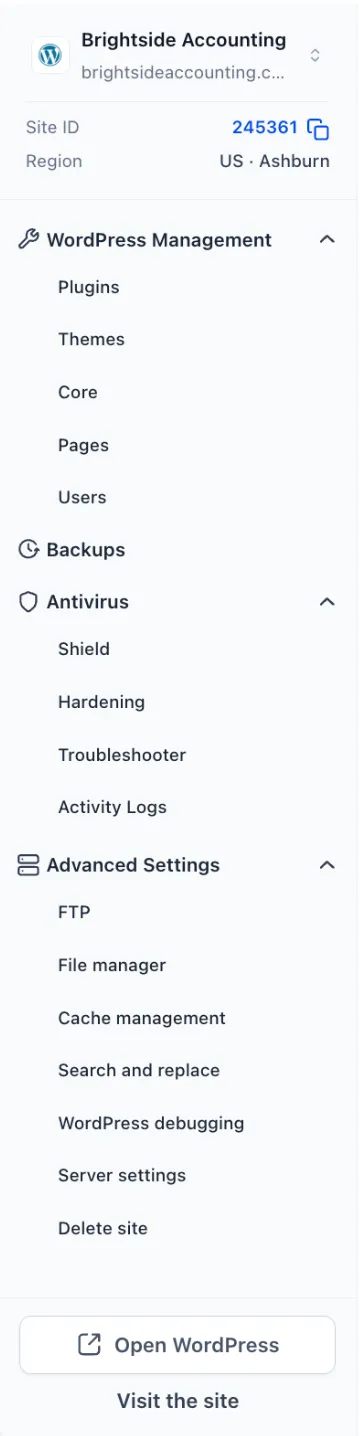 2. Site Details Always in View - Site name, address, Site ID with a copy button, and region at the top of the menu - Open WordPress and Visit the site at the bottom
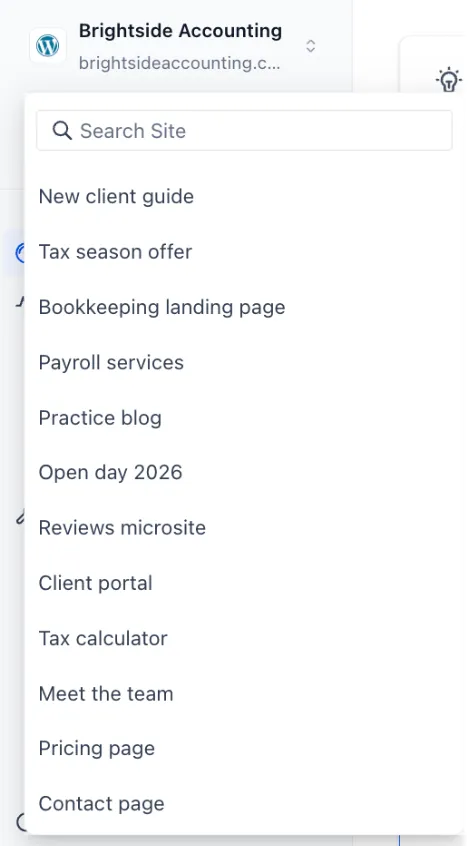
 3. Switch Sites Without Going Back - Click the arrows next to the site name - Search and jump to any other site
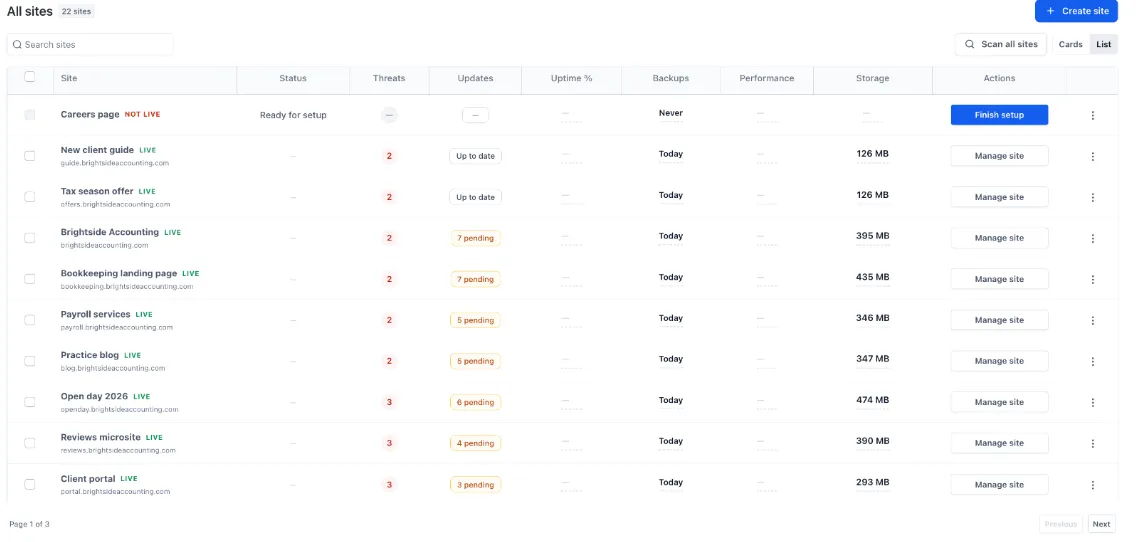
 4. Troubleshooter and Activity Logs Moved - Both now sit in the Antivirus group and work as before 5. A Full Sites Table - Status, Threats, Updates, Uptime, Backups, Performance and Storage for every site - One clear action per site, like Manage site or Finish setup - Search sites, switch between List and Cards, and page through large lists
 👷 How to use this feature 1. Go to Sites → WordPress 2. Find your site and click Manage site 3. Use the menu on the left to open any tool for that site 4. Use the arrows next to the site name to switch to another site 💡 Why it matters - Find any site tool without hunting through screens - Manage many client sites faster - Spot which sites need attention straight from the list 📝 Notes - Only where tools sit has changed. Sites and settings are the same - The Troubleshooter and Activity Logs are now under Antivirus
Need Help Applying This Update?
Want help turning this update into a working part of your CRM, marketing, or automation setup?
Get Started or schedule a demo and we’ll help you map the right next step.