Opportunity Score for Meta Campaigns in Ad Manager
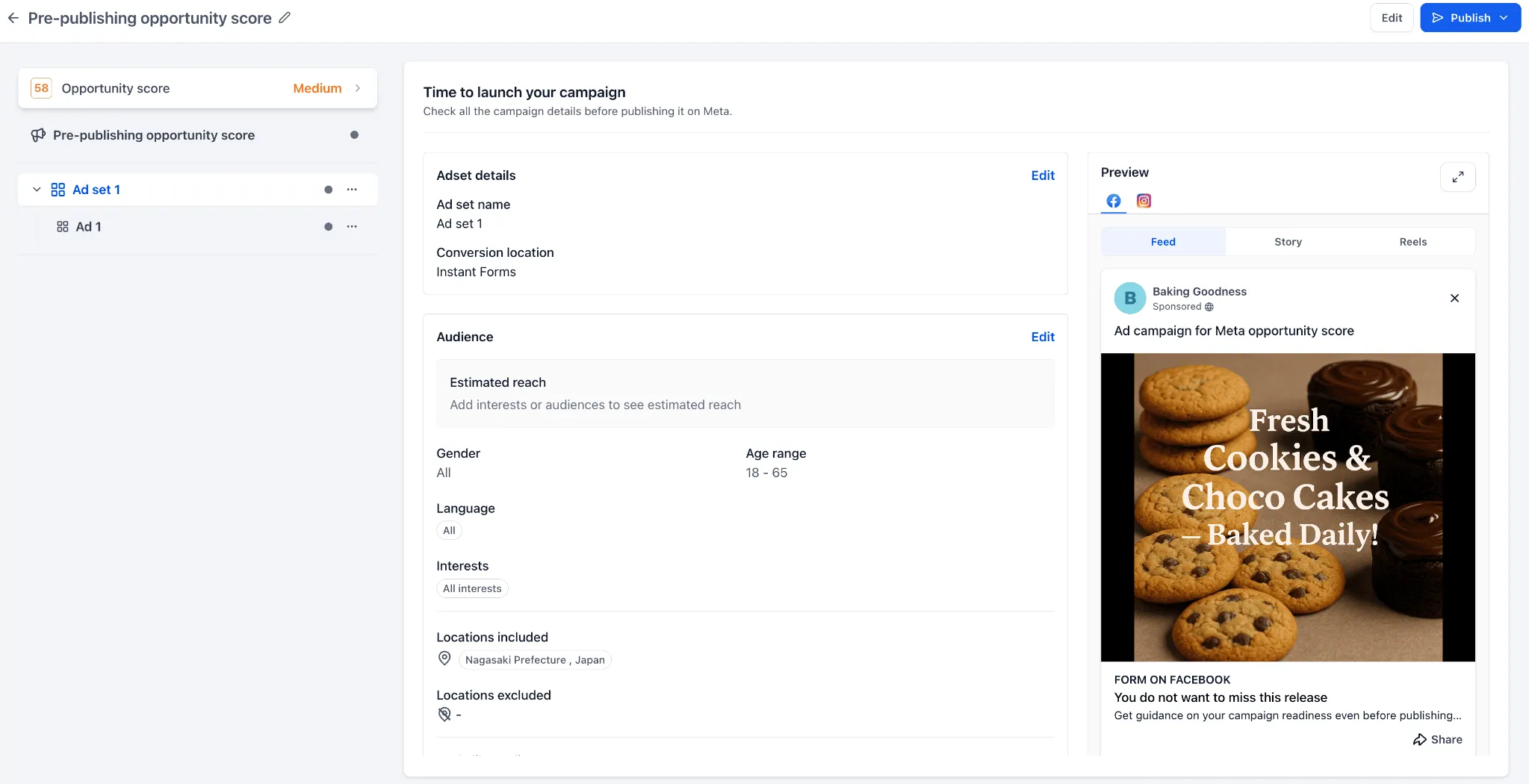
SMBcrm Ad Manager now shows an Opportunity Score for Meta campaigns on the Review screen before publishing. The score helps users understand campaign readiness, review setup suggestions, and navigate directly to areas that may need attention.
This update is useful for teams running Meta campaigns that support lead capture and follow-up in CRM & Sales.
What changed
Pre-publish campaign readiness score
Users can now see an Opportunity Score before publishing a Meta ad campaign. The score appears as a percentage with a status such as Low, Medium, or High, helping users quickly understand whether the campaign setup may need more review.
Setup recommendations by category
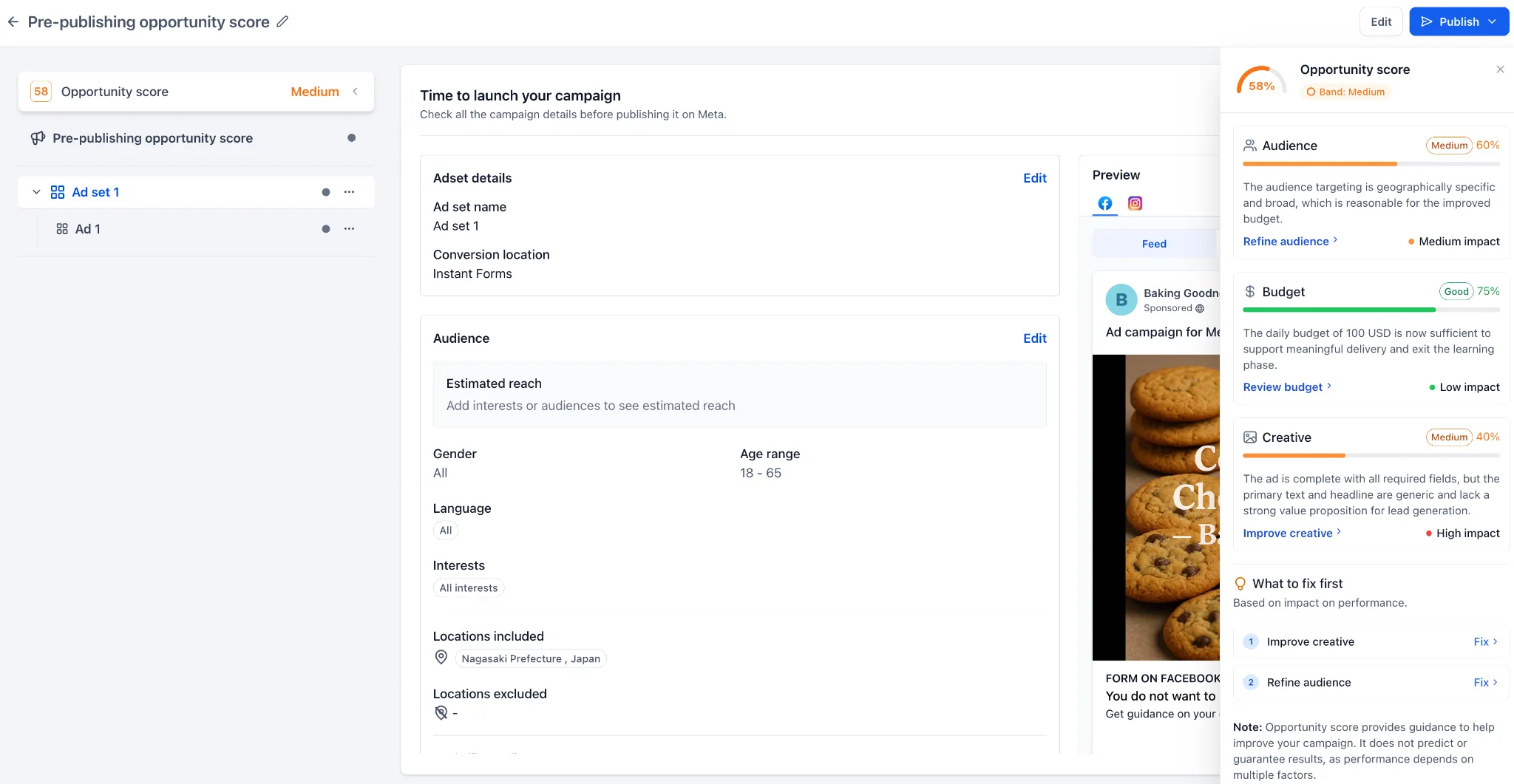
The score panel shows recommendations across key campaign setup areas:
- Audience: Identifies whether the audience may be too narrow, too broad, or missing important details.
- Budget: Highlights budget settings that may limit delivery or learning.
- Creative: Reviews ad content, media, CTA, destination links, and related creative inputs.
- Tracking: Checks whether conversion tracking and related setup are configured where applicable.
Click-to-fix navigation
Each recommendation is actionable. Users can click suggestions such as improving creative, refining audience, or reviewing budget to go directly to the relevant section of the campaign builder.
How to use it
- Create or edit a Meta campaign in Ad Manager.
- Complete the campaign setup.
- Go to the Review screen before publishing.
- Check the Opportunity Score.
- Open the score panel to review suggested improvements.
- Click a recommendation to navigate to the relevant setup area.
- Make any needed updates and continue with publishing.
Important notes
- Opportunity Score is currently available for Meta campaigns only.
- The score is shown before publishing on the Review screen.
- Opportunity Score is a guidance tool and does not guarantee campaign performance.
- Recommendations do not make automatic changes. Users choose which updates to apply.
In Case You Missed It
For related Ad Manager guidance, read Better Meta Ad Campaign Validation in Ad Manager.
Need Help Applying This Update?
Want help turning this update into a working part of your CRM, marketing, or automation setup?
Get Started or schedule a demo and we’ll help you map the right next step.