SMBcrm forms and surveys now support product-based conditions and visibility controls for individual products and variants. These changes expand lead capture workflows by letting order forms respond to the products customers select.
Use Products as Conditions
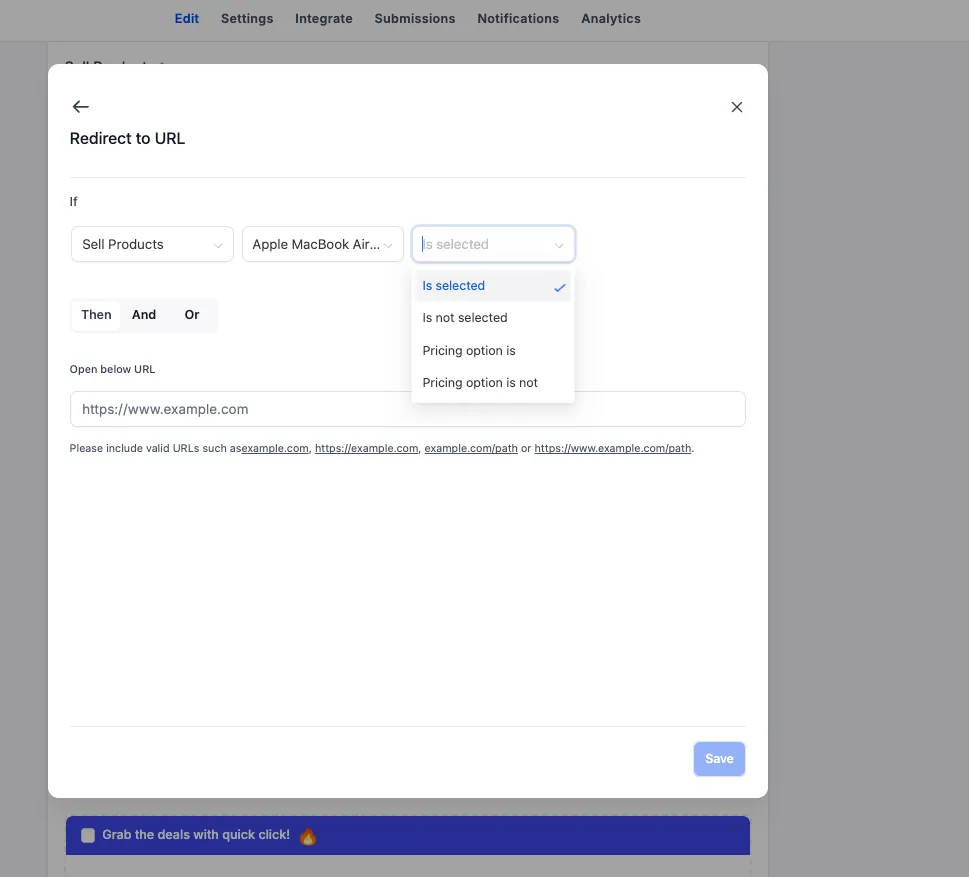
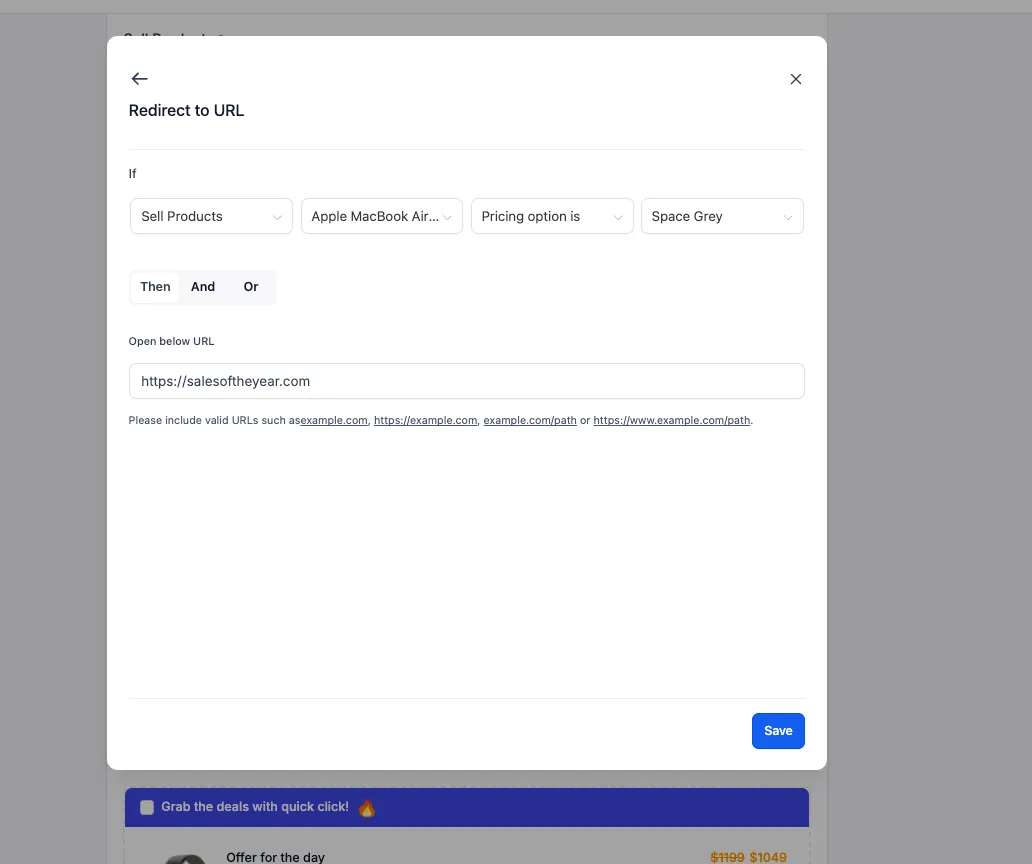
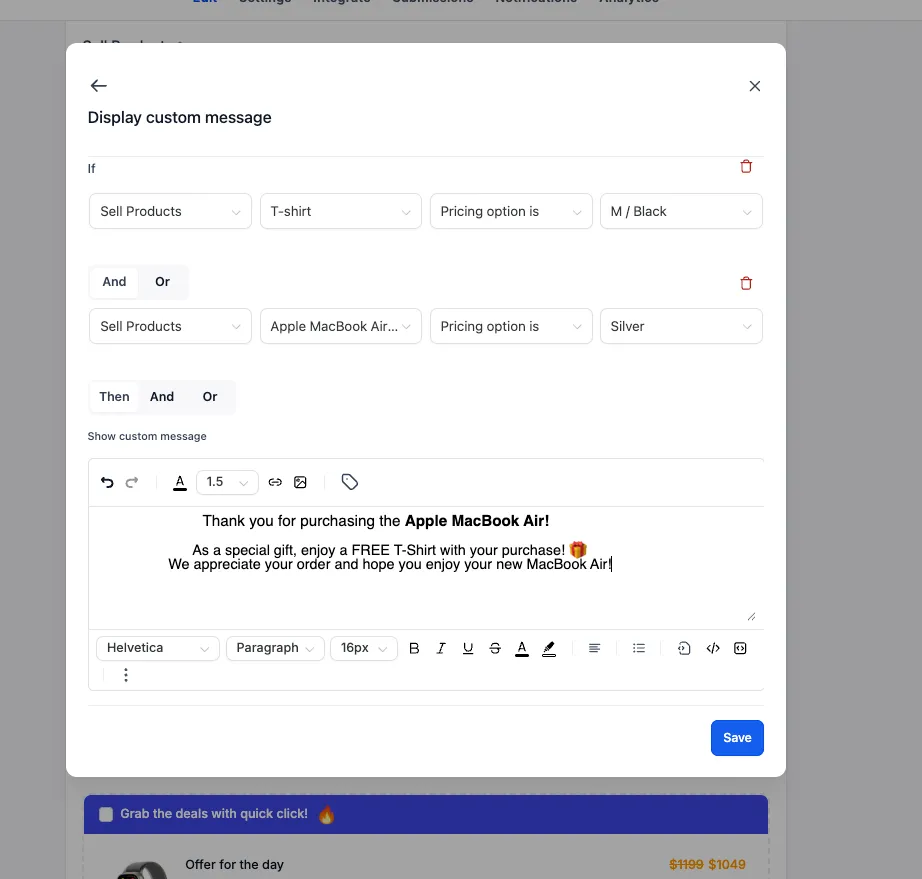
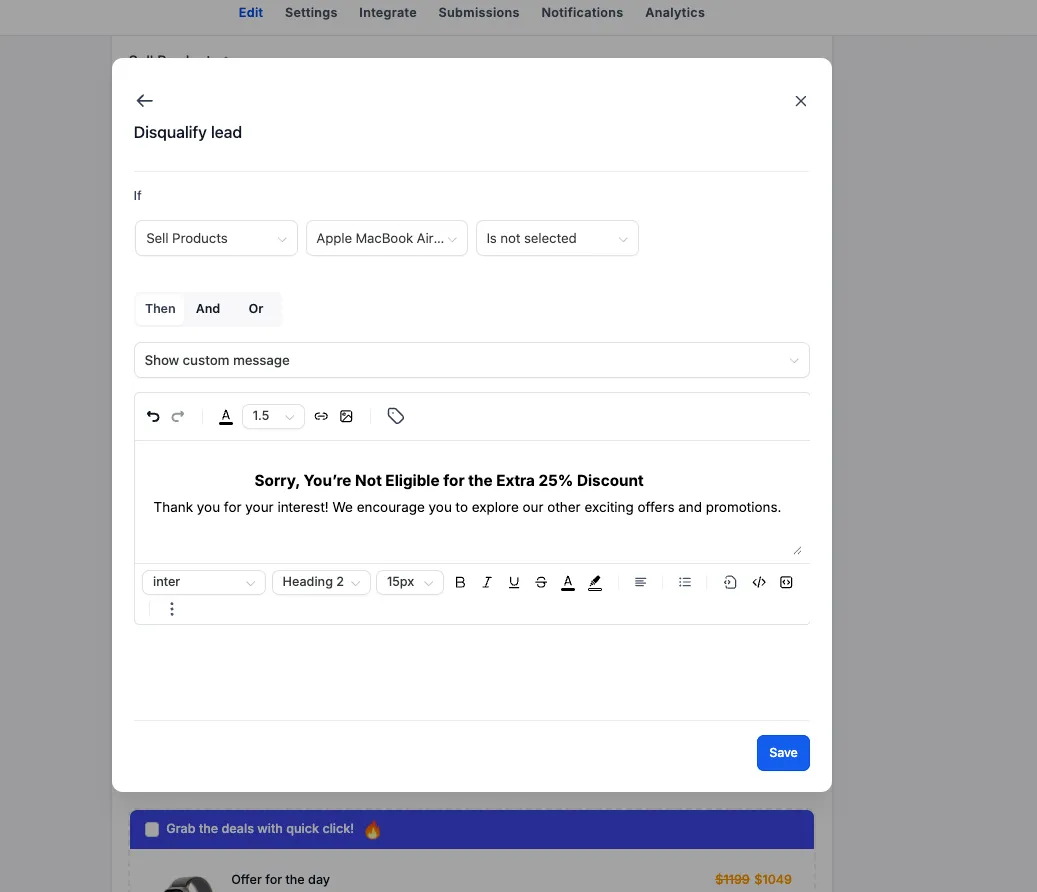
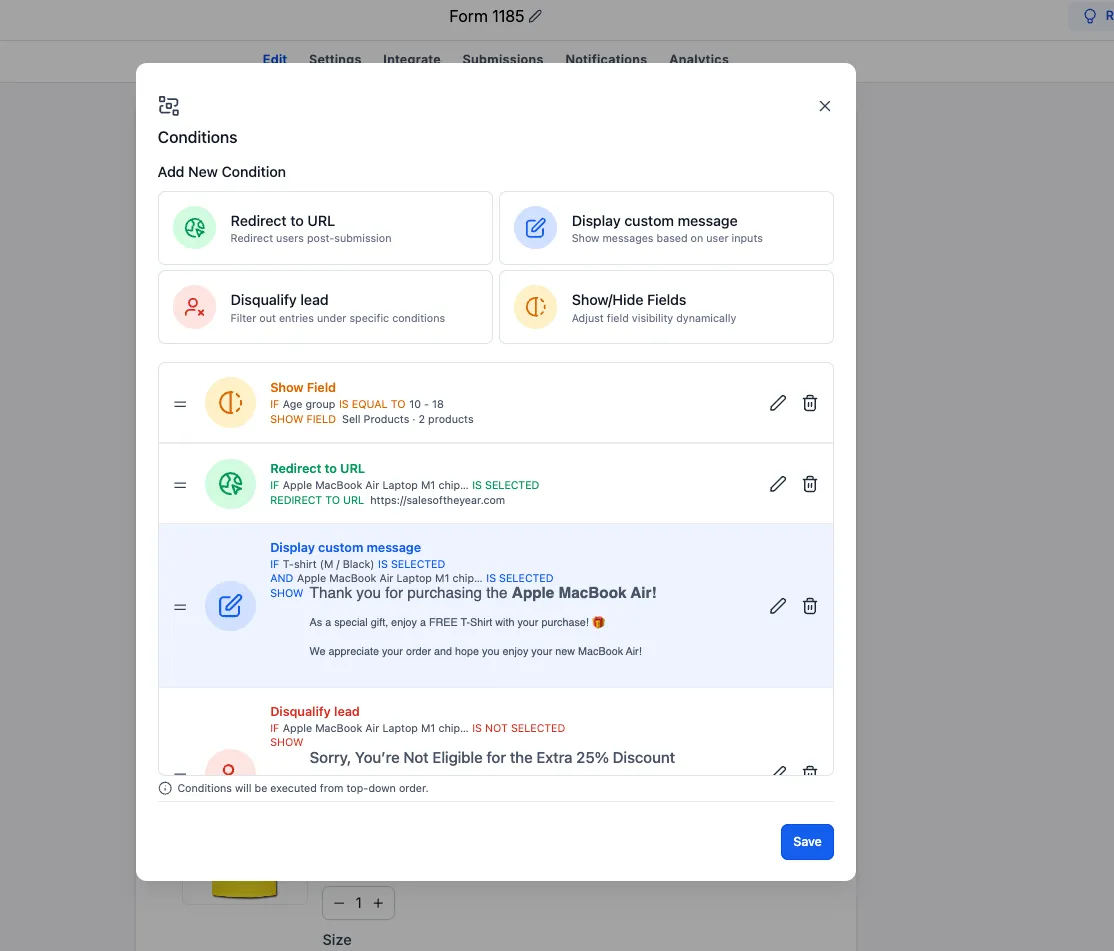
Individual products can now be used in IF conditions across all four existing conditional logic types:
- Redirect URL: Send customers to a specific URL based on their product selection.
- Display Custom Message: Show a message based on the selected product.
- Disqualify Lead: Disqualify leads based on specific product selections.
- Show/Hide Fields: Show or hide fields based on the products selected.
Show or Hide Products and Variants
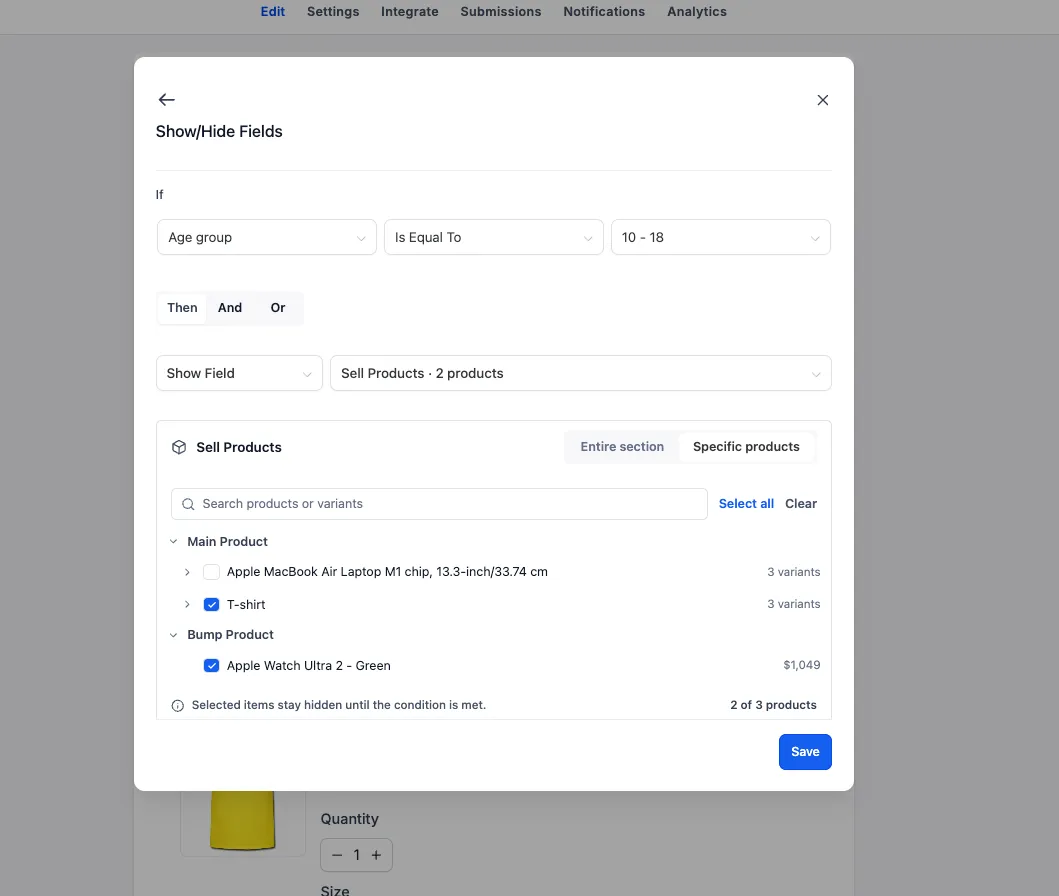
The Show/Hide Fields logic type now lets you control individual products and specific variants within the Sell Products element. Previously, visibility controls applied only to the entire element.
For example, you can show relevant products based on an earlier response, then display only the variants that match the customer’s choices. Showing or hiding the entire Sell Products element remains supported.
Configure Product-Level Logic
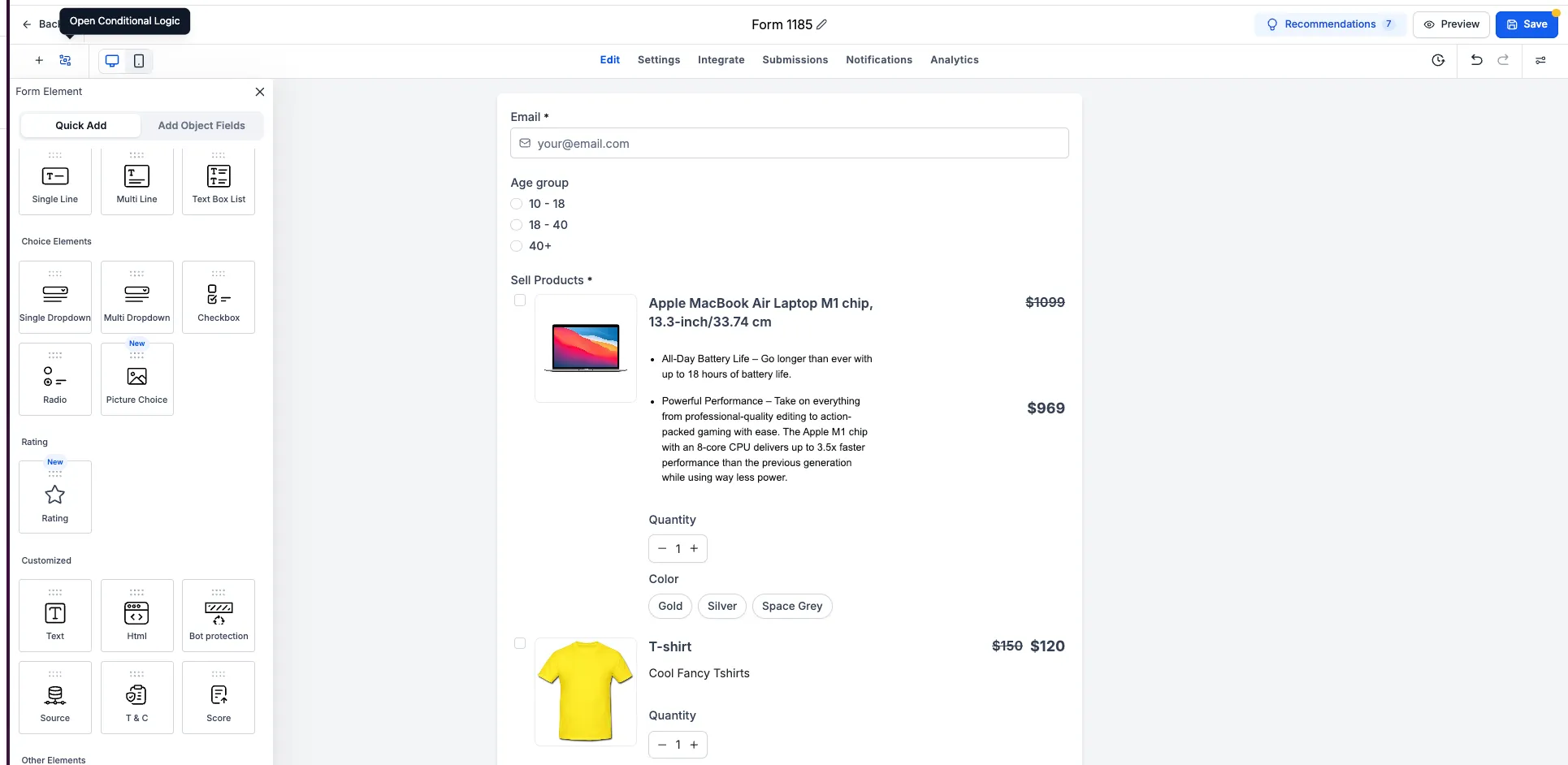
- Open a form or survey in the builder.
- Open Conditional Logic.
- Choose a product when configuring an IF condition for any of the four supported logic types.
- To control product visibility, select Show/Hide Fields.
- Target the entire Sell Products element, an individual product, or specific product variants.
- Define the conditions that determine when those items appear or disappear.
This enhancement is available in both old and new form and survey builders.
Release Images
Need Help Applying This Update?
Want help turning this update into a working part of your CRM, marketing, or automation setup?
Get Started or schedule a demo and we’ll help you map the right next step.