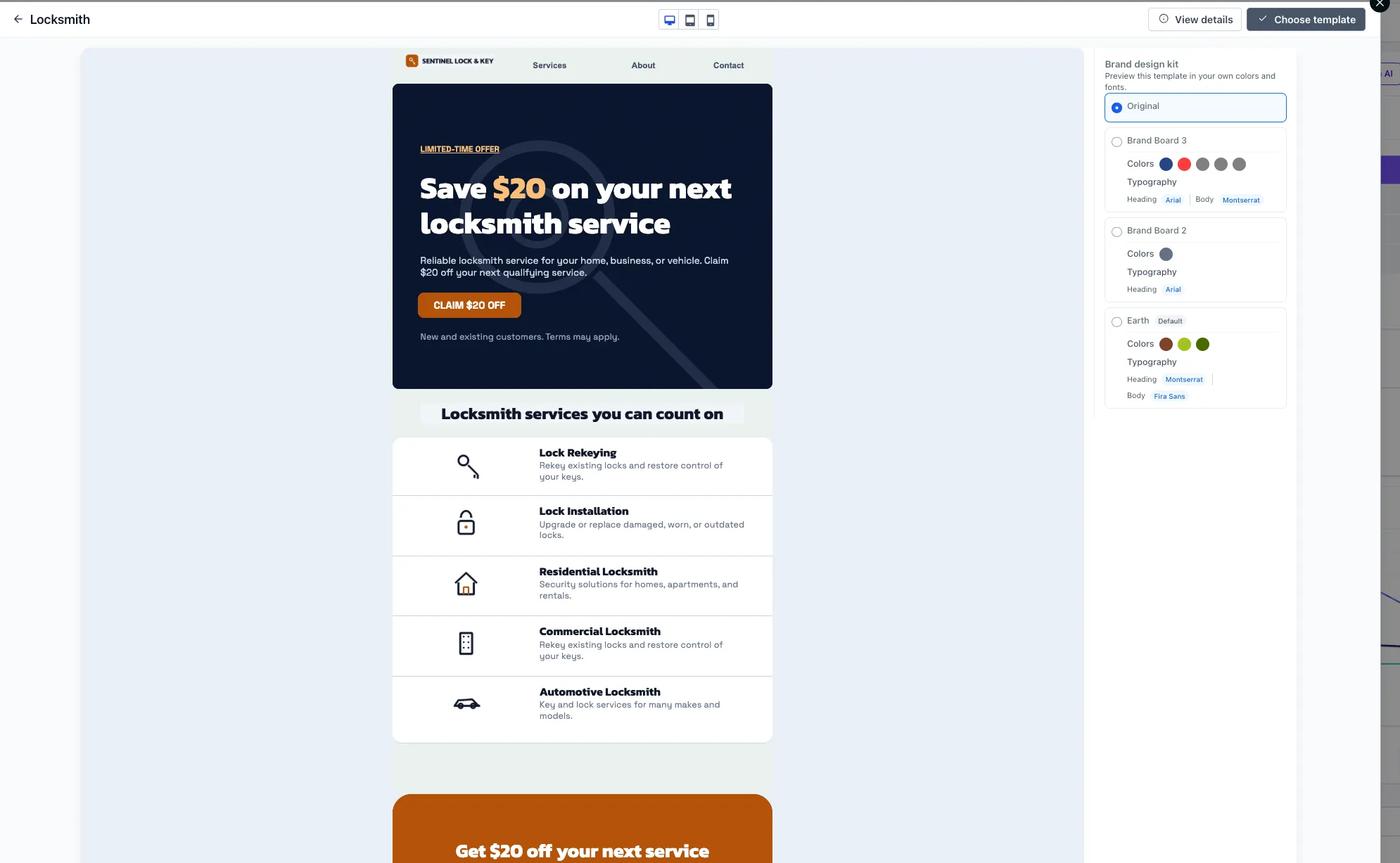
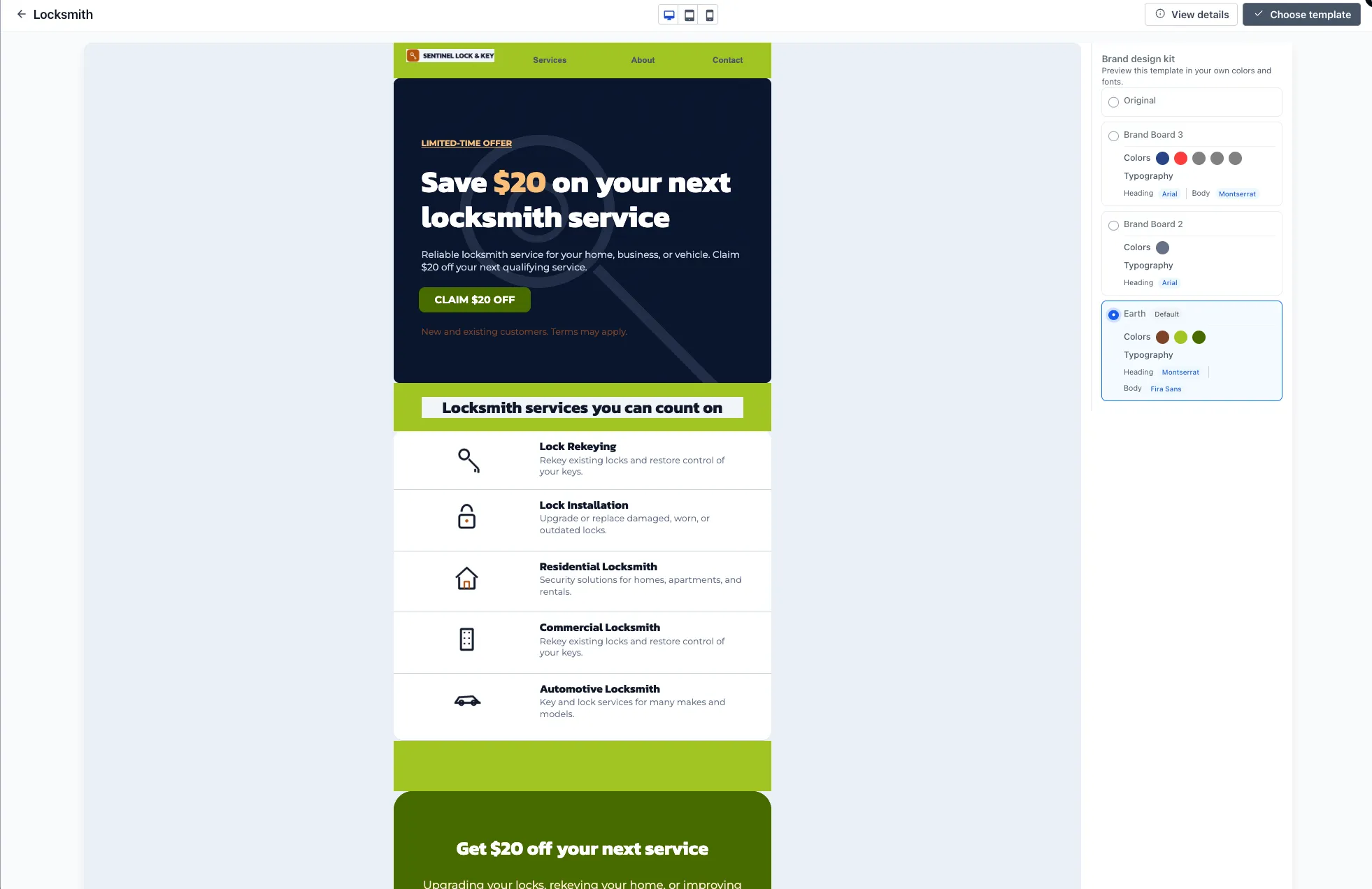
The template preview now lets you choose a Brand Board and see a design in your brand colors before selecting it. When you apply the template, those colors are already in place, reducing manual recoloring.
For users building websites and funnels, this makes it easier to evaluate a template before adding it to a project.
How to Use It
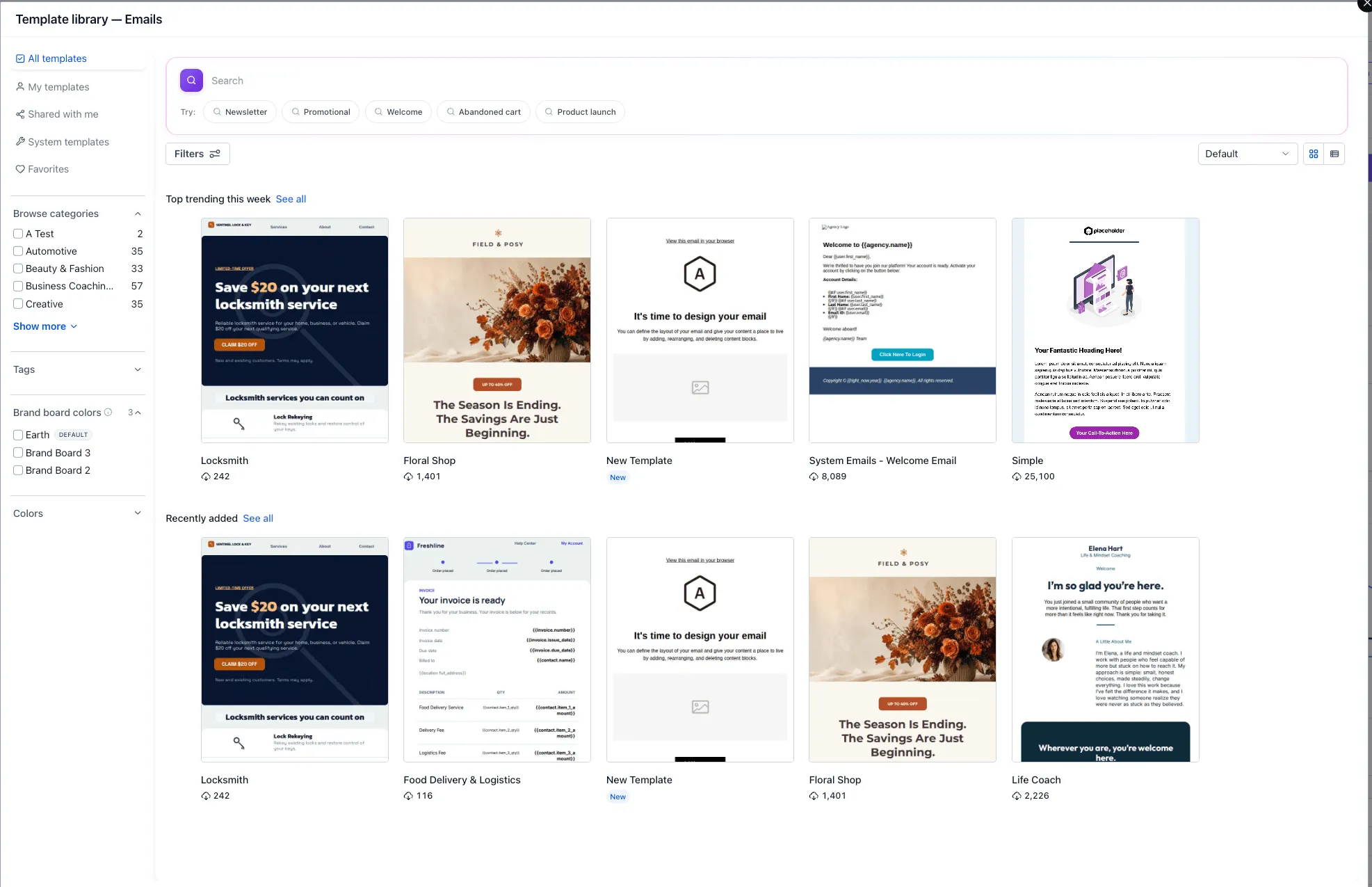
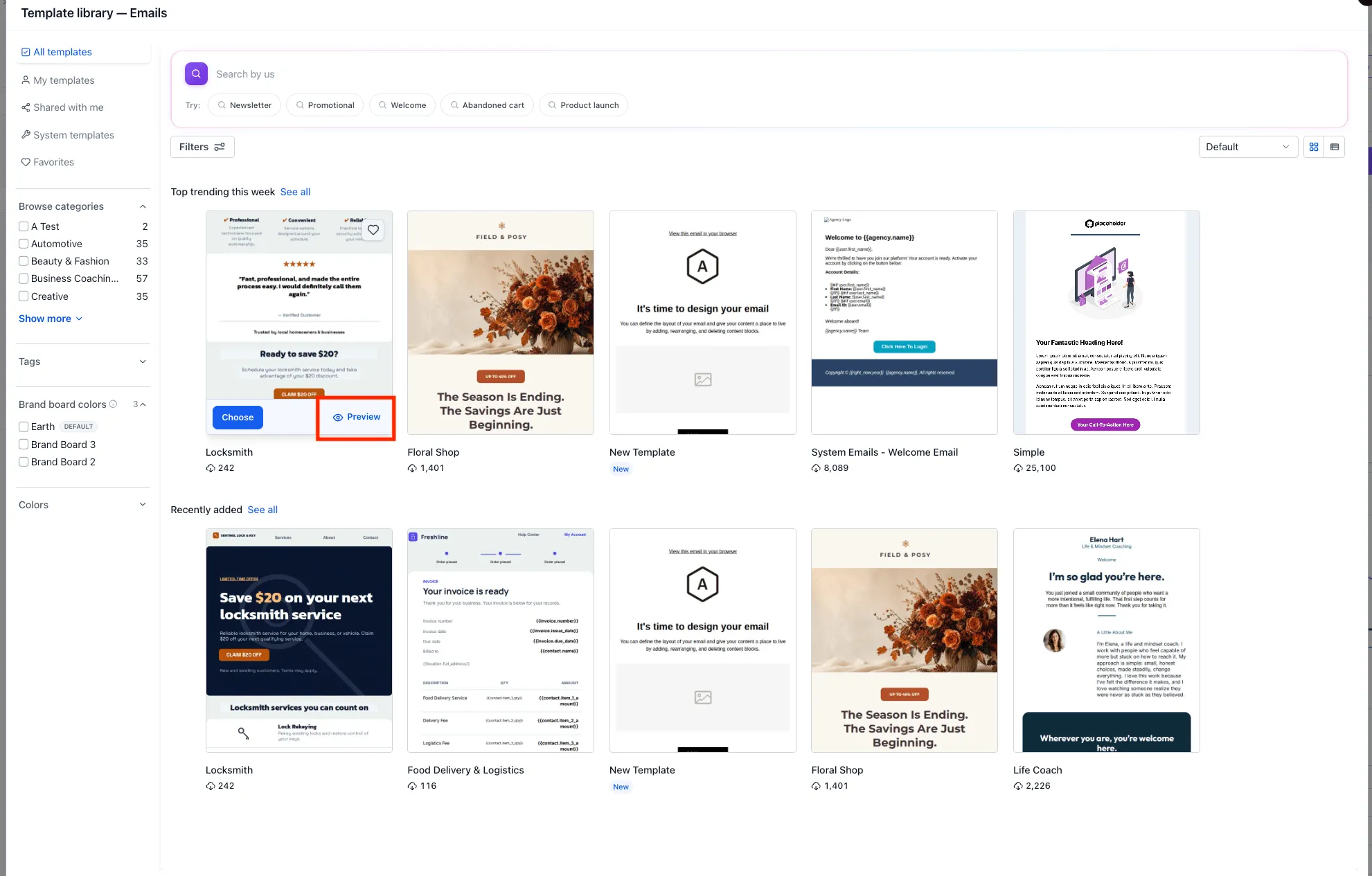
- Open the template selection window from a supported builder.
- Select a template to preview.
- Choose a Brand Board from the list on the right. If you do not have one, click Setup Brand Board to create one from the preview.
- Review the template with your selected brand colors.
- Click Choose template to apply it with those colors in place.
What to Know
- This release adds Brand Board selection within the template preview only.
- Recoloring uses your saved Brand Board colors.
- Editing Brand Board colors later does not update templates you have already applied.
Release Images
Need Help Applying This Update?
Want help turning this update into a working part of your CRM, marketing, or automation setup?
Get Started or schedule a demo and we’ll help you map the right next step.