Dynamic QR codes in SMBcrm now support scan limits and expiration rules. A redesigned builder and updated code list also make settings and restrictions easier to manage.
Control Scans and Validity
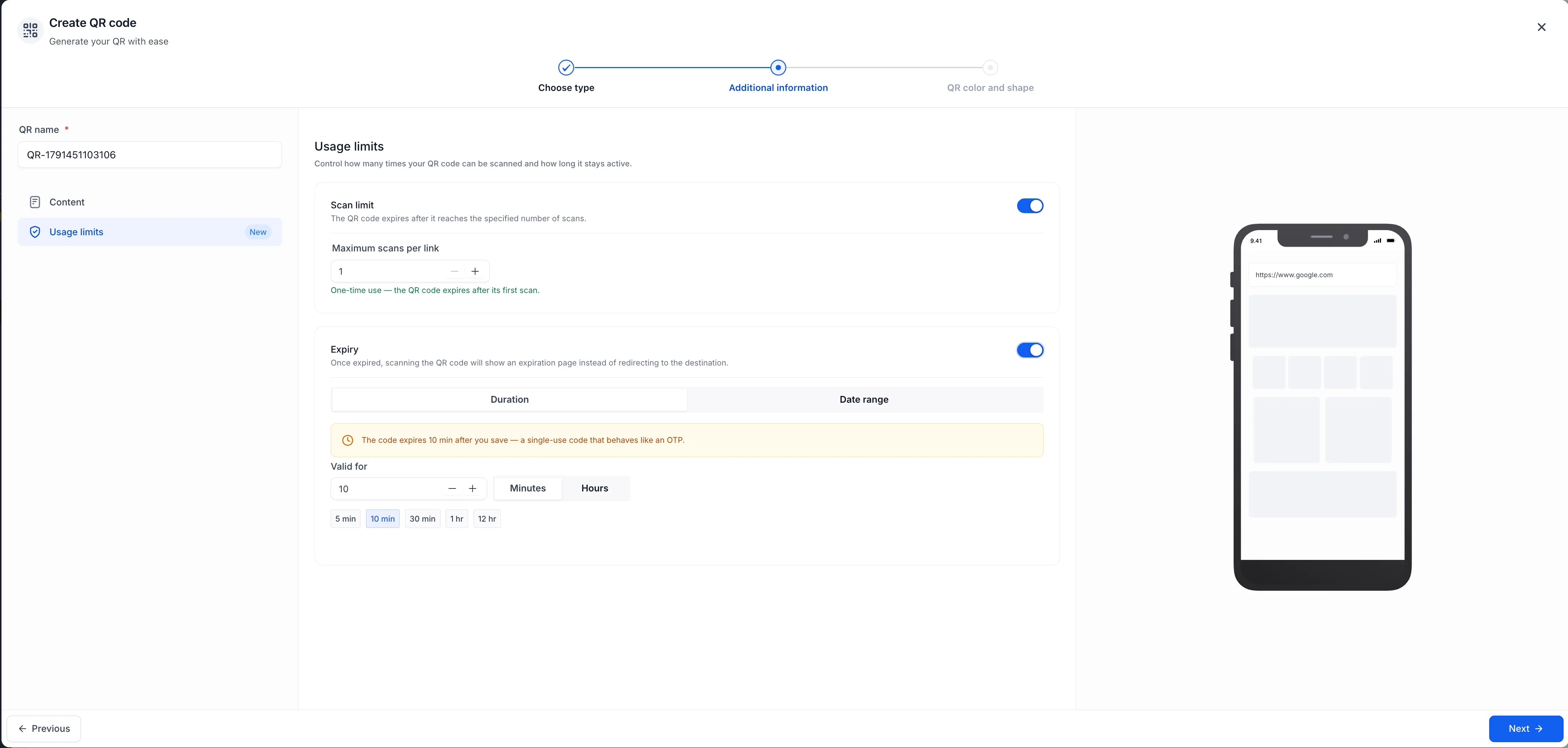
- Scan limits: Allow a fixed number of scans, including a limit of one for single-use codes.
- Duration: Set a validity period that starts when the code is created, such as 30 minutes.
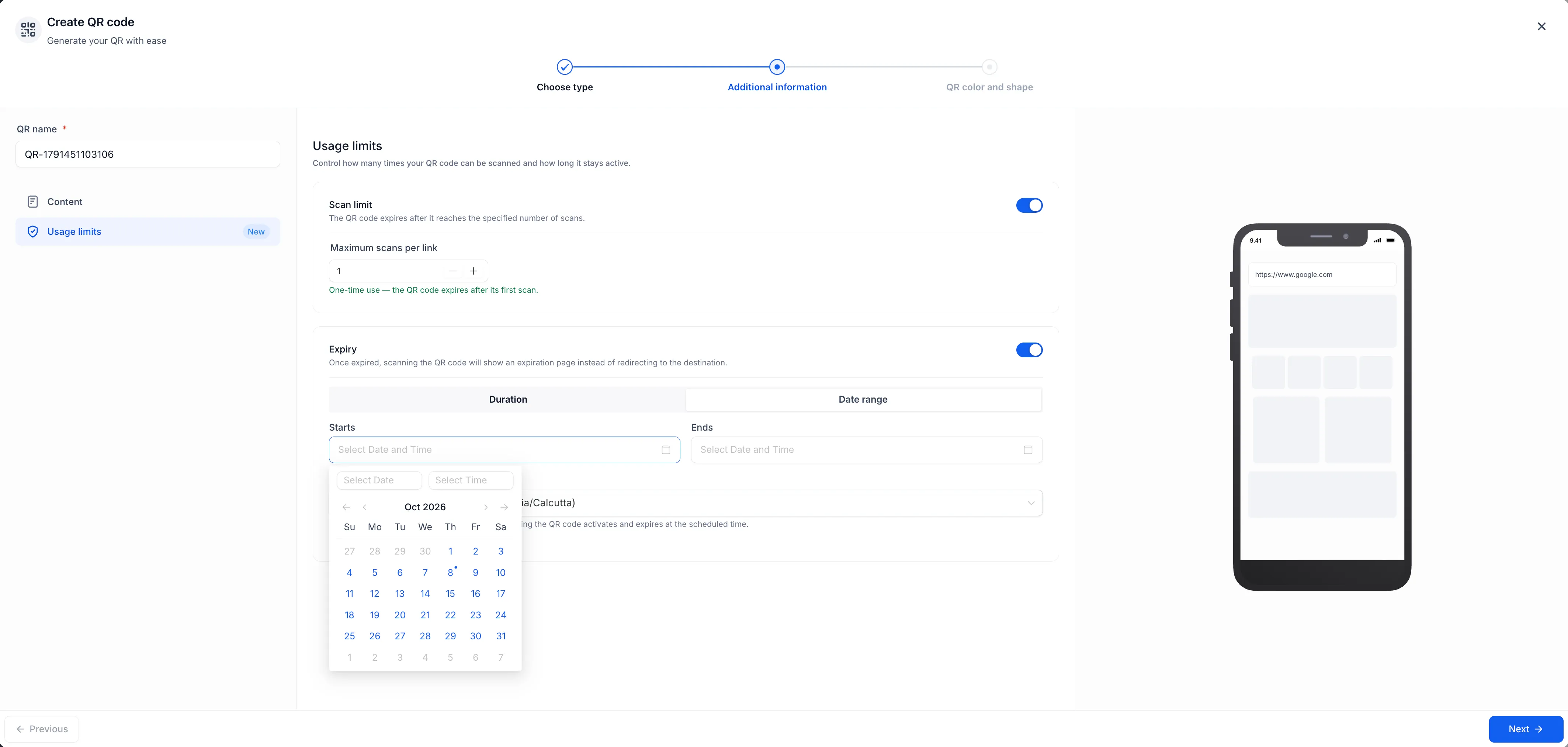
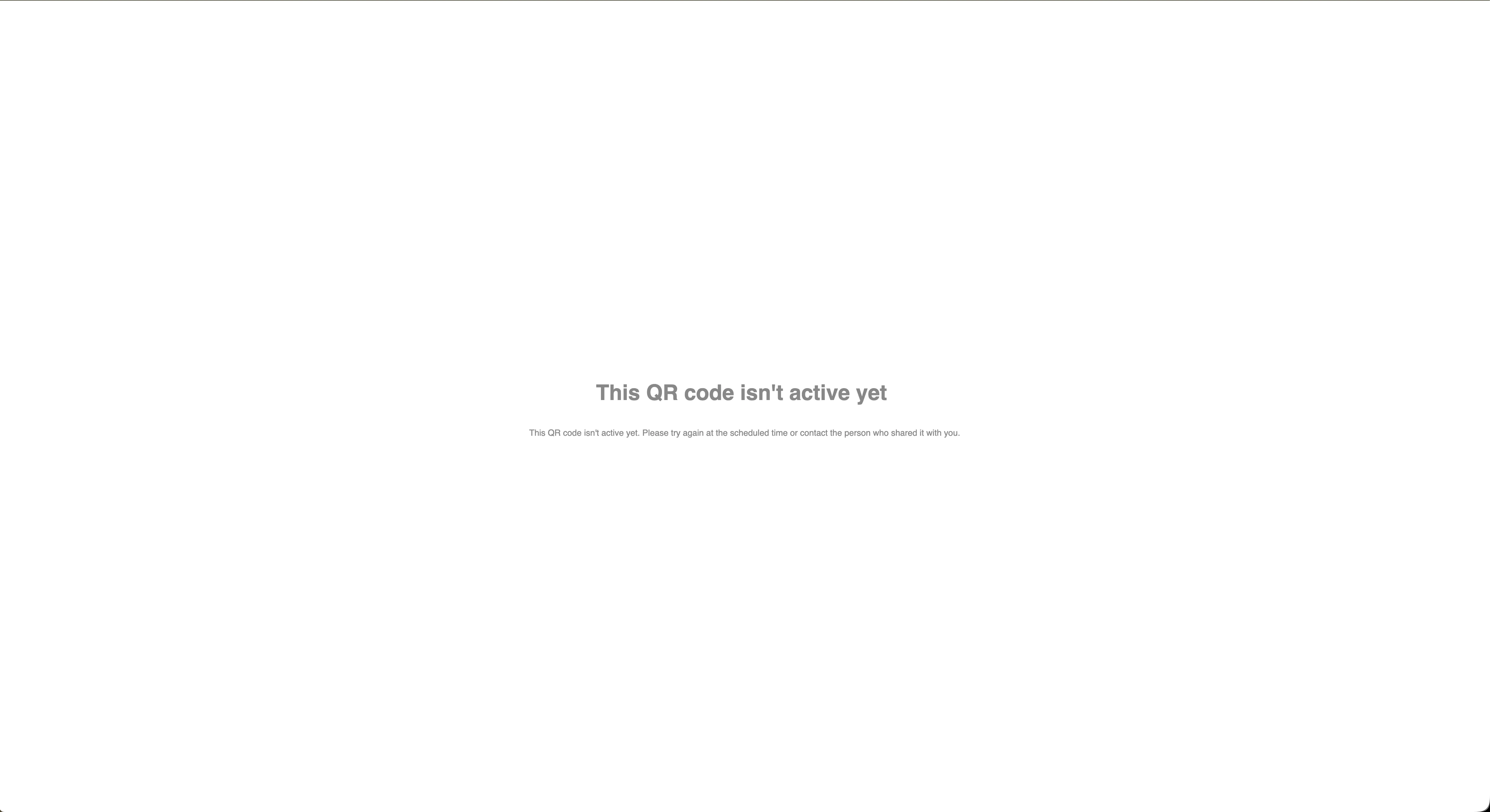
- Date range: Choose a specific start and end time. Codes with a future start remain inactive until that window opens.
- Timezone-aware scheduling: Date ranges use your selected timezone, regardless of where someone scans the code. Daylight-saving changes are handled automatically.
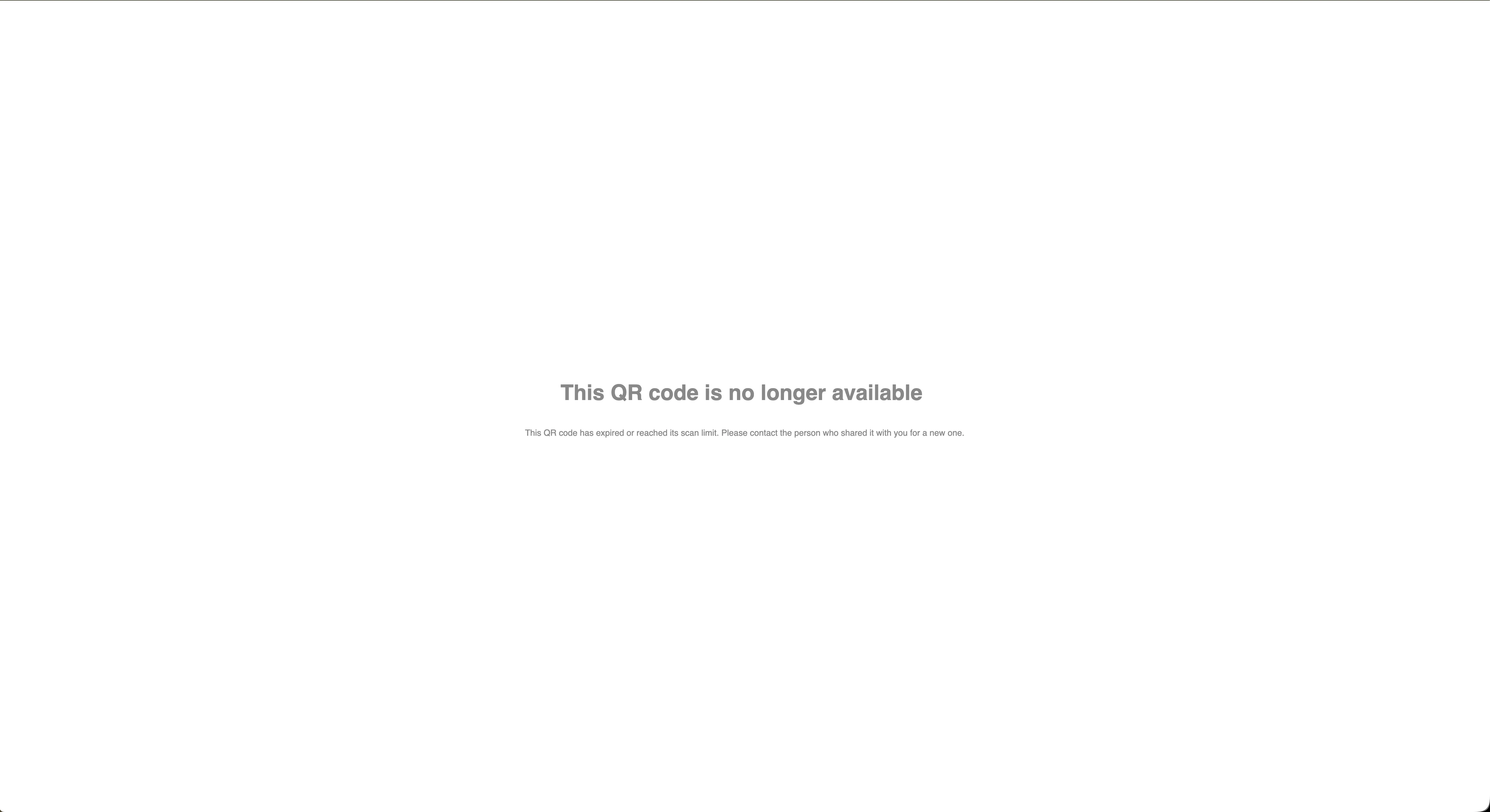
People scanning a code see a clear explanation if it has expired, reached its scan limit, or is not active yet.
Rules are checked at scan time rather than embedded in the QR image, so the same printed code can be used without reprinting. These controls support uses such as event-only tickets, class check-in windows, and single-redemption codes.
Configure Codes in a Redesigned Builder
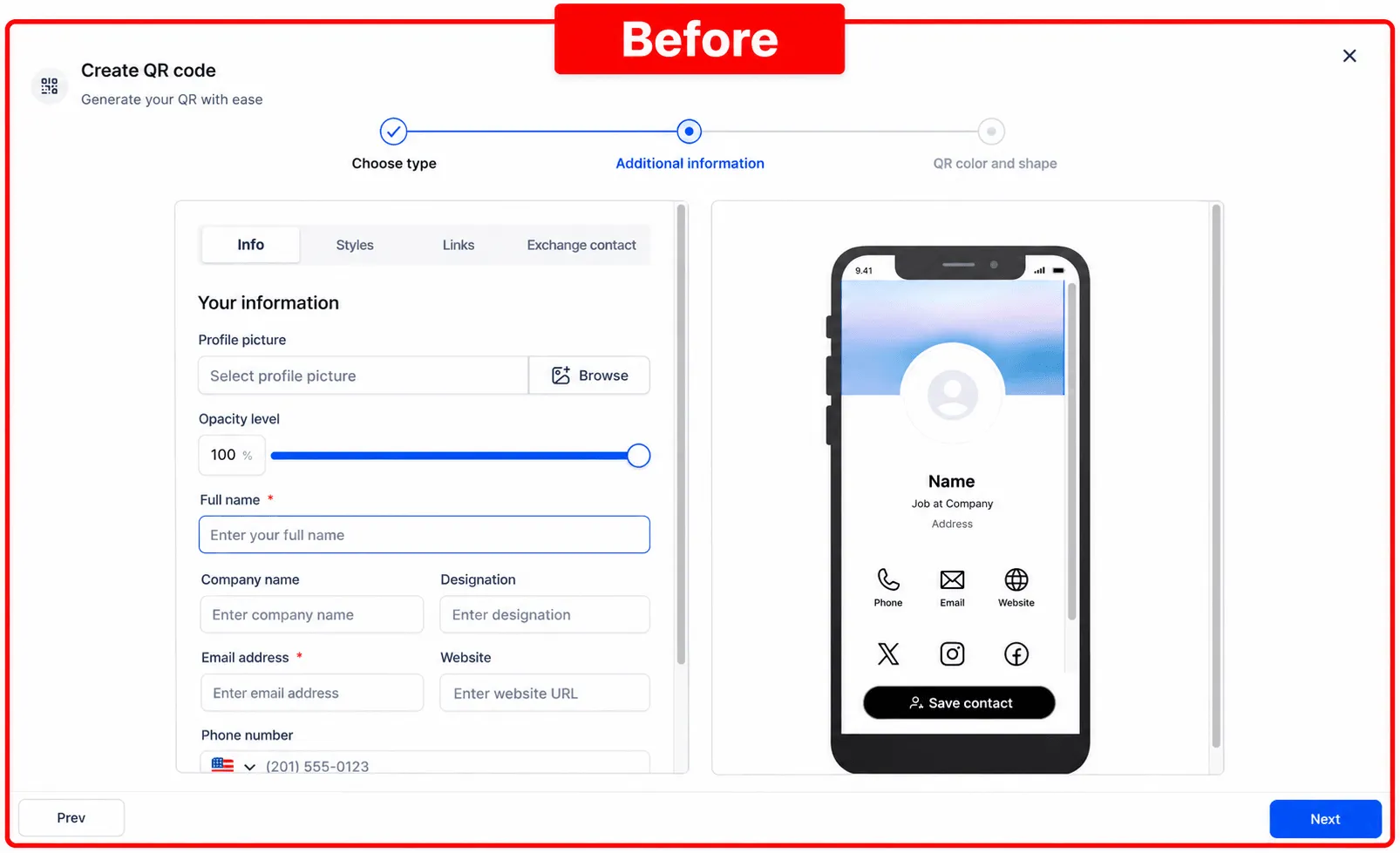
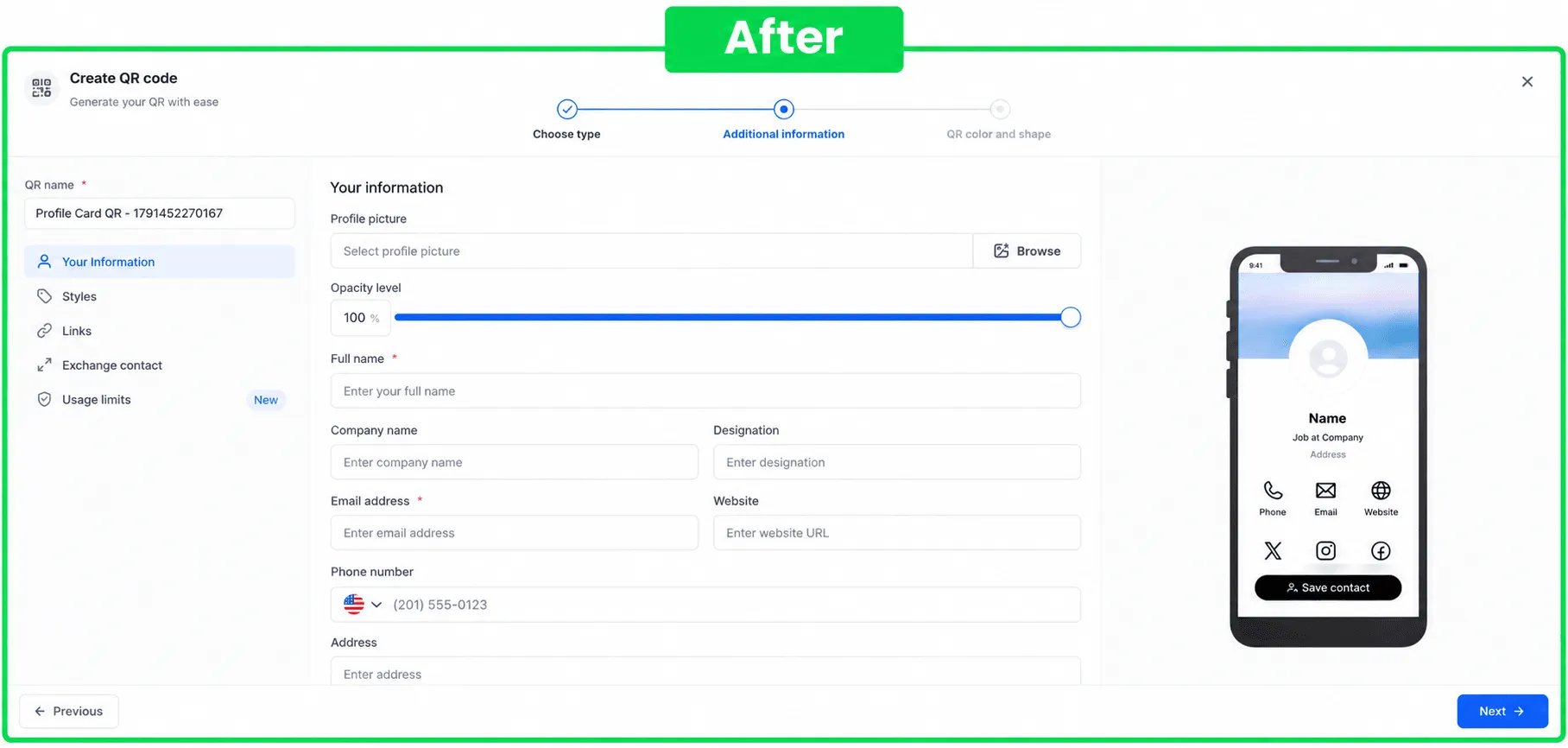
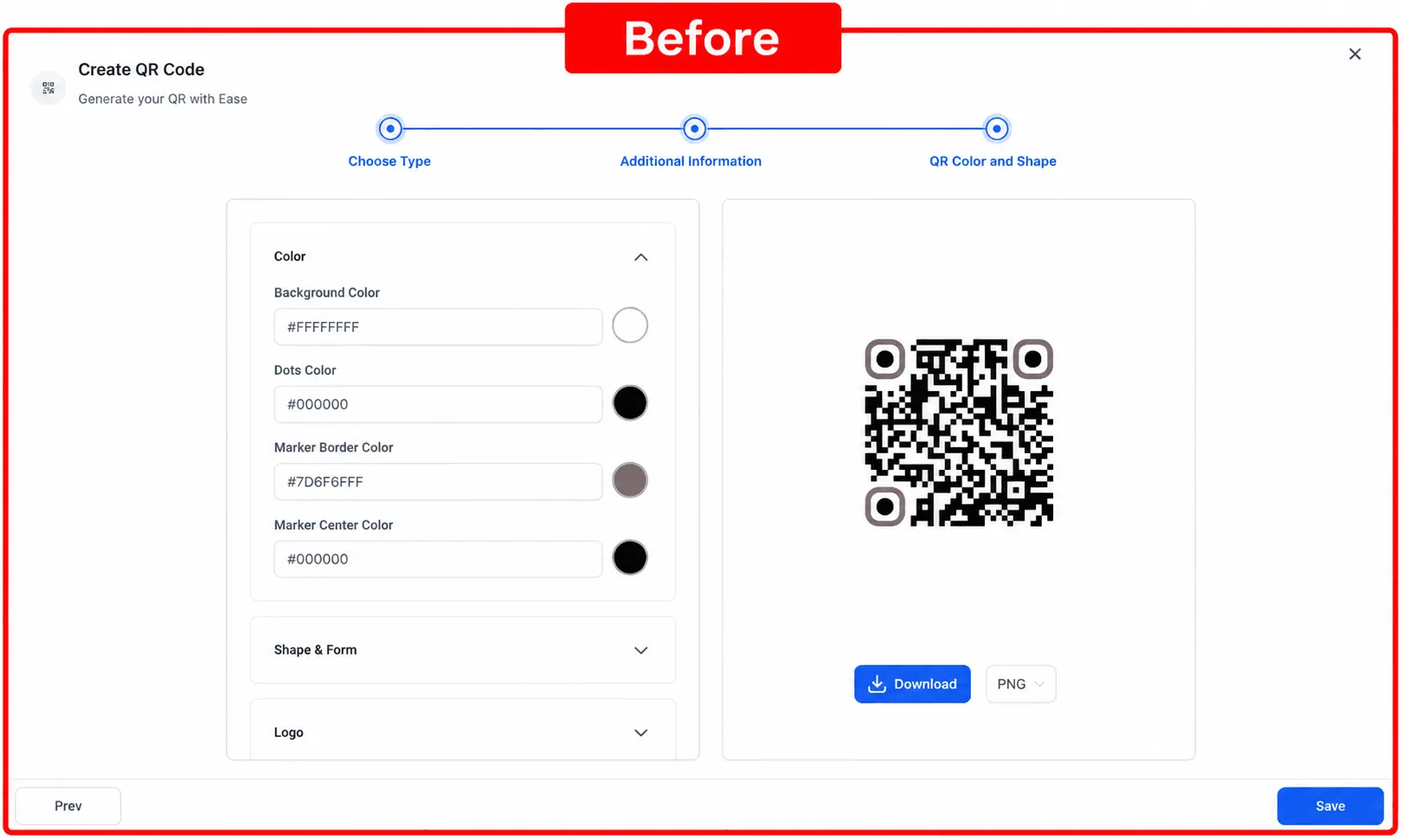
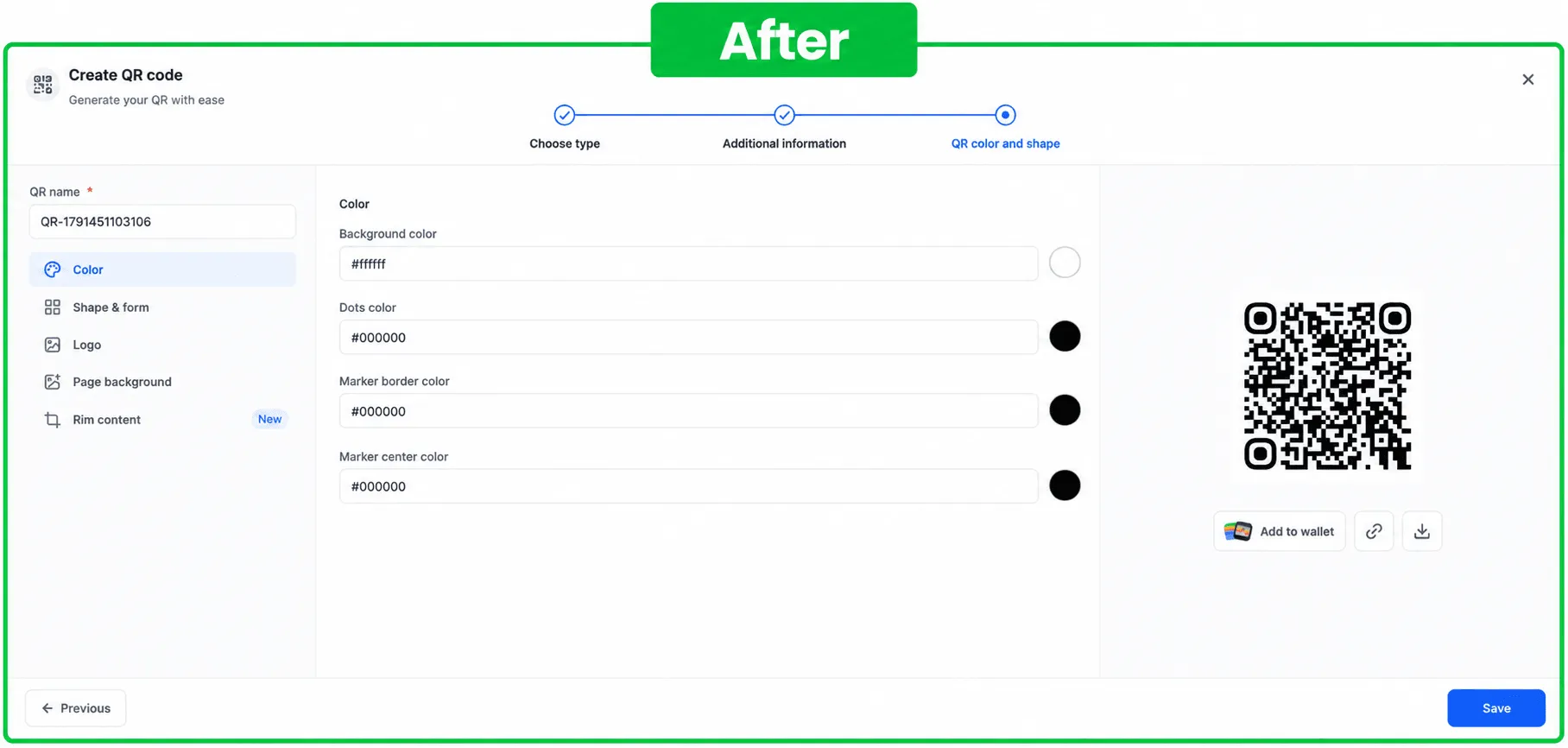
The builder now organizes settings into sections with side navigation instead of one long form. Jump between sections using the navigation rail, or select Next to reach settings that still need attention.
Updated labels, helper text, and section names clarify each setting before you save. New labels, status tags, and tooltips are translated across all 13 supported languages.
Check Restrictions From the Code List
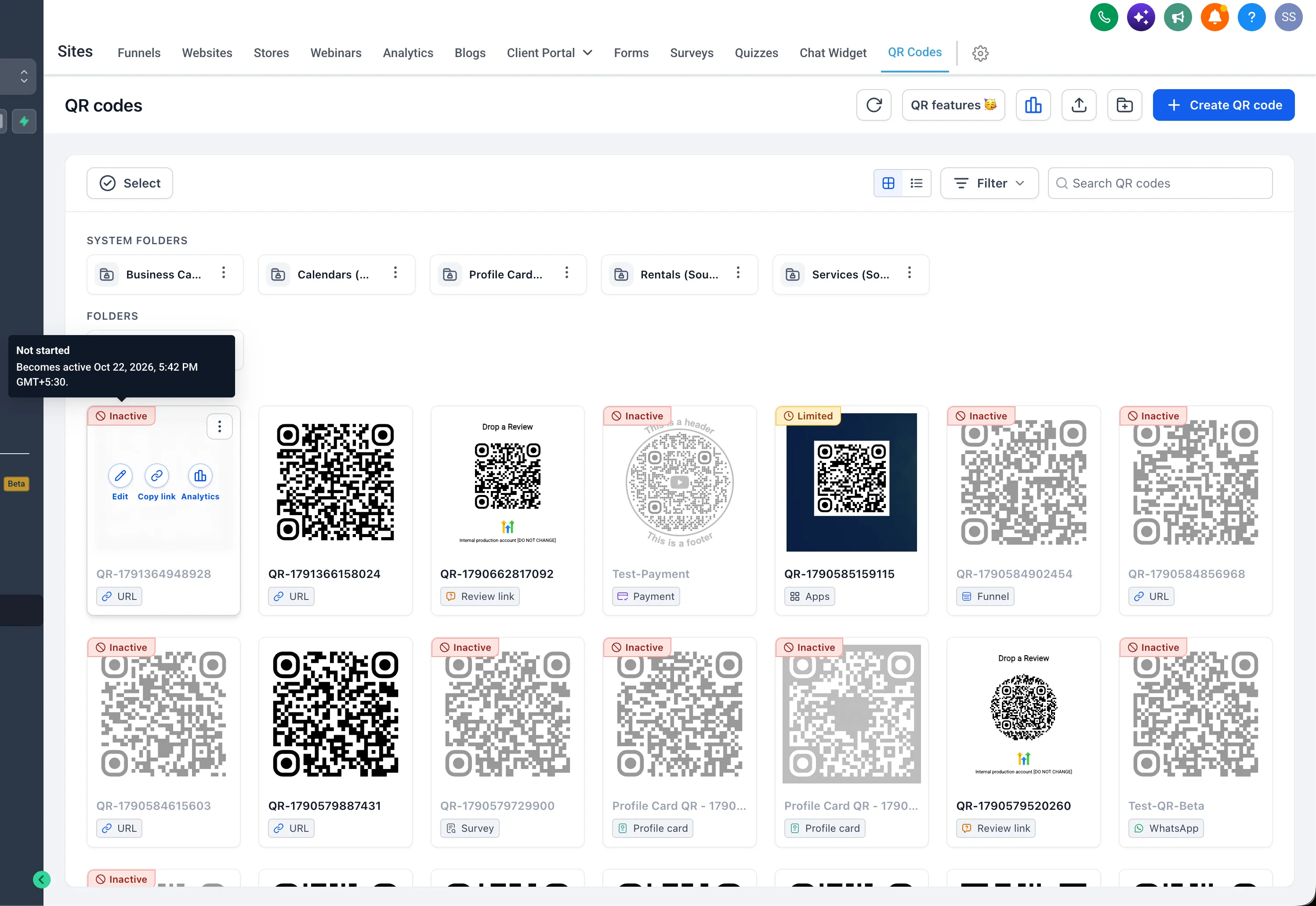
Codes with usage rules display status tags:
- Limited: Restrictions are active.
- Inactive: The code is not currently accepting scans. Inactive codes are also grayed out.
Hover over a status tag to see the rule in effect, such as a scan limit, expiration date, or ended validity window, without opening the code.
Release Images
Need Help Applying This Update?
Want help turning this update into a working part of your CRM, marketing, or automation setup?
Get Started or schedule a demo and we’ll help you map the right next step.