SMBcrm certificates can now include QR codes directly in the Certificate Builder. This helps recipients and outside parties verify certificates or open a relevant link with a quick scan.
What changed
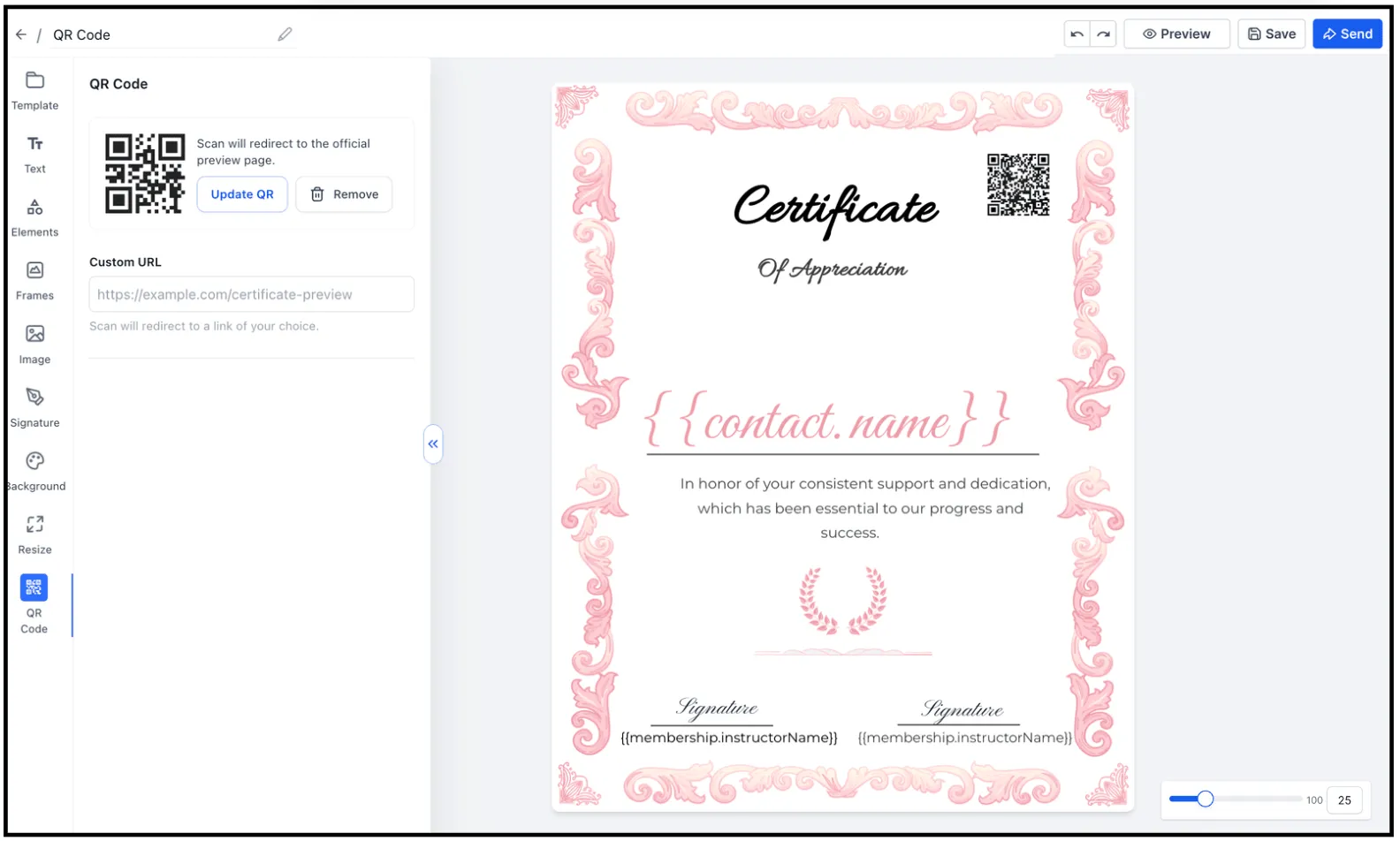
In Memberships & Education, you can add a QR code to a certificate without using an external QR generator or uploading a QR image manually.
You can choose from two QR code types:
- Verification QR: Opens the official certificate preview and validation page.
- Custom link QR: Opens a custom URL, such as a portfolio, website, LinkedIn profile, or booking page.
Styling options
You can adjust:
- Background color
- Stroke color
The canvas updates with a live preview while you edit.
Why it matters
QR codes make certificates easier to verify and give creators a simple way to connect certificates to relevant online destinations. They also reduce manual steps by keeping QR creation inside SMBcrm.
Need Help Applying This Update?
Want help turning this update into a working part of your CRM, marketing, or automation setup?
Get Started or schedule a demo and we’ll help you map the right next step.