SMBcrm has refreshed the user management experience with cleaner layouts for My Profile, user listings, and Create/Edit User flows. The update keeps the same underlying actions and data while making settings easier to scan and navigate.
This update is available through Labs.
What Changed
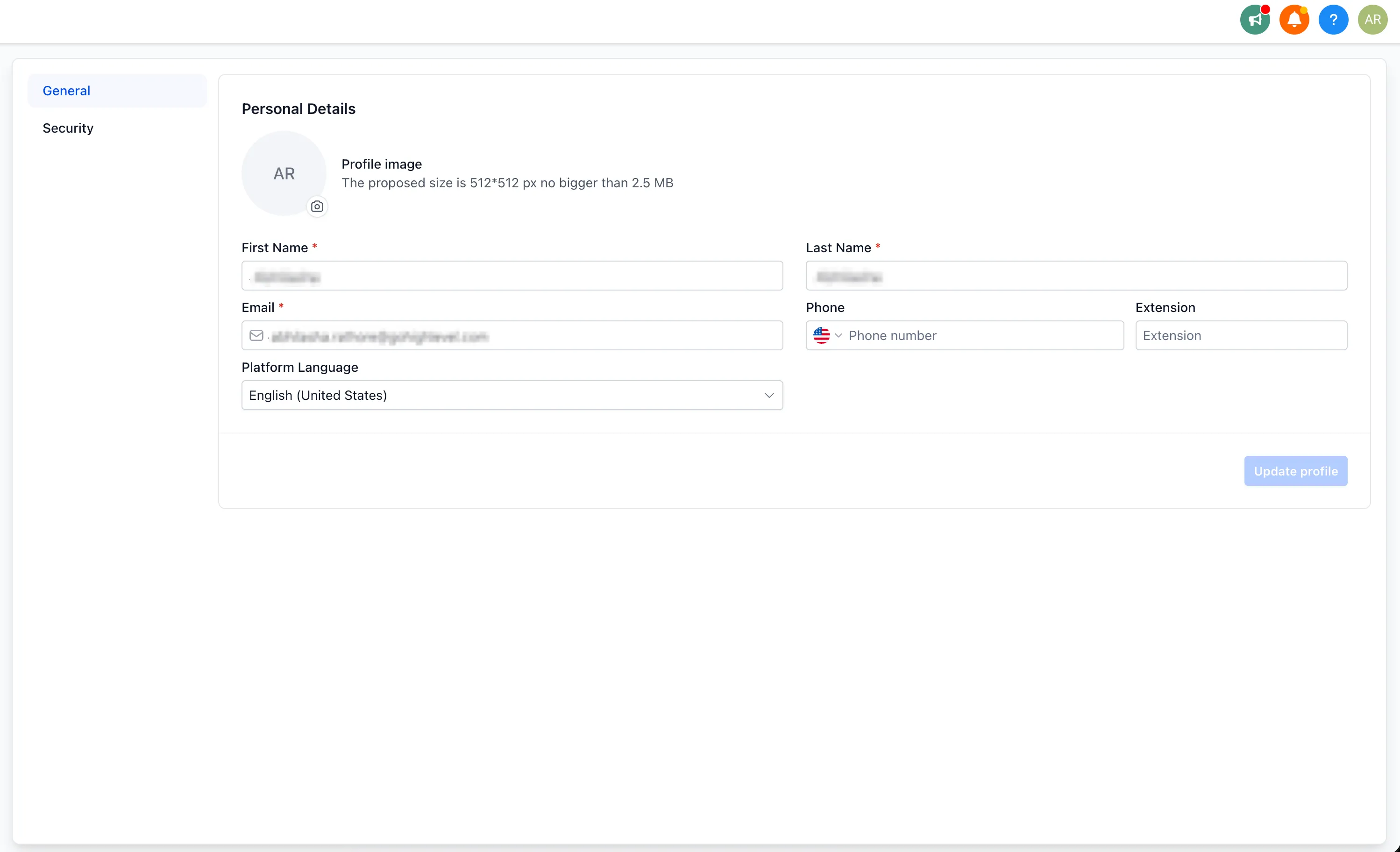
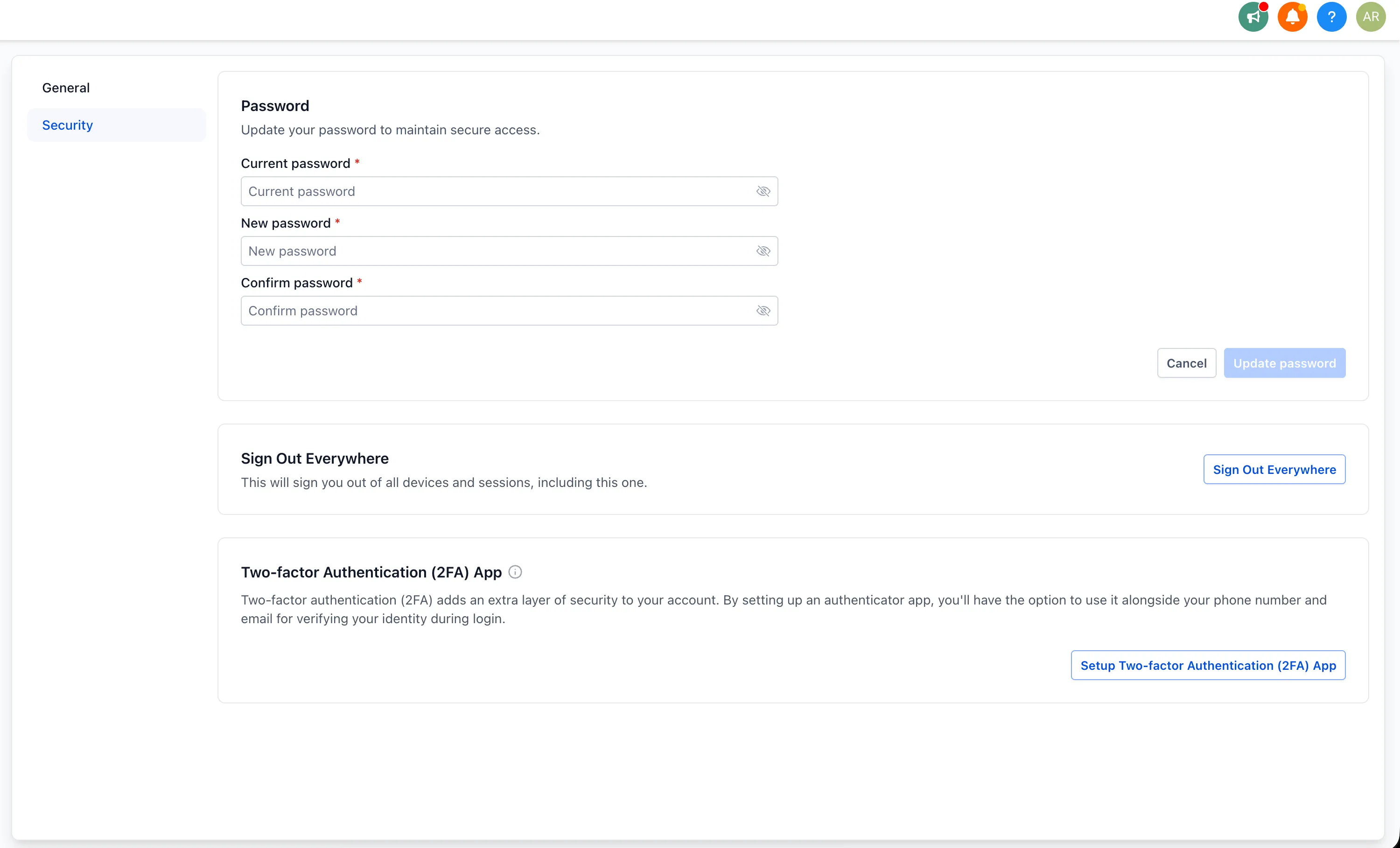
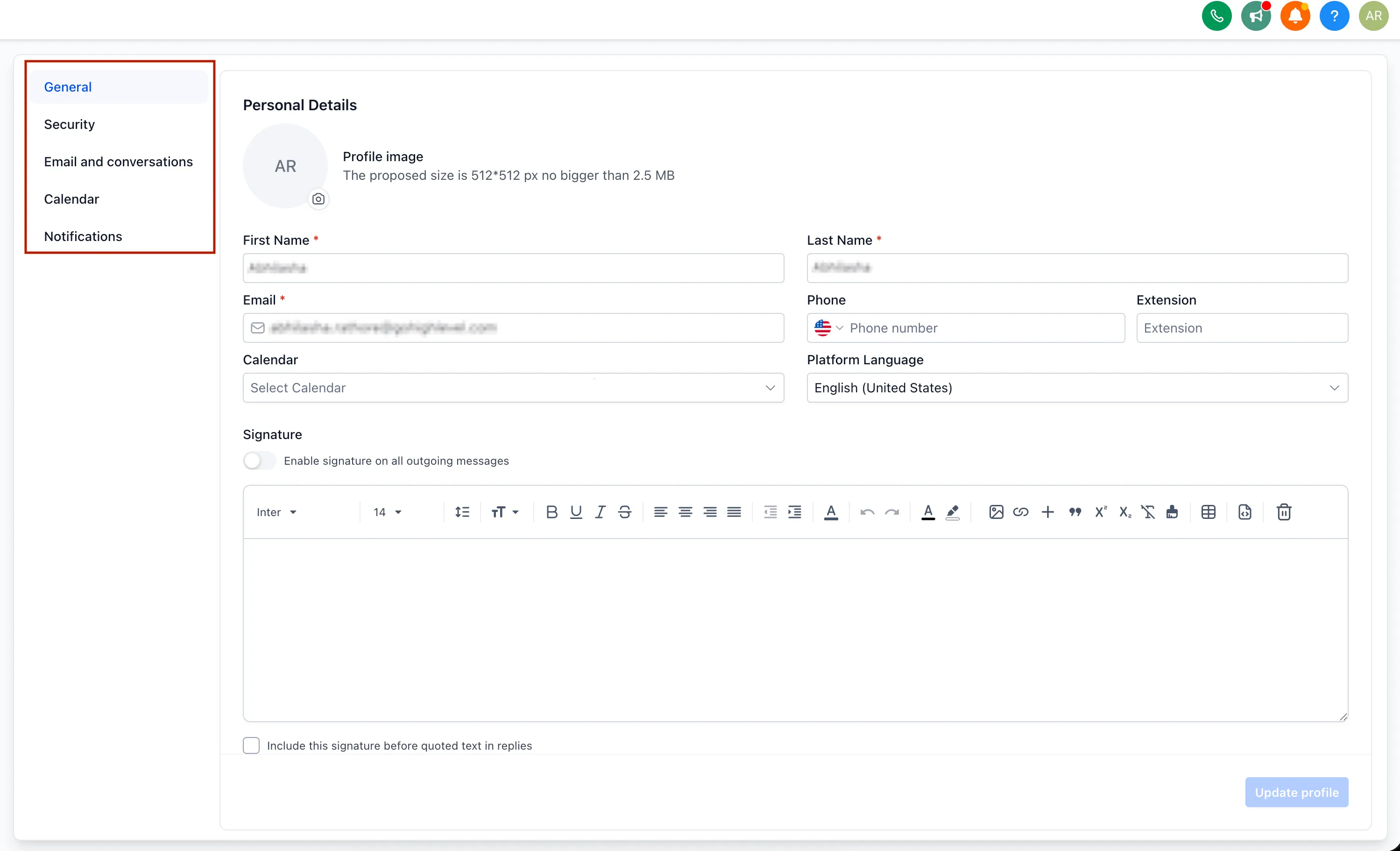
My Profile is organized into tabs
My Profile is now split into clearly labeled tabs instead of one long page.
For platform admin profiles, the refreshed view includes:
- General
- Security
For account profiles, the refreshed view includes:
- General
- Security
- Calendars
- Conversations
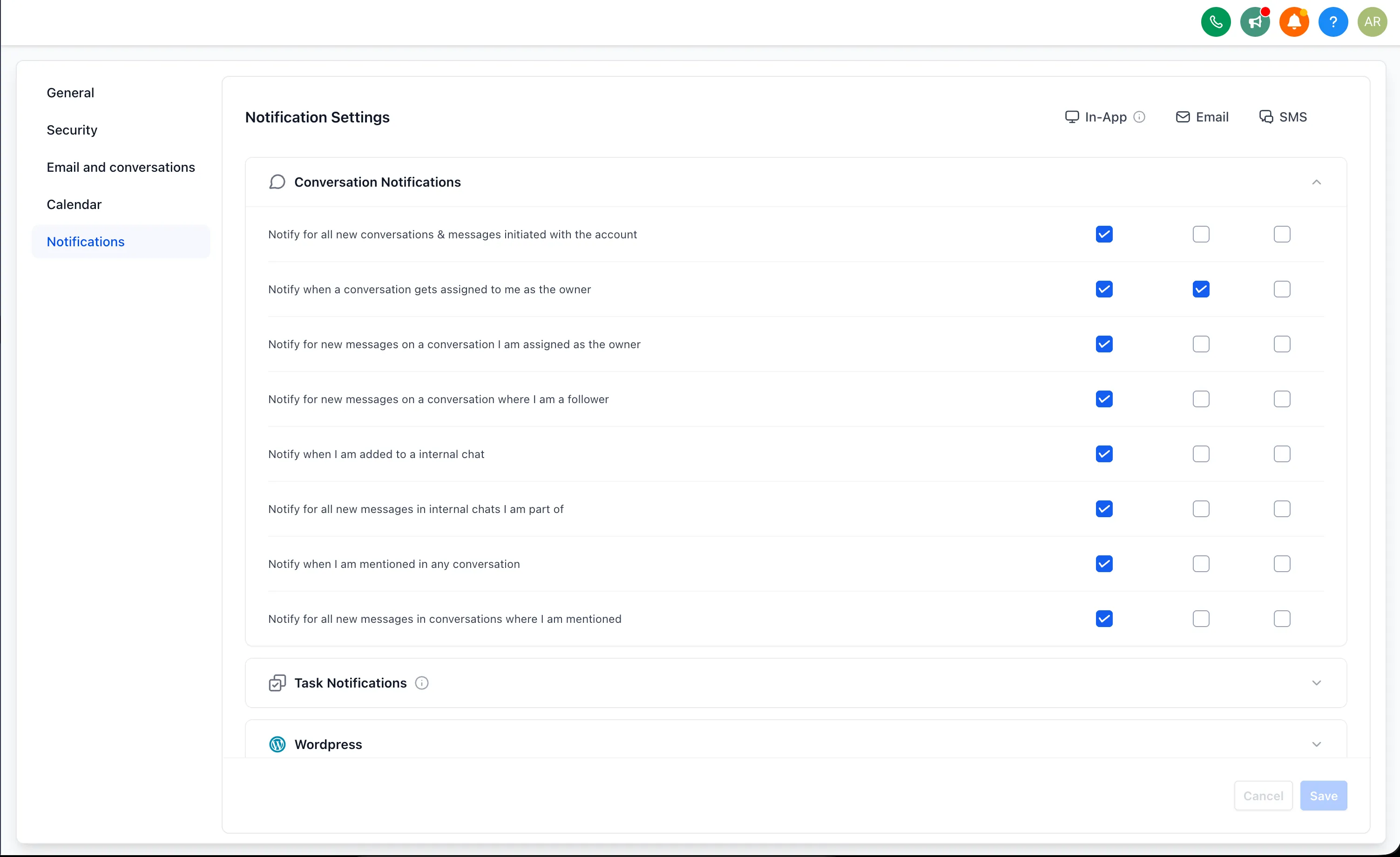
- Notifications
The account Notifications tab now separates notification settings by channel, replacing the previous cluttered layout.
User management uses one label
Previous team and staff labels are now consolidated under Users across the platform. This is a label change only. The screen works the same way as before.
User lists and user flows have a refreshed layout
The Users listing page has an updated look and feel for viewing and managing users.
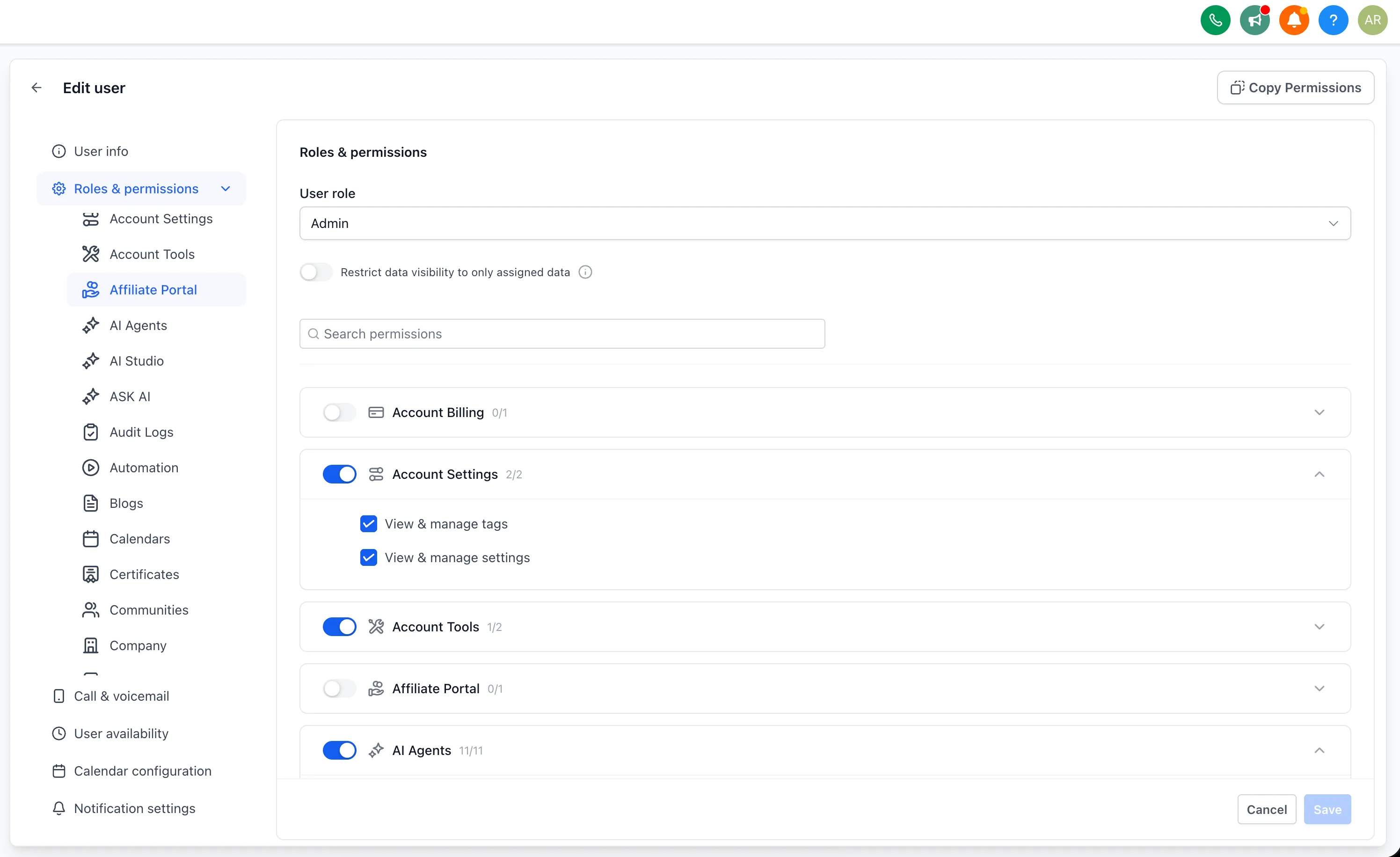
The Create User and Edit User flows have also been redesigned, including the way permissions are displayed and managed.
Roles and permissions are easier to navigate
In the Edit User flow, Roles & Permissions is now organized for quicker review:
- Permission modules are available from a left-hand panel instead of requiring users to scroll through the full page.
- Scopes within each module appear in collapsed accordions by default.
- Search can be used to jump to a module, with results shown in an expandable format.
Account user settings have a refreshed interface
Additional account-level user settings in the Edit User flow have also been refreshed, including:
- Call and voicemail settings
- User availability
- Calendar configuration
- Notification settings
What Stays the Same
This is a UI and navigation refresh. The underlying capabilities and permissions stay the same.
Existing profile settings, user data, and permission configurations carry over unchanged.
Release Images
Need Help Applying This Update?
Want help turning this update into a working part of your CRM, marketing, or automation setup?
Get Started or schedule a demo and we’ll help you map the right next step.