Skip to content
· Improvement Calendars

Self-Serve Cancellation Links for Rental Bookings

Rentals customers can now cancel their own bookings directly through a cancellation link — no phone call or email required.

S
SMBcrm Team · September 10, 2026

Overview

🧭 Overview Rentals customers can now cancel their own bookings directly through a cancellation link — no phone call or email required. This release covers the core self-service cancellation flow, an optional cancellation window operators c

Details

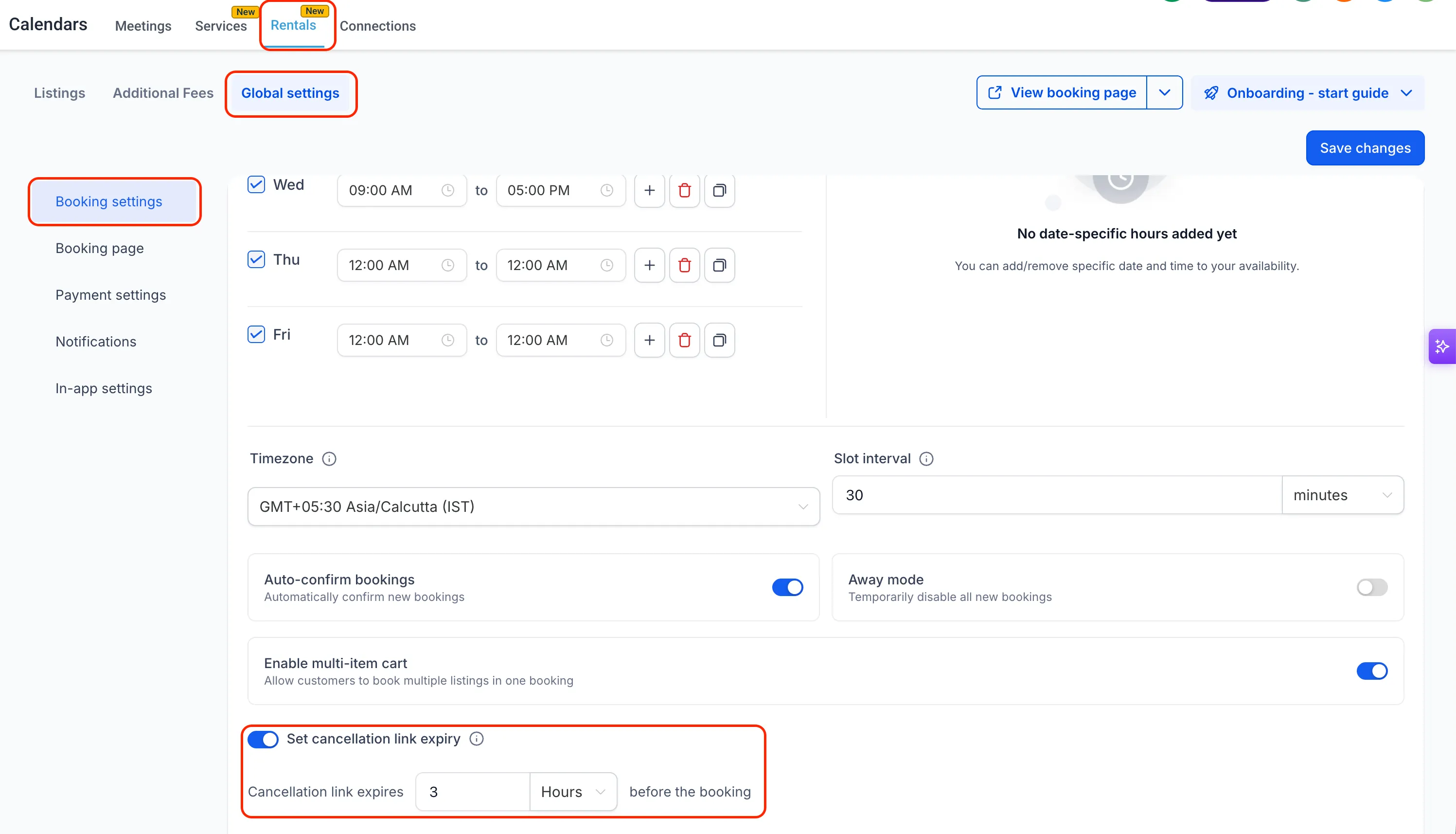
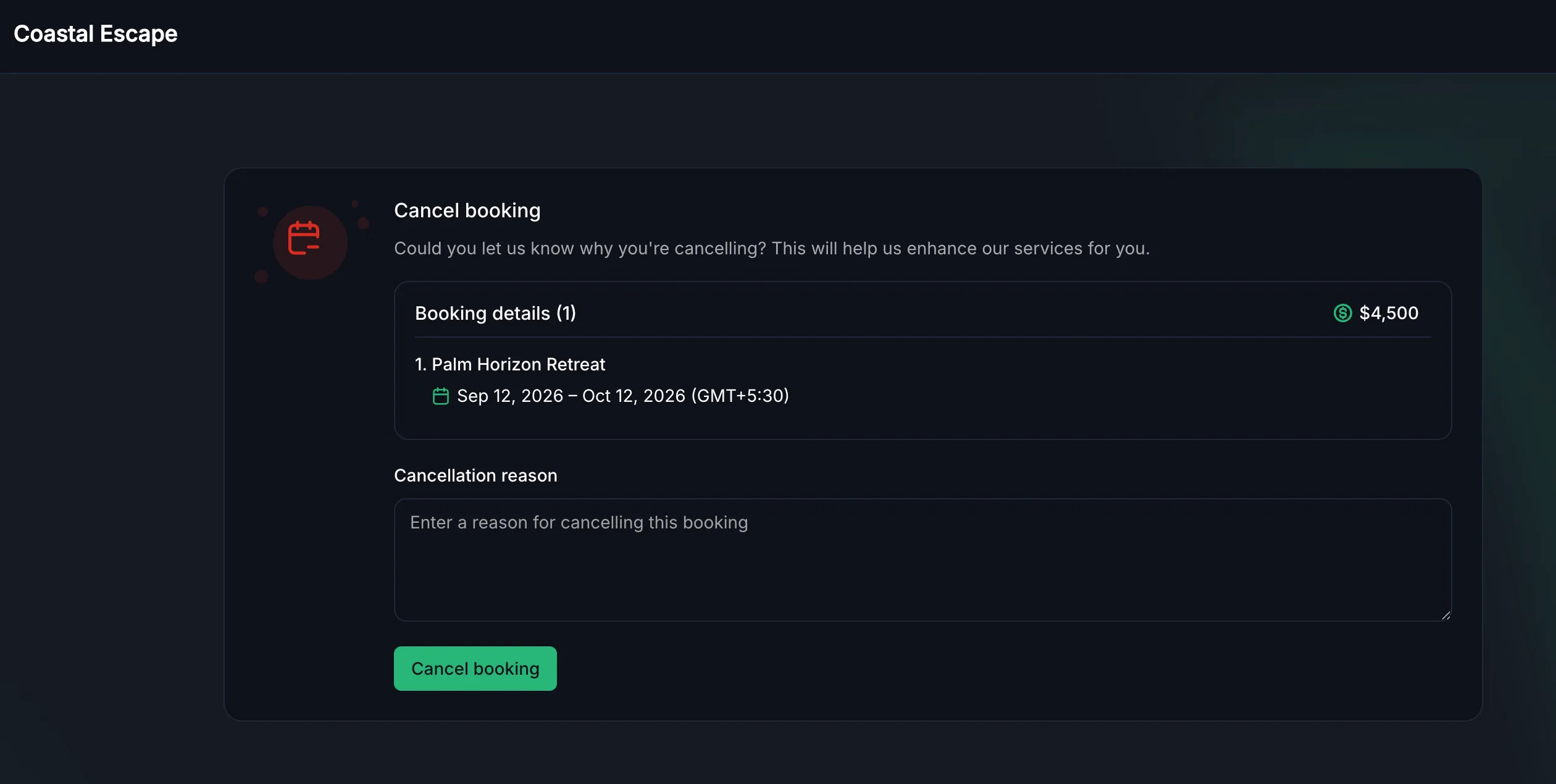
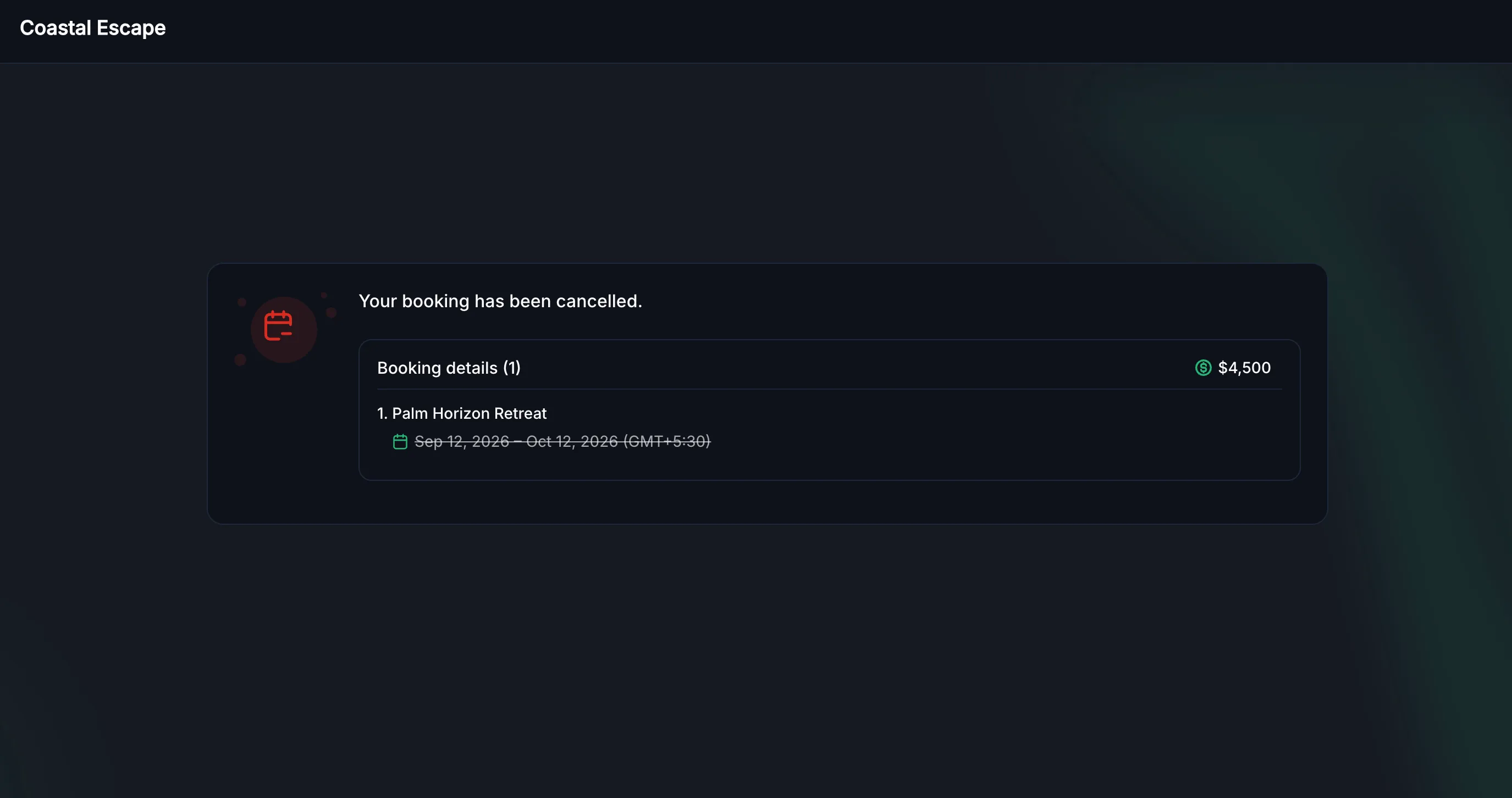
🧭 Overview Rentals customers can now cancel their own bookings directly through a cancellation link — no phone call or email required. This release covers the core self-service cancellation flow, an optional cancellation window operators can configure, and the operator-side visibility needed to act on it, all while keeping refund and security deposit decisions firmly in the operator’s hands. # 🚀 What’s New? ✅ Self-Service Cancellation Customers can cancel an upcoming booking directly from their confirmation link — the booking is released immediately, with no approval step required. This is available any time before the booking actually starts (once it’s active or completed status, self-service cancellation is no longer offered). ✅ Cancellation Reason An optional Cancellation Reason field lets customers share why they’re cancelling in their own words. It’s never required, and it’s saved directly to the booking so operators have context without having to follow up. ✅ Configurable Cancellation Window A new Set cancellation link expiry setting under Global Settings → Booking settings lets operators optionally cut off self-service cancellation some time before a booking starts — by minutes, hours, or days. Left off, customers can self-cancel any time up until the booking begins. ✅ Multi-Listing Booking Support For bookings that bundle more than one listing, the Booking details panel lists every listing with its own dates, and cancelling applies to the whole booking together. ✅ Clearer Messaging for Expired or Already-Used Links Opening a cancellation link that’s already been used, or one that’s no longer valid, now shows a clear, friendly message instead of a technical error page — so customers always know what happened and how to get help. # 🧩 How to Use It - No setup is needed for the core cancellation flow itself — it’s live automatically on every Rentals booking’s confirmation and reminder notifications. - Go to Rentals → Global settings → Booking settings to optionally turn on **Set cancellation link expiry **and choose a cutoff window. This step is optional. - To add the cancellation link to a notification template or confirmation page, insert the {{rentalBooking.cancellation\_link}} custom value wherever the link should appear. # 🎯 Why This Matters - Cuts down on the volume of “please cancel my booking” support requests reaching the operator directly for routine, in-advance cancellations. - Provides the self-service experience to customers for easily managing their cancellation requests, rather than asking them to email or call for something they can safely do themselves. - Protects operators by design — security deposits and payments stay untouched and refund amounts stay a manual decision, so nothing financial happens without a person looking at it. Screenshot 2026-09-10 at 2 Screenshot 2026-09-10 at 2 Screenshot 2026-09-10 at 2


Need Help Applying This Update?

Want help turning this update into a working part of your CRM, marketing, or automation setup?

Get Started or schedule a demo and we’ll help you map the right next step.

Tags Improvement Calendars
Share
60-day money-back guarantee

See what's new in SMBcrm.

Every release adds more ways to capture leads, automate work, and grow — all included in your plan.

60-day money-back guarantee

Full refund within 60 days if SMBcrm isn't right for you

No setup fees

Get started in minutes, we handle the heavy lifting

Cancel anytime

No long-term contracts, stay because you want to