Reorder Pipelines in the Opportunities View
SMBcrm now lets admins reorder pipelines directly from the Opportunities pipeline view. This helps teams prioritize the pipelines they use most without relying on naming conventions.
This update applies to pipeline organization inside CRM and sales workflows.
What Changed
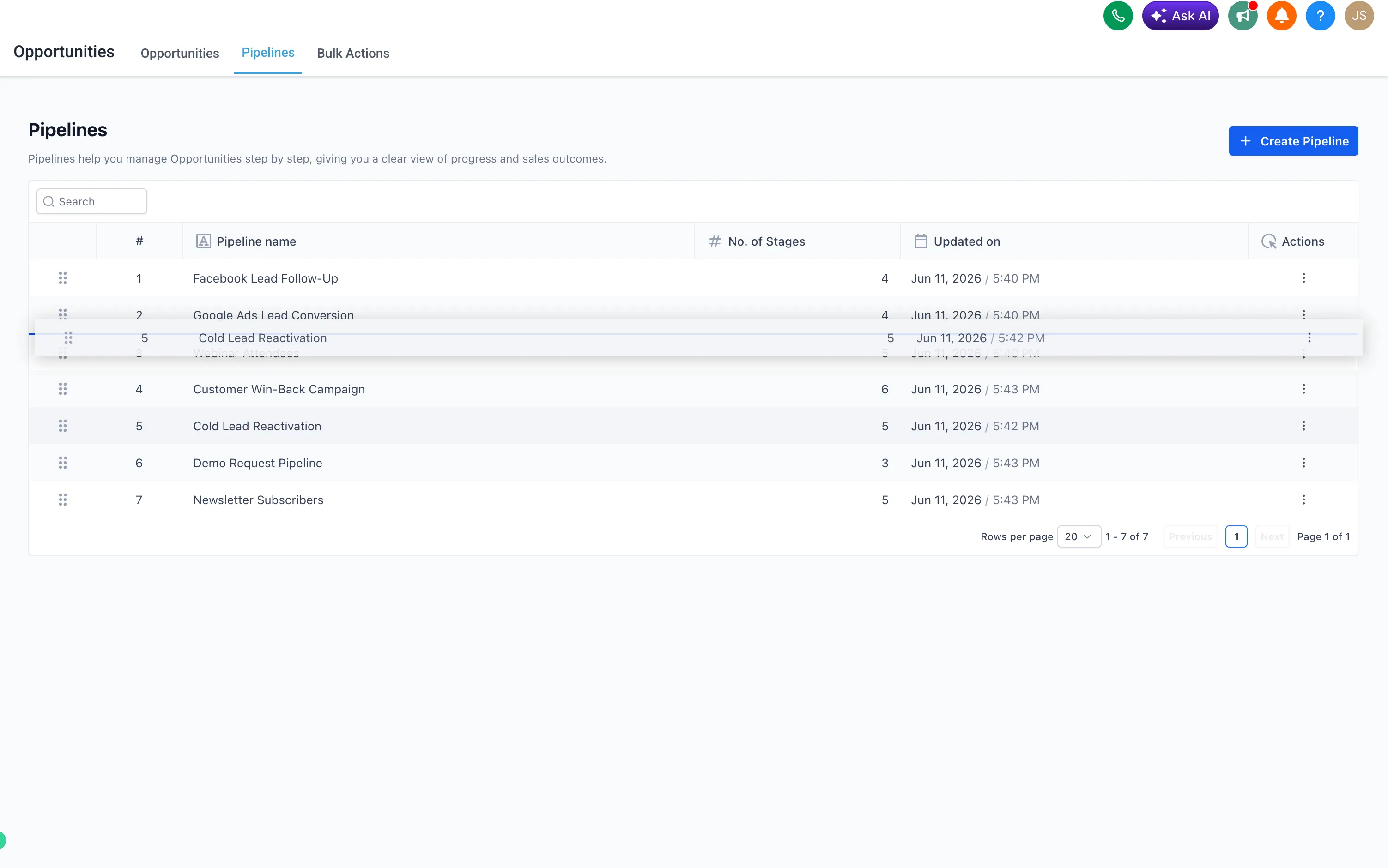
- Drag and drop pipelines into a preferred order from the Opportunities pipeline view.
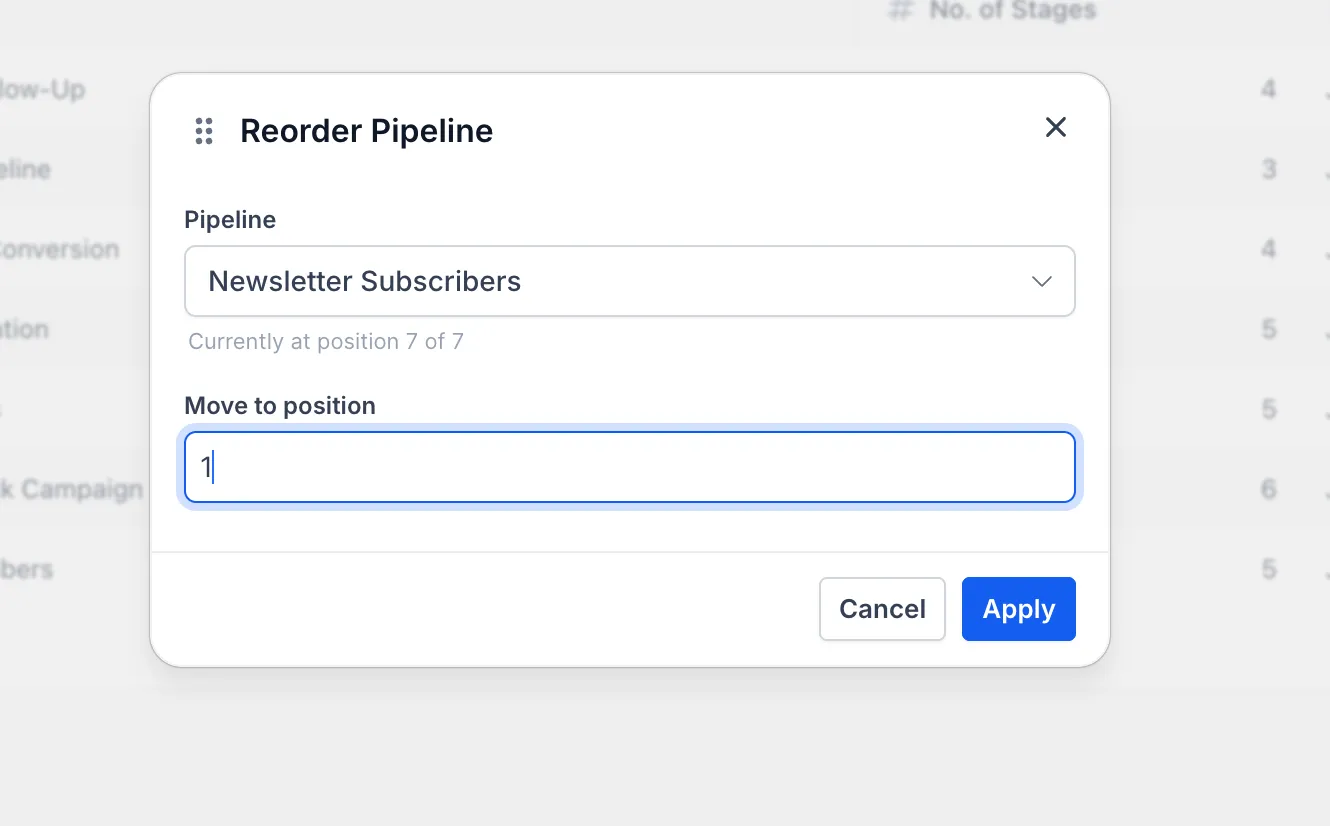
- Use Move to position from the three-dot Actions menu to place a pipeline in an exact spot, including across pages.
- The updated order saves automatically and stays in place after page refreshes.
- Pipeline order is an account-level setting and applies across users.
- Only admins can reorder pipelines in an account.
How to Reorder Pipelines
Go to Opportunities > Pipelines, then drag a pipeline by its handle to move it into the order you want.
For more precise placement, open the three-dot Actions menu on a pipeline and select Move to position.

Why It Matters
Previously, pipeline order in Opportunities was fixed and could not be customized from the interface. Teams managing multiple pipelines can now keep high-priority or frequently used pipelines easier to find.
Need Help Applying This Update?
Want help turning this update into a working part of your CRM, marketing, or automation setup?
Get Started or schedule a demo and we’ll help you map the right next step.