Reviews AI Adds Facebook Review Replies
Reviews AI now supports Facebook review replies in both suggestive and auto-response modes. Teams can use SMBcrm AI features inside Reputation workflows to respond faster while keeping control over tone, language, and source rules.
What changed
Users can now generate AI-assisted replies for Facebook reviews directly from the Reviews page. In suggestive mode, SMBcrm drafts a reply that users can review, edit, and send manually.
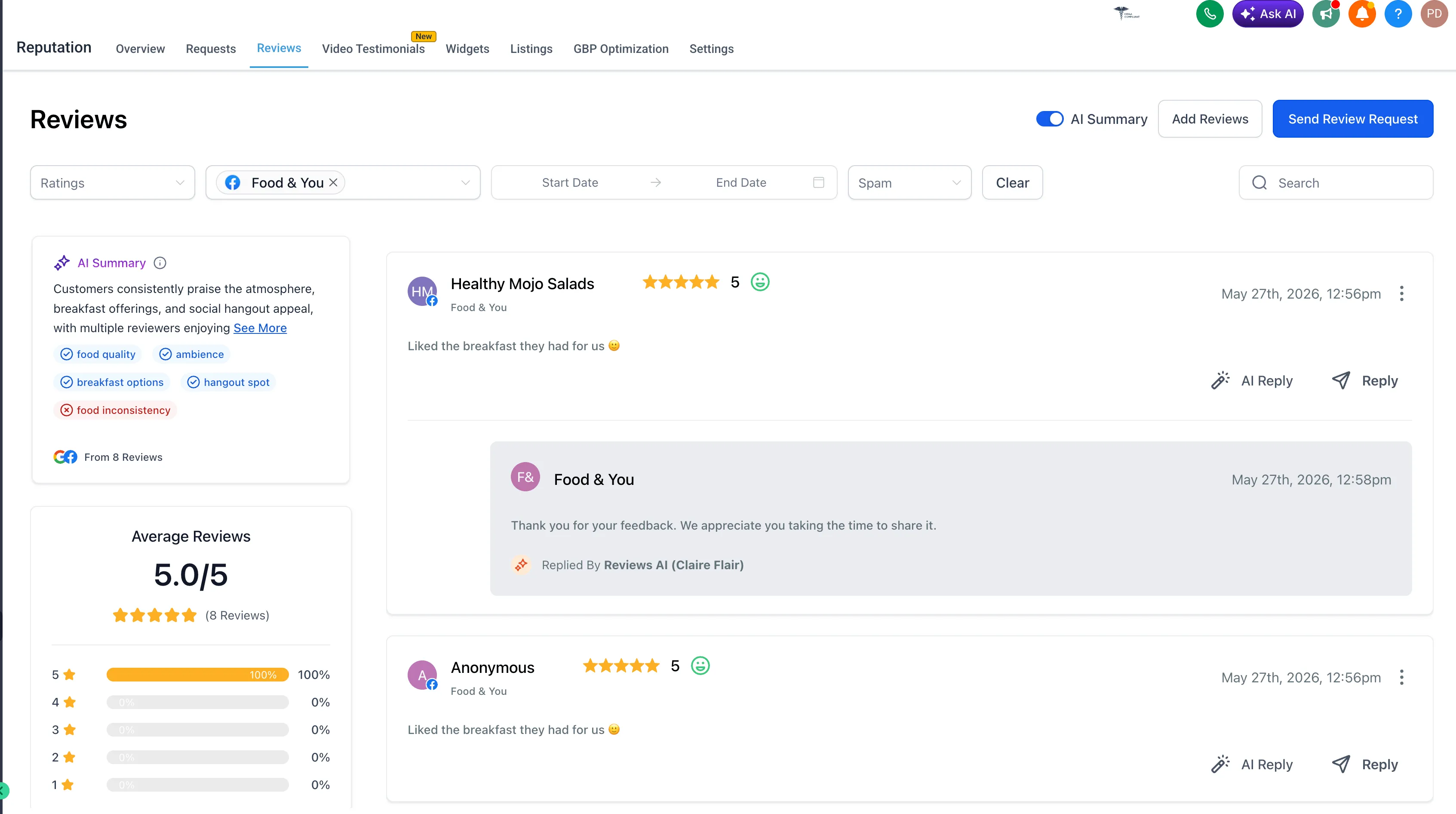
Auto responses for Facebook reviews
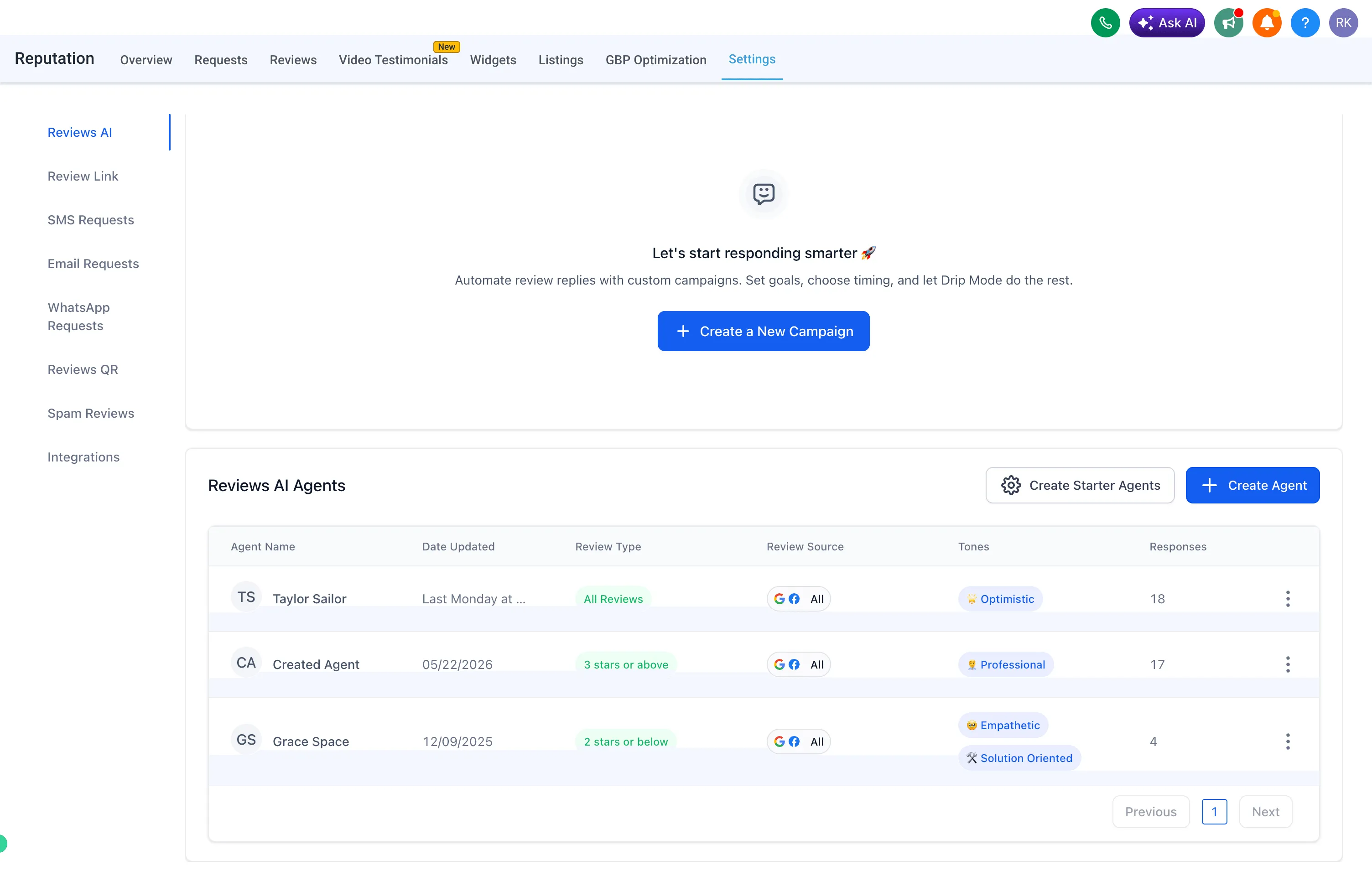
Reviews AI Agents can now automatically respond to Facebook reviews based on configured rules. Once an agent is created, it can respond to matching Facebook reviews automatically, helping teams improve response coverage with less manual effort.
Page-level source control
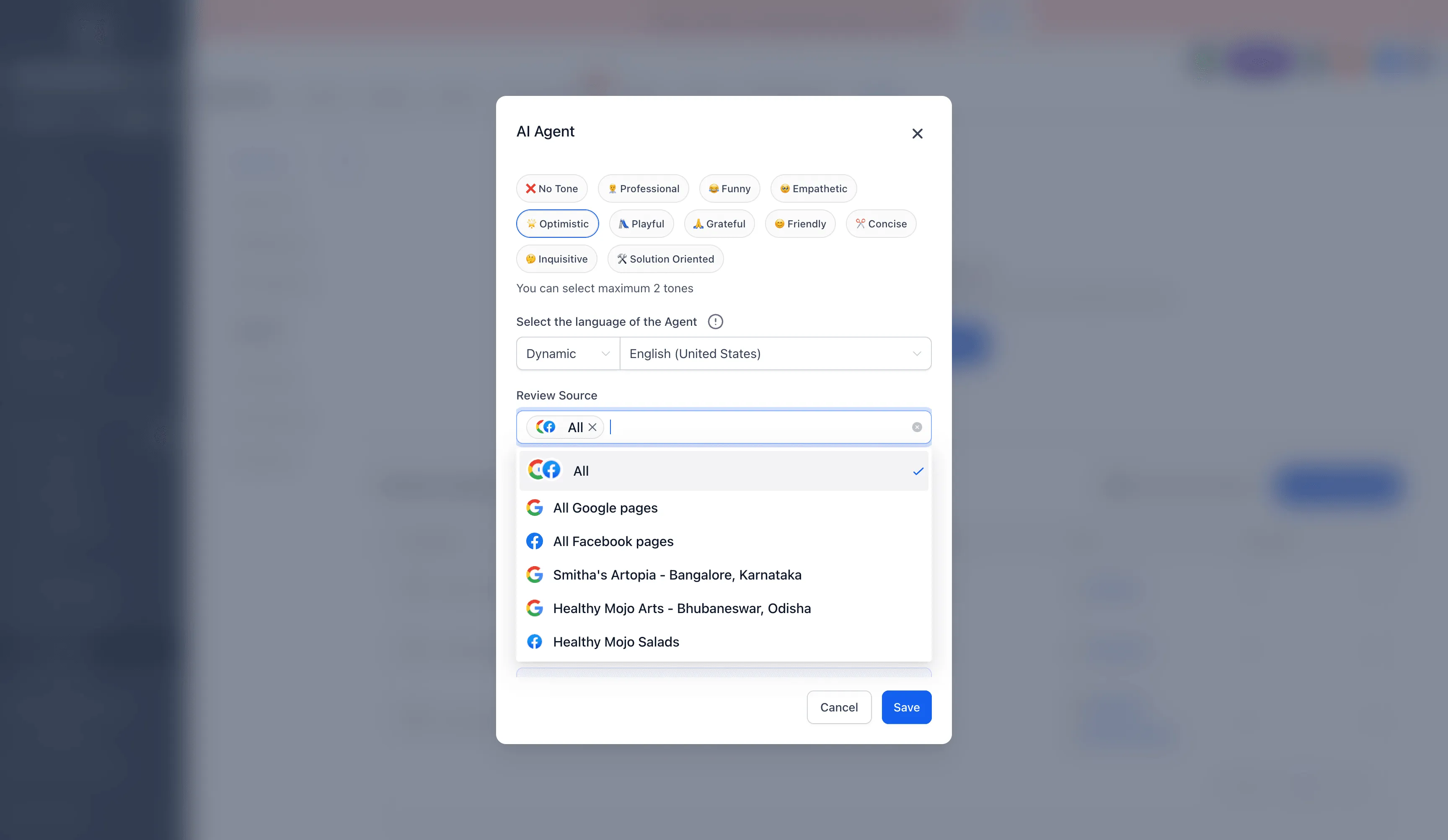
When creating or editing a Reviews AI Agent, users can choose which Facebook pages should receive auto responses. Supported review source options include:
- All sources
- All Google pages
- All Facebook pages
- Specific connected Google or Facebook pages
This gives teams more control over where review automation is enabled.
Supported AI Agent rules
Facebook auto responses use existing Reviews AI Agent settings, including:
- Review type or rating conditions
- Tone selection
- Language preference
- Review source selection
- Page-level source control
How it works
To generate a suggested response, go to Reputation, open Reviews, and select AI Reply.
To configure auto responses:
- Go to Reputation, then Settings, then Reviews AI.
- Select Create Agent.
- Choose the tone, language, and review conditions.
- Select All Facebook pages or specific Facebook pages under Review Source.
- Save the agent.
The AI Agent can then respond automatically to matching Facebook reviews based on the selected pages and configured rules.
Need Help Applying This Update?
Want help turning this update into a working part of your CRM, marketing, or automation setup?
Get Started or schedule a demo and we’ll help you map the right next step.