Respondents can now leave a multi-step form, survey, or quiz and return later to continue where they left off when Save exit confirmation is enabled.
What changed
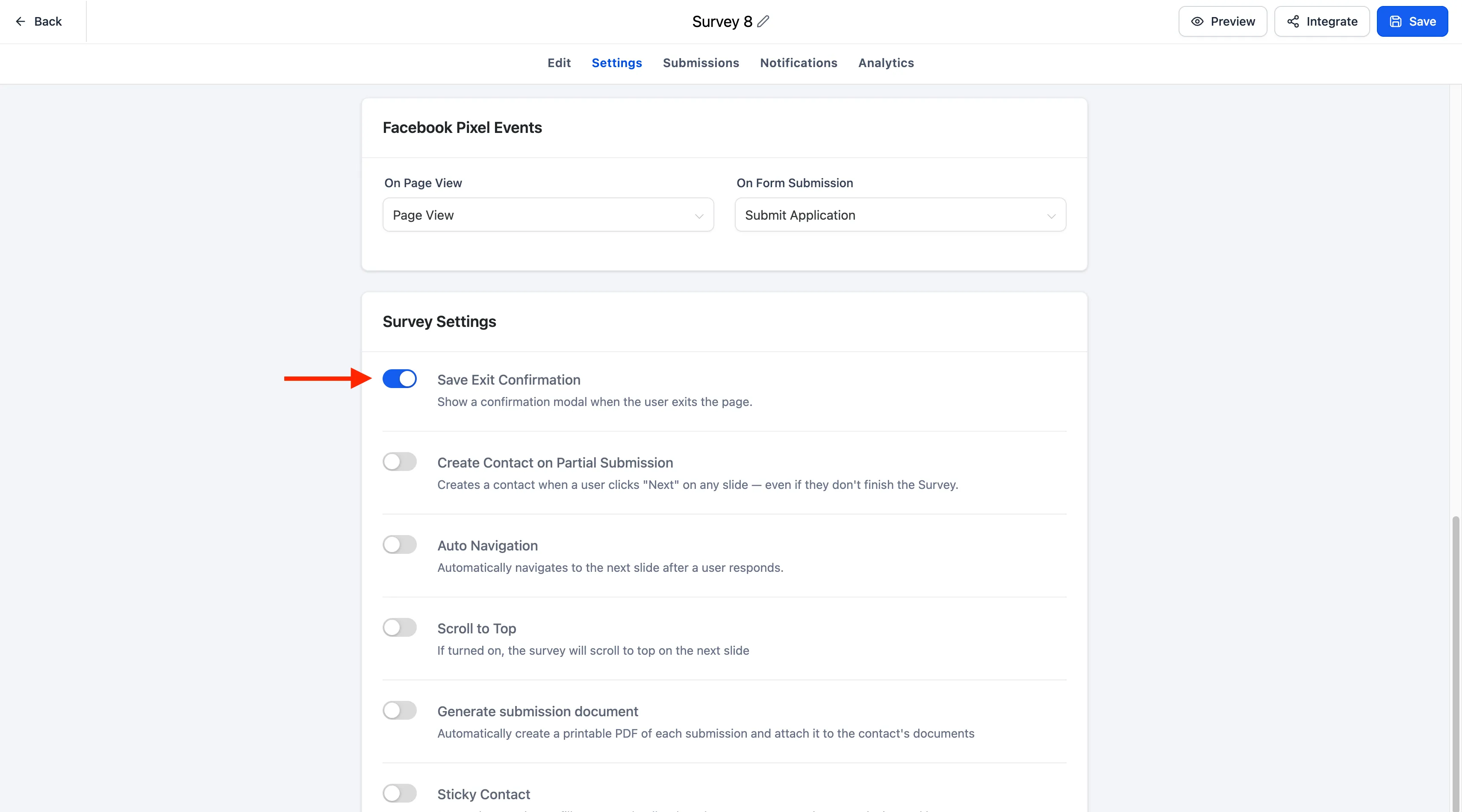
A Save exit confirmation toggle is available in the Settings tab for forms, surveys, and quizzes. When the toggle is enabled, SMBcrm automatically saves progress if a respondent closes the browser, refreshes the page, or navigates away before submitting.
When the respondent returns to the same form, survey, or quiz, a Resume Progress modal lets them choose to continue where they left off or start over with a new submission.
Why it matters
Longer lead capture experiences can be easier to complete because respondents do not have to finish everything in one sitting. The resume modal also matches the branding already configured for the form, survey, or quiz:
- CTA button color inherits the configured footer color.
- Text font matches the configured label font.
Availability and setup
Save Progress applies to multi-step forms, surveys, and quizzes, and it is supported across desktop and mobile experiences. Existing forms, surveys, and quizzes remain unchanged until Save exit confirmation is explicitly enabled in Settings.
Need Help Applying This Update?
Want help turning this update into a working part of your CRM, marketing, or automation setup?
Get Started or schedule a demo and we’ll help you map the right next step.