SMBcrm is rolling out separate email templates for welcome badges and standard badge-issued messages in Client Portal email settings.
This helps teams using Memberships & Education customize enrollment-triggered welcome badge emails without changing other badge notifications.
What Changed
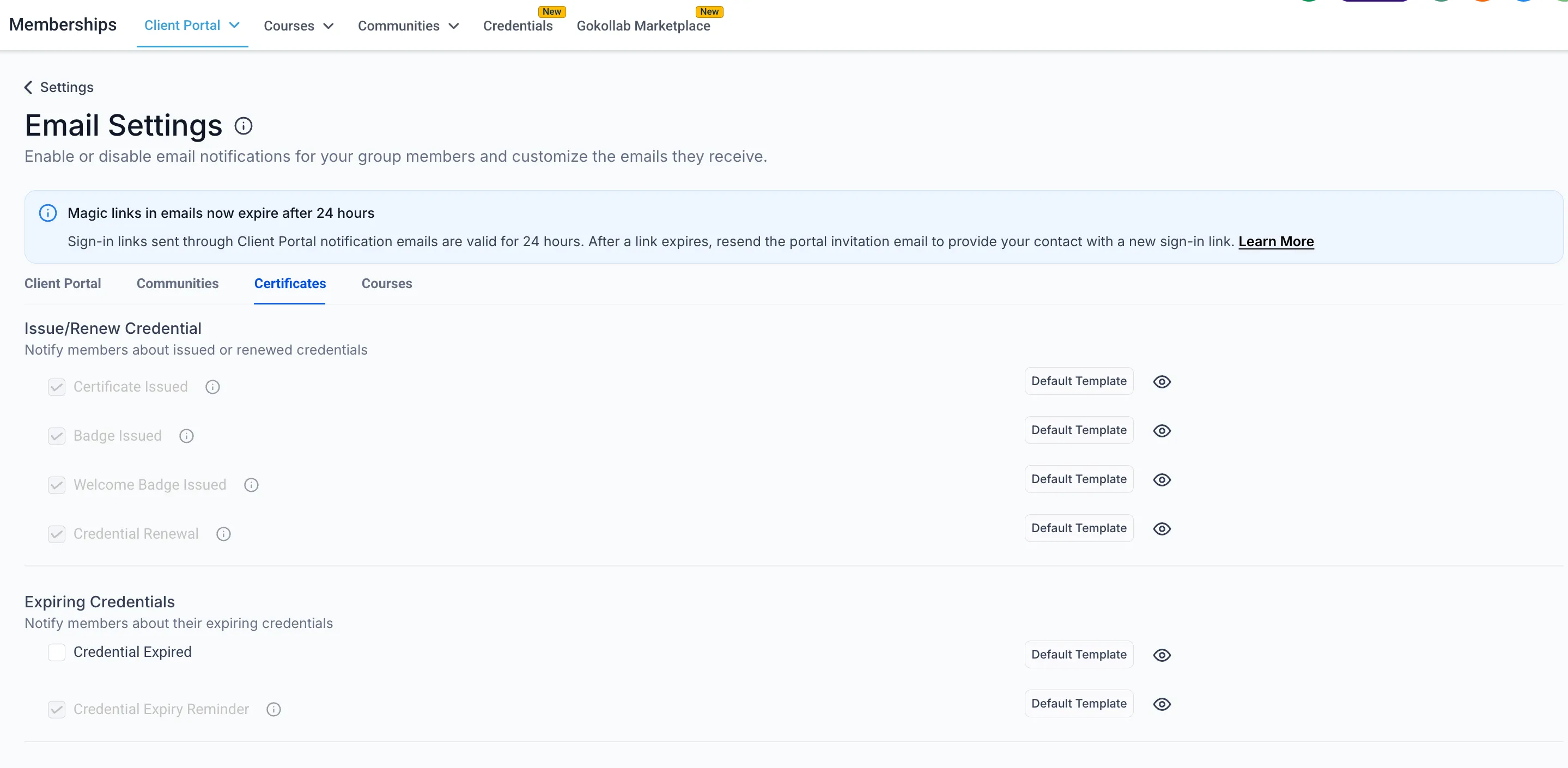
- A Welcome Badge Issued notification type is separate from Badge Issued.
- Welcome badge emails have dedicated template support in Client Portal email settings.
- Certificate Issued, Badge Issued, and Welcome Badge Issued settings are easier to distinguish.
- Enrollment-triggered welcome badges will use the Welcome Badge Issued path automatically.
How to Update Your Settings
Open Client Portal email settings and find Welcome Badge Issued alongside Badge Issued and Certificate Issued. From there, edit the welcome badge email template and mute settings as needed.
This gives your communication settings more precise control over welcome-badge messaging while keeping other badge emails unchanged.
In Case You Missed It
For another recent template-related update, read More Marketing Templates Added to SMBcrm.
Release Images
Need Help Applying This Update?
Want help turning this update into a working part of your CRM, marketing, or automation setup?
Get Started or schedule a demo and we’ll help you map the right next step.