SMBcrm dashboard and custom report widgets now let you choose how trend badge colors should be interpreted for each metric.
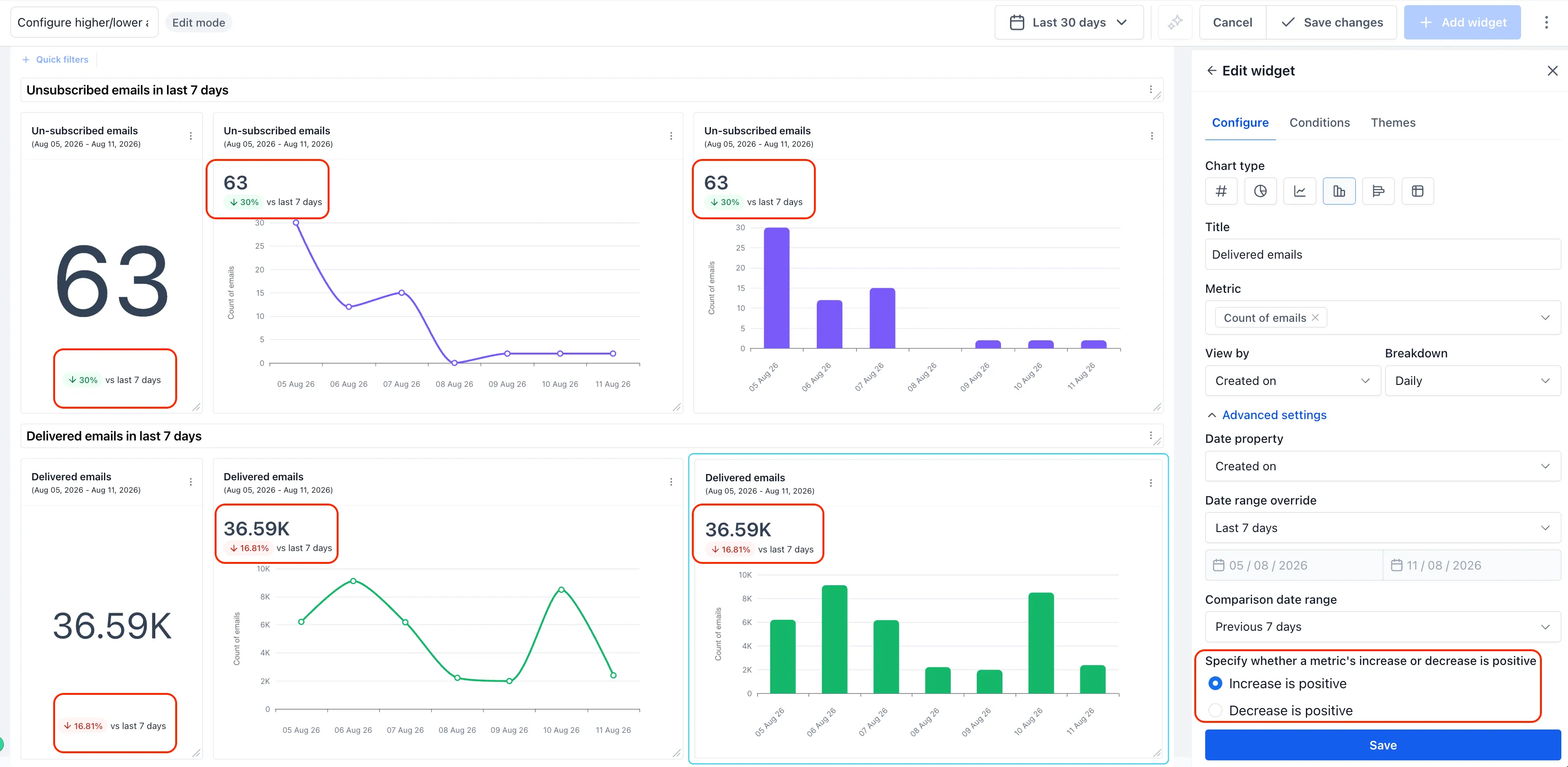
When a widget shows a number stat with a comparison date range, the trend badge displays an up or down indicator with a percentage change. You can now set whether an increase is positive or a decrease is positive, so metrics where lower is better are not shown with misleading colors.
What changed
- Trend badge colors can be configured per widget.
- “Increase is positive” remains the default.
- “Decrease is positive” can be used for metrics such as unsubscribe rate, bounce rate, churn, or cost per lead.
- The setting applies to Number, Line, and Bar widget views when a comparison date range is set.
- Existing widgets keep their current behavior unless you update the setting.
How to configure it
- Open the widget Configure panel.
- Under Advanced settings, configure Date range override and Comparison date range.
- Choose whether the metric should treat an increase or a decrease as positive.
- Save the widget.
Why it matters
This helps reporting better match the meaning of each metric. For example, a falling unsubscribe rate can show as positive, while a falling delivered-email count can still show as negative.
Need Help Applying This Update?
Want help turning this update into a working part of your CRM, marketing, or automation setup?
Get Started or schedule a demo and we’ll help you map the right next step.
Explore this in SMBcrm
Use the CRM to review your next decision.
Explore contacts, pipelines, and dashboards. Choose the records and definitions your team will use before relying on a report.
Explore CRM dashboardsAlready using this feature? Find setup help