Instagram Post Sync lets you automatically import Instagram posts from the last 30 days into Social Planner. It also refreshes likes and comments every 24 hours so you can manage past and scheduled content in one place.
What changed
Social Planner can now sync recent Instagram posts into your planner automatically.
Supported post types include:
- Images
- Videos
- Carousels
- Reels
Imported content appears directly in Social Planner for viewing and analysis.
Insights refresh
Engagement data refreshes every 24 hours for synced posts, including:
- Likes
- Comments
This gives you a more current view of post performance, although it is not real-time.
Manage past and scheduled content together
You can use Social Planner to view and manage:
- Historical posts
- Scheduled posts
Having both in one place can make reporting and performance tracking easier.
Sync status and notifications
The update also adds clearer sync visibility, including:
- Sync progress indicators
- Alerts when your Instagram account needs to be reconnected
How to use it
- Go to Marketing → Social Planner → Settings or connect a social account.
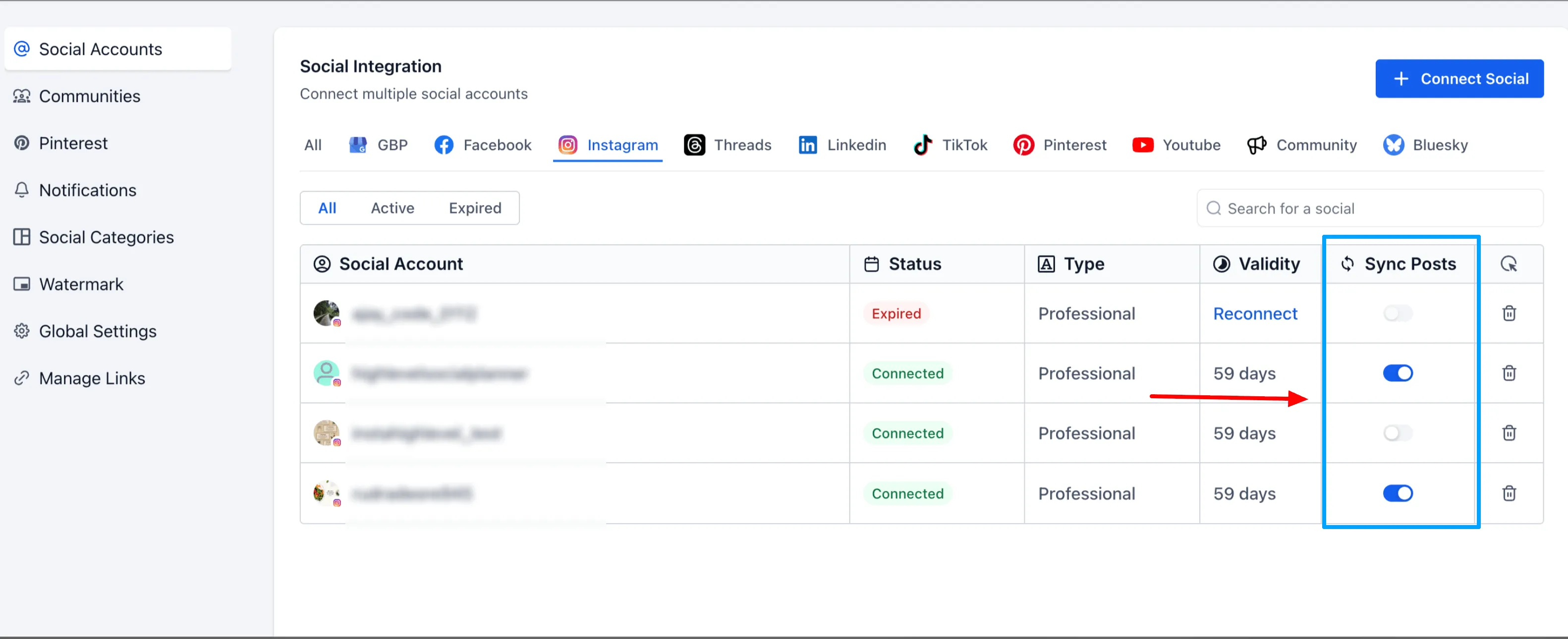
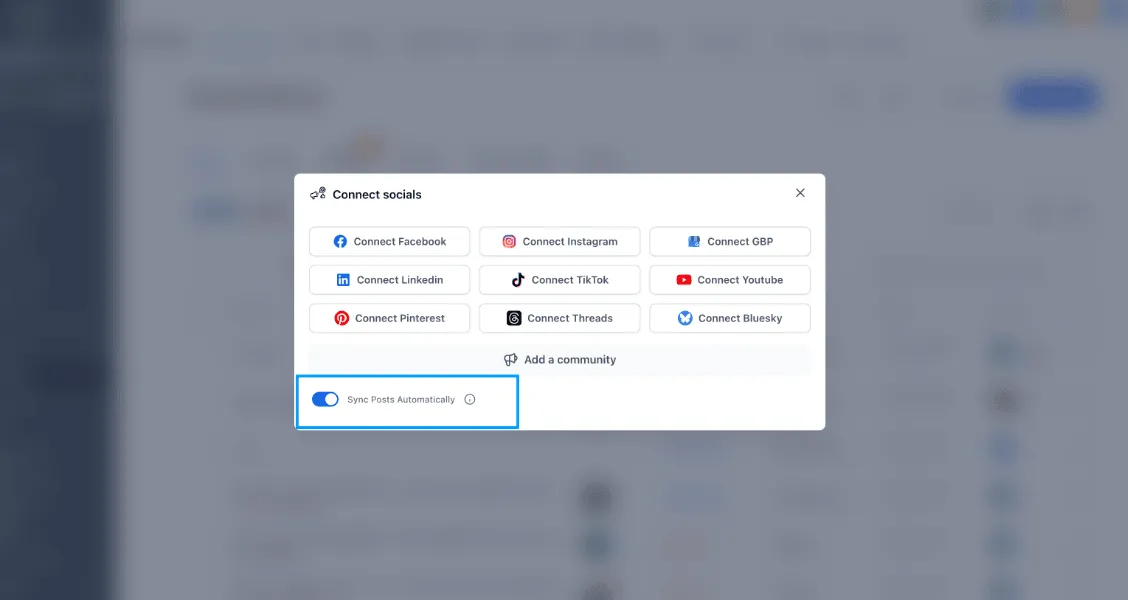
- Enable Post Sync (Beta).
- Allow the system to sync posts in the background.
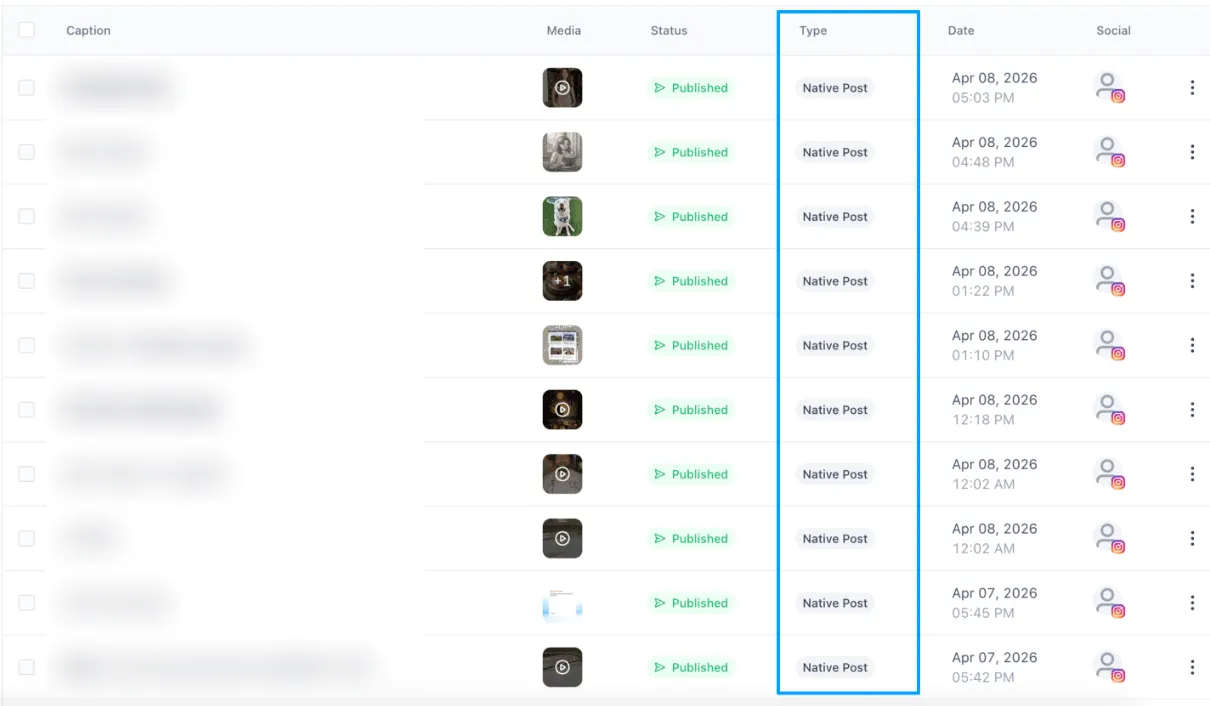
- View synced posts in Planner and Statistics.
Notes
- This feature is currently in beta
- Only posts from the last 30 days are synced automatically
- Insights refresh every 24 hours, not in real time
- Due to Instagram API limitations, location tags, collaborators, and mentions may not sync
- Deleted posts on Instagram may still appear in Social Planner
- Works only with Instagram Professional accounts
In Case You Missed It
You can also read about Social Planner adding Magic Link post approvals.
Need Help Applying This Update?
If you’d like help rolling this out in SMBcrm, visit Support or request a demo.