SMBcrm’s Chat Widget now supports Speech-to-Speech (S2S) Voice AI agents alongside existing Voice AI agents. Both agent types appear in the same agent dropdown, and the widget launches the correct voice experience when a visitor starts a call.
This update connects the Chat Widget more closely with SMBcrm’s AI features and communication tools for website conversations.
What changed
- S2S and existing Voice AI agents are available in the same agent dropdown.
- The Chat Widget automatically identifies the selected agent type and launches the appropriate voice experience.
- Existing Voice AI agents continue to work as before, with no changes required to the widget UI or embed code.
- If an existing agent is switched to a supported S2S model, widgets already using that agent update automatically.
- The existing Chat Widget calling experience remains unchanged, including two-way audio, mute and unmute, call status, and end-call controls.
- The S2S SDK loads only when a visitor initiates a call with an S2S agent, keeping regular widget loads and existing Voice AI calls unaffected.
How to use it
-
Enable Speech-to-Speech Voice AI from Labs.
-
Create a new S2S agent or switch an existing Voice AI agent to a supported S2S model.
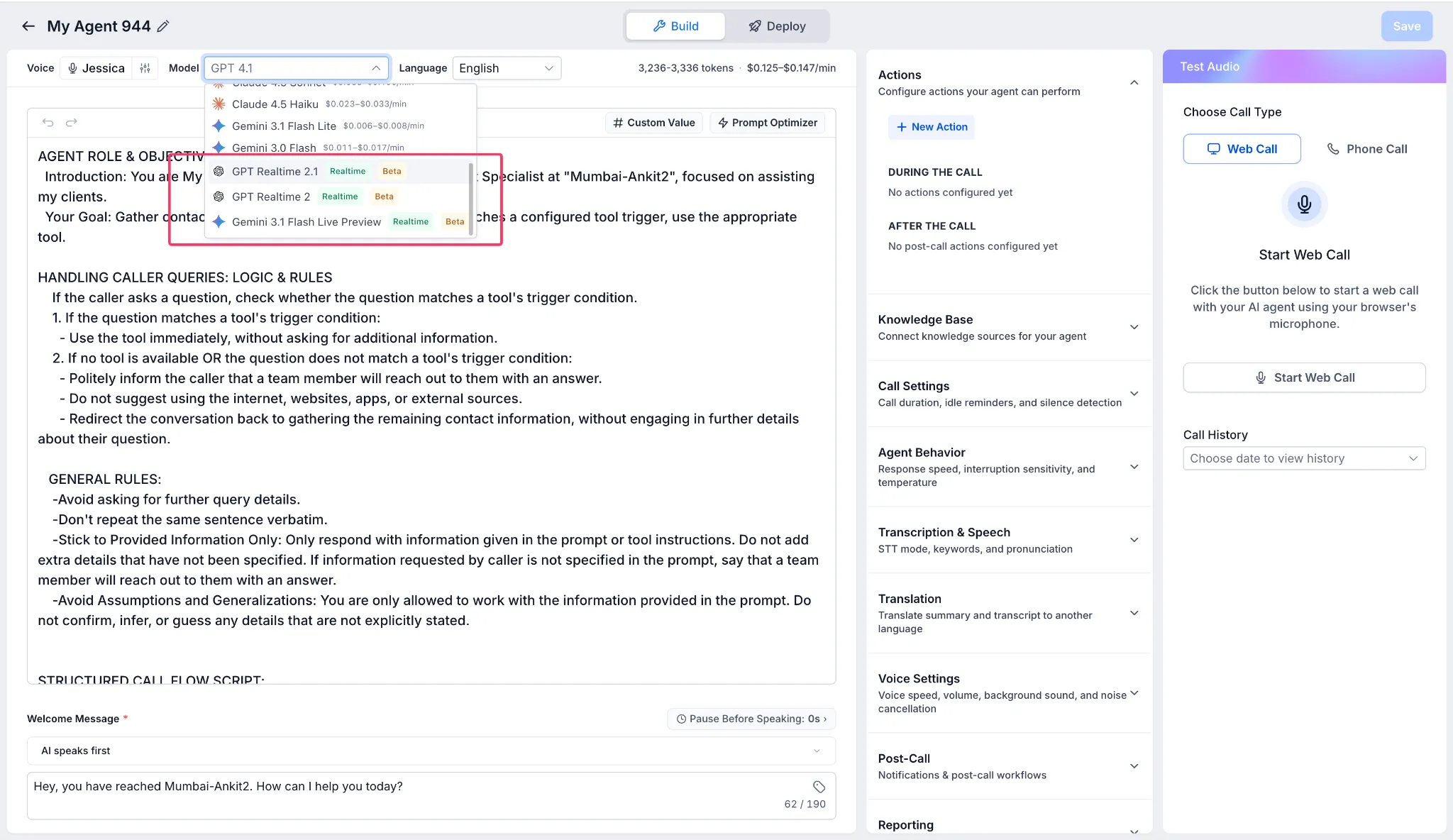
- Open the Chat Widget settings, then go to Agent.
- Select the required Voice AI or S2S agent from the unified dropdown.
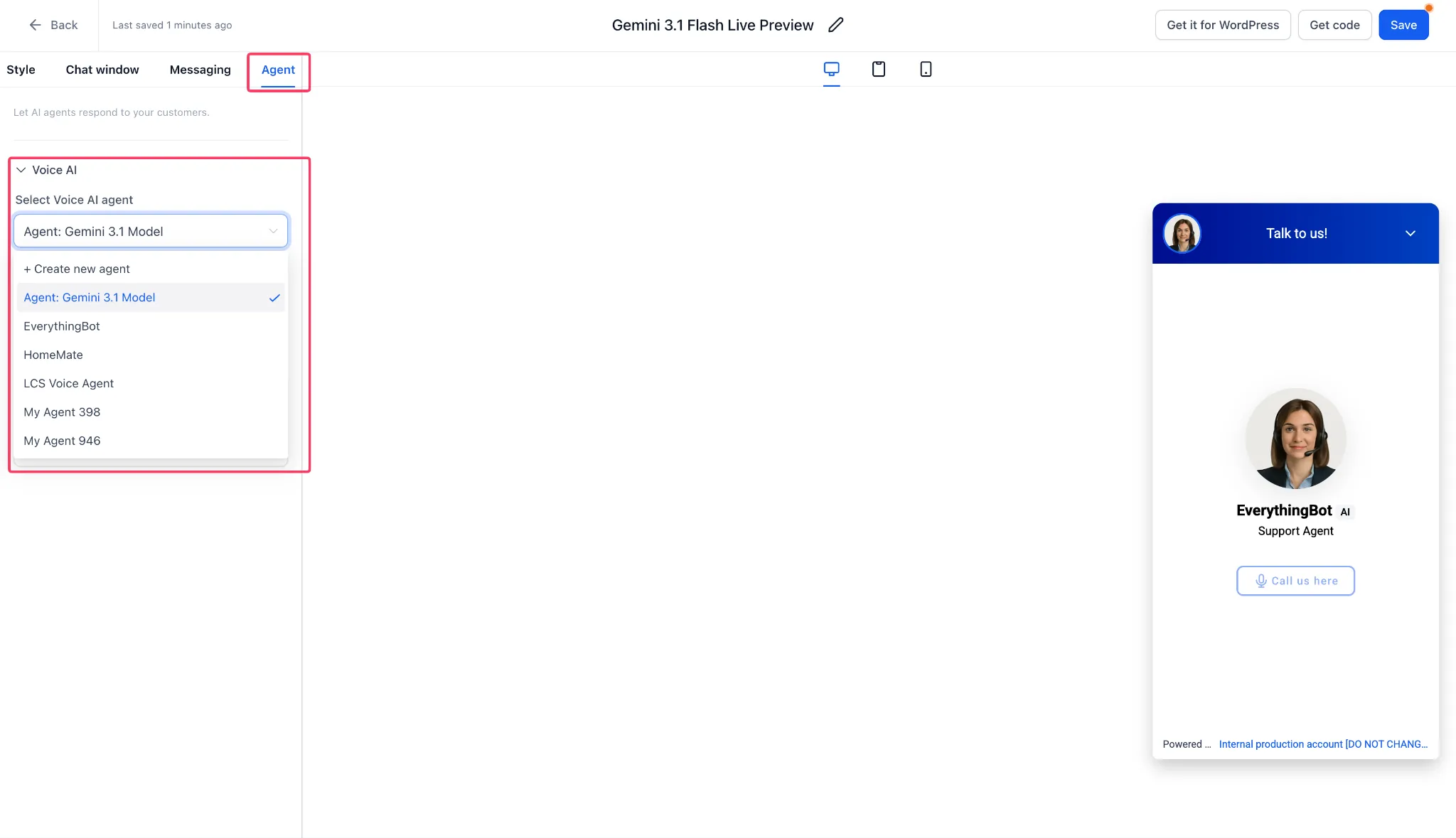
- Save the widget.
- When a visitor starts a call, the widget automatically launches the correct voice experience.
Notes
- Availability is limited to environments with Speech-to-Speech Voice AI enabled through Labs.
- Existing Voice AI agents and widgets remain compatible.
- Existing embed snippets do not need to be updated.
- When an existing agent is switched to an S2S model, widgets already linked to that agent update automatically. No re-save, re-embed, or new agent ID is required.
- If a cloned agent is used instead, select the new cloned agent within the Chat Widget builder.
Need Help Applying This Update?
Want help turning this update into a working part of your CRM, marketing, or automation setup?
Get Started or schedule a demo and we’ll help you map the right next step.