Social Planner now supports Threads comment management, making it easier to keep up with Threads conversations alongside other social engagement.
What Changed
You can now view, manage, and reply to Threads comments directly from Social Planner Comment Management without switching platforms.
Supported reply options include:
- Text
- Images
- Emojis
- Location attachments
Comments stay synchronized with Threads using webhook-based updates, helping teams see the latest conversations in near real time.
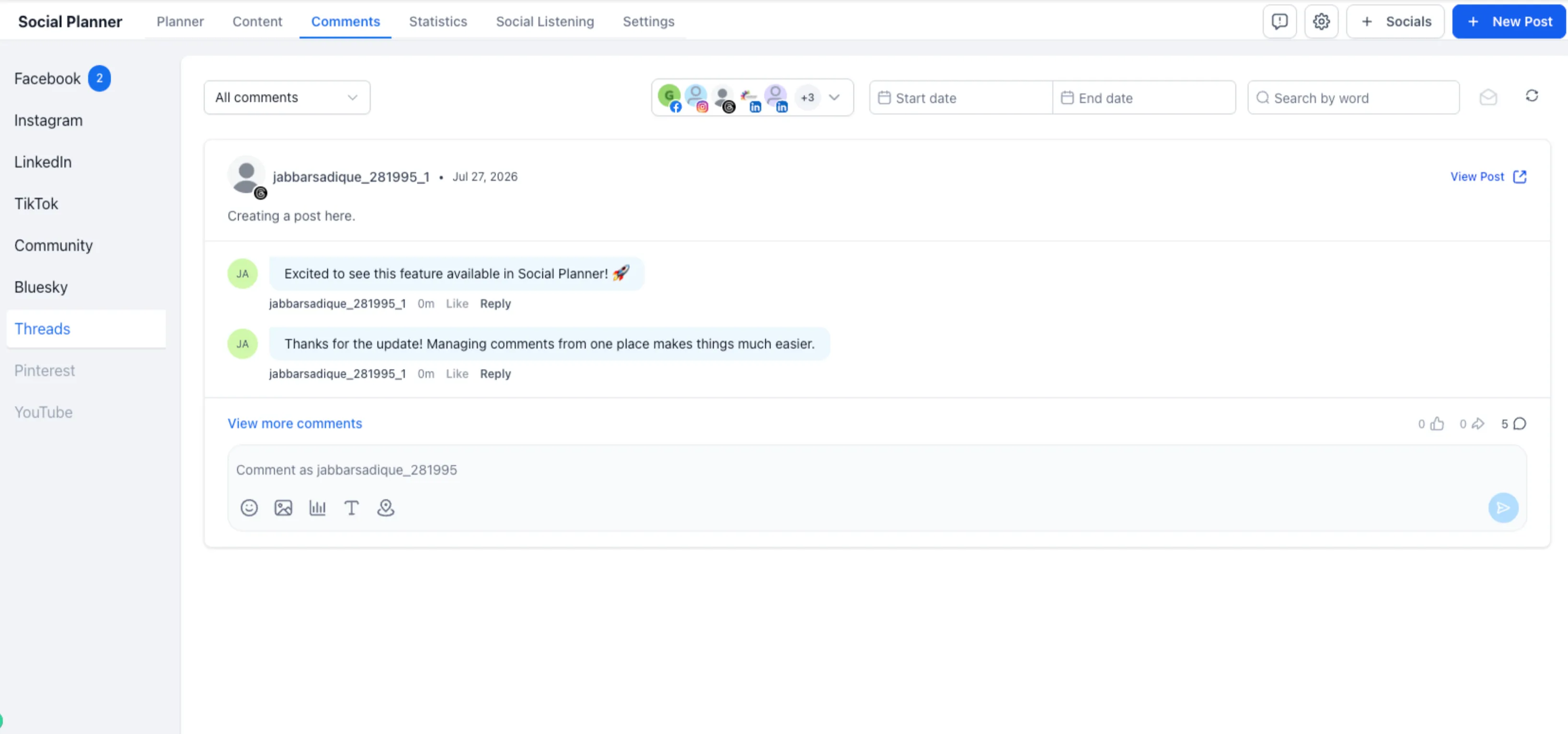
Supported Channels in the Unified Inbox
Threads comment management is available alongside supported engagement channels including:
- TikTok
- Communities
- Bluesky
This gives teams one place to manage comments across multiple social channels.
How to Use It
- Go to Marketing → Social Planner → Comment Management.
- Select your Threads account.
- Open the Comments tab.
- View and reply to comments from the unified inbox.
Important Notes
Existing Threads users must reconnect their account once to enable the additional permissions required for Comment Management.
Rich replies support text, images, emojis, and location attachments based on Threads platform capabilities.
In Case You Missed It
You may also want to read about Auto-Generated Schema for Published Pages.
Need Help Applying This Update?
Want help turning this update into a working part of your CRM, marketing, or automation setup?
Get Started or schedule a demo and we’ll help you map the right next step.
Explore this in SMBcrm
Connect the publishing plan to the next conversation.
Explore scheduling and publishing tools. Review the channels, approvals, and replies your team needs to manage.
Explore social media toolsAlready using this feature? Find setup help