Two-Step Checkout Option for Online Stores
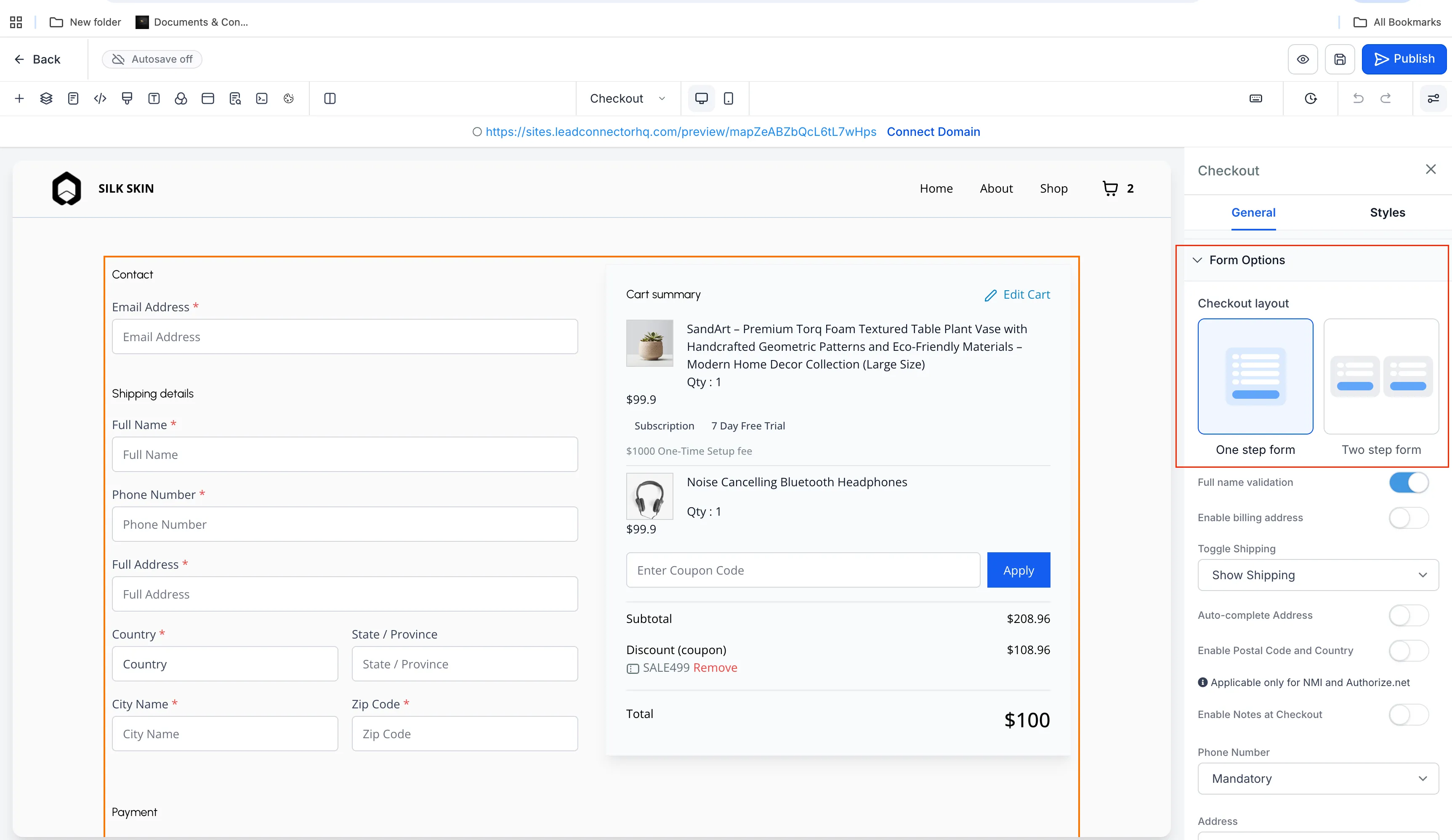
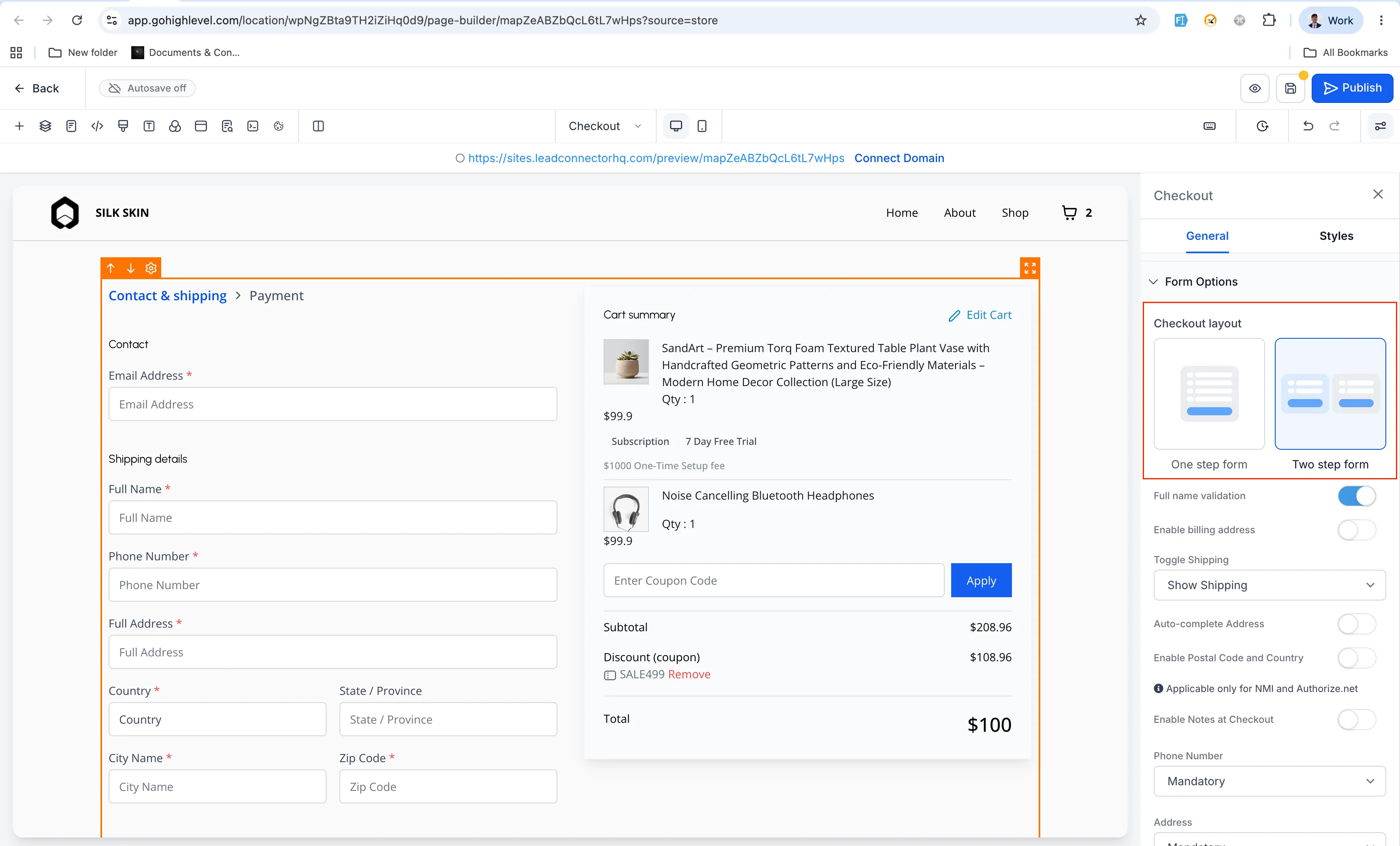
SMBcrm store owners can now choose between one-step checkout and two-step checkout from the Checkout element’s Form Options in the Builder.
For teams using Payments & Commerce, this adds more flexibility to how checkout pages collect customer details, shipping information, billing details, payment, and order review.
What Changed
The Checkout element now includes a Checkout Type setting with two options:
- One-Step Checkout
- Two-Step Checkout
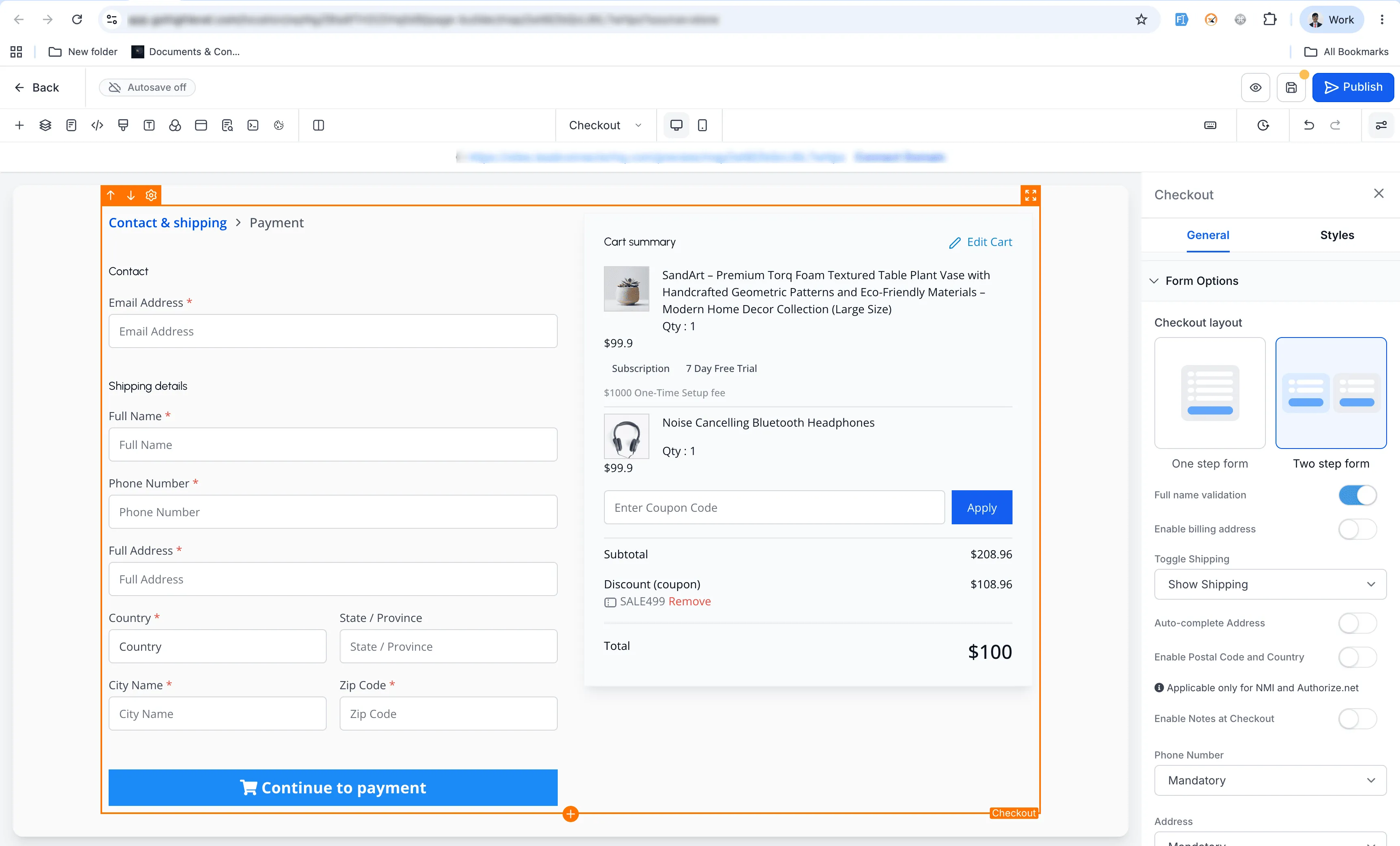
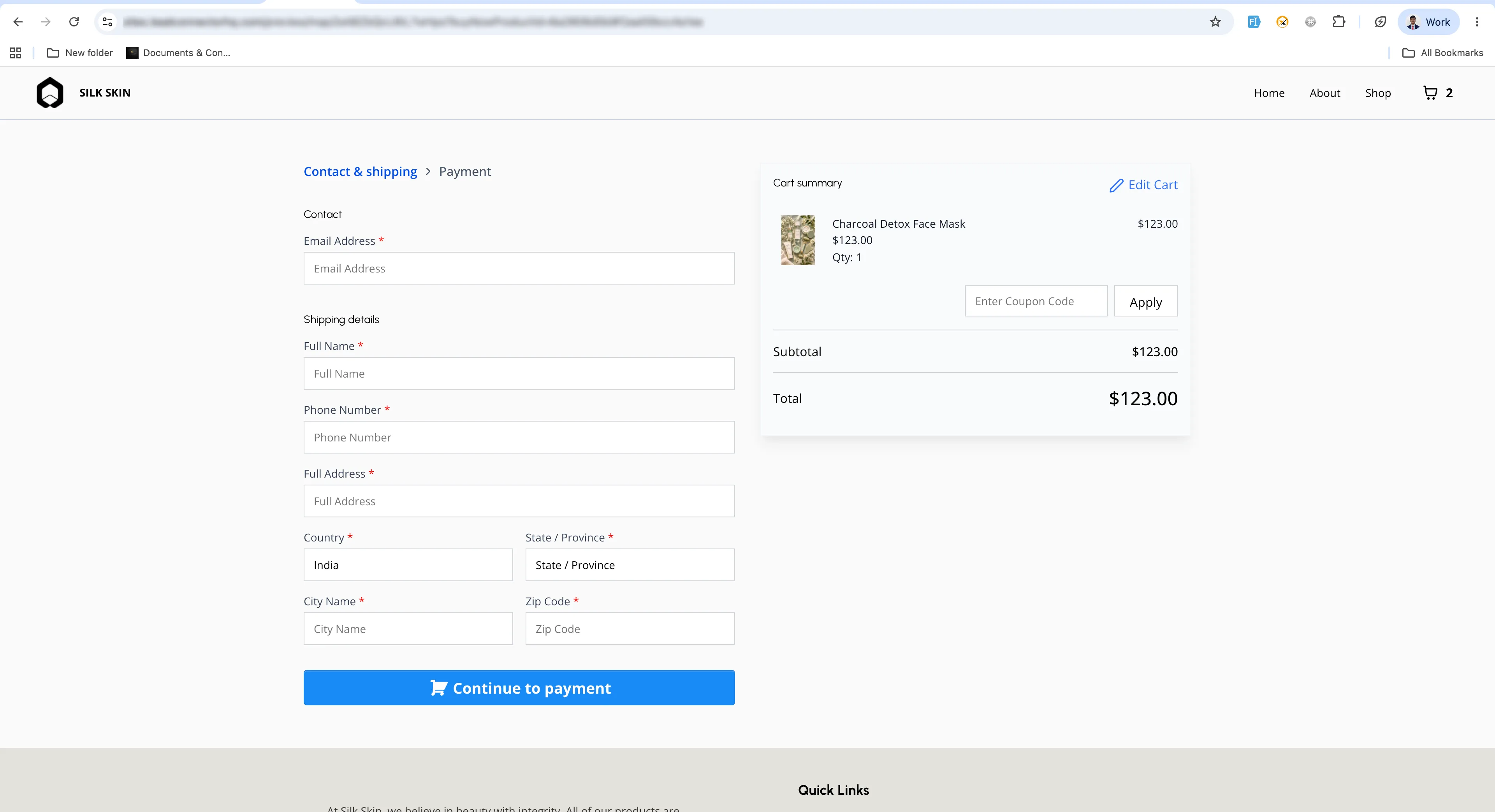
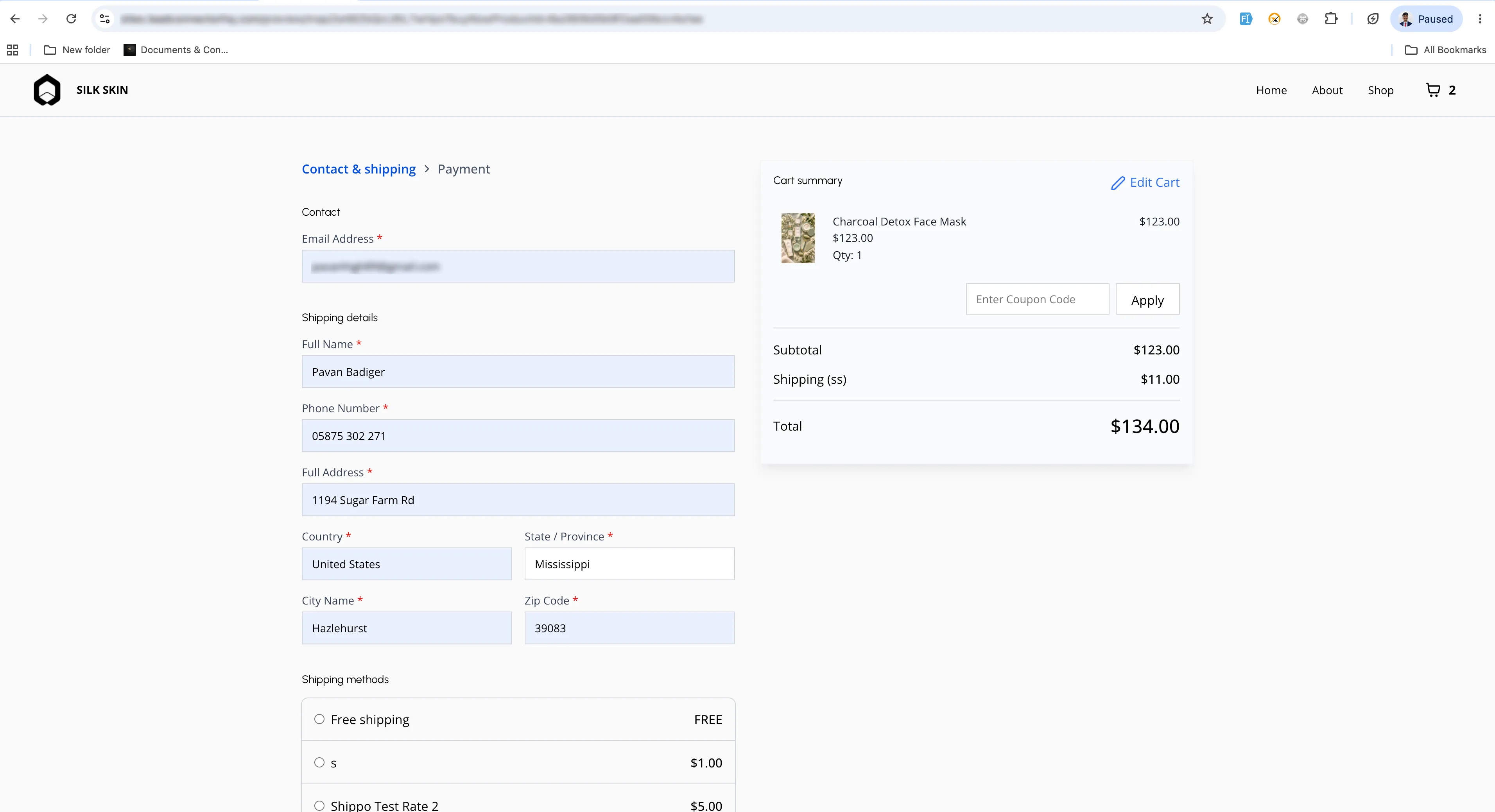
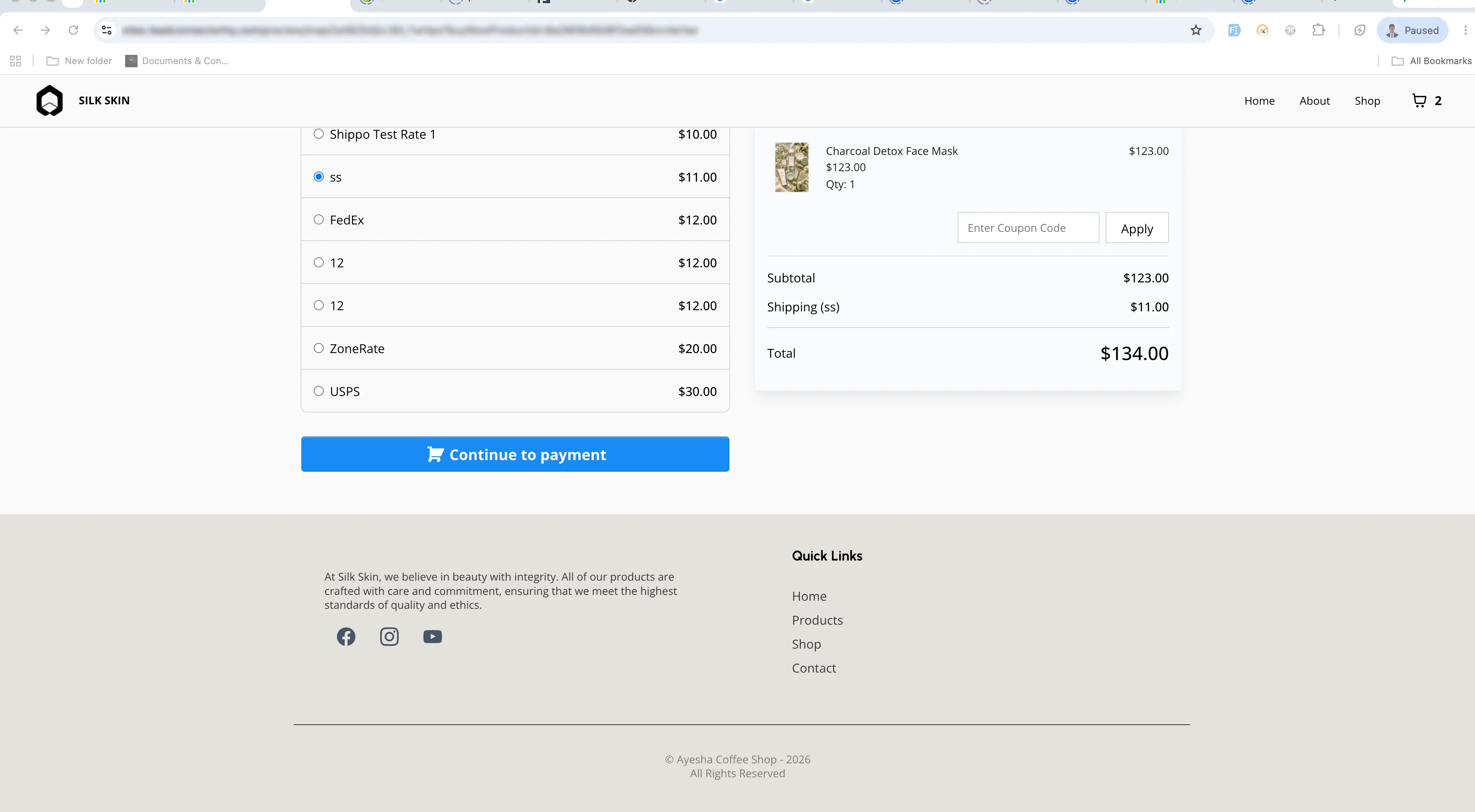
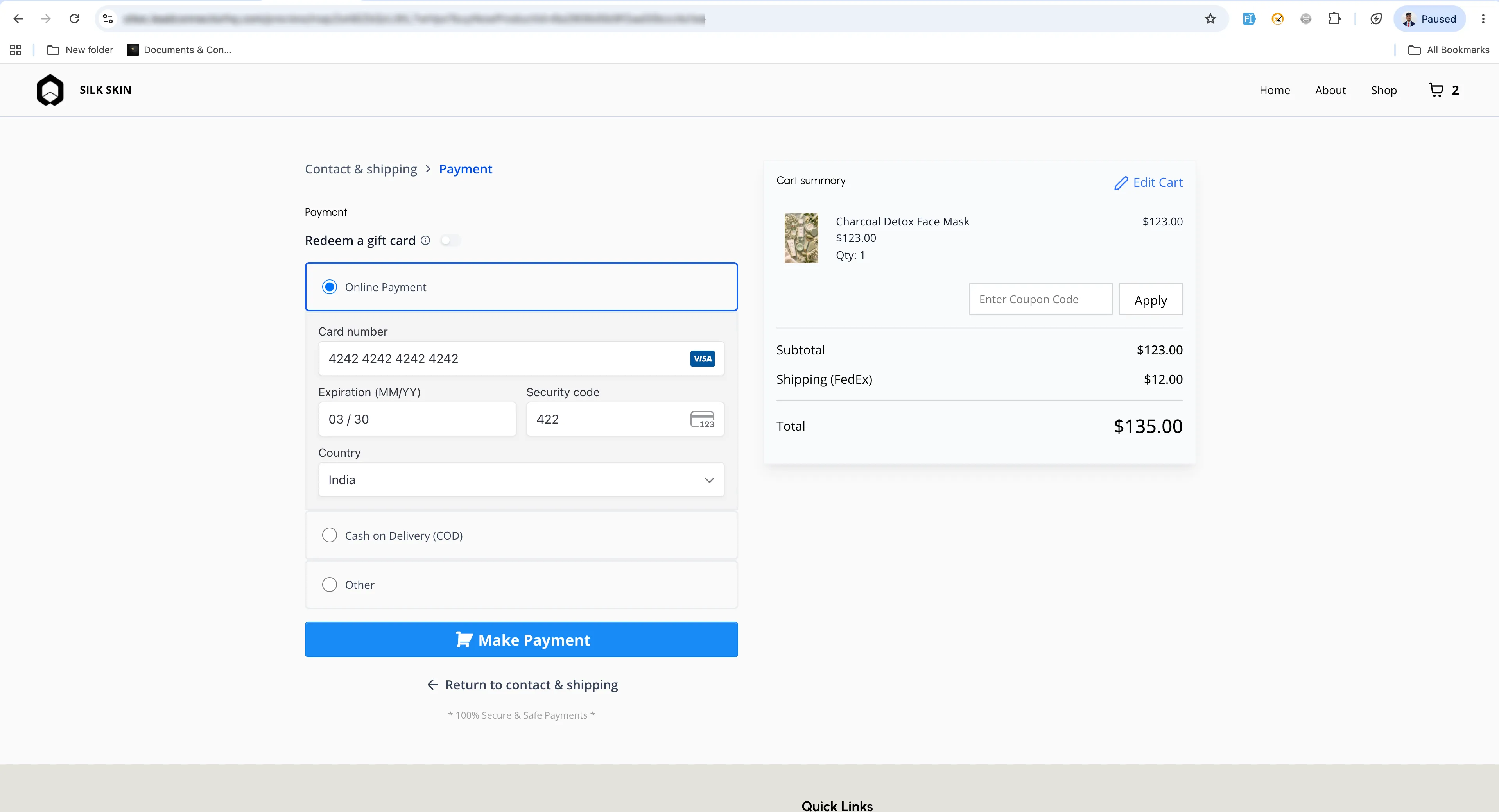
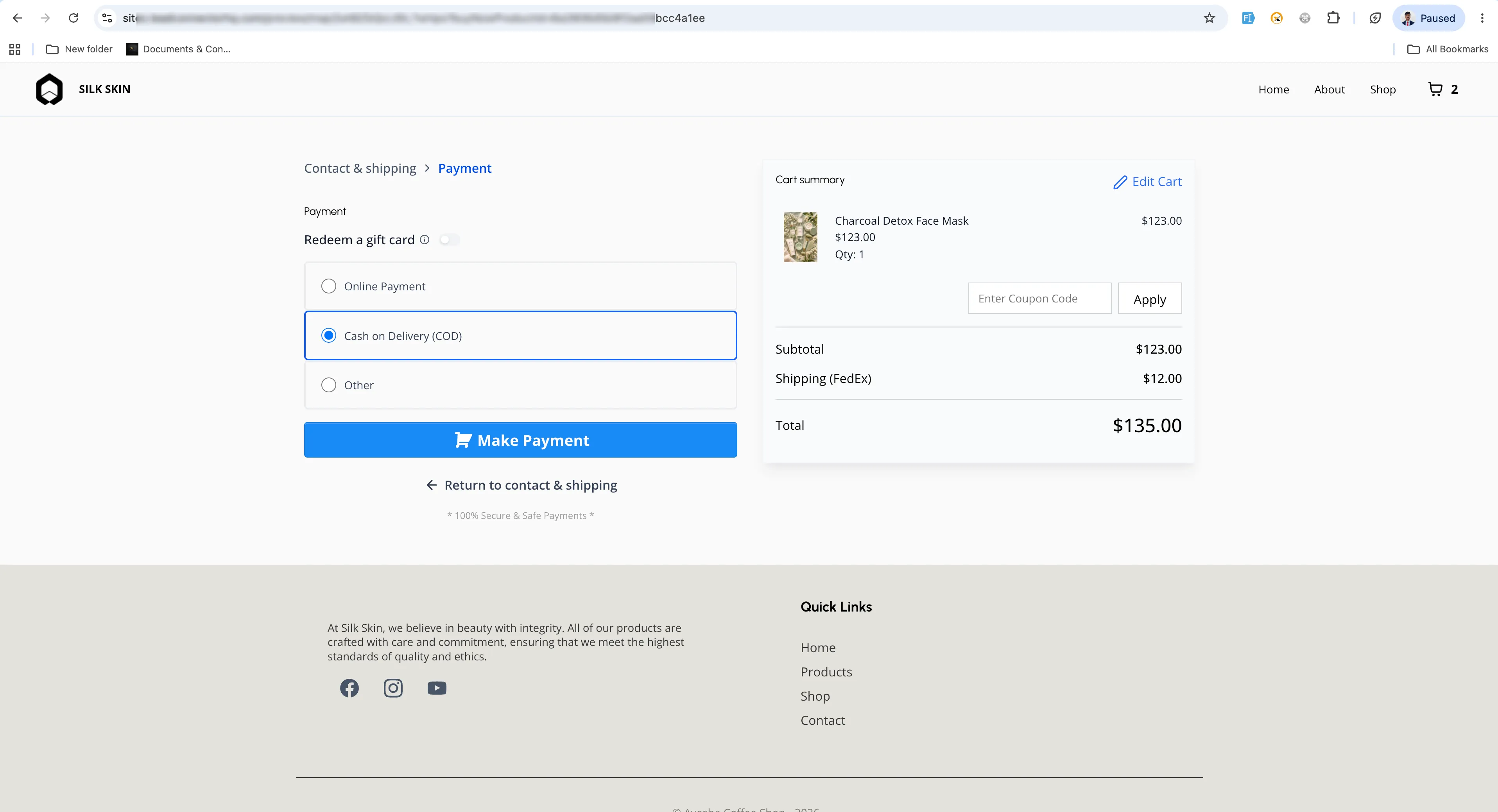
With two-step checkout, customers complete checkout in two parts:
- Step 1 collects first name, last name, email, phone number, and shipping details.
- Step 2 collects billing and payment details, shows order review, and allows the customer to place the order.
Default Behavior
One-step checkout remains the default option. Existing checkout pages will continue to work as they do today unless you choose to update them.
How to Use It
- Open the Store Builder and edit the checkout page.
- Select the Checkout element.
- Go to Form Options in the settings panel.
- Choose One-Step Checkout or Two-Step Checkout.
- Save and publish the page.
Key Details
- Two-step checkout helps capture customer contact and shipping details earlier in the process.
- Customers can proceed to Step 2 only after valid Step 1 details are entered.
- The setting works at the Checkout element level, so different checkout pages can use different checkout types.
In Case You Missed It
You may also want to read Python Support Added to Custom Code Actions.
Release Images
Need Help Applying This Update?
Want help turning this update into a working part of your CRM, marketing, or automation setup?
Get Started or schedule a demo and we’ll help you map the right next step.