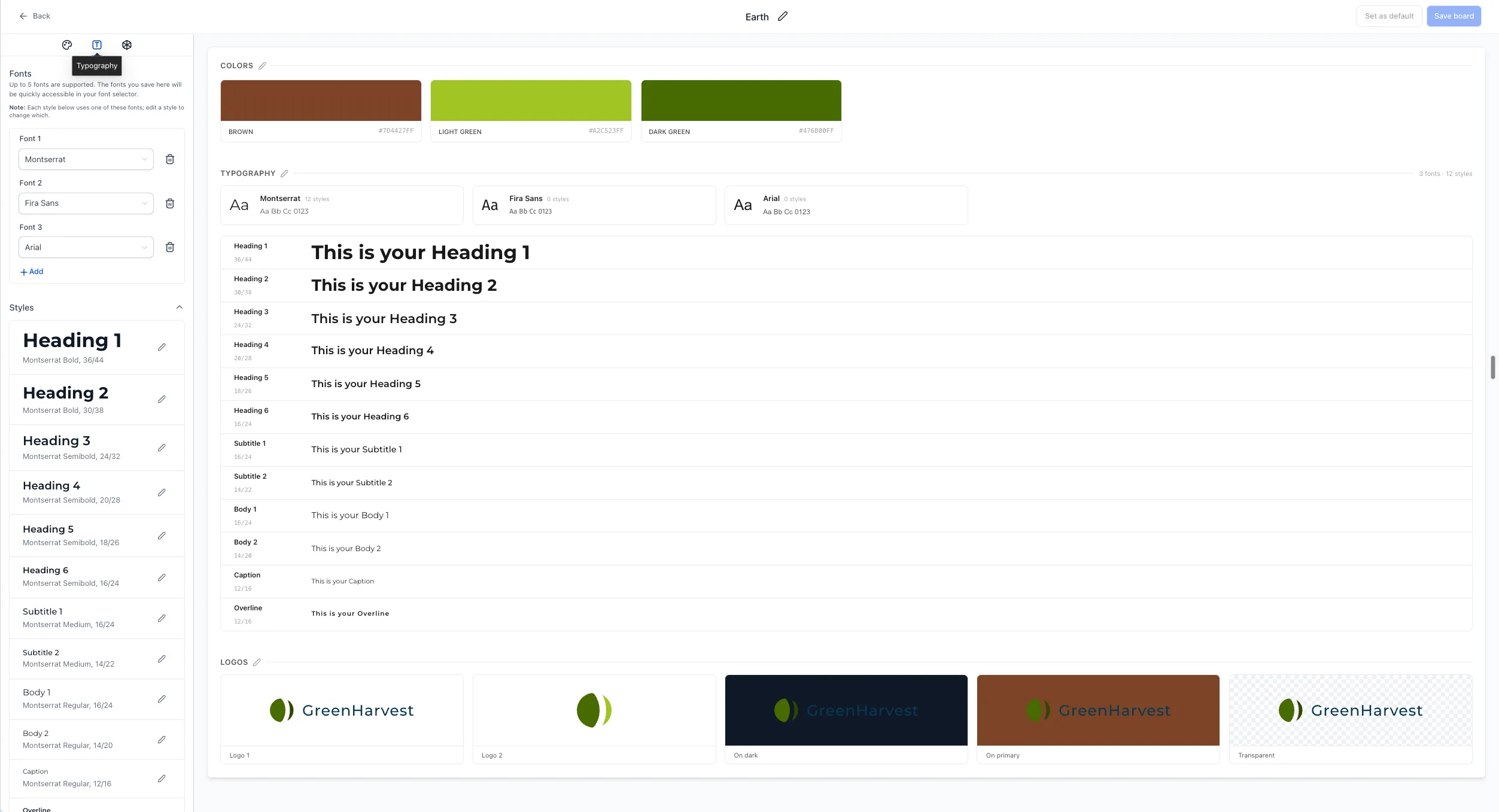
Brand Boards now let you define a complete typography hierarchy in the Typography tab, with default font mapping and manual controls.
What Changed
- Complete style set: Configure Headings 1–6, Subtitle 1–2, Body 1–2, Caption, and Overline alongside basic font settings.
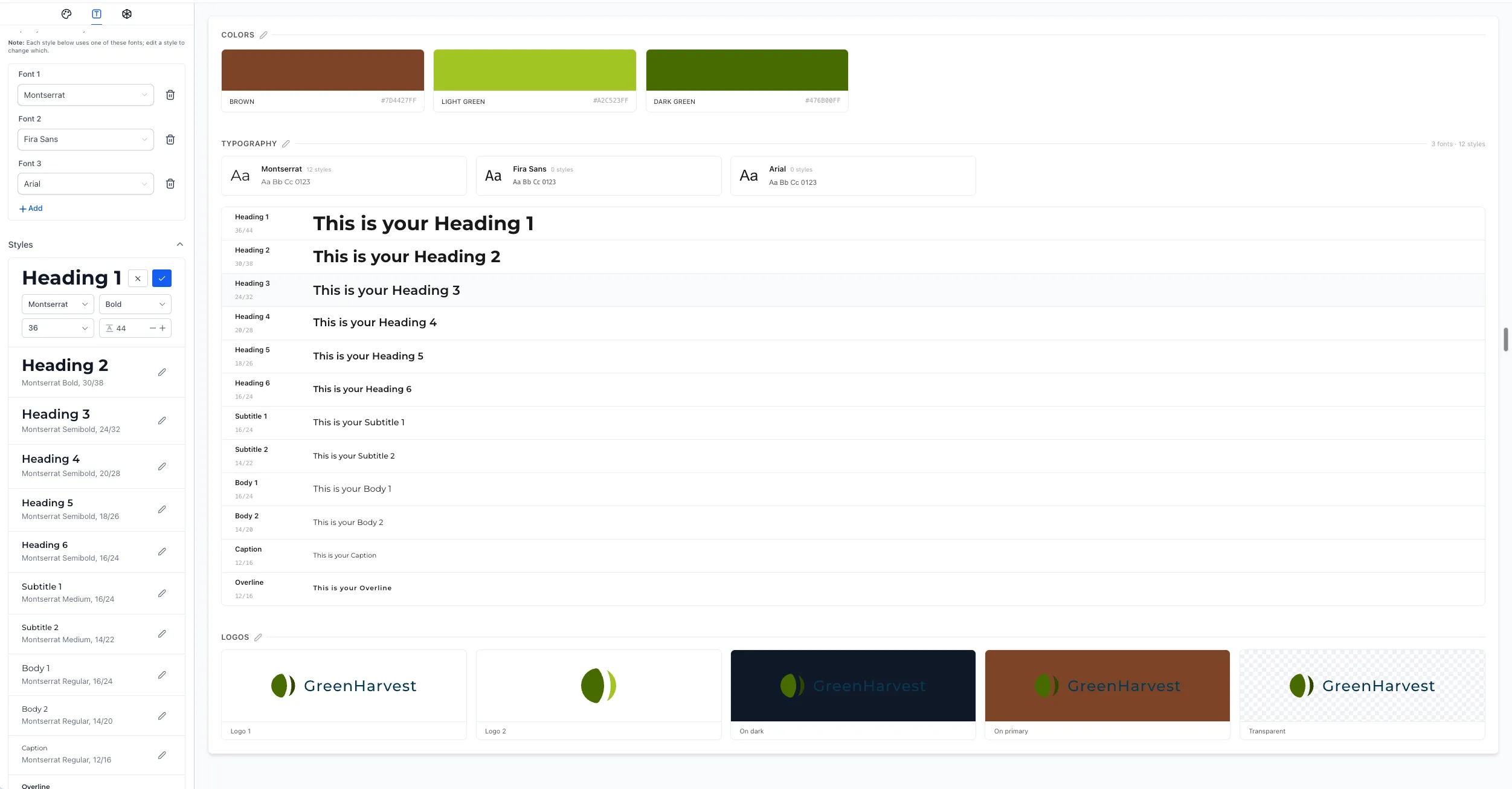
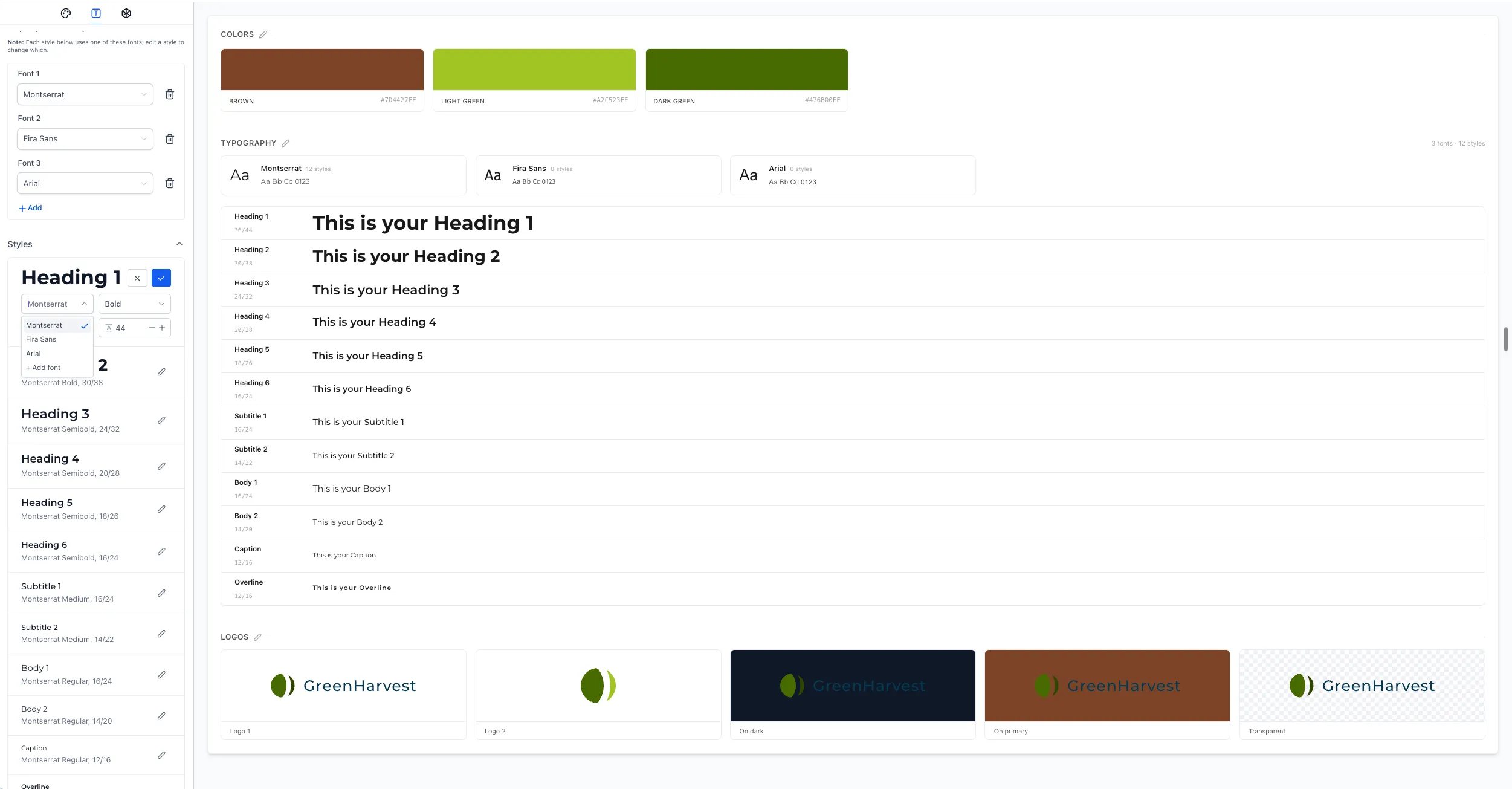
- Automatic mapping with manual control: Fonts and sizes are mapped across the hierarchy by default. Manual adjustments are saved and persist.
- Updated preview: Review headings, subtitles, body text, captions, and overlines together before applying them elsewhere.
These controls help you define consistent brand typography without configuring every style from scratch.
How to Use It
- Open your Brand Board and select the Typography tab.
- Review the default styles across the full hierarchy.
- Adjust the font style, size, weight, and line height as needed.
- Check the preview panel and save the board.
Current Scope
These typography controls are currently available inside Brand Boards only. Support in the Funnels, Websites, Forms, and Emails builders is planned but is not part of this release.
Release Images
Need Help Applying This Update?
Want help turning this update into a working part of your CRM, marketing, or automation setup?
Get Started or schedule a demo and we’ll help you map the right next step.