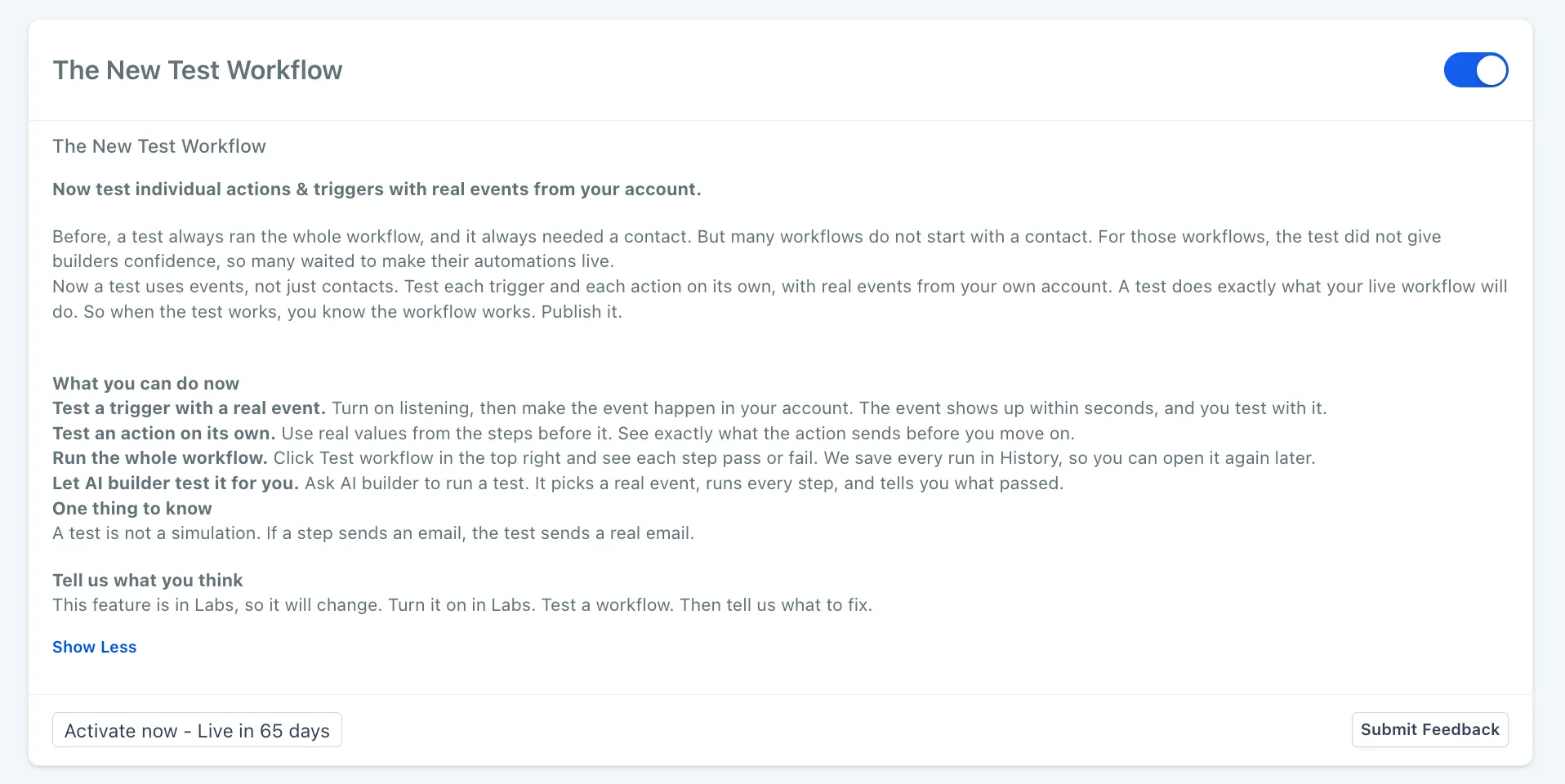
Workflow testing now supports real account events, individual trigger and action tests, and full runs with step-by-step results. The feature is available in Labs under The New Test Workflow for your workflow automations.
Important: Tests execute real actions. Messages are sent, and records are created or changed. Use your own contact details or a test form entry to avoid reaching customers.
What Changed
Test a trigger or action individually
Open a trigger’s Test tab and turn on Listen for events, then fire the trigger, such as by submitting a form. Select the resulting event and click Test Trigger to pin its data for subsequent action tests.
An action’s Test tab shows the input built from that pinned event. Click Test action to inspect its output, such as a message or a created record’s ID. Output fields become available to later steps.
Event-based testing also supports workflows whose triggers and actions are not tied to a contact, unlike the previous contact-based test.
Watch a full workflow test
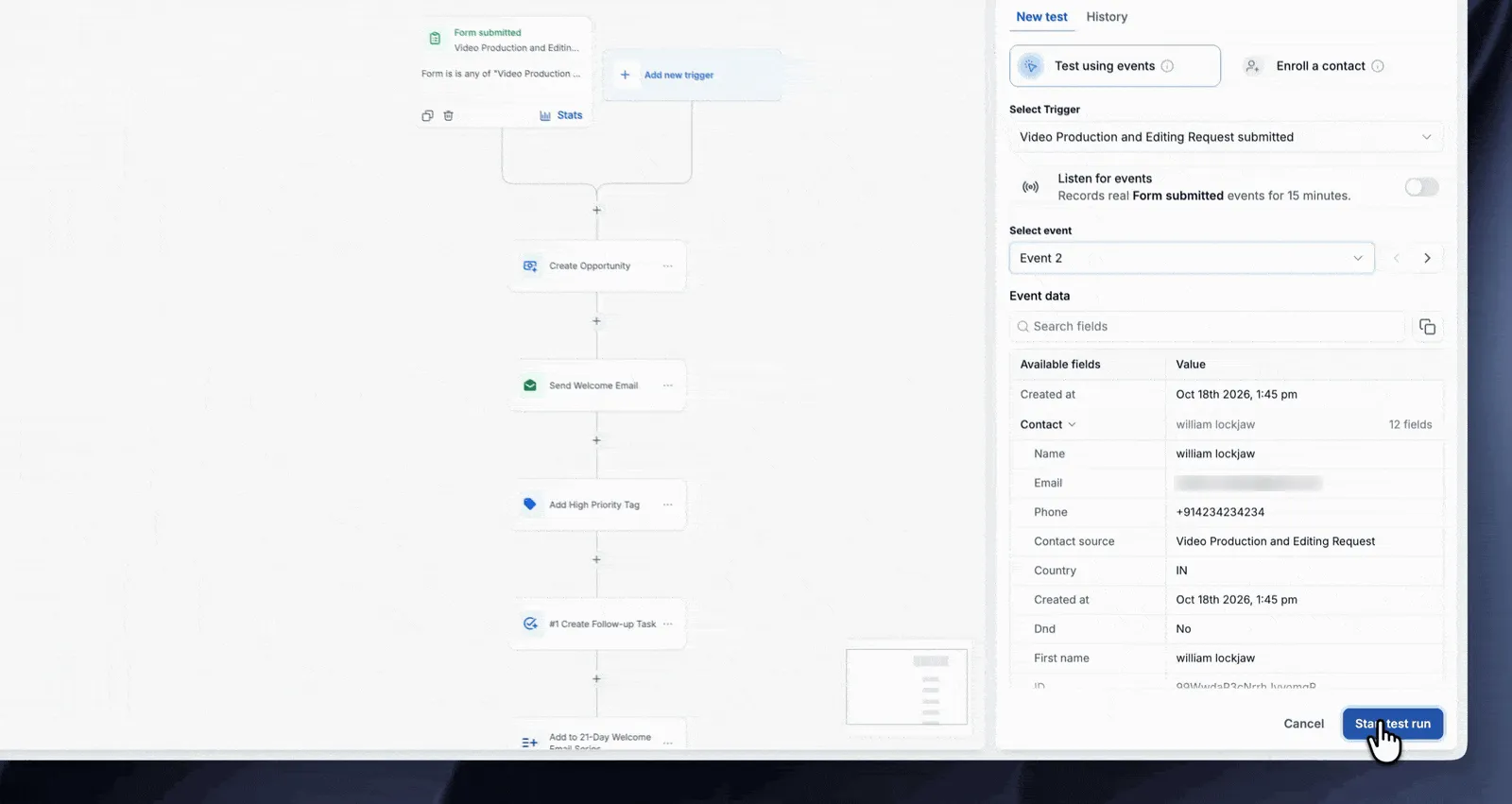
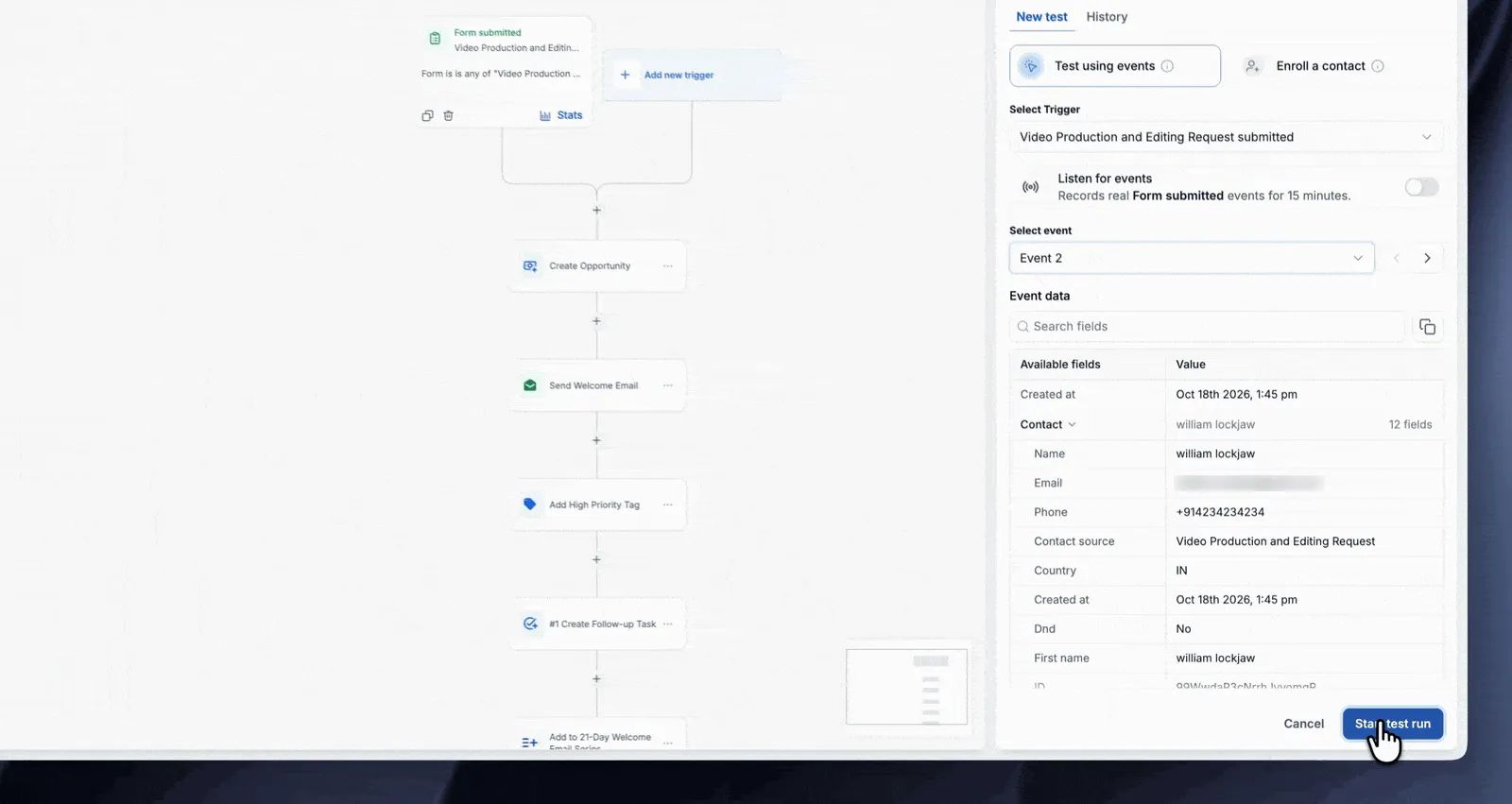
Click Test workflow, select the trigger and event, and choose Start test run. Each step displays Success, Failed, or Skipped as it finishes. Open any step to review its input and output.
Review history and retry runs
The History tab keeps every test run, with All, Success, Failed, and Skipped filters. Retry run repeats a test using the same trigger data and action configuration.
How to Get Started
- Open Labs and enable The New Test Workflow.
- Go to Automation > Workflows and open a workflow.
- Open the trigger’s Test tab and select Test using events.
- Turn on Listen for events, then fire the trigger.
- Select the event and click Test Trigger.
- Optionally, open an action’s Test tab and click Test action.
- Click Test workflow, select the trigger and event, and start the test run.
- Review the results, then save and publish when ready.
Keep in Mind
- Event listening lasts 15 minutes. Turn it on again if the event does not arrive in time.
- Test the trigger before testing an action, since action tests use the pinned event data.
- If you cannot generate a real event, choose Enroll a contact to test and select a contact.
- Testing is optional. You can still save and publish without running a test.
Release Images
Need Help Applying This Update?
Want help turning this update into a working part of your CRM, marketing, or automation setup?
Get Started or schedule a demo and we’ll help you map the right next step.