You can now bring existing Meta campaigns into SMBcrm Ad Manager and manage them alongside campaigns created there. Two-way sync keeps changes aligned between Ad Manager and Meta Ads Manager, with consistent reporting to support your lead capture work.
What changed
- Import existing campaigns: Sync all campaigns or filter by campaign status and time period. Campaigns, ad sets, and ads import in the background so you can keep working.
- Edit in either platform: Changes made in Ad Manager sync to Meta, and changes made in Meta sync back in near real time.
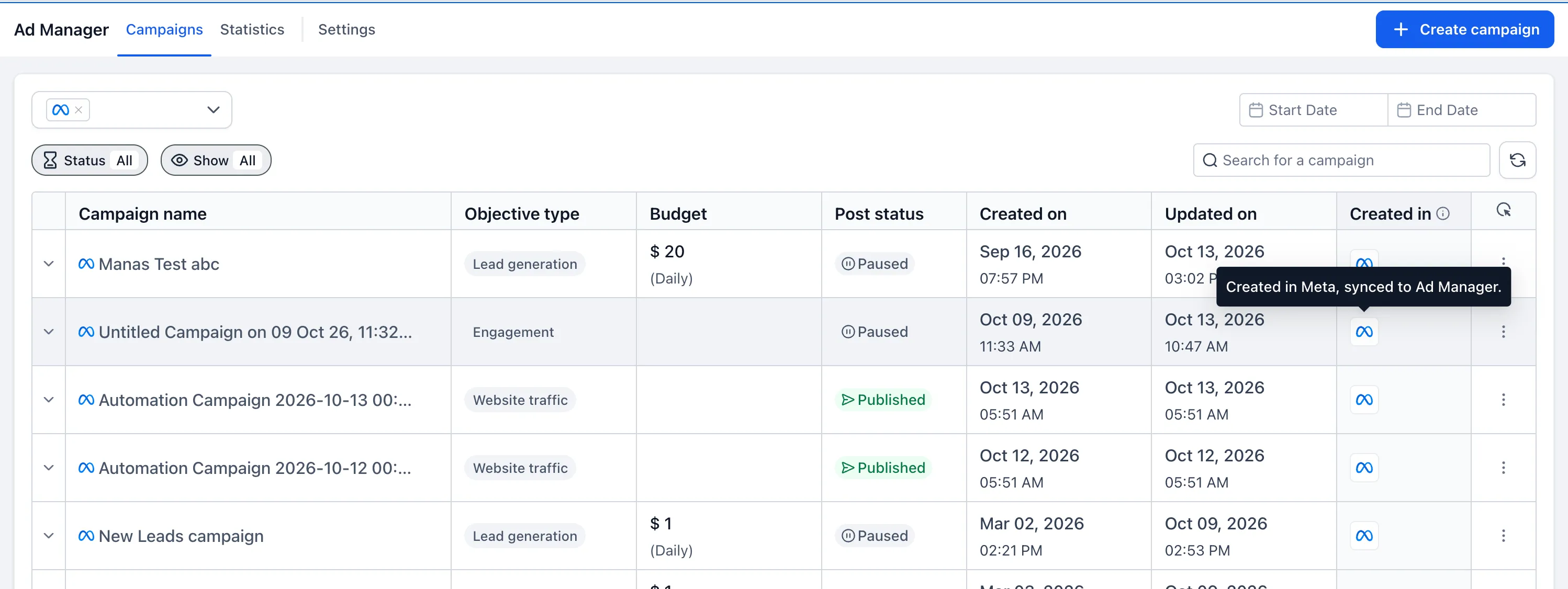
- Identify campaign origins: The Campaigns page includes Created in Ad Manager, Synced from Meta, and All Campaigns views. Each campaign also has a badge showing where it was created.
- Use the same campaign builder: Synced campaigns open in the full-screen Ad Manager builder, while advanced Meta settings remain untouched.
- Review consistent metrics: Reporting includes impressions, clicks, spend, conversions, leads, CTR, CPC, CPL, and more, regardless of where a campaign was created.
How to enable sync
Connect a Meta ad account
- Go to Ad Manager → Link Meta Ad account.
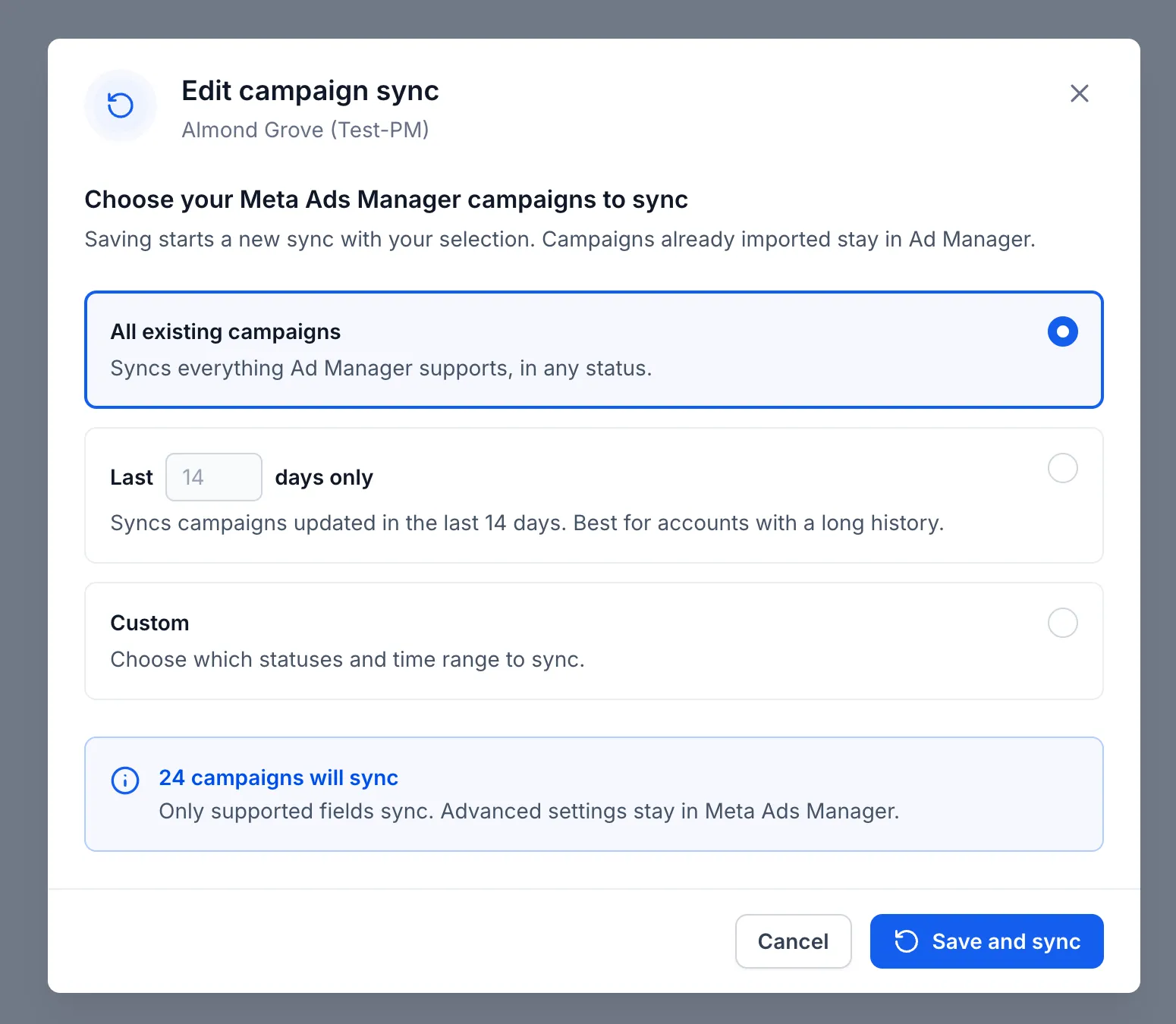
- Choose to import all existing campaigns or filter by campaign status and time period.
- Click Connect account to start syncing in the background.
Enable sync for an existing connection
- Go to Ad Manager → Settings → Meta Ad Account.
- Turn on the Sync toggle.
- Choose campaigns by status and time period, then click Save.
Manage synced campaigns
Go to Ad Manager → Campaigns → Synced from Meta. Open a campaign in the builder, or expand it to view its ad sets and ads. Save your edits to send them to Meta automatically.
You can change your campaign selection anytime in Ad Manager → Settings → Meta Ad Account. Use Refresh under Meta Account Settings to pull in the latest Meta changes on demand.
Release Images

Need Help Applying This Update?
Want help turning this update into a working part of your CRM, marketing, or automation setup?
Get Started or schedule a demo and we’ll help you map the right next step.