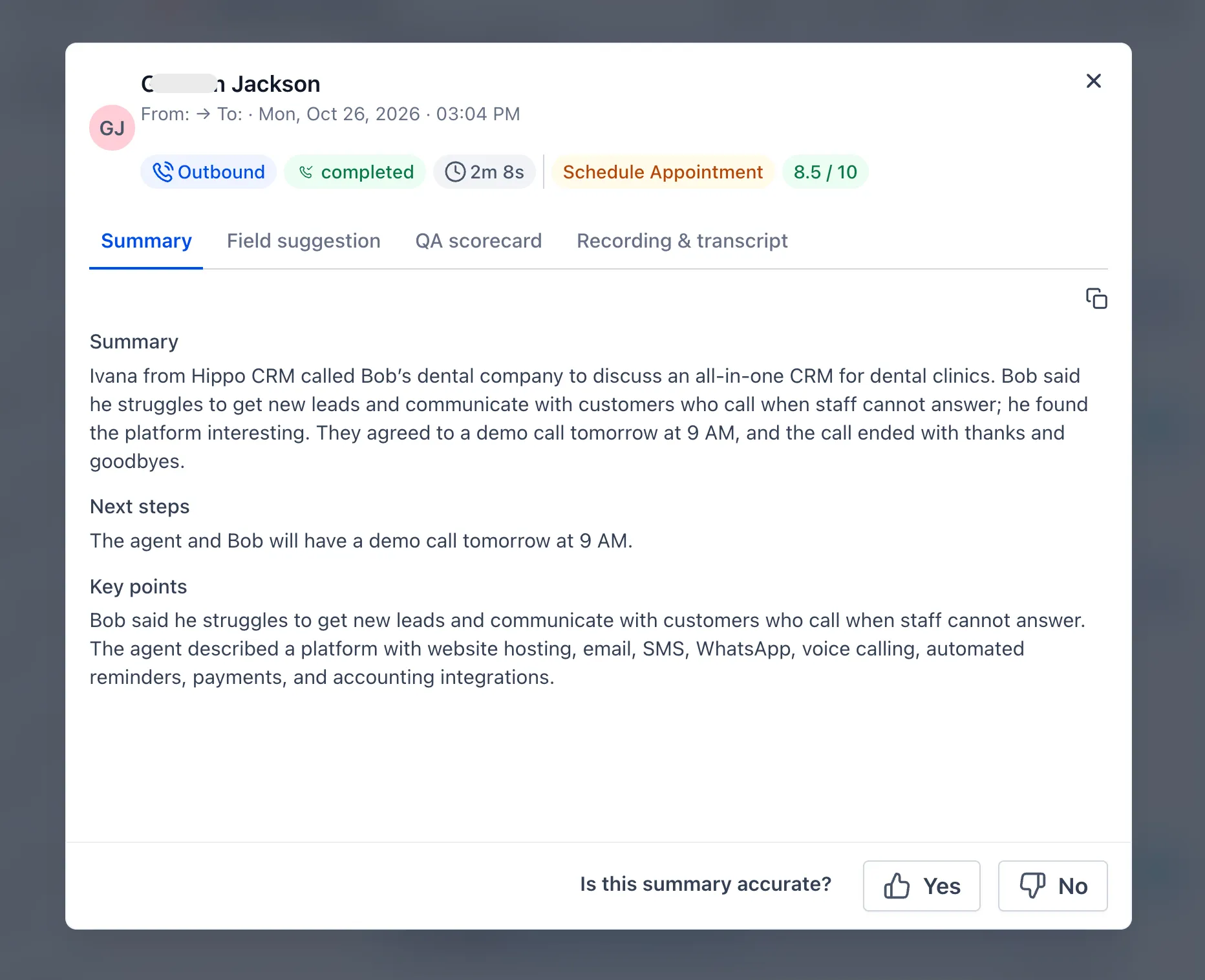
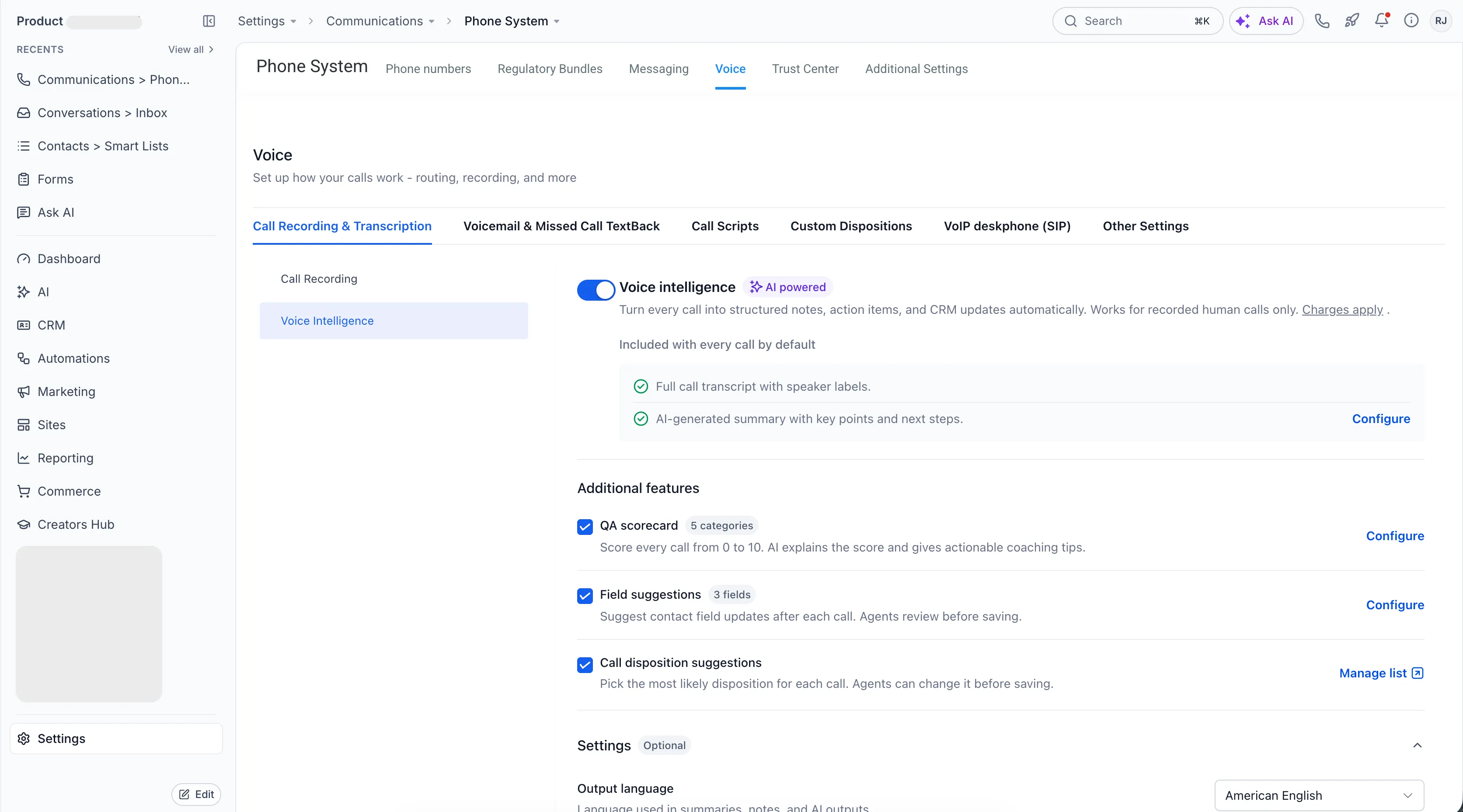
Voice Intelligence is available through Labs to help reduce manual work after recorded calls. It generates summaries, suggests contact updates and call outcomes, and provides call quality scores for review.
What you can review after a call
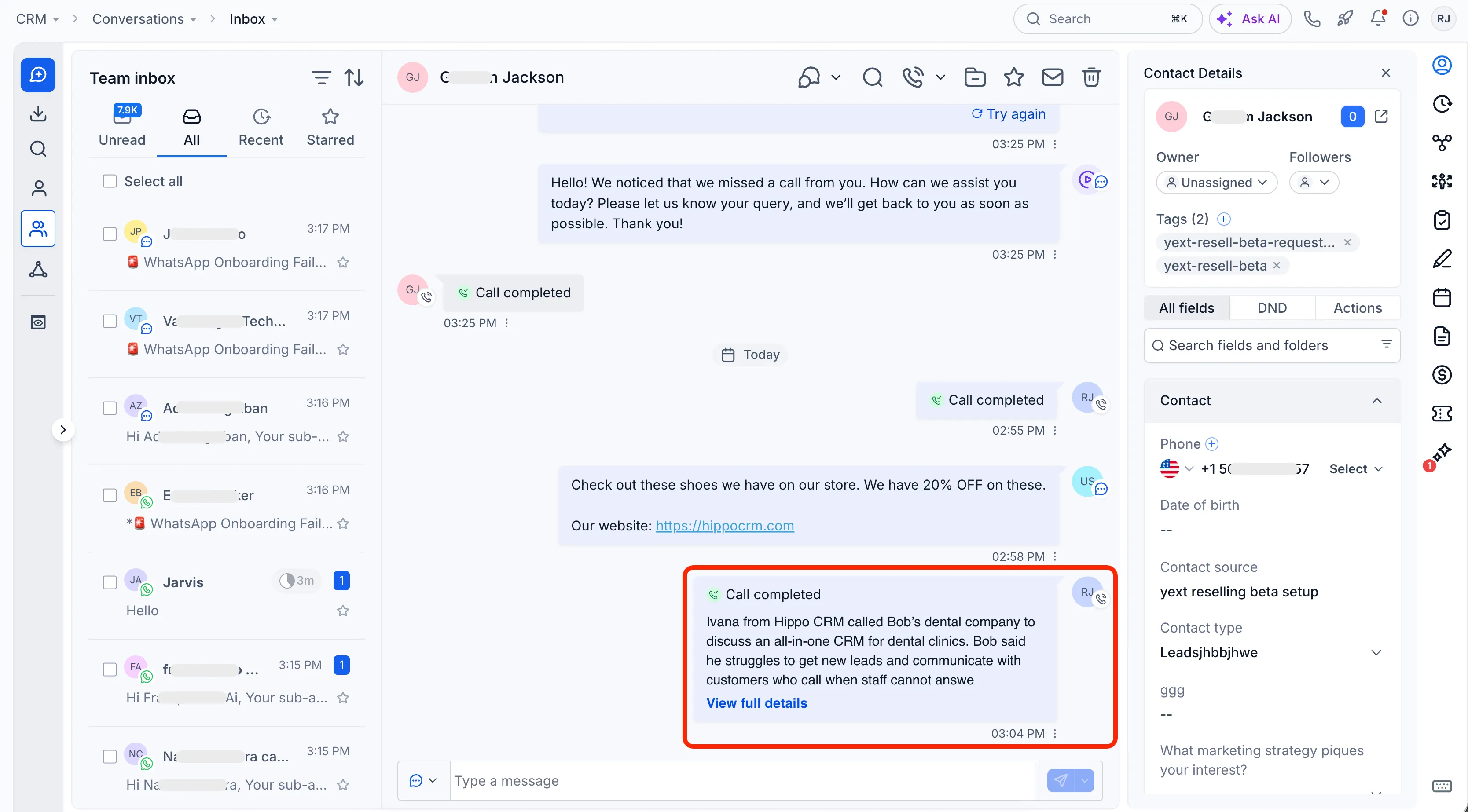
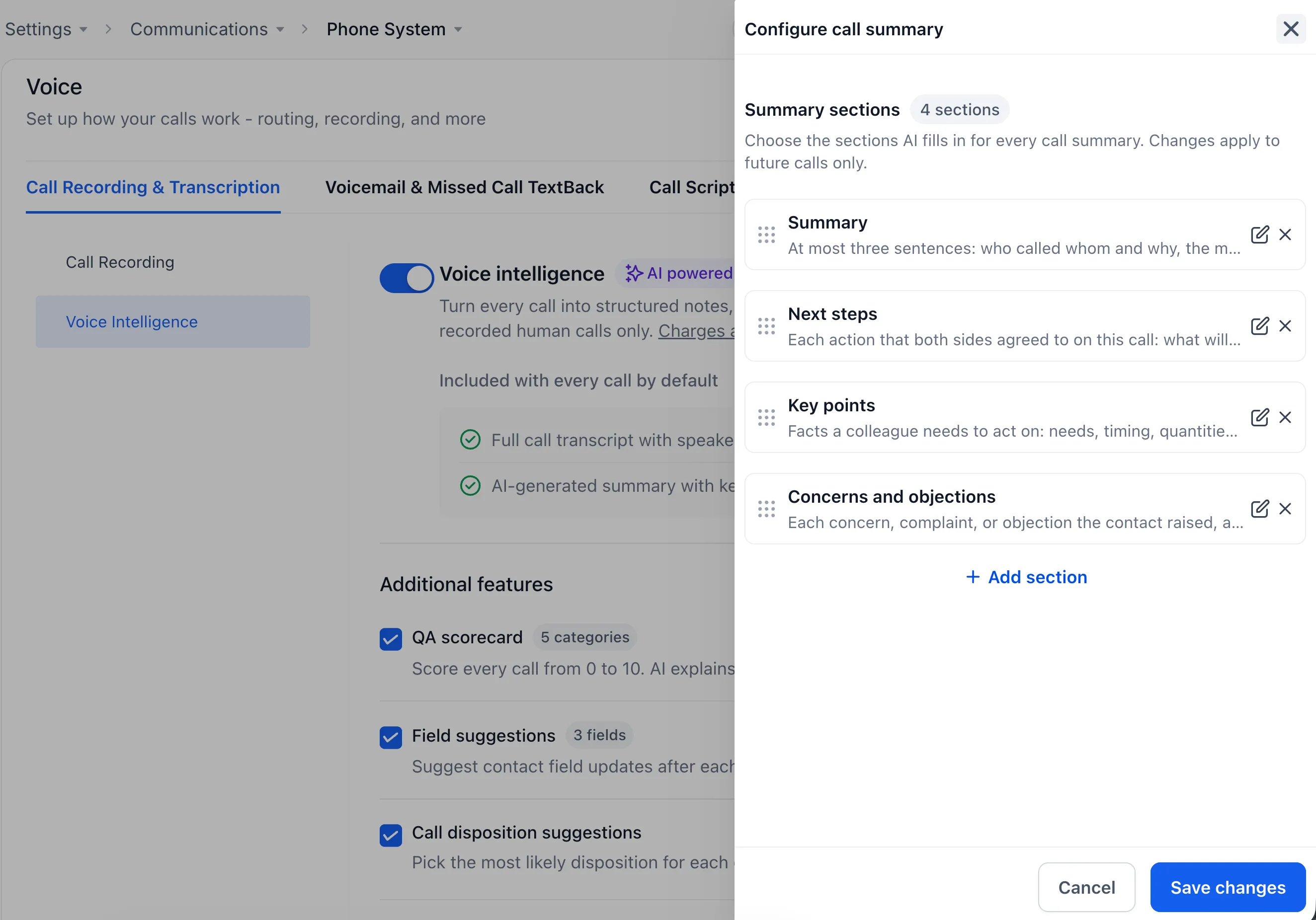
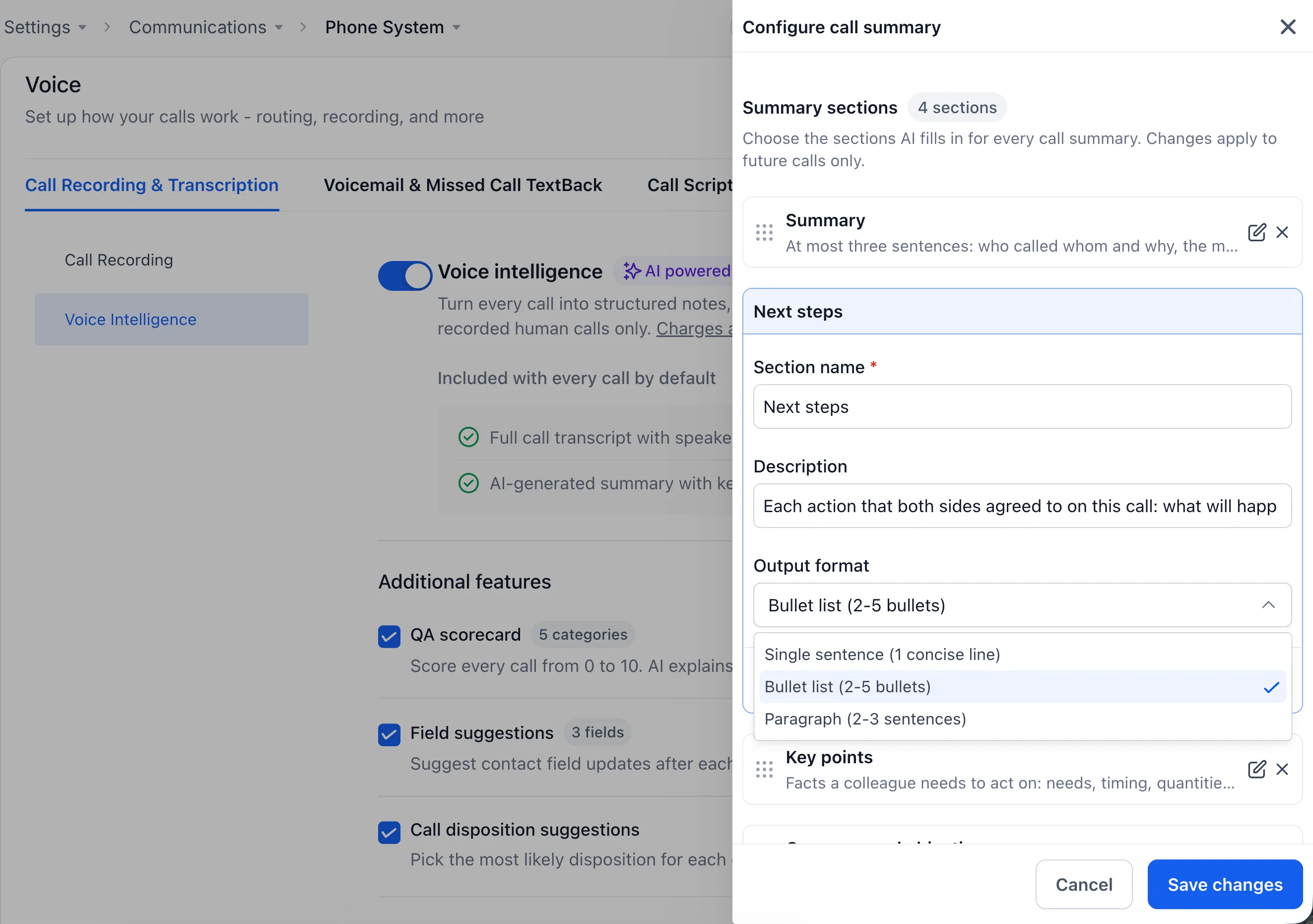
- Call summaries: See what the contact wanted, what was agreed, and what happens next. Teammates can read the summary before their next conversation with the contact.
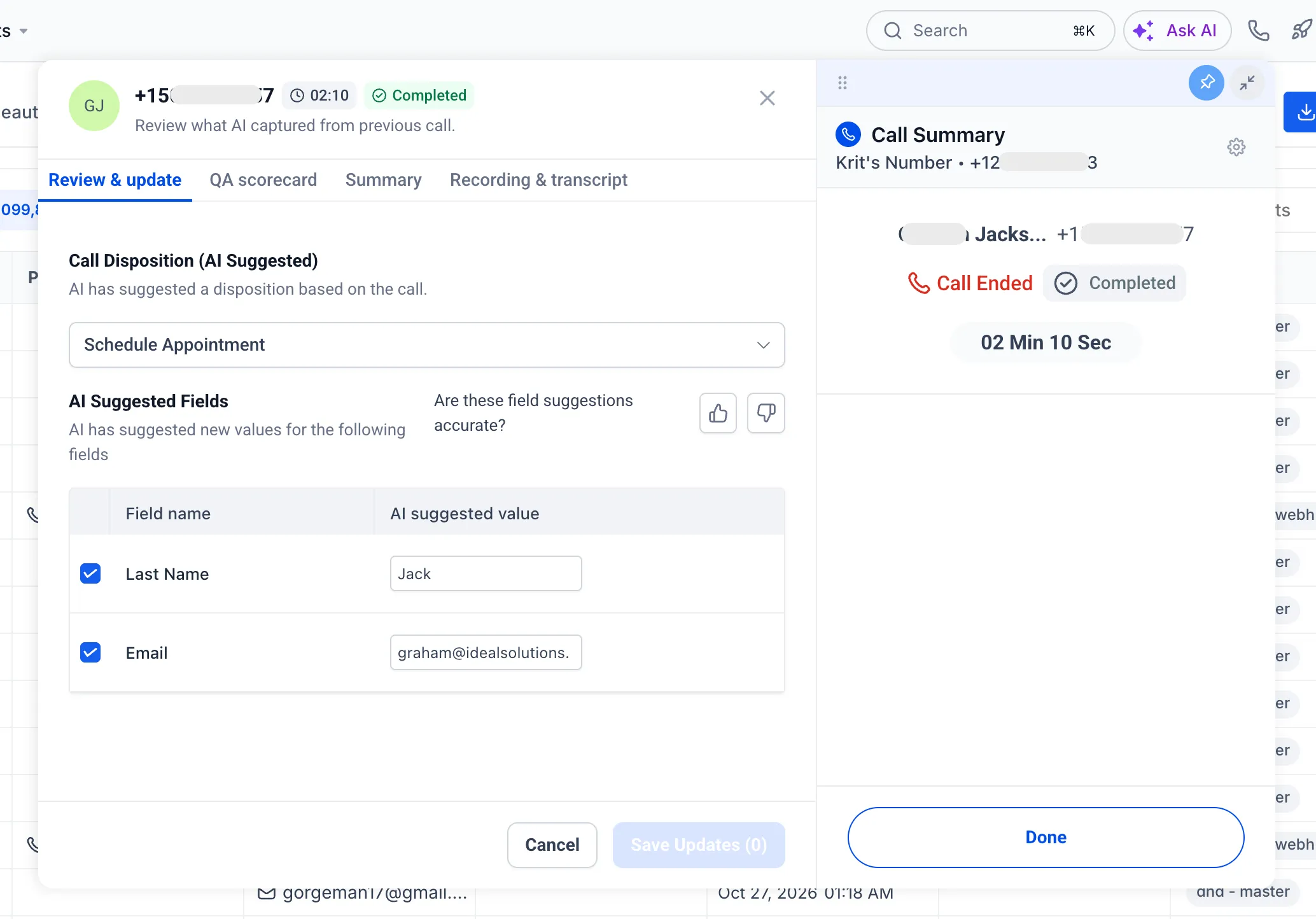
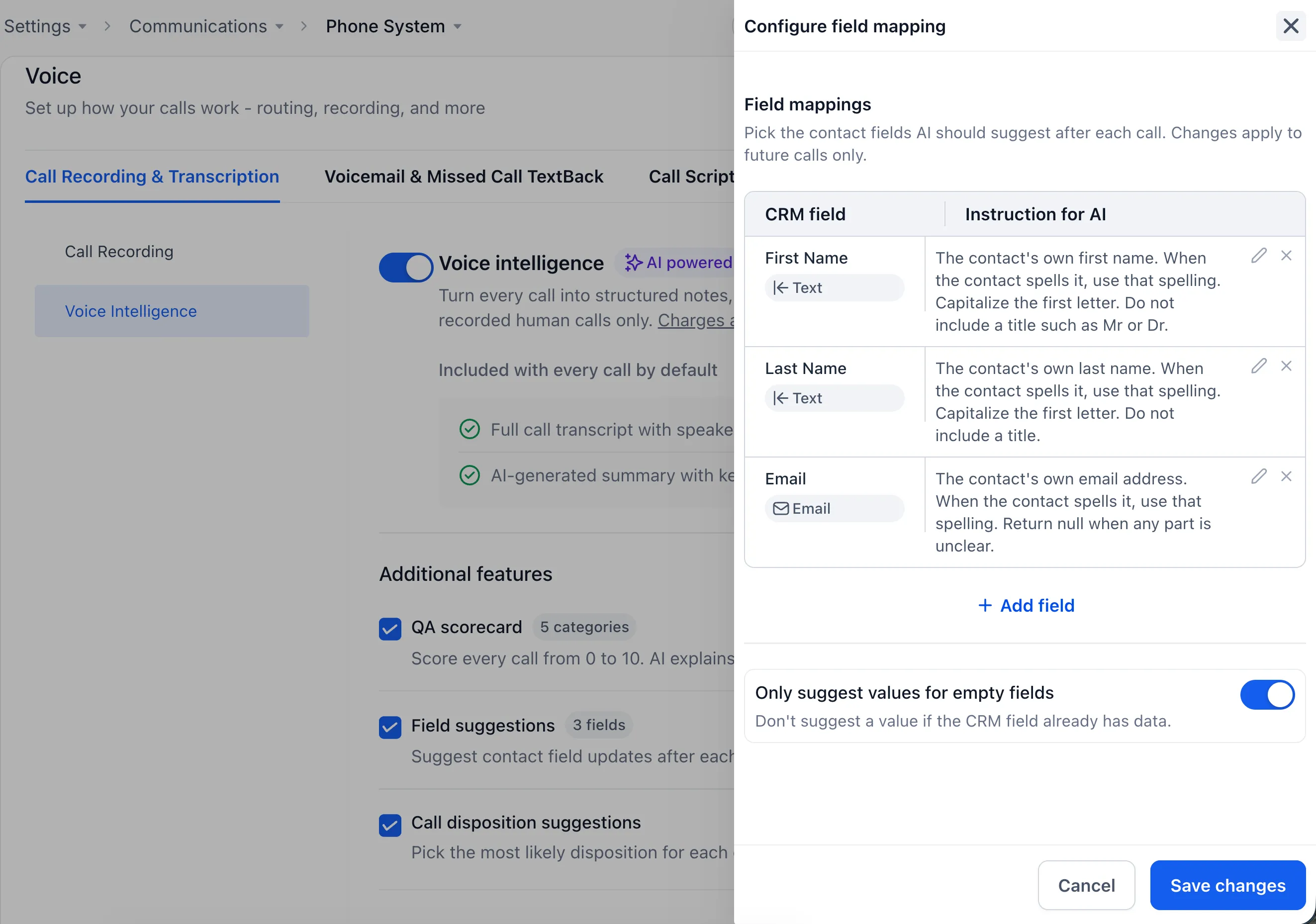
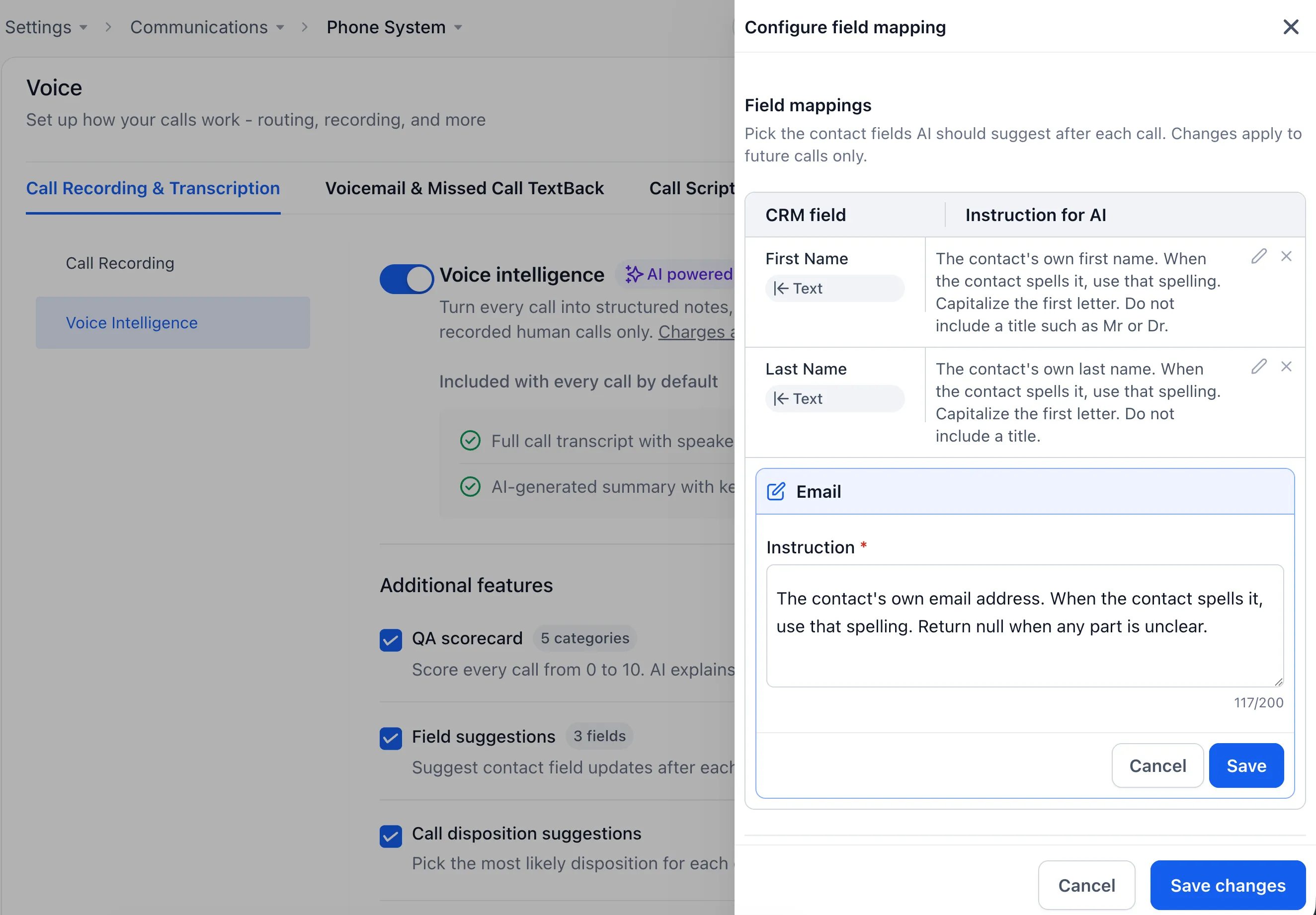
- Contact field suggestions: Review names, email addresses, and other supported field values mentioned during the call, then save the changes you approve.
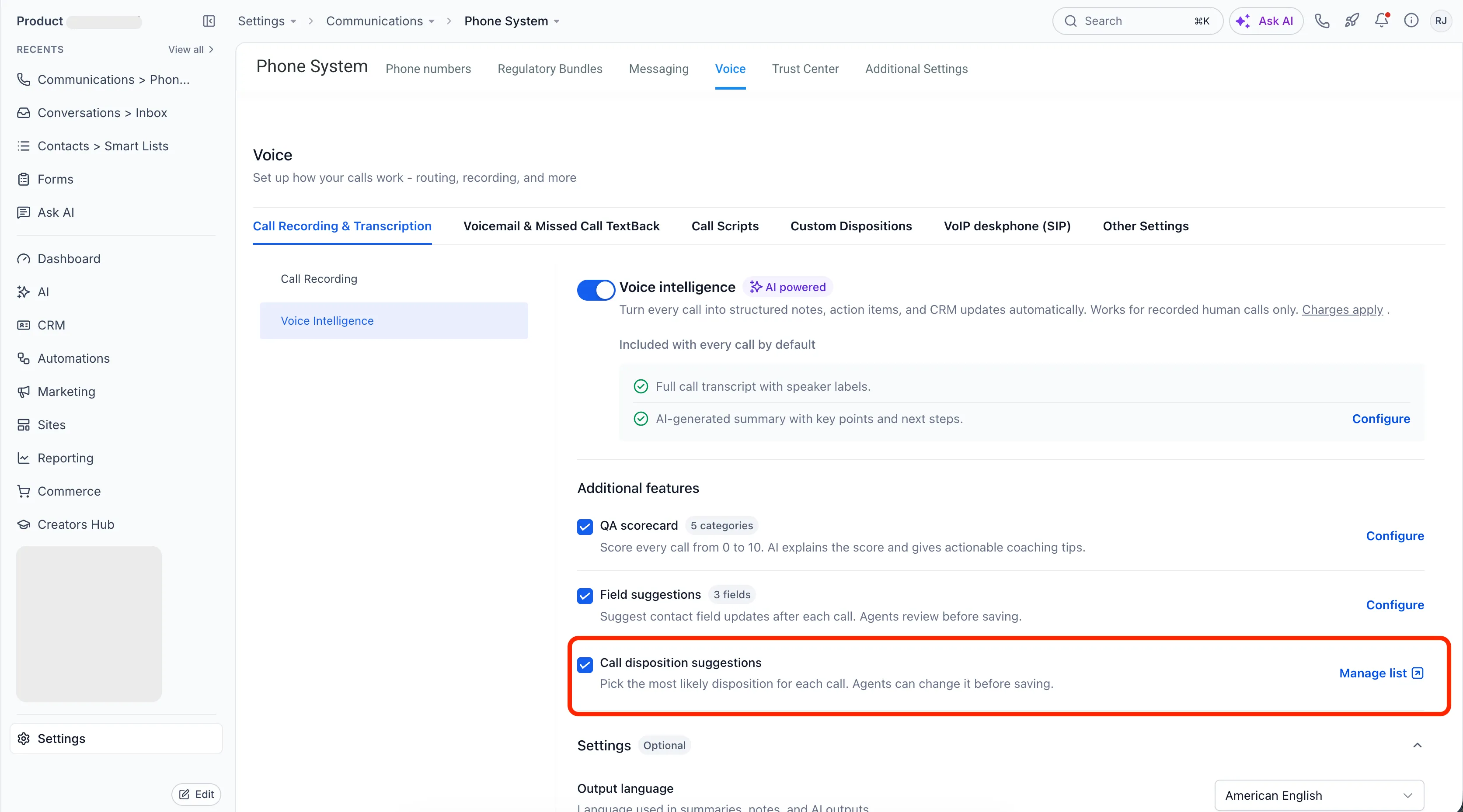
- Call outcomes: Confirm a suggested outcome selected from your own call disposition list.
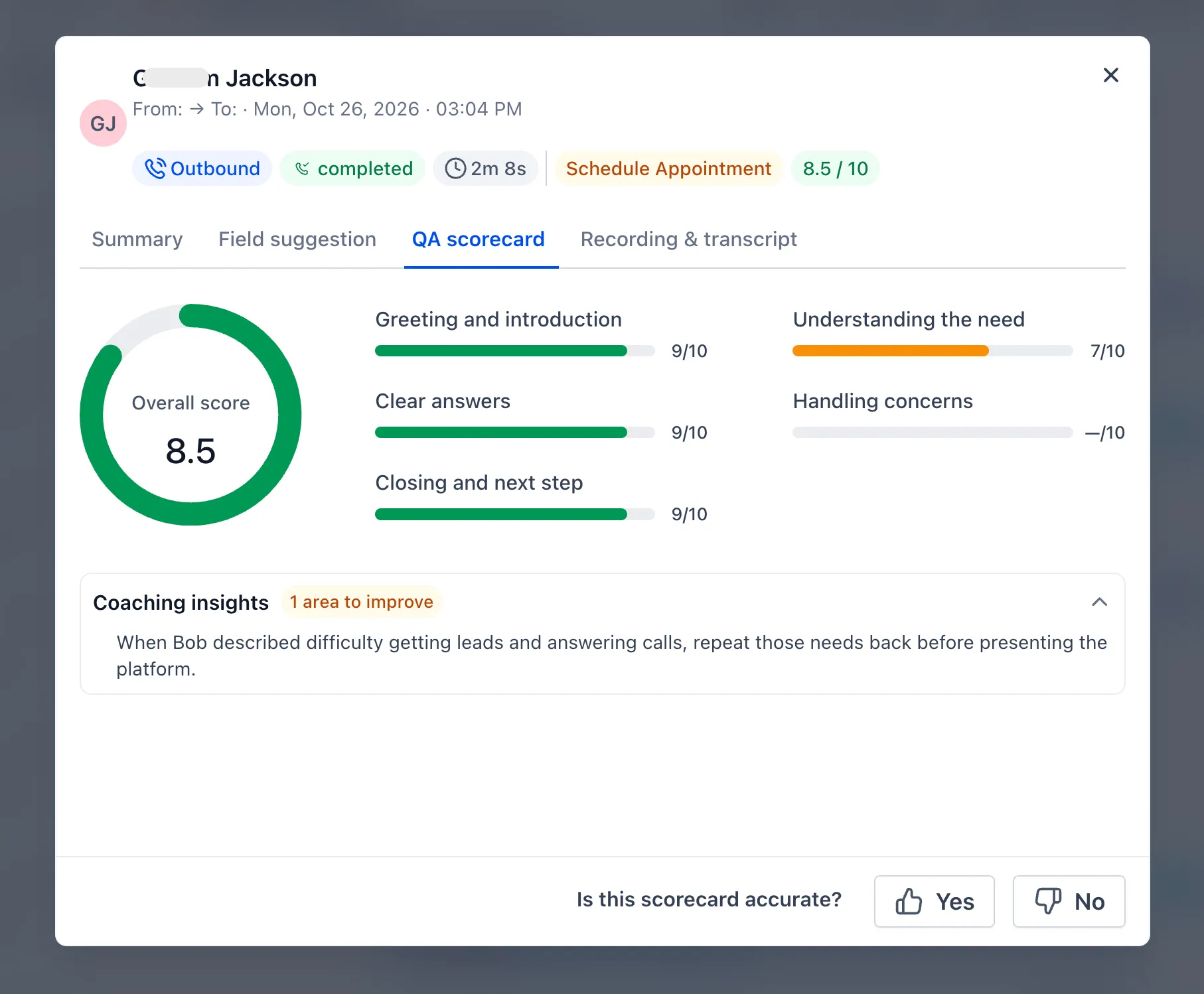
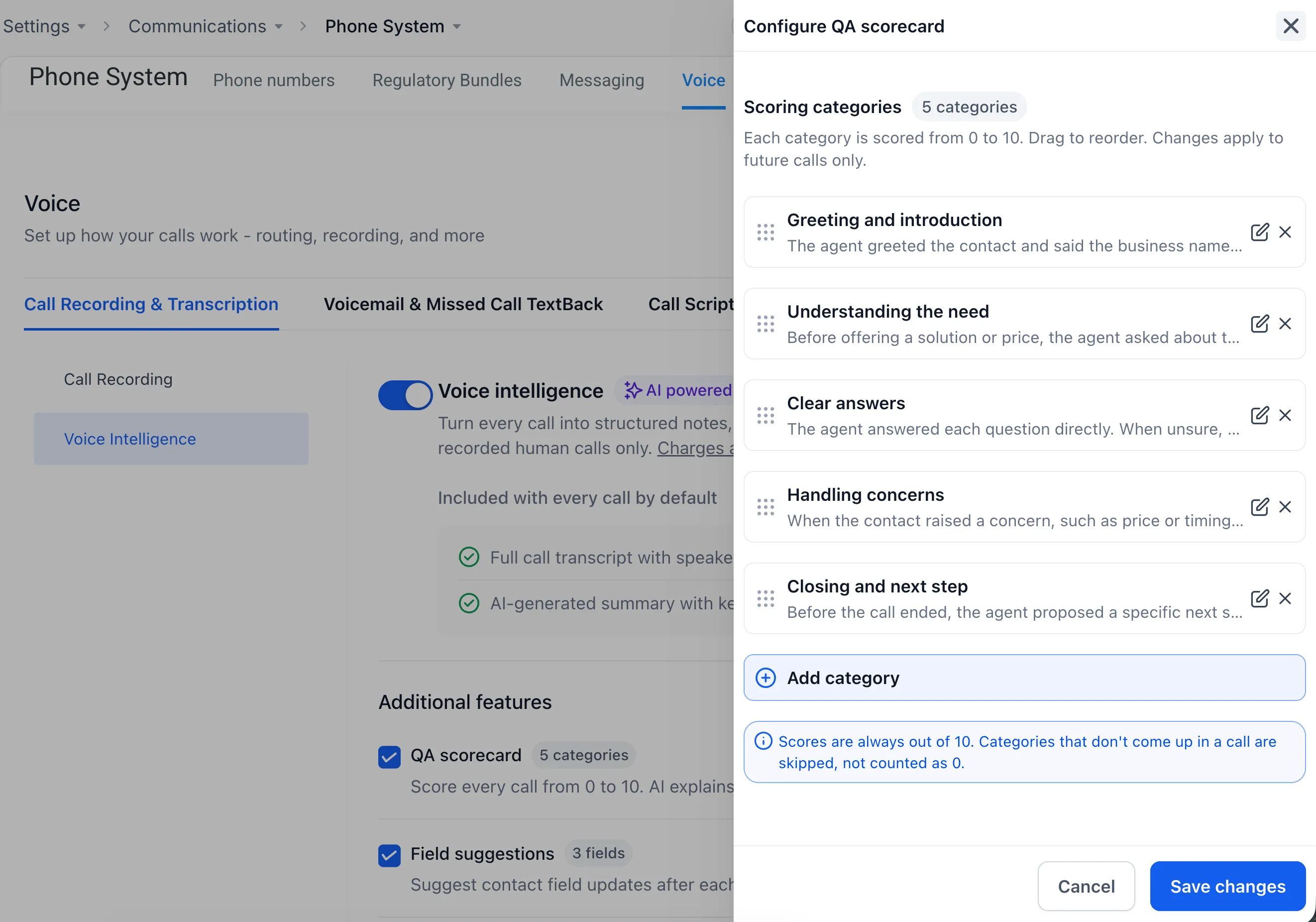
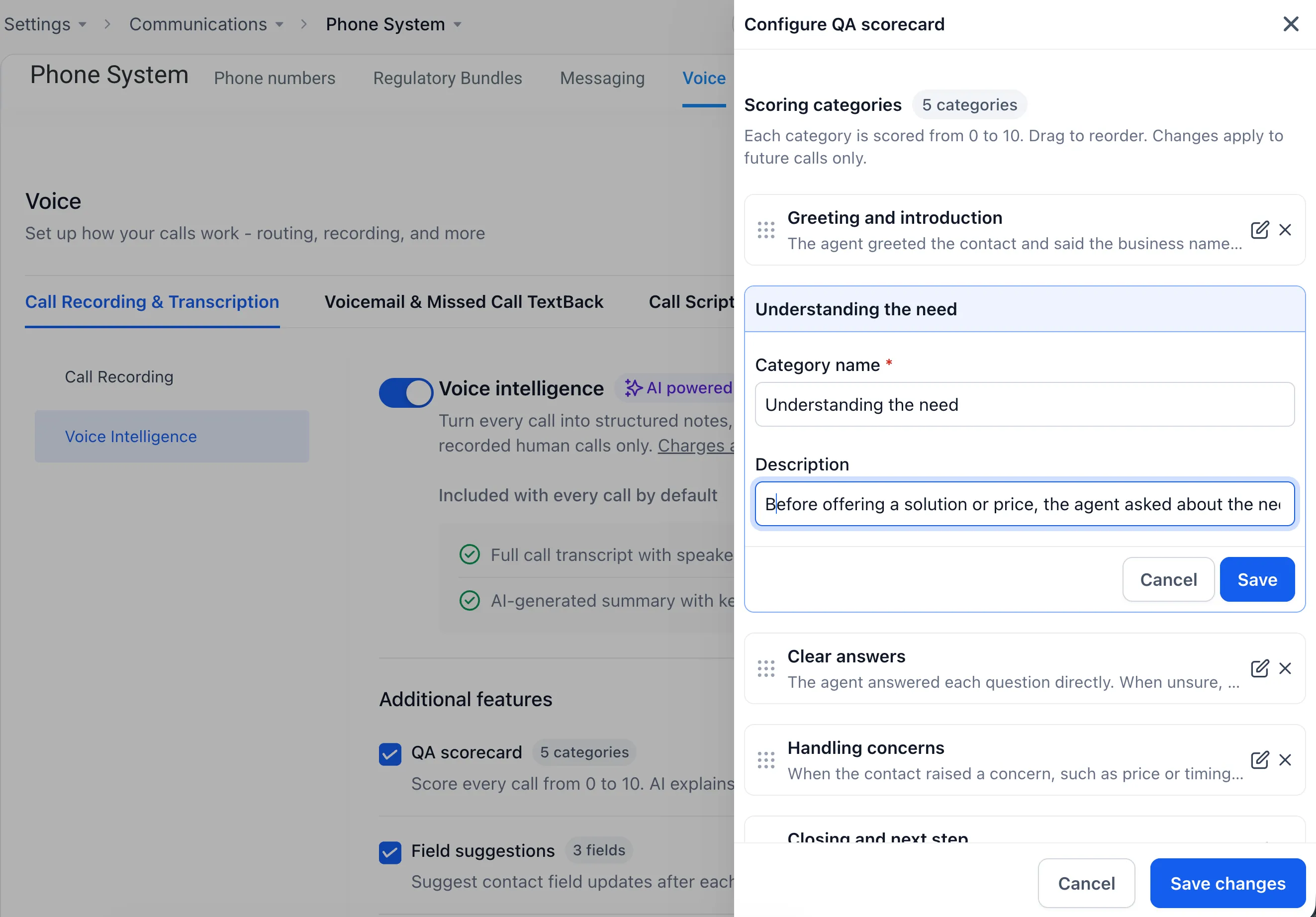
- Quality scores: Review a score out of 10 and a coaching tip to help identify areas for improvement.
Nothing changes on a contact until you approve it.
Configure results for your team
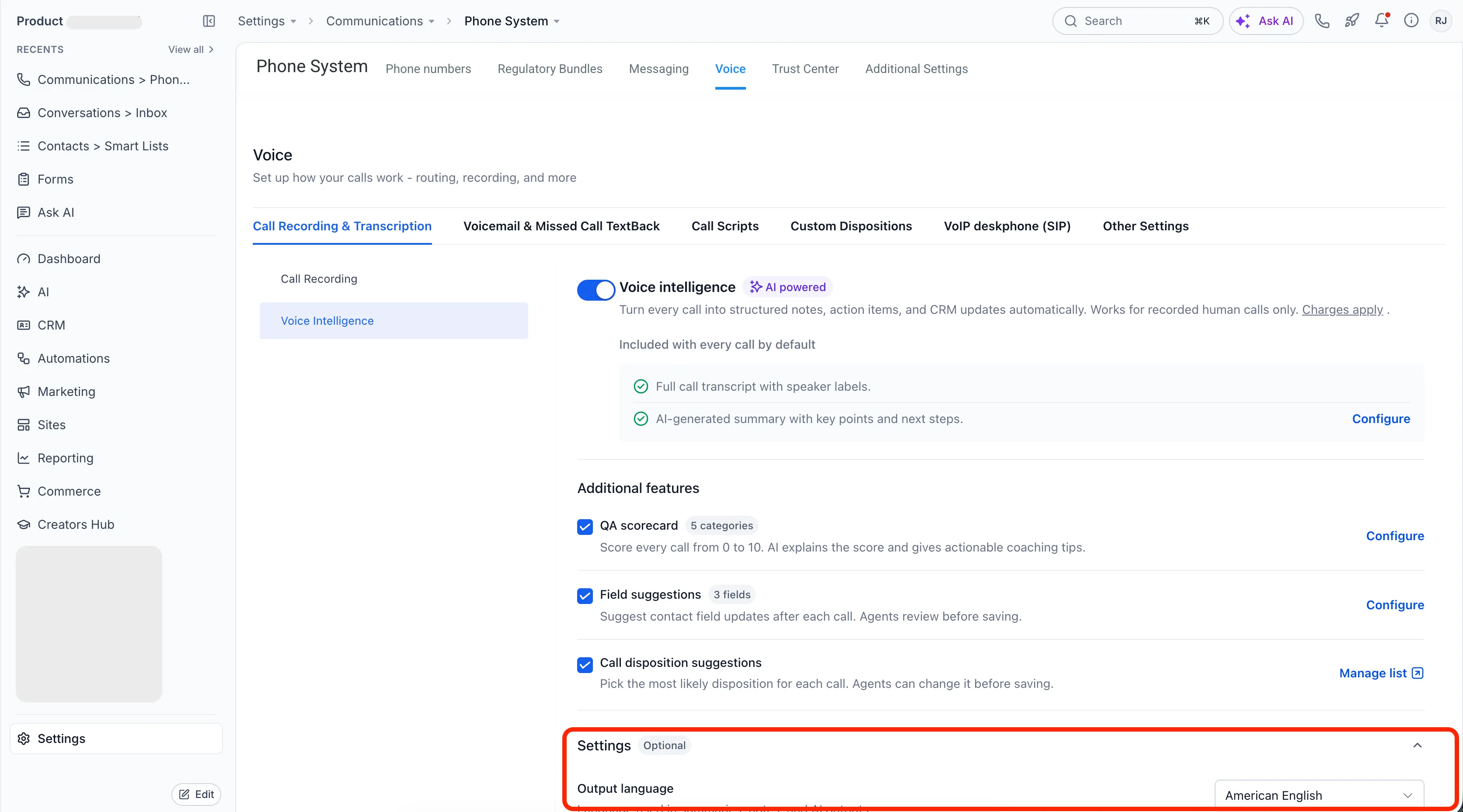
Admins can choose summary sections and their order, customize QA scorecard categories, and select which contact fields receive suggestions, including custom fields. They can also set the results language and turn off components the team does not need.
Settings can be changed at any time and apply to calls going forward.
How to enable Voice Intelligence
- Enable Voice Intelligence in Labs.
- Go to Settings > Phone System > Voice > Call Recording & Transcription > Voice Intelligence.
- Turn on Voice Intelligence and make sure call recording is enabled.
Voice Intelligence works with supported SMBcrm phone numbers and skips voicemails and very short calls. There is no extra charge beyond your usual call transcription charges.
While the feature is in Labs, use the thumbs feedback controls on each result to share feedback.
Release Images
Need Help Applying This Update?
Want help turning this update into a working part of your CRM, marketing, or automation setup?
Get Started or schedule a demo and we’ll help you map the right next step.