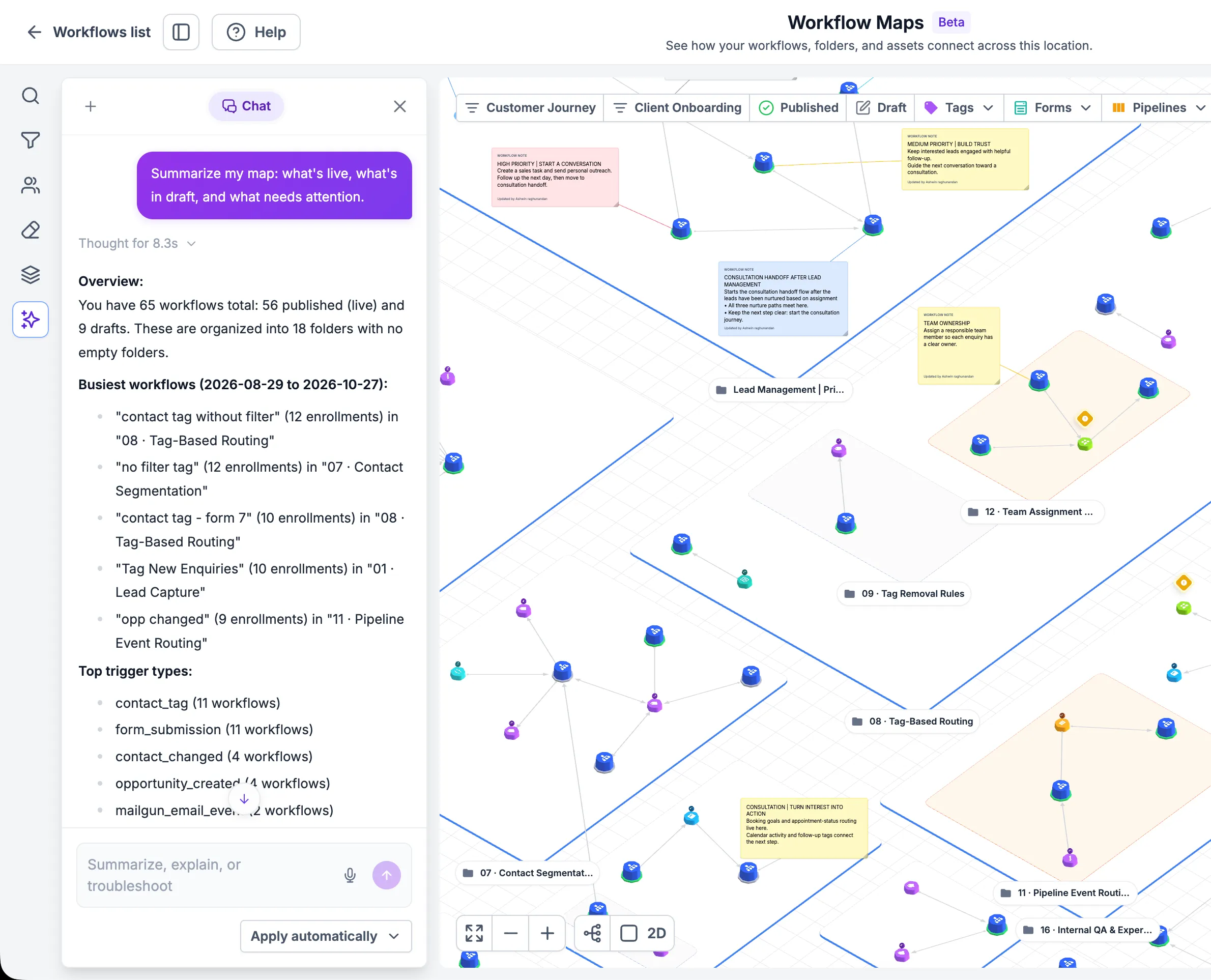
An AI assistant is now available inside Workflow Maps to help you understand and manage automations using plain-language requests. It uses your workflow and map context to answer account-specific questions and support changes.
Launch access is limited to agency users and agency admins.
What the assistant can do
- Explain workflows: Ask what a selected workflow does or request a folder summary.
- Investigate issues: Find workflows by name, review issues, and ask about connected assets.
- Focus the map: Filter or highlight relevant workflows and folders.
- Organize workflows: Request folder creation, workflow moves, renaming, or notes.
- Build or edit automations: Describe what you want to create or change. Supported builds and edits run as background jobs.
- Review proposed changes: Use approval controls to review plans and decide how supported changes are applied.
How to get started
Go to Automation > Workflows > Workflow Maps, then open Assistant. Try a request such as:
- “Explain what this workflow does.”
- “Show only drafts in the Sales folder.”
- “Create a welcome email and SMS workflow.”
- “Move these workflows into an Onboarding folder.”
Permissions and saved views
The assistant works within your access permissions. Deletion and whole-map rearrangement still require confirmation, even when automatic approval is enabled.
Saved views store filters only. They do not save the map’s zoom, position, or layout.
Release Images
Need Help Applying This Update?
Want help turning this update into a working part of your CRM, marketing, or automation setup?
Get Started or schedule a demo and we’ll help you map the right next step.