SMBcrm has improved how week start preferences work across Meetings, Services, and Rentals. You can choose whether your in-app week starts on Saturday, Sunday, or Monday, and the calendar experience will apply that preference more consistently.
What changed
Your selected week start is now reflected across key scheduling touchpoints, including:
- Calendar views
- Appointment creation and editing
- Schedules and availability settings
- Staff availability
- Date pickers
- Business operating hours
This helps keep the in-app scheduling experience consistent as you move between different calendar areas.
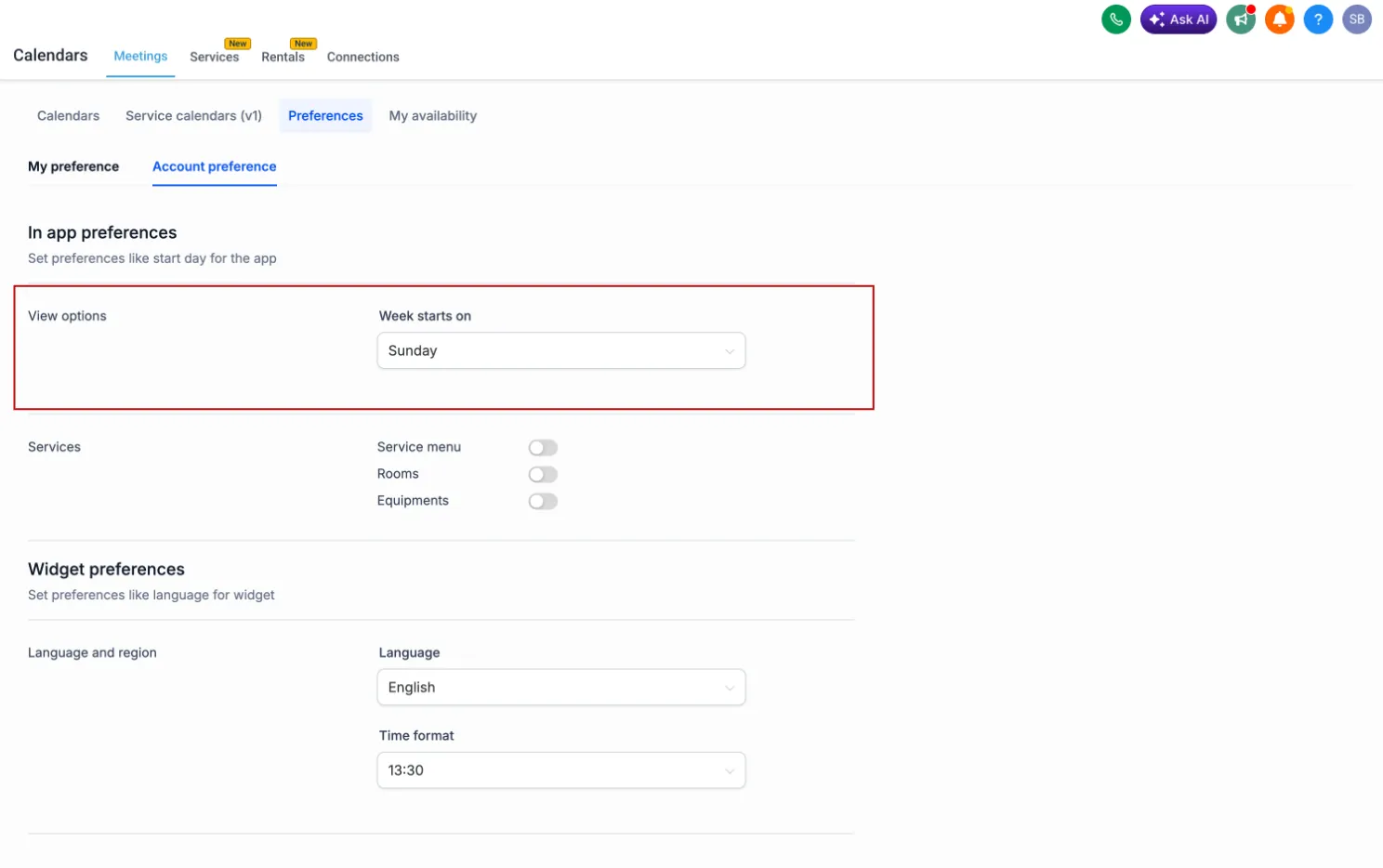
How to configure week start preferences
Set the preferred Week Starts On day separately for Meetings, Services, and Rentals in Calendar Settings:
- Meetings: Meetings > Preferences
- Services: Services > Global Settings > In-App Settings
- Rentals: Rentals > Global Settings > In-App Settings
You can choose Saturday, Sunday, or Monday. Once saved, the preference is reflected across the relevant in-app calendar and scheduling experiences.
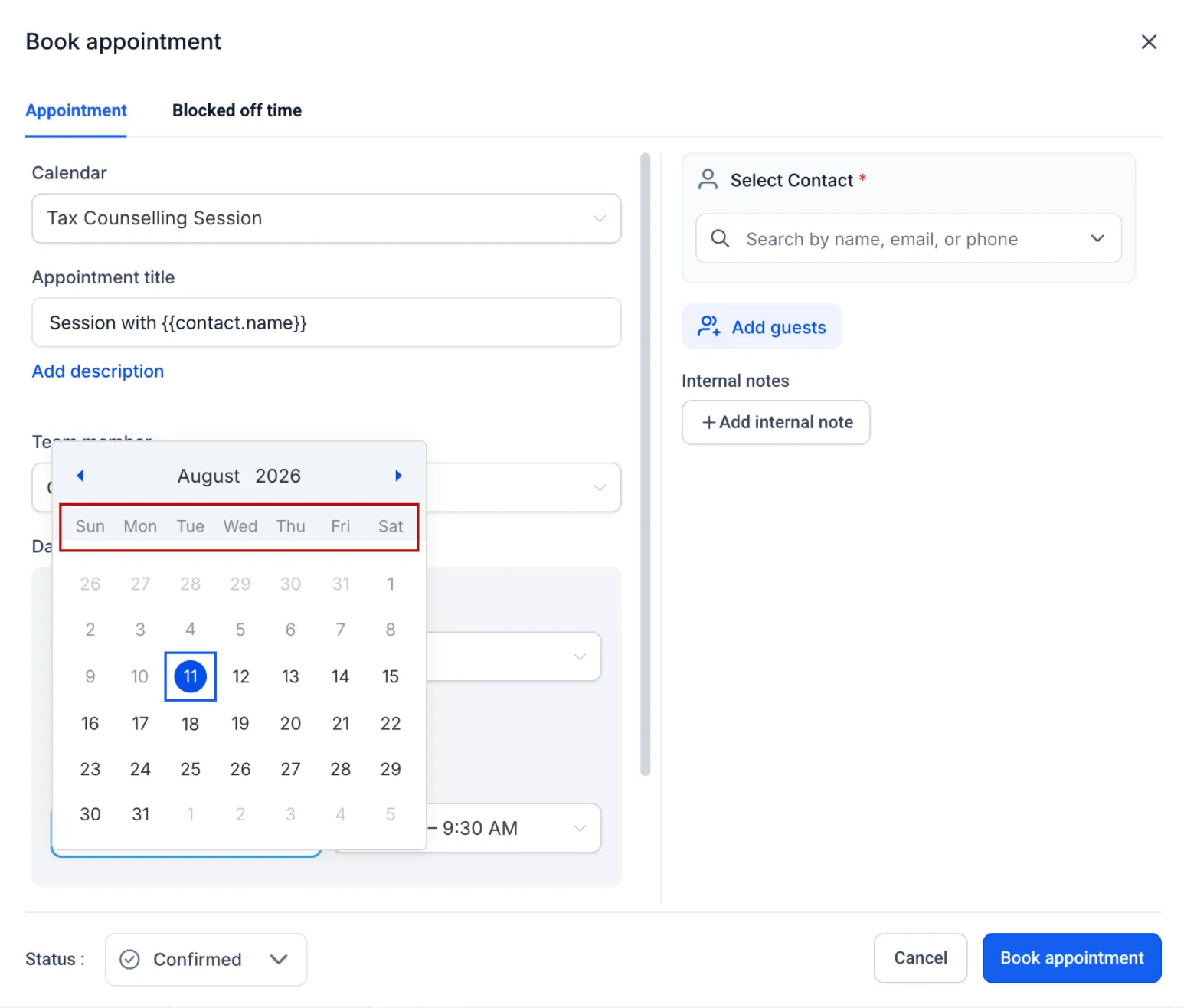
Booking widget settings remain separate
Week start settings configured for booking widgets remain independent. Your in-app calendar preference will not override your customer-facing booking widget configuration, so you can continue managing those experiences separately.
Need Help Applying This Update?
Want help turning this update into a working part of your CRM, marketing, or automation setup?
Get Started or schedule a demo and we’ll help you map the right next step.
Explore this in SMBcrm
Connect booking to the next conversation.
Explore calendars and lead capture, then see how a booking fits into the wider CRM workflow.
Explore calendars and lead captureAlready using this feature? Find setup help