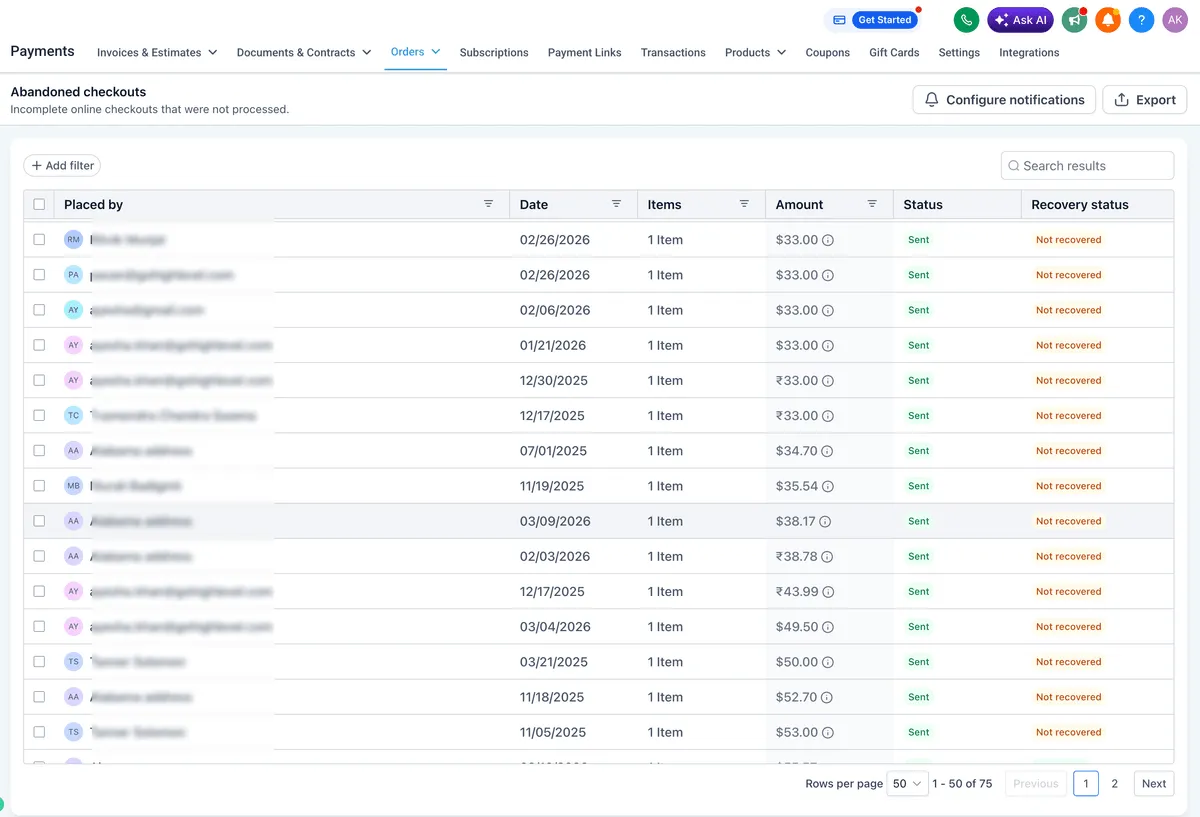
SMBcrm’s Abandoned Checkouts page has been redesigned with tools to help store owners find, manage, and export abandoned checkout data more efficiently.
What changed
- Export CSV data for selected records, multiple records, or all records on the current page, including customer, cart, product, activity, and recovery details.
- Search by customer name or email, then filter by Email Status, Recovery Status, or Date Range.
- Open abandoned cart notification settings from the Configure Notifications action.
- Use updated empty states, loading states, pagination, and responsive design.
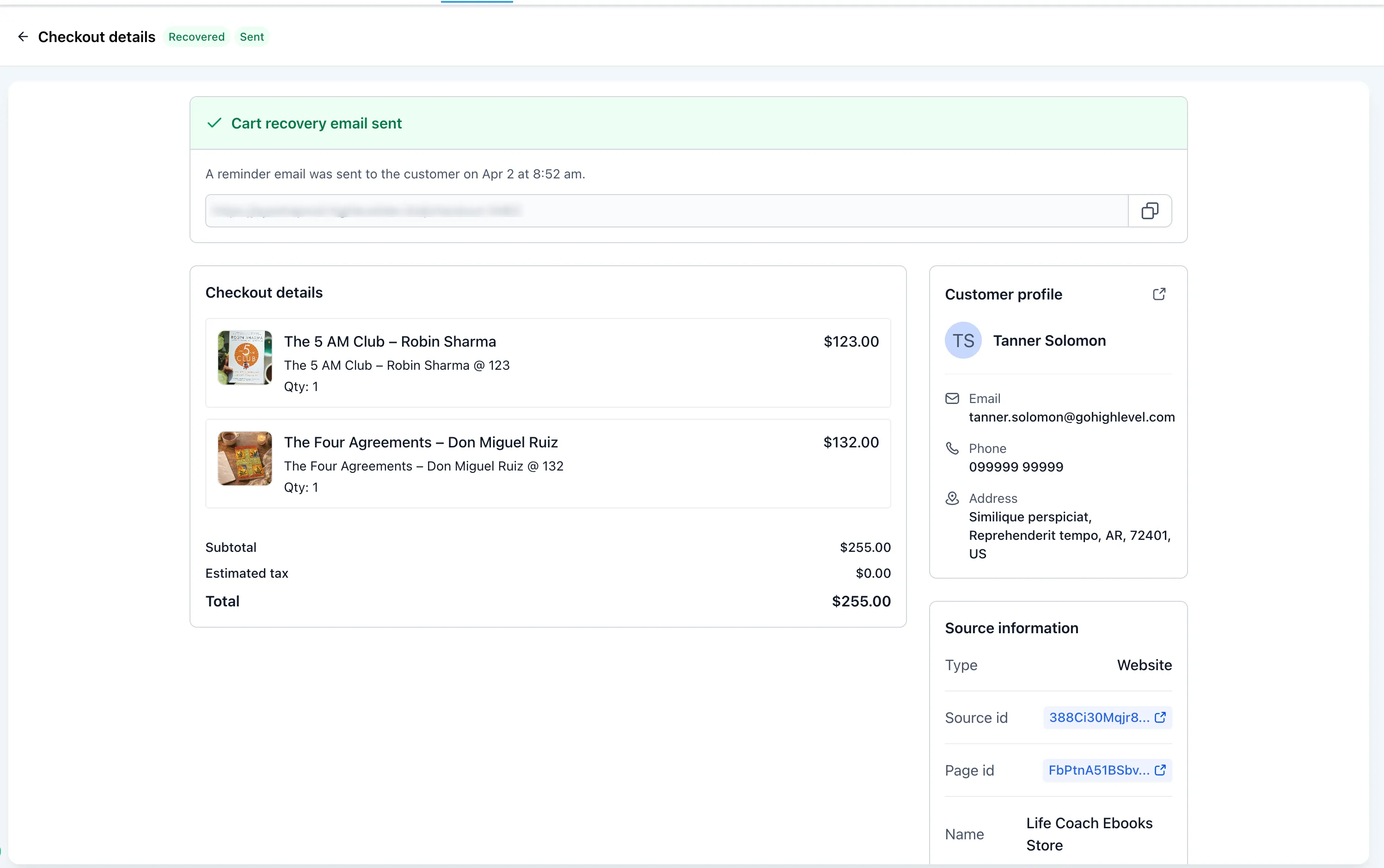
- Open an abandoned checkout to copy and share its checkout URL directly with the customer so they can return to complete the purchase.
How to use it
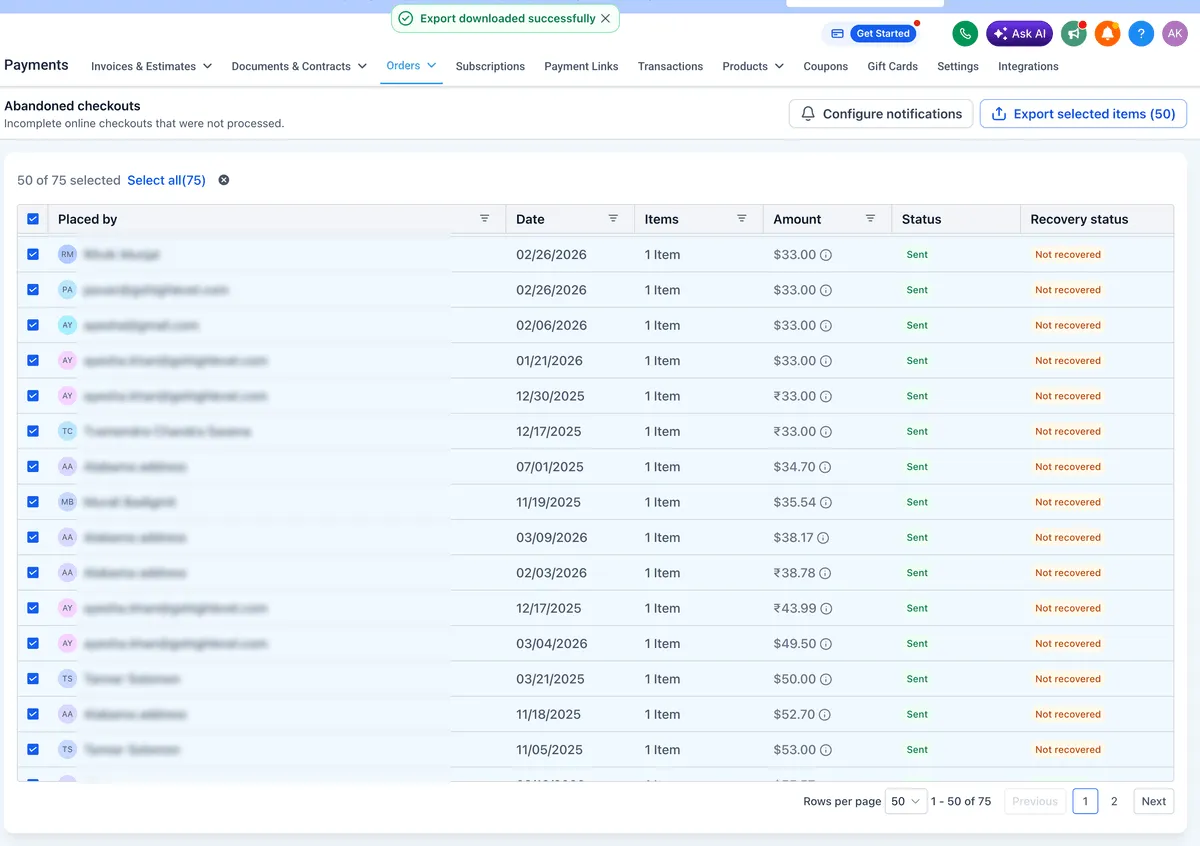
- Go to Payments > Orders > Abandoned Checkouts.
- Search or filter the records you need.
- Select the checkouts and click Export CSV.
- Use Configure Notifications to manage abandoned cart notifications.
Export details to note
- Export is enabled only after selecting at least one record.
- Select All applies to the current page.
- Exports with more than 5,000 records are delivered by email.
Related SMBcrm Features
Need Help Applying This Update?
Want help turning this update into a working part of your CRM, marketing, or automation setup?
Get Started or schedule a demo and we’ll help you map the right next step.