SMBcrm has improved WhatsApp template management to make sending more reliable, authoring more flexible, and phone number management easier to use.
What changed
Approved templates in send workflows
When choosing a WhatsApp template in Conversations, Bulk Actions, or Workflow WhatsApp actions, users now see only approved templates. This helps reduce avoidable send failures caused by selecting a template that is not approved.
Template dropdowns also load faster because they now fetch only the lightweight data needed for selection instead of full template documents. This improves the experience in heavier screens where performance matters.
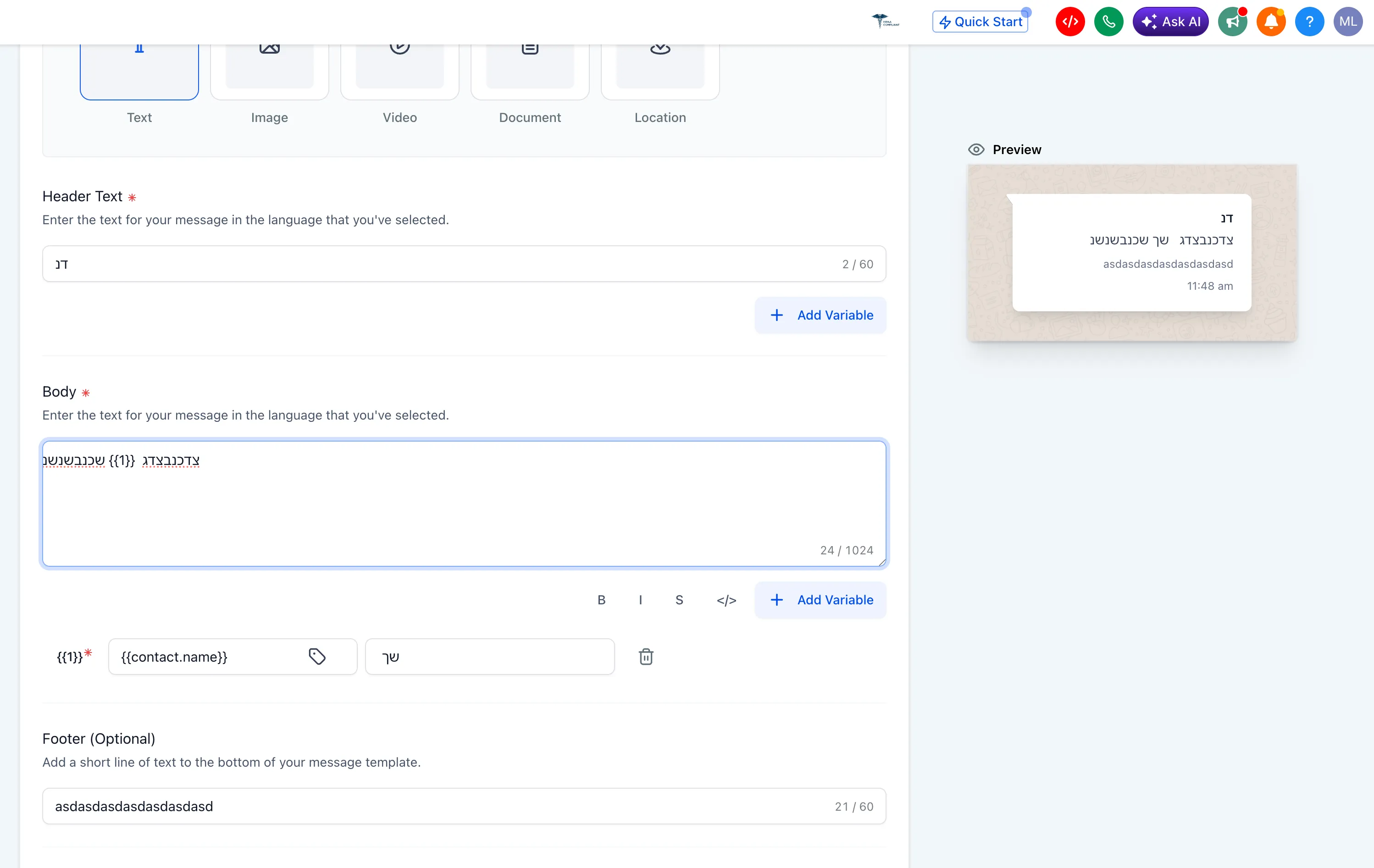
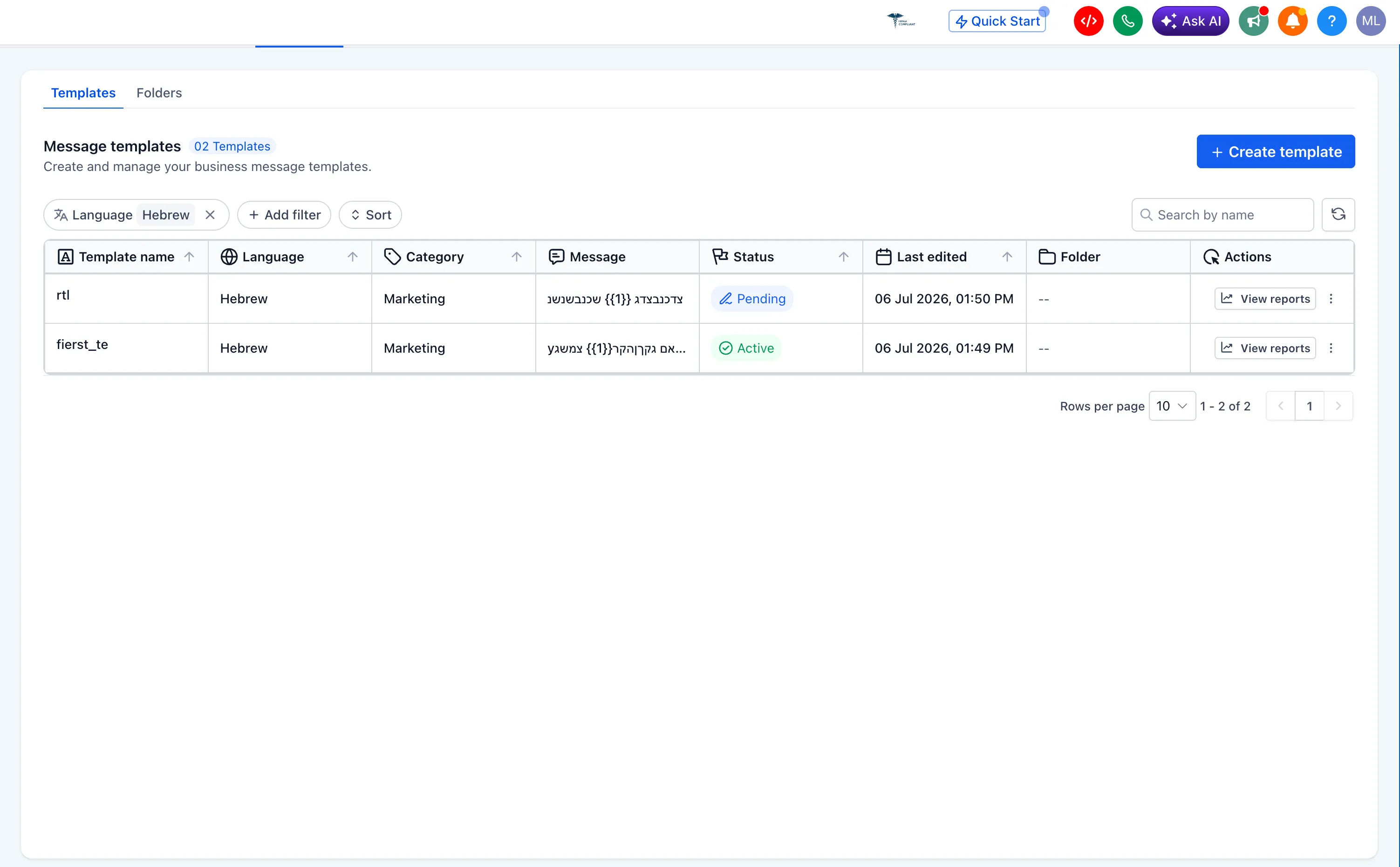
RTL authoring in template forms
Users can now create and edit right-to-left WhatsApp templates directly in SMBcrm. Arabic, Urdu, and Hebrew can be typed natively in the template forms without drafting in an external editor first.
This also works alongside the WhatsApp AI template generator for faster right-to-left template creation.
Improved WhatsApp Phone Numbers tab
The WhatsApp Phone Numbers tab now handles longer lists more cleanly. Scrolling and pagination have been fixed so the page no longer overflows, which is especially helpful on smaller screens.
Why it matters
These updates make WhatsApp messaging in SMBcrm communication tools more predictable and easier to manage.
Key improvements include:
- Fewer avoidable send failures from non-approved templates
- Faster template selection across Conversations, Bulk Actions, and Workflows
- Native right-to-left template authoring for Arabic, Urdu, and Hebrew
- Better usability for long WhatsApp phone number lists
In Case You Missed It
You may also want to read about Button Hover Animations in the Page Builder.
Release Images
Need Help Applying This Update?
Want help turning this update into a working part of your CRM, marketing, or automation setup?
Get Started or schedule a demo and we’ll help you map the right next step.