SMBcrm has refreshed the WhatsApp Templates and Template Folders experience to make larger template libraries easier to manage. The updated interface is designed to help teams find, review, and reorganize templates with less friction inside SMBcrm communication tools.
What Changed
Refresh templates without reloading the page
A refresh button now updates templates and folders in place. This helps you pull the latest template and folder state, including updated Meta approval statuses, without losing your current view.
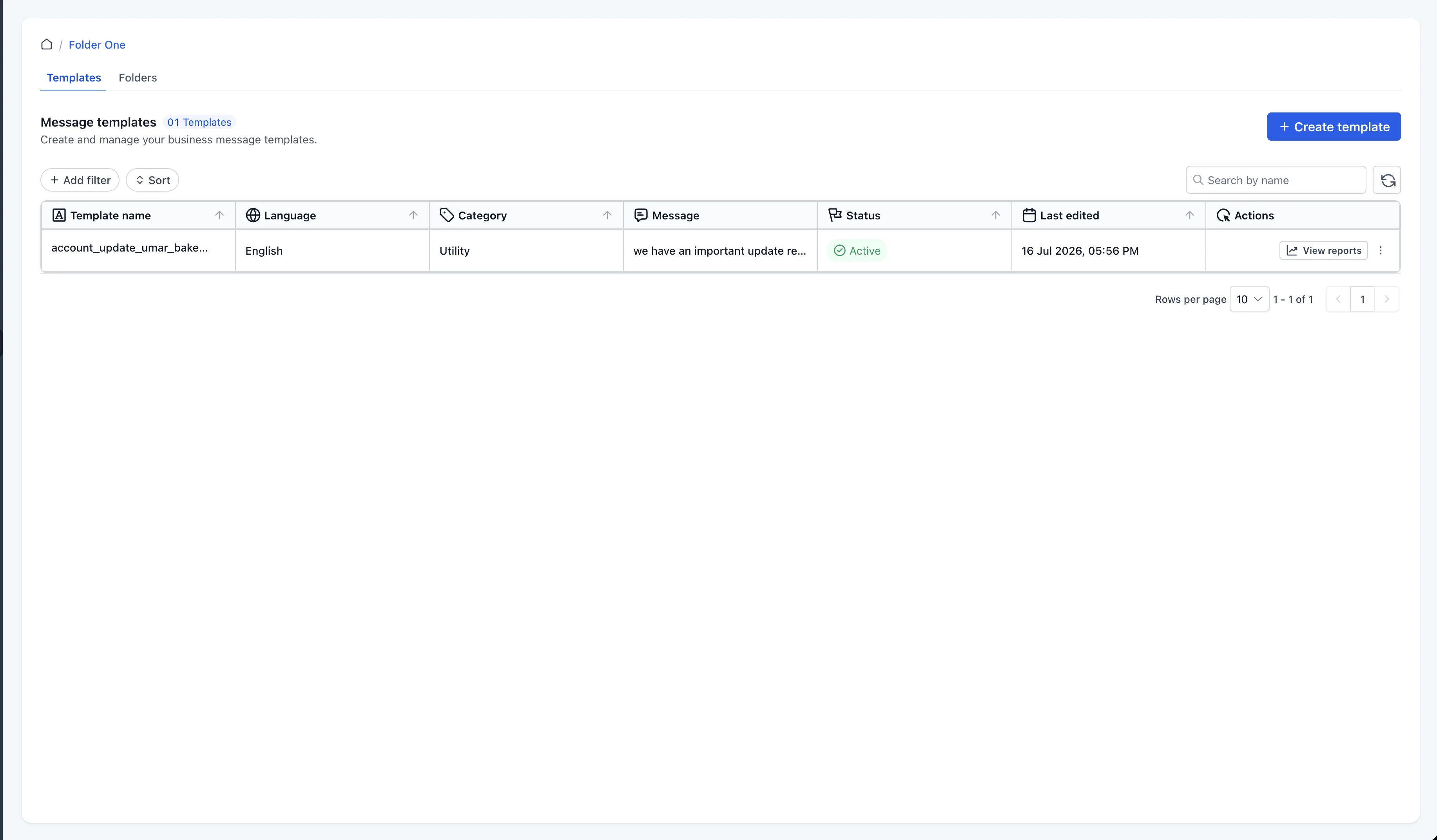
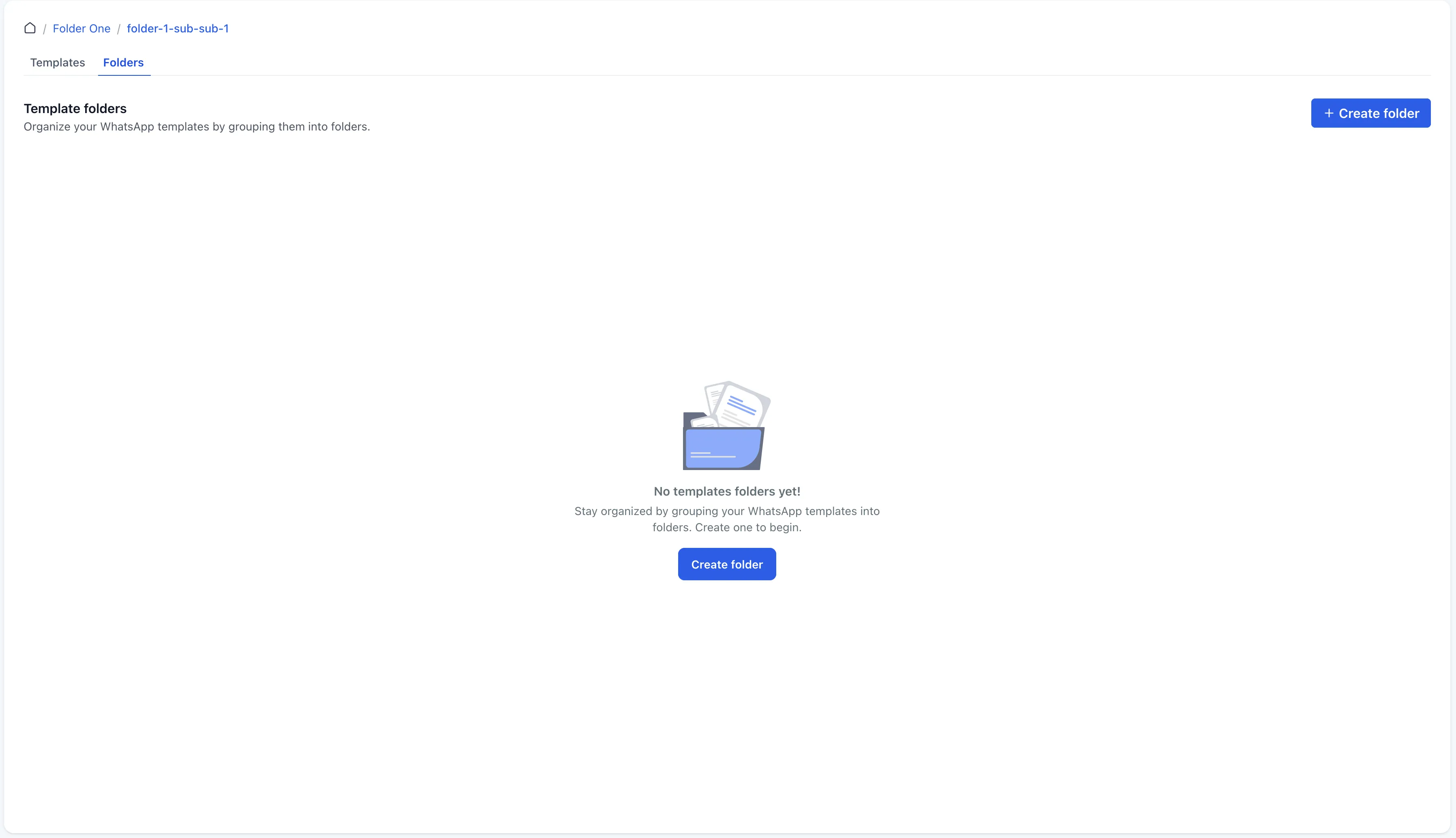
Navigate folders like directories
Folders now behave more like a directory structure. You can open a folder, work inside it, and see only the templates and subfolders that belong to that folder.
The templates list also shows where each template lives, making it easier to understand how your library is organized.
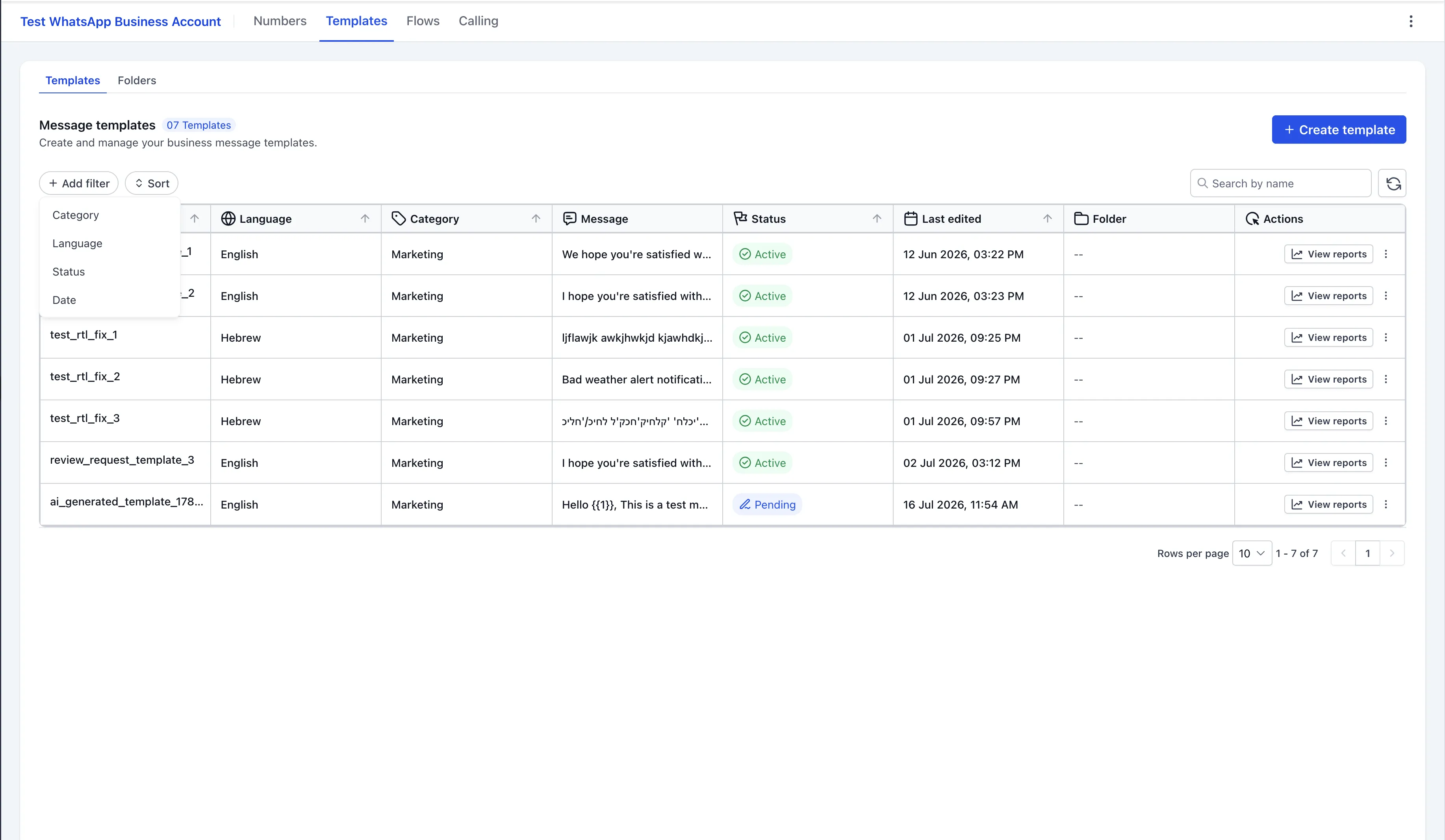
Filter and sort template lists
You can now filter templates by:
- Status
- Language
- Last edited
- Category
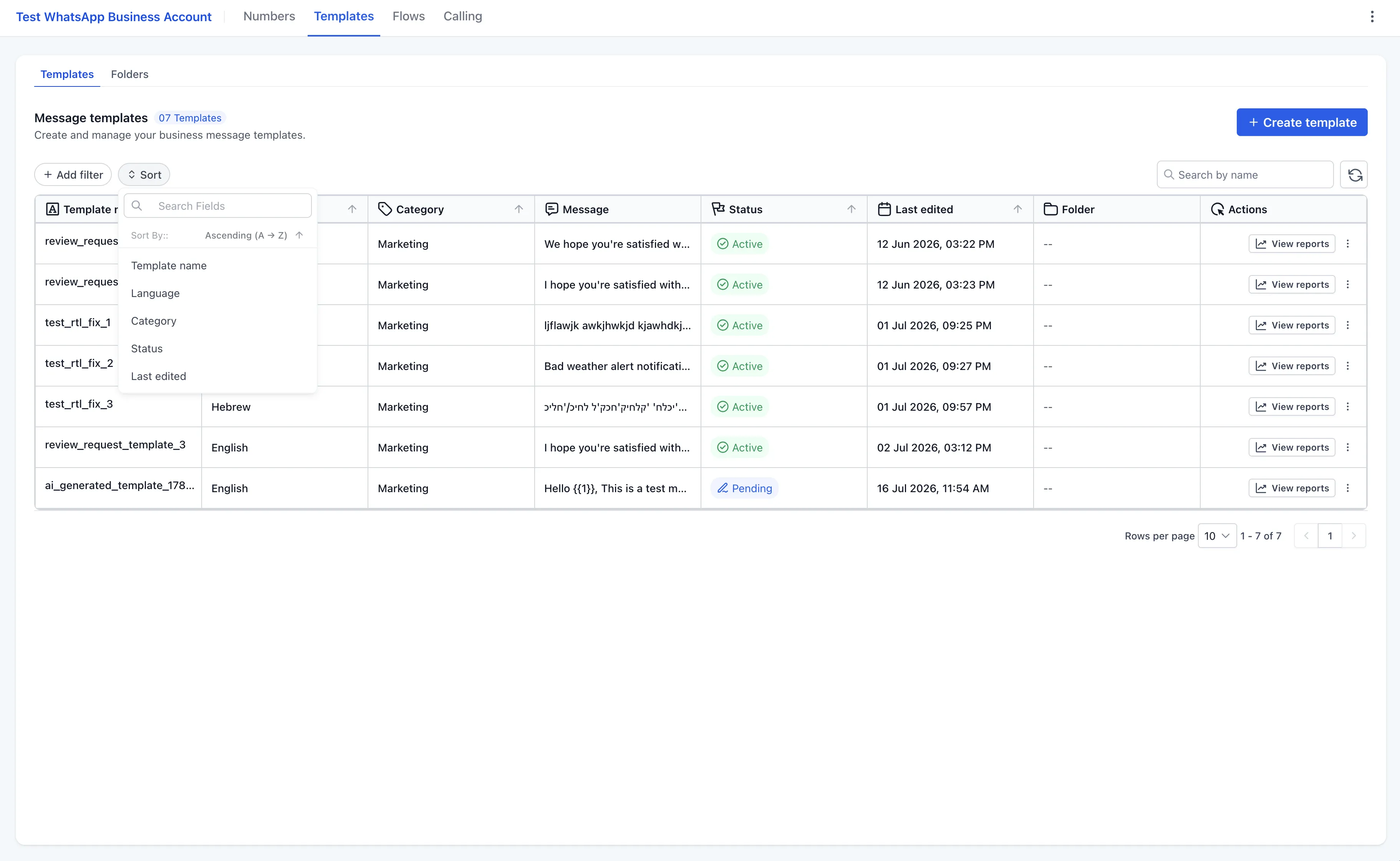
You can also sort templates by:
- Template name
- Language
- Category
- Last edited
- Status
These controls make it easier to review large template libraries and find the right template faster.
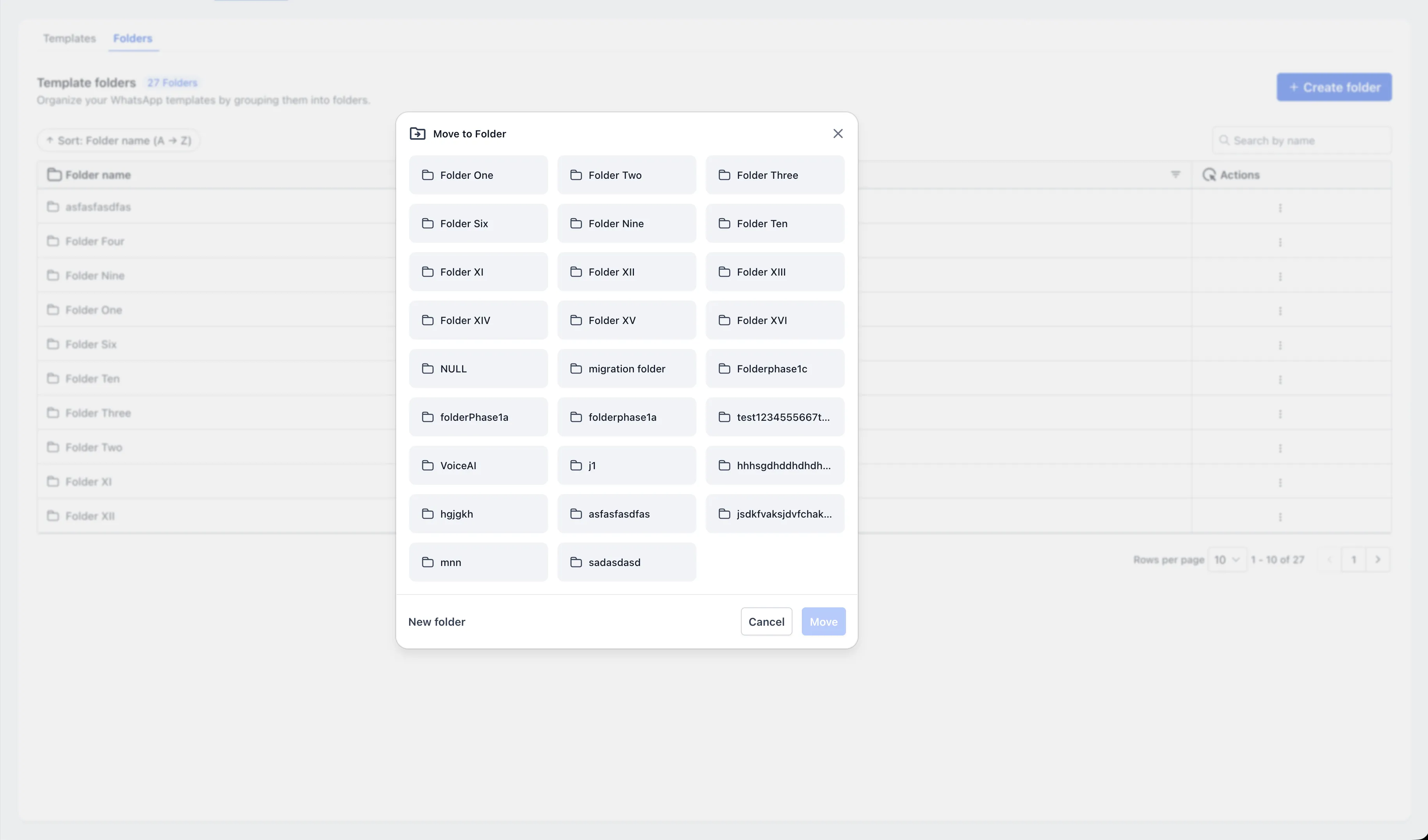
Reorganize folders and templates more easily
The updated experience supports moving folders and templates across levels. You can nest folders, move folders back to a parent level, or move templates between folders as your messaging structure changes.
Work in a cleaner interface
The WhatsApp templates and folders screens have been rebuilt with a cleaner, more structured layout that aligns with the current SMBcrm product experience.
Why It Matters
As WhatsApp usage grows, template libraries can become difficult to scan and maintain. Folder-scoped views, sorting, filtering, clearer template locations, and in-place refresh all help reduce the time spent searching and reorganizing.
This update is especially useful for teams managing many WhatsApp templates across languages, categories, and approval statuses.
In Case You Missed It
You may also want to read about Multi-Role Signing for Documents in Workflows.
Release Images
Need Help Applying This Update?
Want help turning this update into a working part of your CRM, marketing, or automation setup?
Get Started or schedule a demo and we’ll help you map the right next step.