SMBcrm now brings WhatsApp performance statistics into workflow automation, so teams can review message outcomes without leaving the workflow that sent them.
What changed
WhatsApp actions in workflows now include a Statistics view that shows the delivery lifecycle for messages sent by that action:
- Sent
- Pending
- Delivered
- Read
- Failed
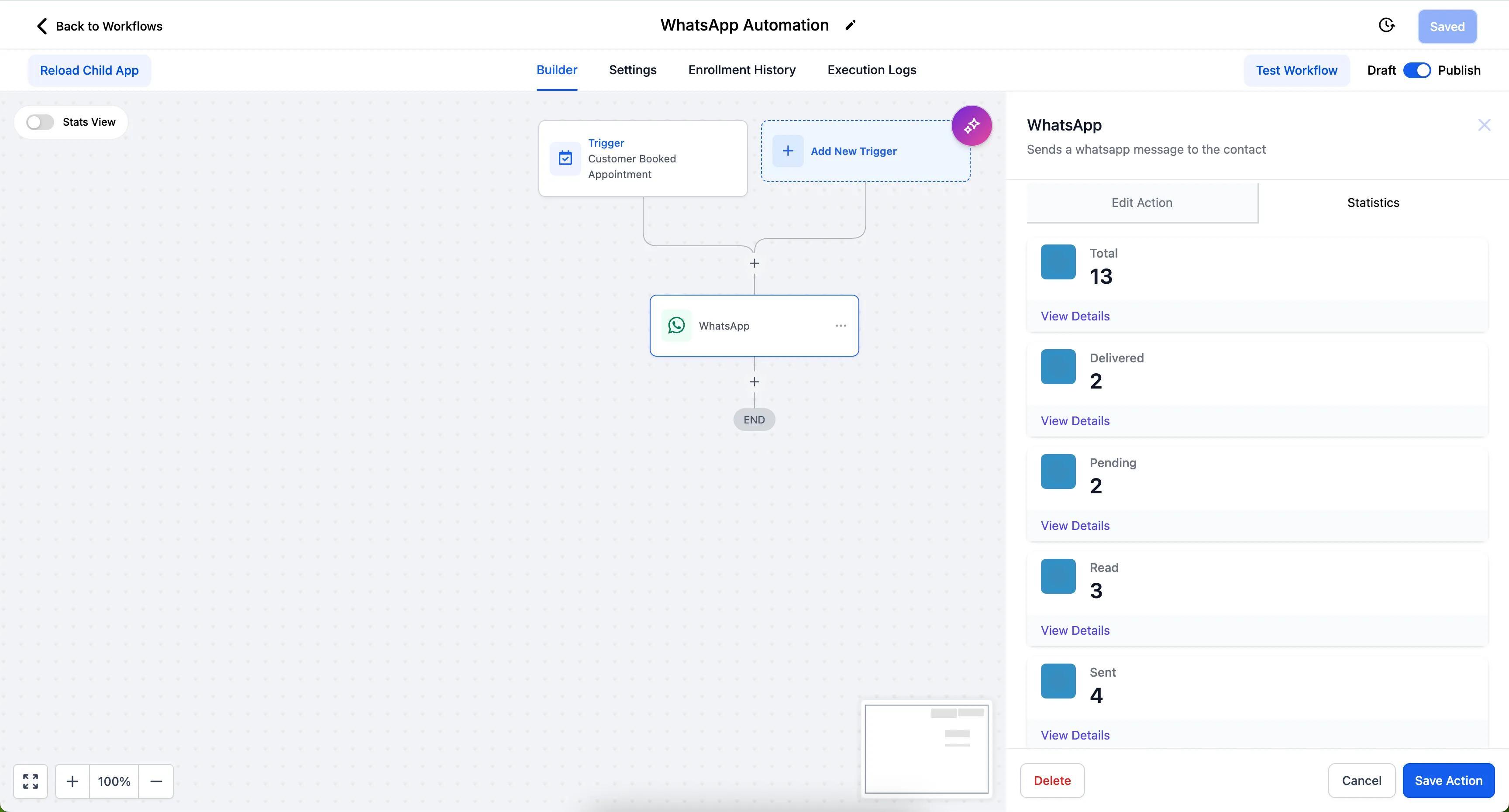
This makes it easier to see how workflow-based WhatsApp messages are performing in one place.
Analyze results by date range
Use the date range selector to review statistics for a specific campaign or send window. This helps narrow reporting to the period you need to evaluate.
Review individual message details
Open an individual message to view recipient information and precise timestamps.
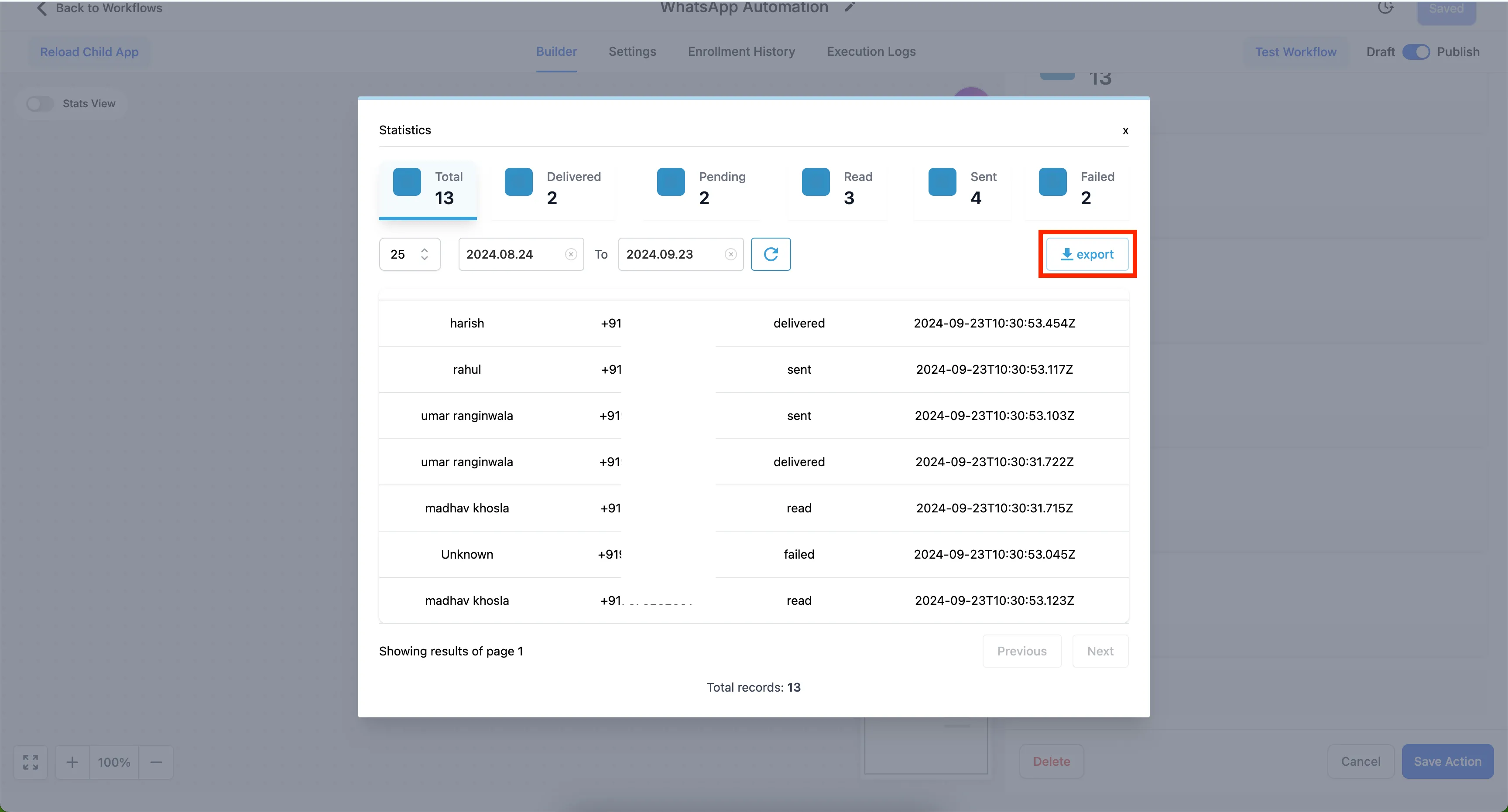
Export statistics
Open all statistics and use Export to download results for additional reporting or analysis.
How to view WhatsApp statistics
- Go to Automation and select a workflow with a WhatsApp action.
- Click the WhatsApp action and select Statistics.
- Review the totals and individual message details.
- Use the date range selector to customize the view.
- Open all statistics and click Export to download.
Why it matters
WhatsApp delivery can vary. By connecting sent, delivered, read, pending, and failed counts to the workflow that sent the message, teams can spot delivery drops, investigate failures, and export details when reporting is needed across their communication workflows.
In Case You Missed It
For another workflow improvement, read Multi-Role Signing for Documents in Workflows.
Need Help Applying This Update?
Want help turning this update into a working part of your CRM, marketing, or automation setup?
Get Started or schedule a demo and we’ll help you map the right next step.