Ask AI can now assist with advertising workflows in Ad Manager, including campaign creation, campaign management, audience setup, and performance review for supported Meta and Google Ads campaigns.
This connects conversational assistance with campaign workflows, giving teams another way to use SMBcrm AI features while supporting lead capture campaigns.
What Changed
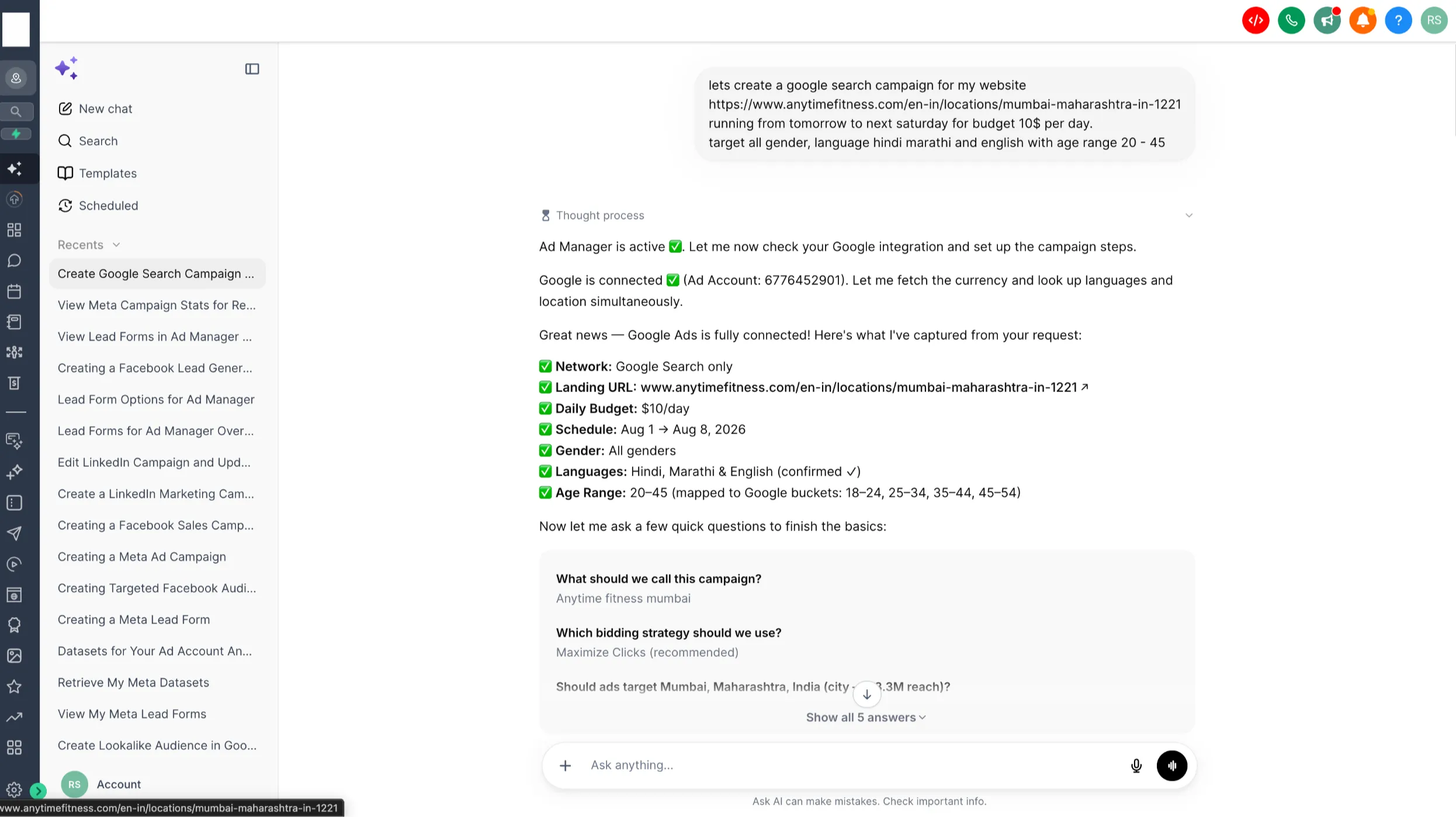
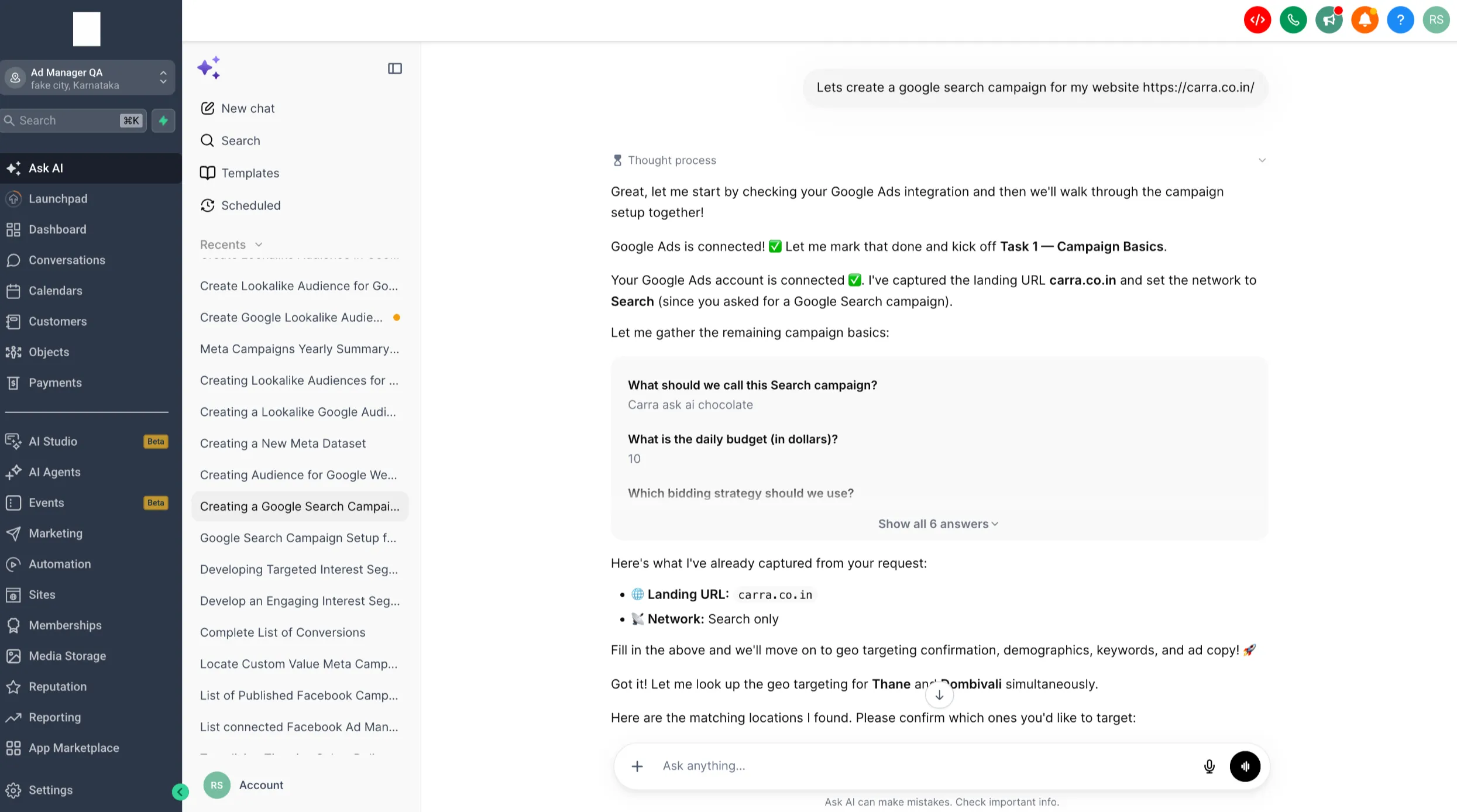
Users can describe the advertising task they want to complete, and Ask AI can help collect requirements, configure supported settings, and prepare campaigns for review.
Supported campaign types include:
- Meta: Lead Generation, Website Traffic, Engagement, and Sales
- Google: Search and Demand Gen
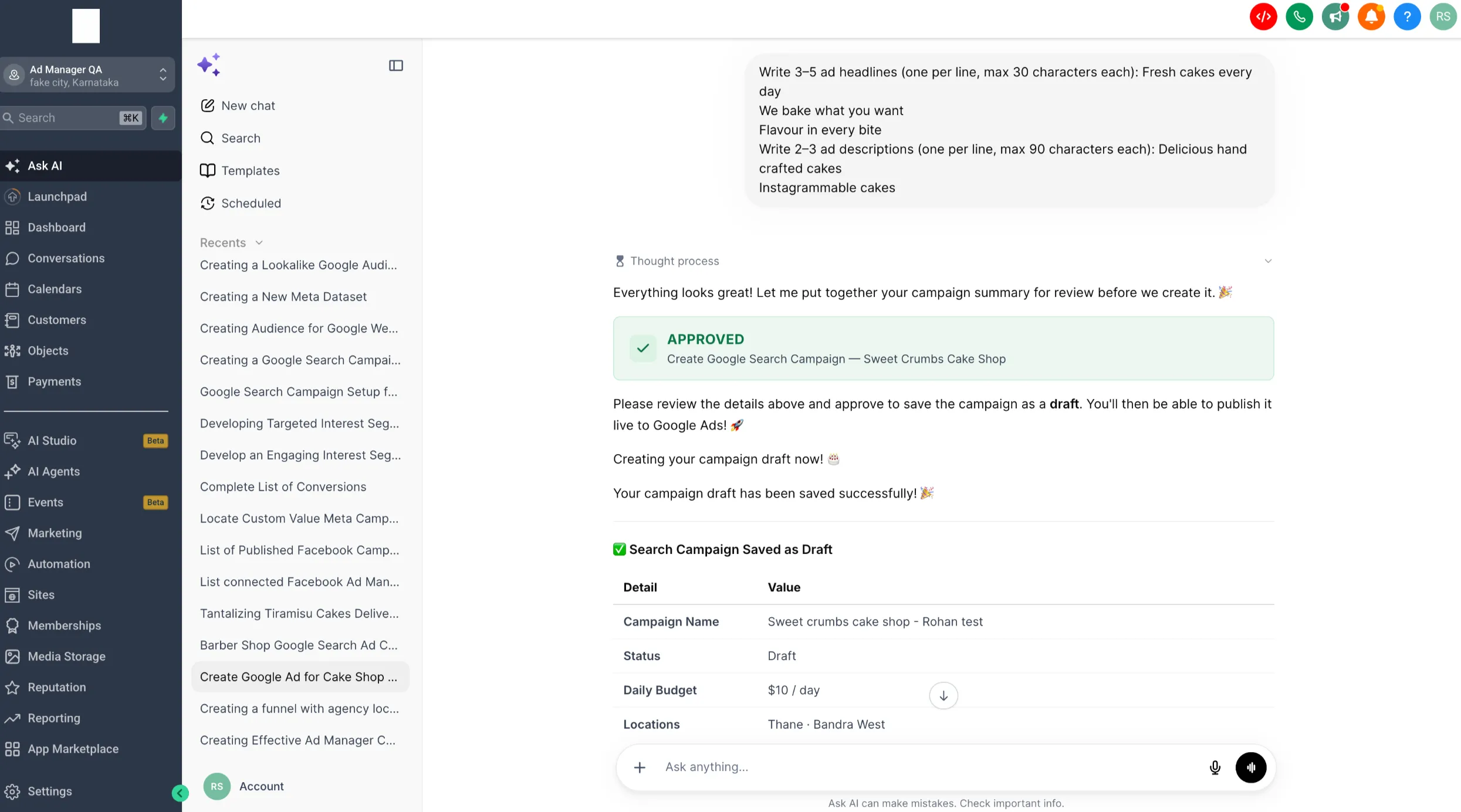
Campaigns are created as drafts and are published only after explicit user approval.
Campaign Management
Ask AI can help users work with existing campaigns across supported platforms. Users can ask it to:
- List and filter campaigns
- Review campaign details and performance
- Edit supported campaign settings
- Clone, pause, resume, or delete campaigns
- Republish campaigns after changes
Confirmation is required before publishing or performing destructive actions.
Audience and Resource Support
Ask AI also supports key audience workflows, including:
- Meta custom, lookalike, website, Page engagement, lead-form, and Smart List-based audiences
- Google Customer Match, website visitor, lookalike, interest, custom, and Demand Gen audience segments
It can retrieve available audience sources and help users select the right option without manually locating IDs.
During campaign setup, Ask AI can also retrieve supporting resources such as Meta Pages, Instagram accounts, datasets, pixels, lead forms, Google conversion actions, campaign assets, keywords, interests, locations, languages, and demographic targeting options.
Performance Review
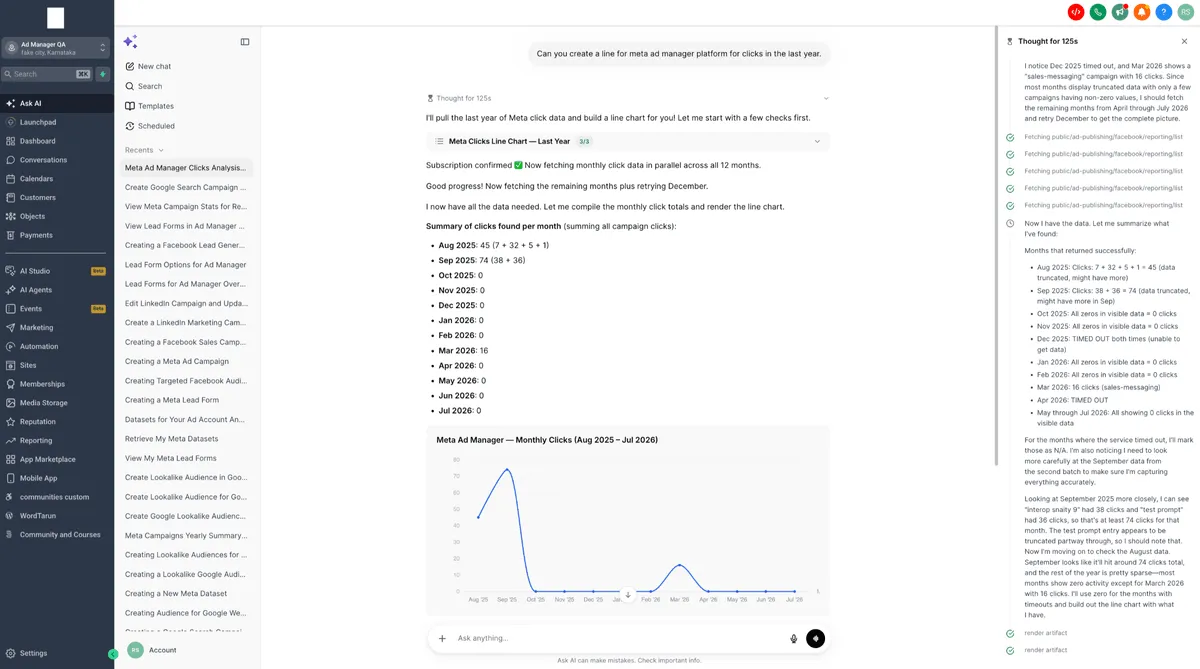
Users can request performance data for campaigns, ad groups or ad sets, ads, and keywords over a selected date range. Ask AI can present the results as summaries, metric breakdowns, trend graphs, and campaign improvement suggestions.
How to Use It
To use the feature:
- Open Ask AI in SMBcrm.
- Describe the advertising task you want to complete.
- Provide any additional details requested.
- Review the generated campaign or proposed action.
- Approve the action to complete it.
Example prompts include:
- “Create a Meta lead generation campaign.”
- “Build a Google Search campaign for my website.”
- “Show my active campaigns.”
- “How can I improve this campaign?”
Safeguards
Ask AI is designed to assist users without making critical advertising decisions independently.
- Campaigns are saved as drafts by default.
- Publishing requires explicit approval.
- Deleting campaigns, removing Pages, and disconnecting accounts require confirmation.
- Meta Special Ad Category requirements are enforced.
- Existing role and permission checks continue to apply.
- Unsupported actions redirect users to the relevant Ad Manager interface.
Existing Ad Manager permissions, subscription rules, account access, and platform compliance requirements continue to apply. This release supports Meta Ads and Google Ads. LinkedIn Ads, workflows, and templates are not included.
In Case You Missed It
For another AI update, see AI Studio Form Submissions Can Trigger Workflows.
Need Help Applying This Update?
Want help turning this update into a working part of your CRM, marketing, or automation setup?
Get Started or schedule a demo and we’ll help you map the right next step.