SMBcrm workflows can now create richer contact notes with an optional title and selected note color. Existing workflows continue to work because both fields are optional.
What Changed
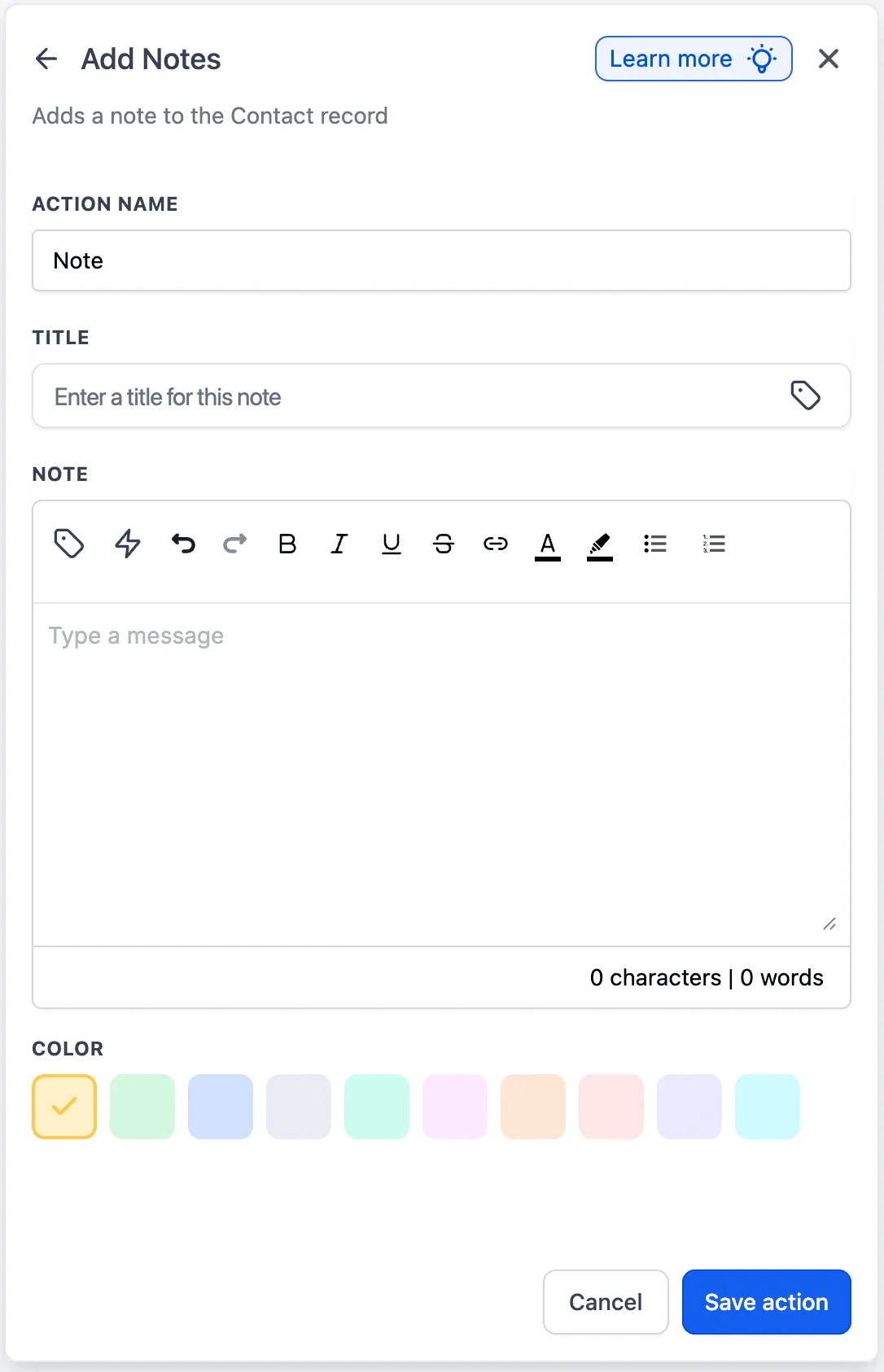
The Add to Notes action in Automation now supports the same note title and color options available in the updated contact notes experience. This helps teams add context to workflow-created notes and organize them visually.
How to Use It
- Open a workflow and add or edit the Add to Notes action.
- Add a note title and note color as needed.
- Save and publish the workflow.
Additional Notes
- Existing notes are not affected by this update.
- Note title and note color are optional.
In Case You Missed It
For another CRM update, read Custom Date Reminders Now Support More CRM Record Types.
Need Help Applying This Update?
If you’d like help rolling this out in SMBcrm, visit Support or request a demo.