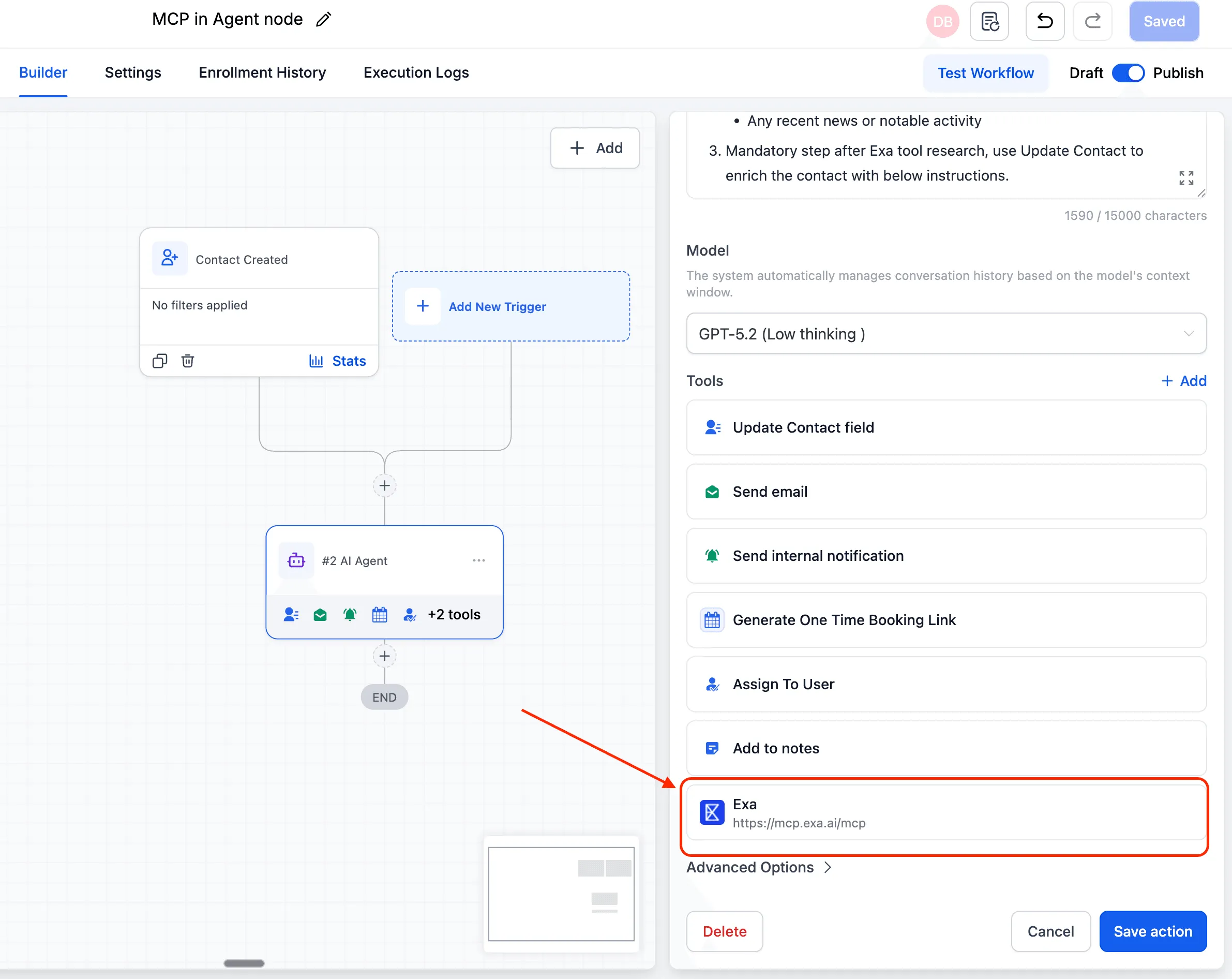
AI Agent actions in Automation now support MCP-compatible tool connections. This allows an agent to access external apps, services, APIs, databases, browsers, and search tools in real time during a workflow.
What Changed
With this update, AI features in workflows can use MCP connections as tools. Key capabilities include:
- Connect an MCP-compatible server as a tool for an AI Agent
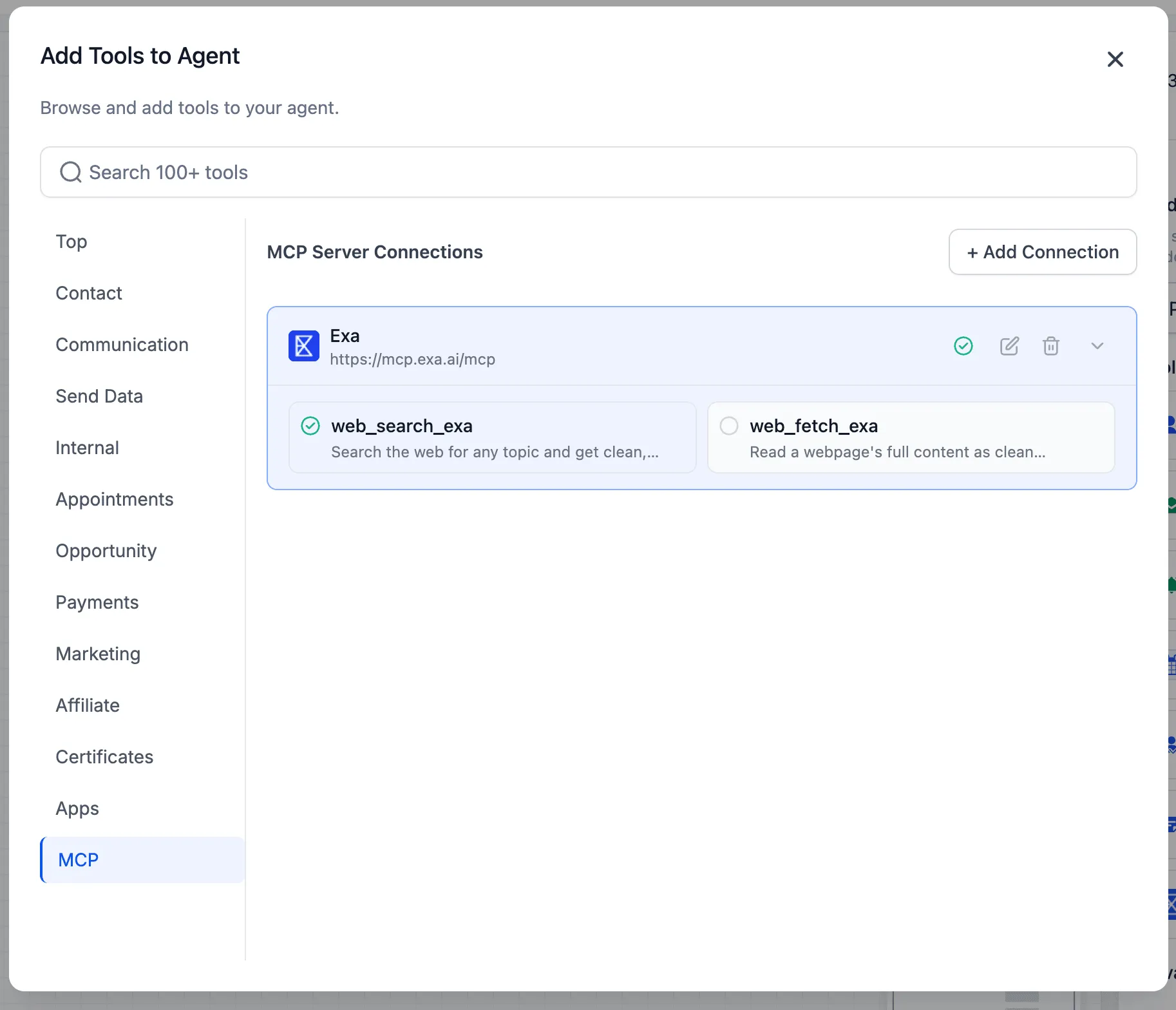
- Automatically discover available tools by testing the connection
- Enable or disable individual tools for each agent
How to Use It
- Open the AI Agent node in your workflow.
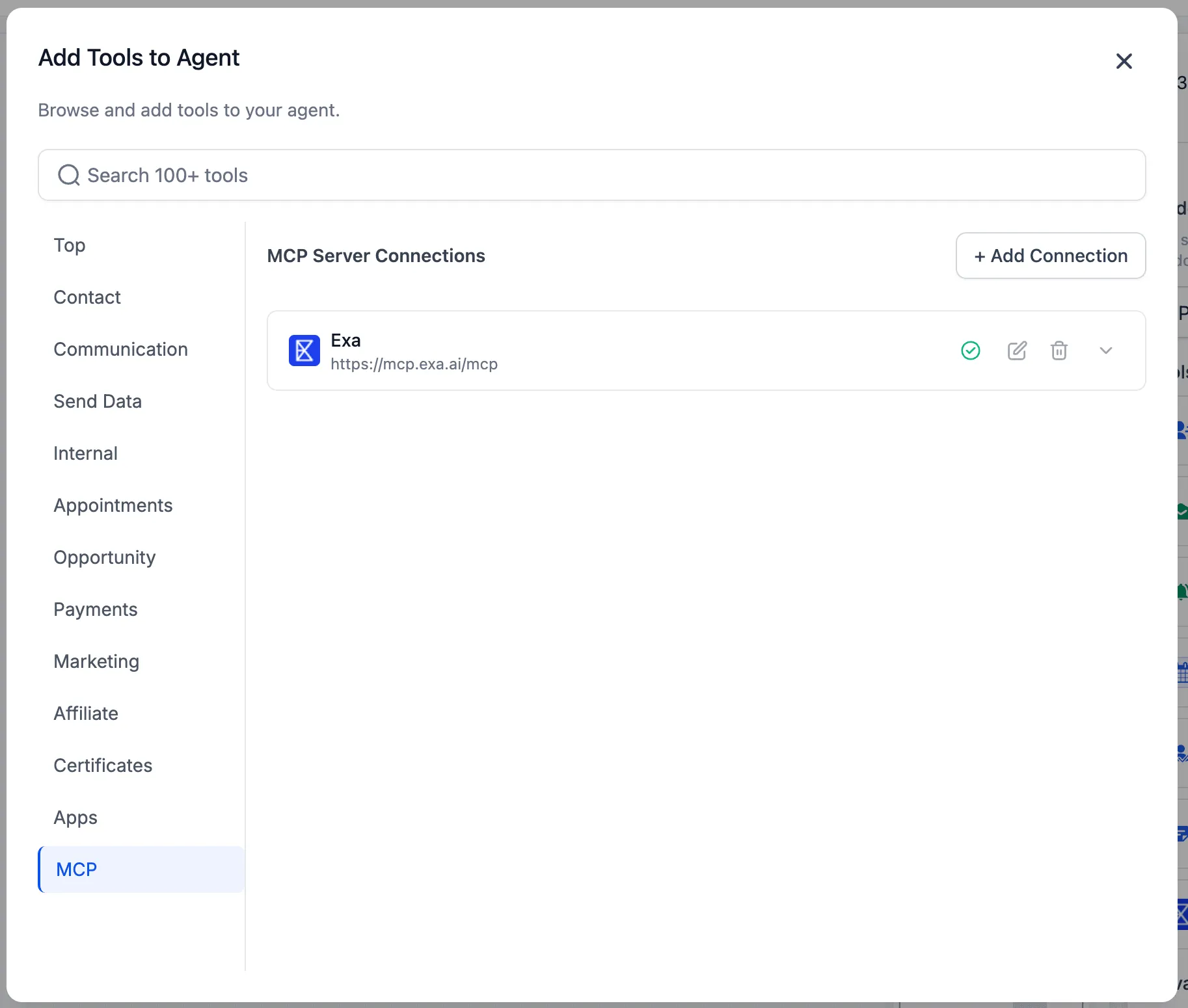
- Click Add Tools and open the MCP tab.
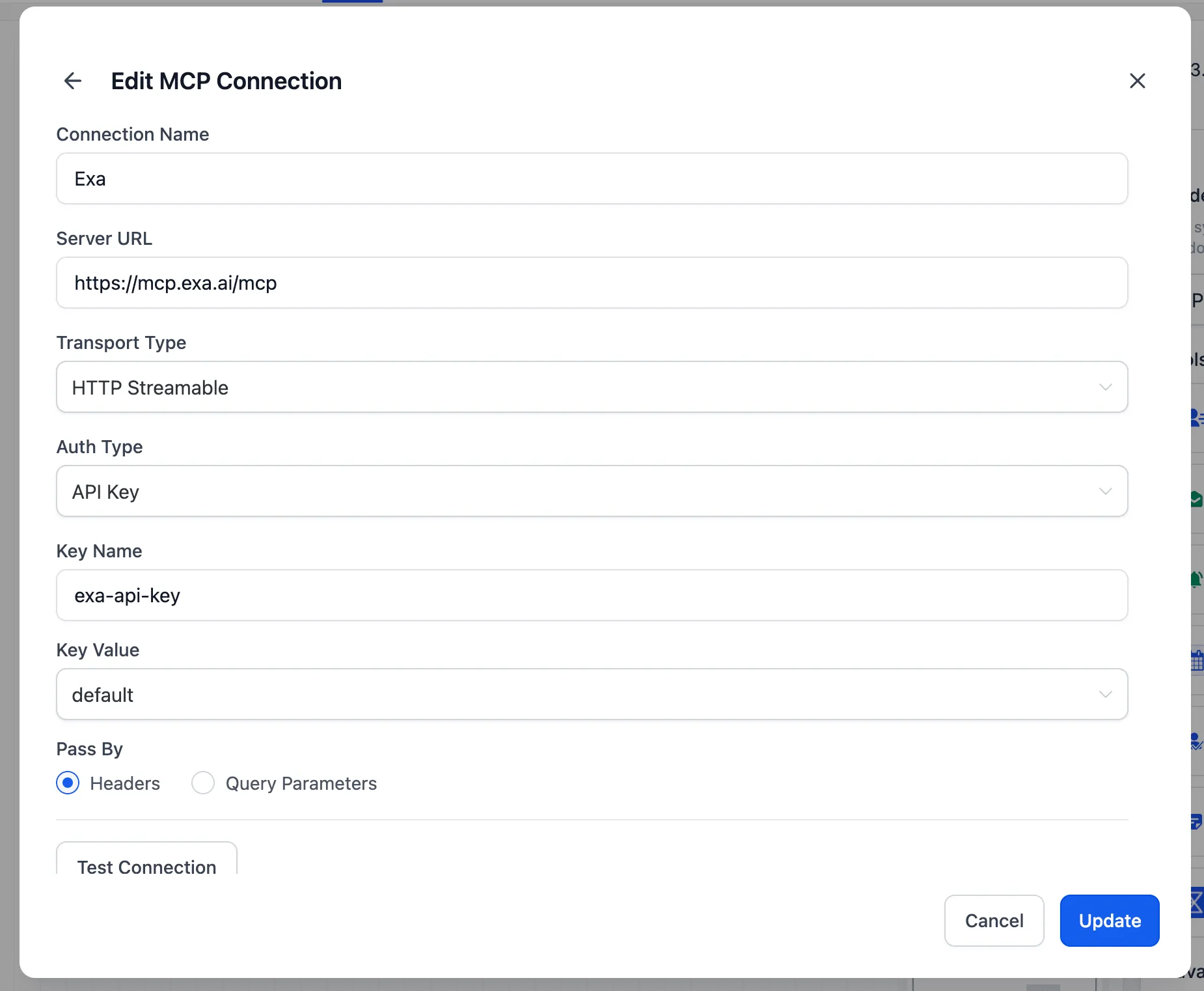
- Click Add Connection and configure the connection details:
- Connection Name
- Server URL
- Transport Type: HTTP Streamable or SSE
- Auth Type: None, Bearer Token, API Key, OAuth2, or Custom Header
- Click Test Connection to discover available tools.
- Choose which tools the agent can use, then save.
Why It Matters
This expands AI Agent workflows beyond data stored in your account.
- Agents can pull live information from connected external services during a workflow run
- MCP supports an open ecosystem of compatible servers instead of a fixed set of integrations
- You can start with existing MCP servers and add custom tools as needed
- Tool access can be controlled at the individual agent level
Technical Details
- Transport types: HTTP Streamable and SSE
- Auth options: None, Bearer Token, API Key, OAuth2, and Custom Header
- Tool discovery happens through Test Connection
- Tool selection is configured per agent
In Case You Missed It
You can also read about the Inbound Email Trigger for Workflows.
Release Images
Need Help Applying This Update?
If you’d like help rolling this out in SMBcrm, visit Support or request a demo.