SMBcrm workflows can now analyze an image as part of an automated process. The AI Analyze Image action is available under AI Actions in Automation.
Give the action a public image URL and a prompt. An AI vision model reviews the image and returns the answer as text, which can be used by later workflow steps.
This is a premium action, and each execution has an additional charge.
What You Can Analyze
- Text extraction: Read text from receipts, invoices, screenshots, and documents.
- Image descriptions: Generate a written description of what appears in an image.
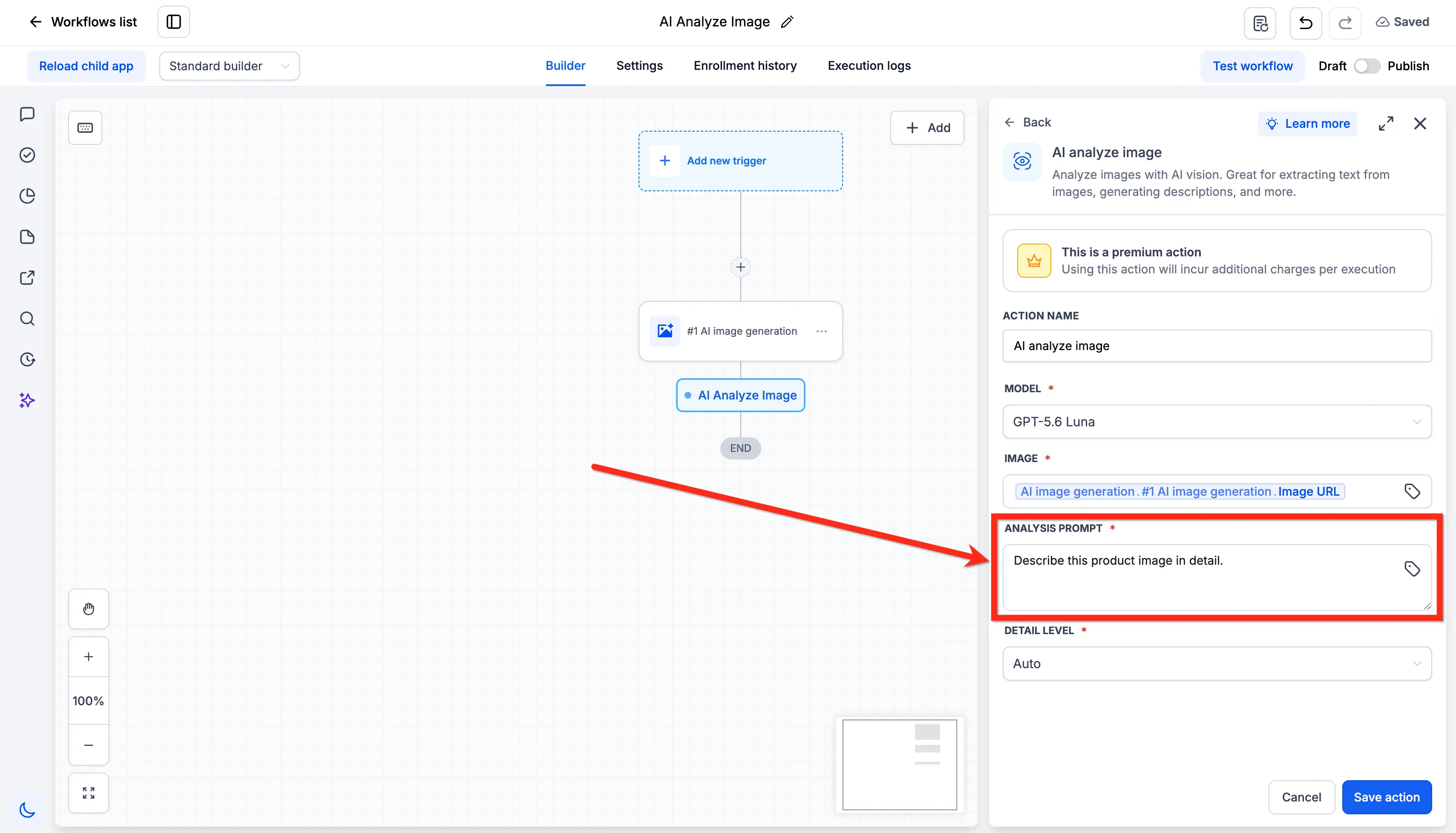
- Flexible prompts: Tell the model what to look for and how to answer. The prompt field accepts custom values.
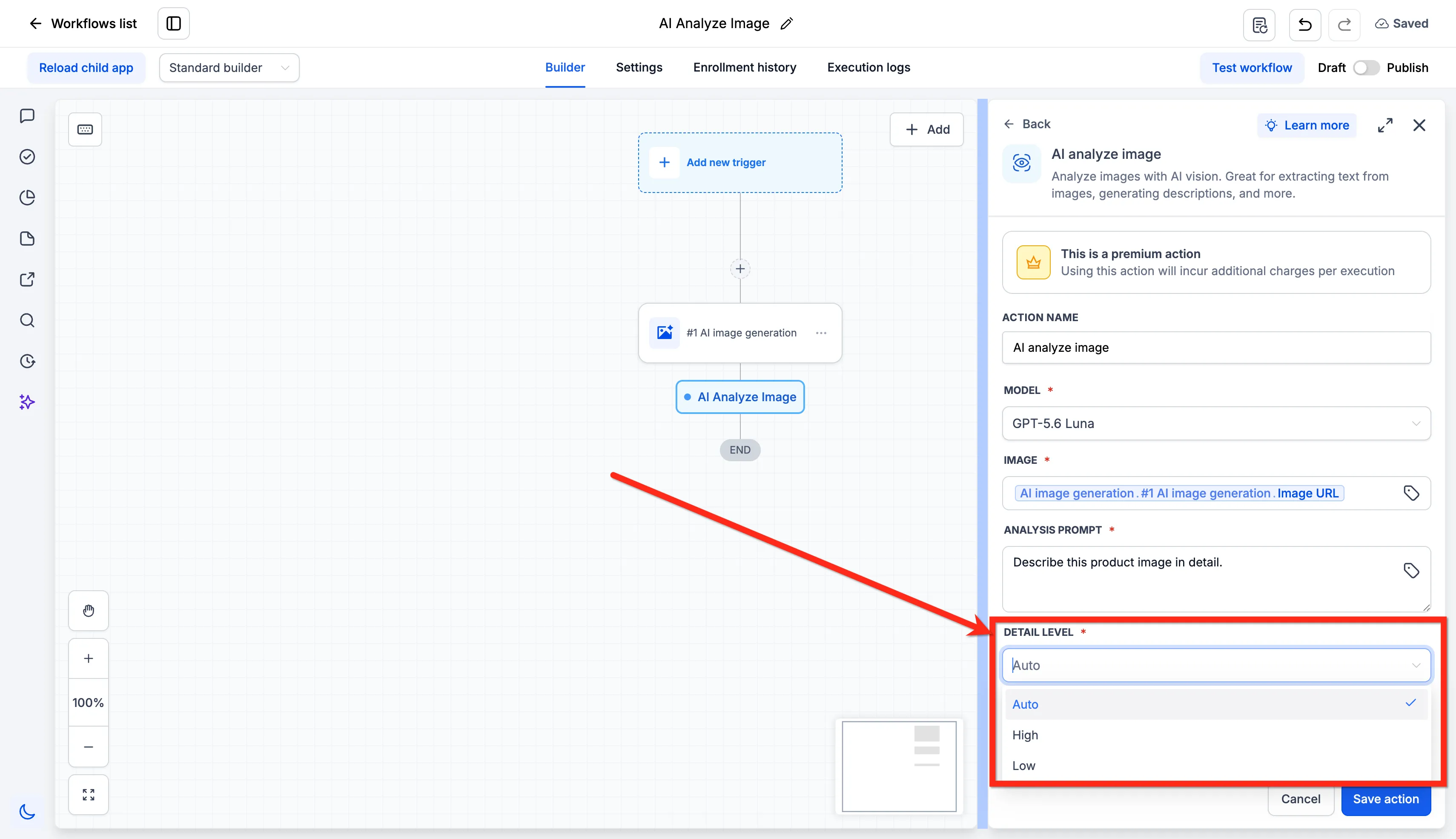
- Detail level: Choose Auto, High, or Low. High is more accurate for small text. Low is faster. Auto is the default.
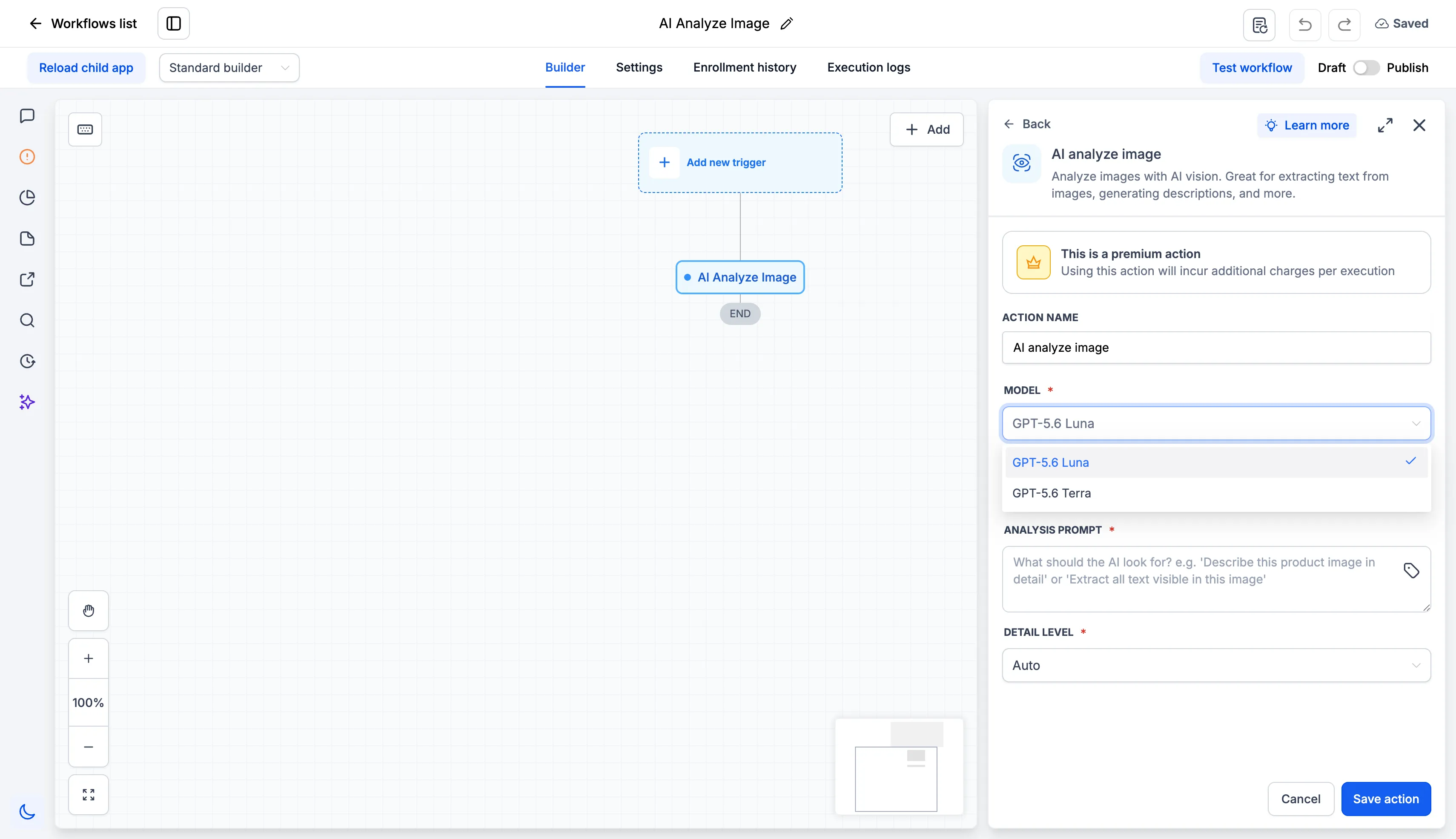
- Model selection: Select GPT-5.6 Luna or GPT-5.6 Terra.
How to Use It
- Go to Automation > Workflows.
- Open a workflow, then add the AI Analyze Image action.
- Select the model.
- Enter the image URL. You can use the output of an earlier step or a custom value.
- Write the analysis prompt.
- Set the detail level.
- Save the action.
Image URL Requirements
The image URL must be public. Anyone must be able to open it without logging in.
Use a direct link to the image file, not a link to a page that contains the image. Files in Media Storage are already public.
Using the AI Response
After the image is analyzed, SMBcrm returns text that can be used in later workflow actions. For example, you can save the response to a custom field, send it in an email or SMS, pass it to a webhook, or send it to another AI action.
In Case You Missed It
For another workflow update, see Choose Sender Domains for Each Workflow.
Release Images
Need Help Applying This Update?
Want help turning this update into a working part of your CRM, marketing, or automation setup?
Get Started or schedule a demo and we’ll help you map the right next step.