AI Campaigns is available in Labs, letting you start personalized SMS outreach from Contacts rather than waiting for a customer to message first. Your Conversation AI agent uses each contact’s past interactions to write an opening message and can follow up automatically.
This update expands SMBcrm’s AI features with audience-based outreach and optional AI handling of replies, including questions, objections, appointment booking, and human handover.
Choose Your Audience
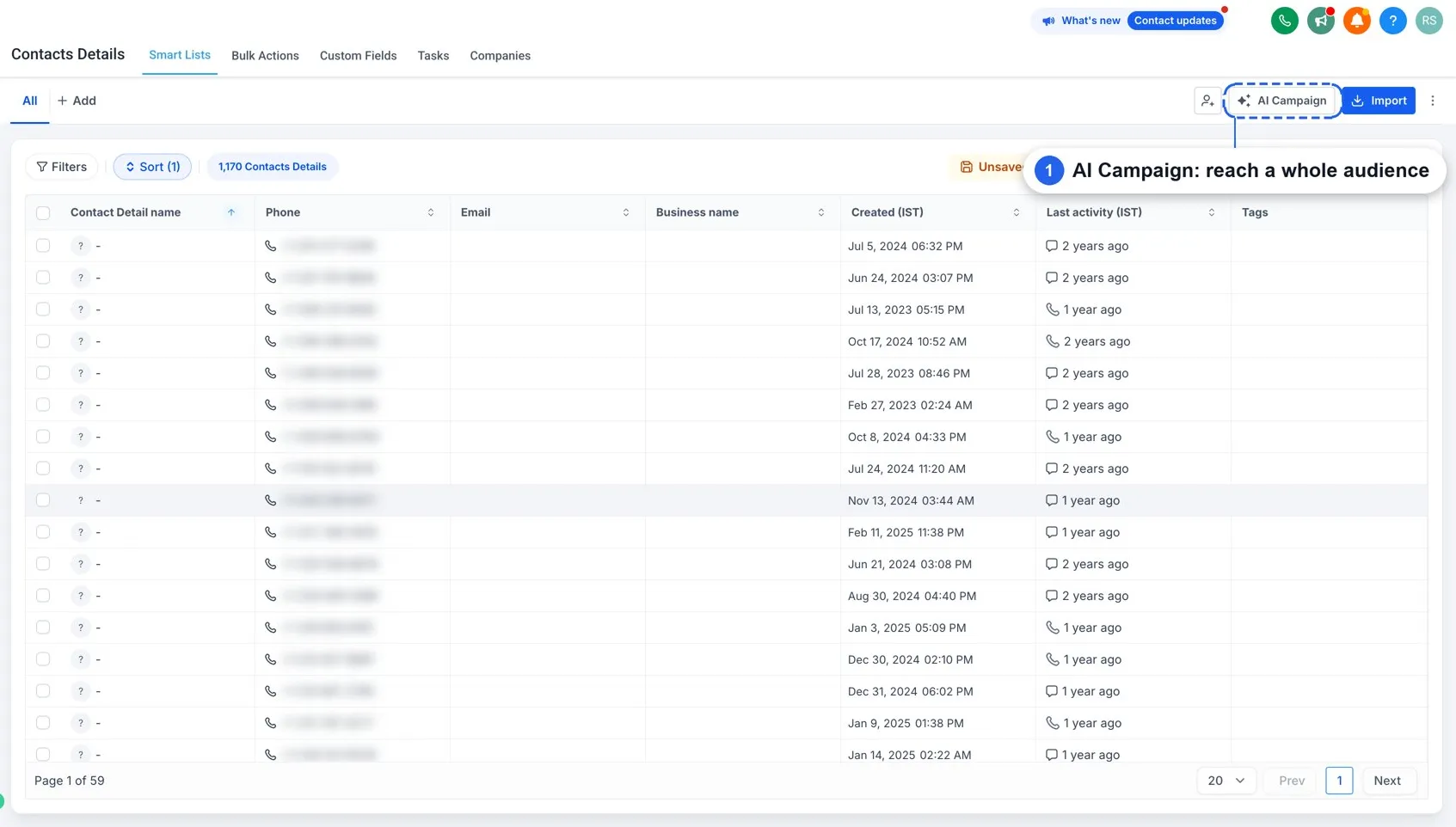
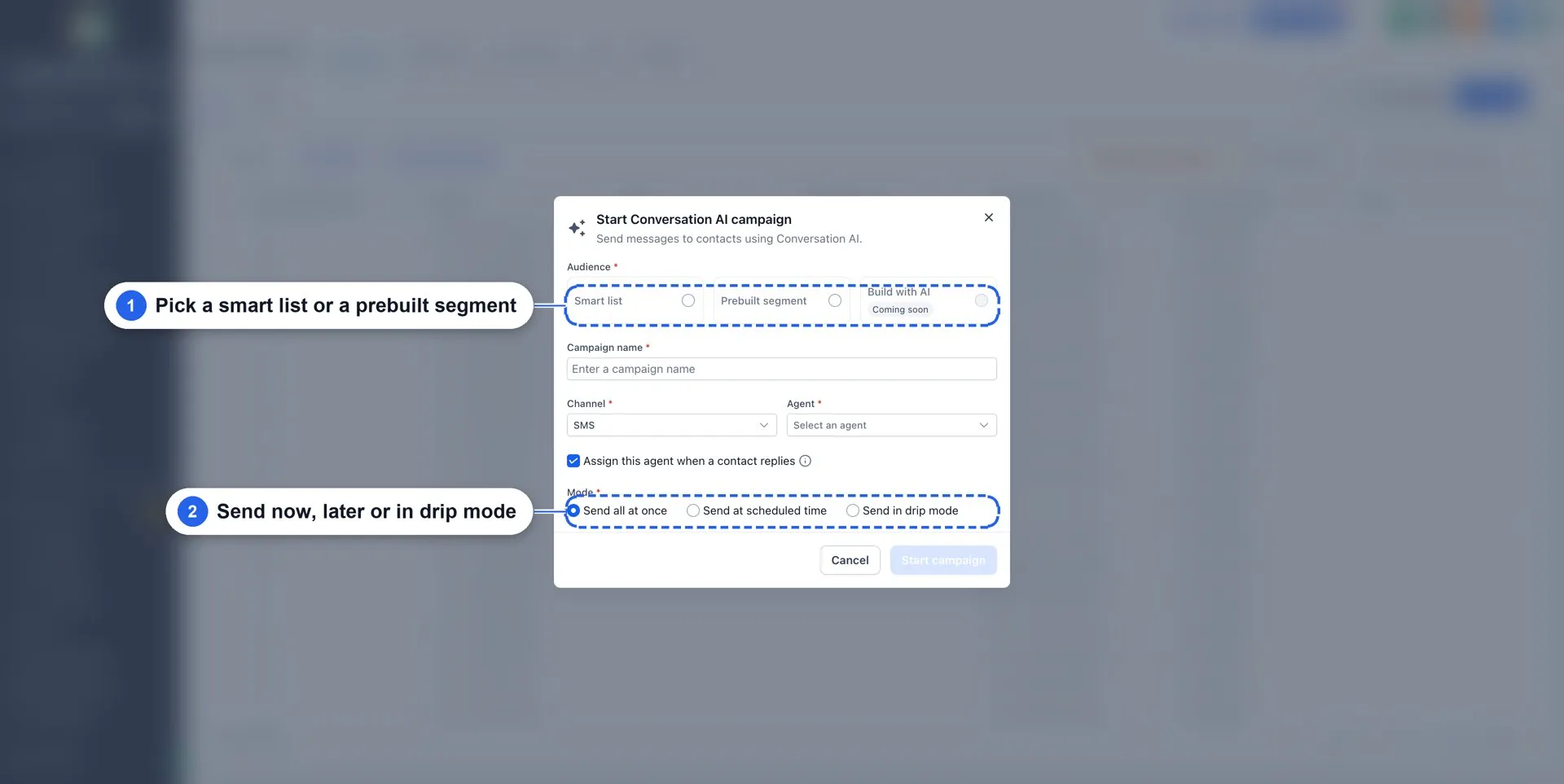
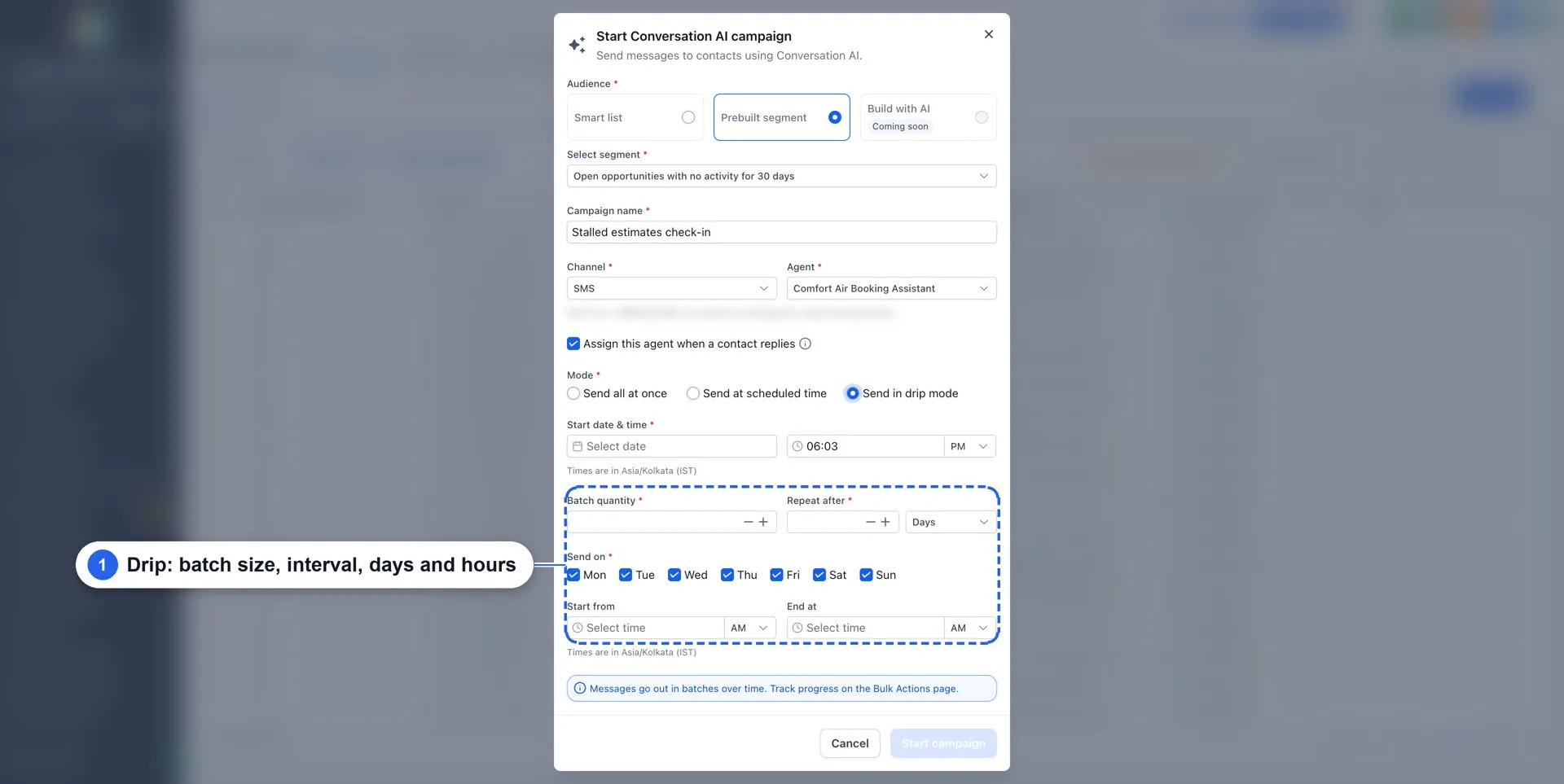
Start from Contacts → AI Campaign, select an audience, choose an agent, and configure how to send.
Available audience options include:
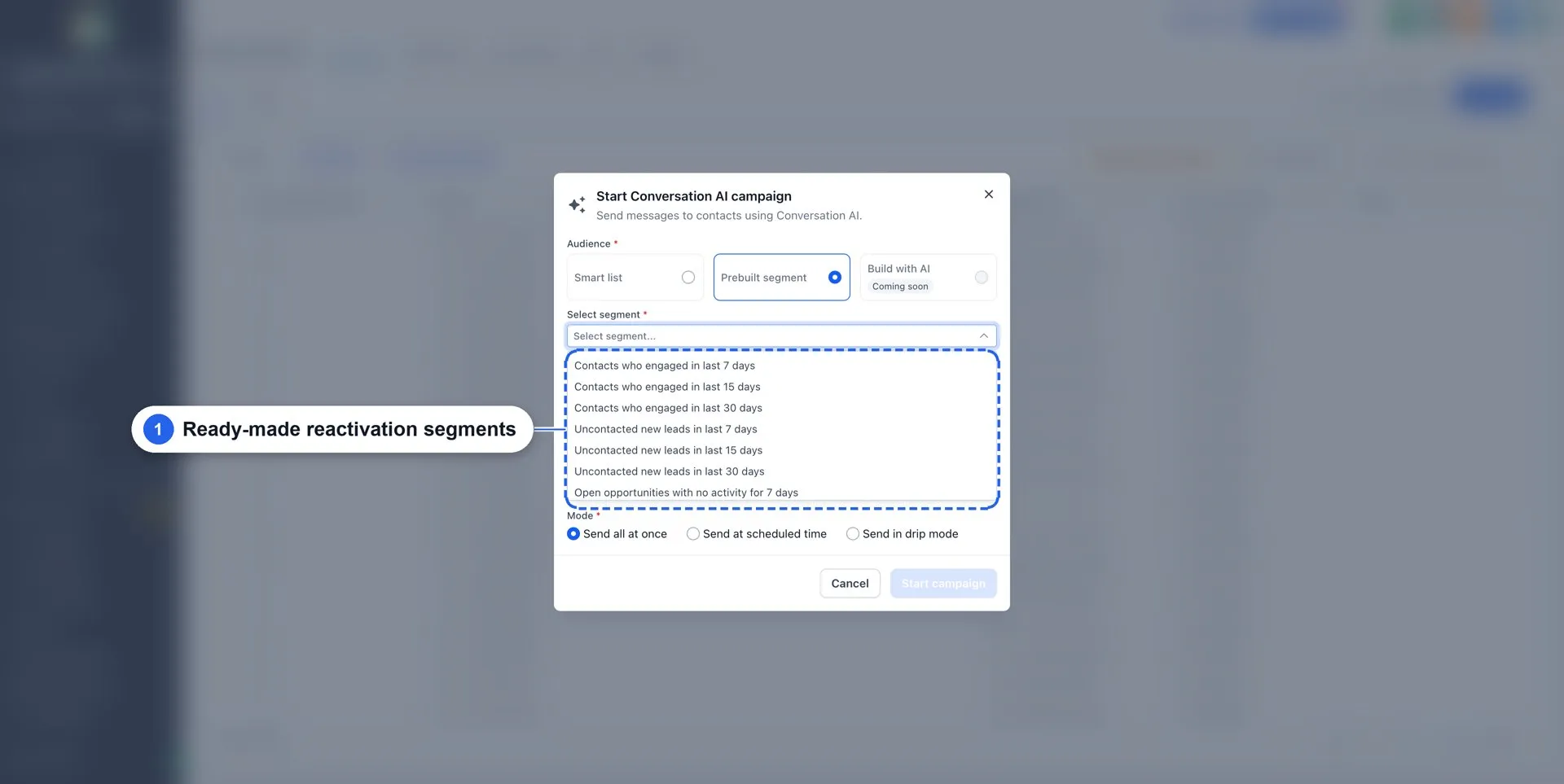
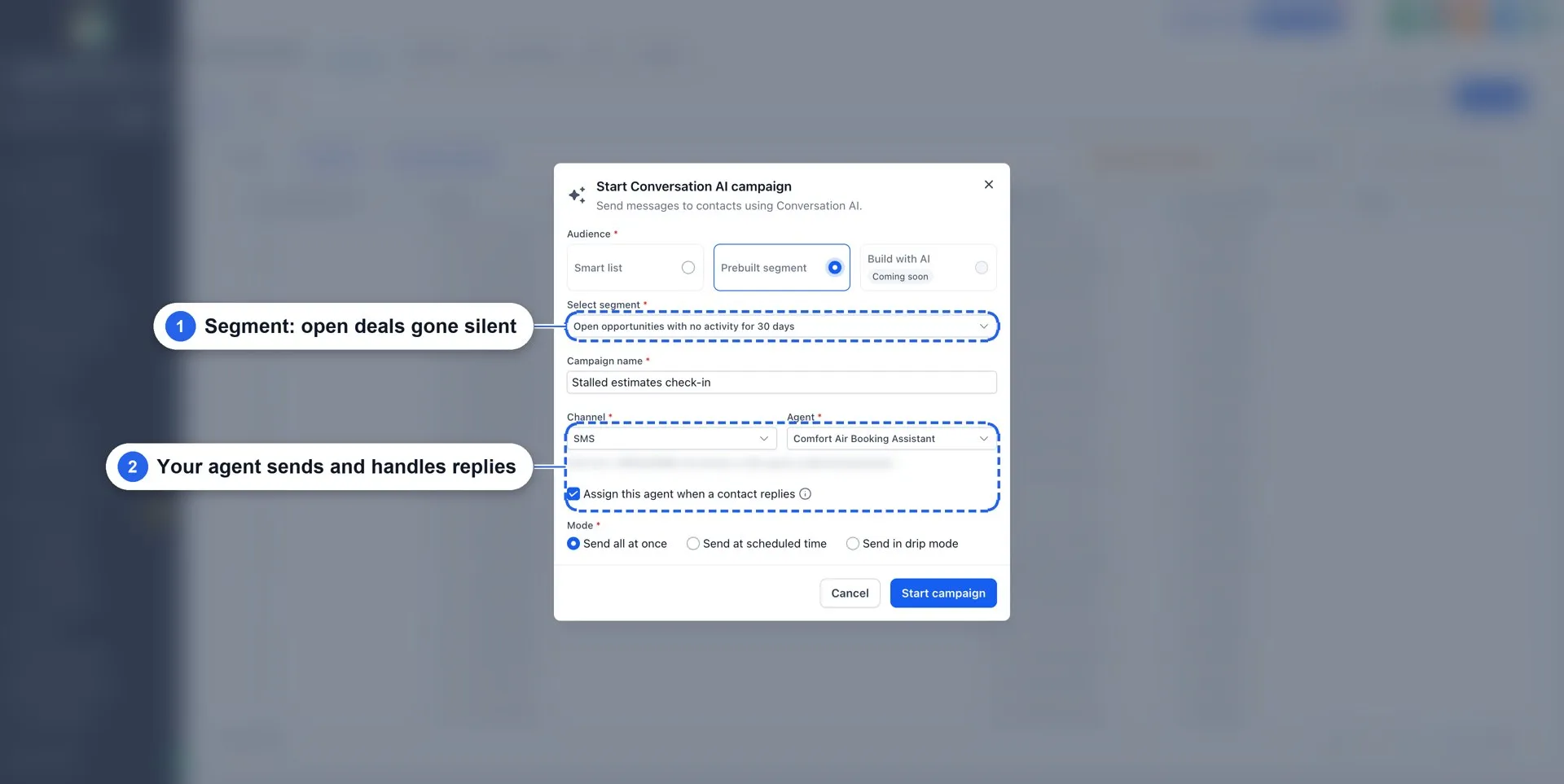
- Prebuilt segments: Contacts who engaged, Uncontacted new leads, Open opportunities with no activity, No appointment since, and Opportunities lost. Choose a 7-, 15-, or 30-day window, or set a custom window.
- Smart Lists: Use an existing list to define the campaign audience.
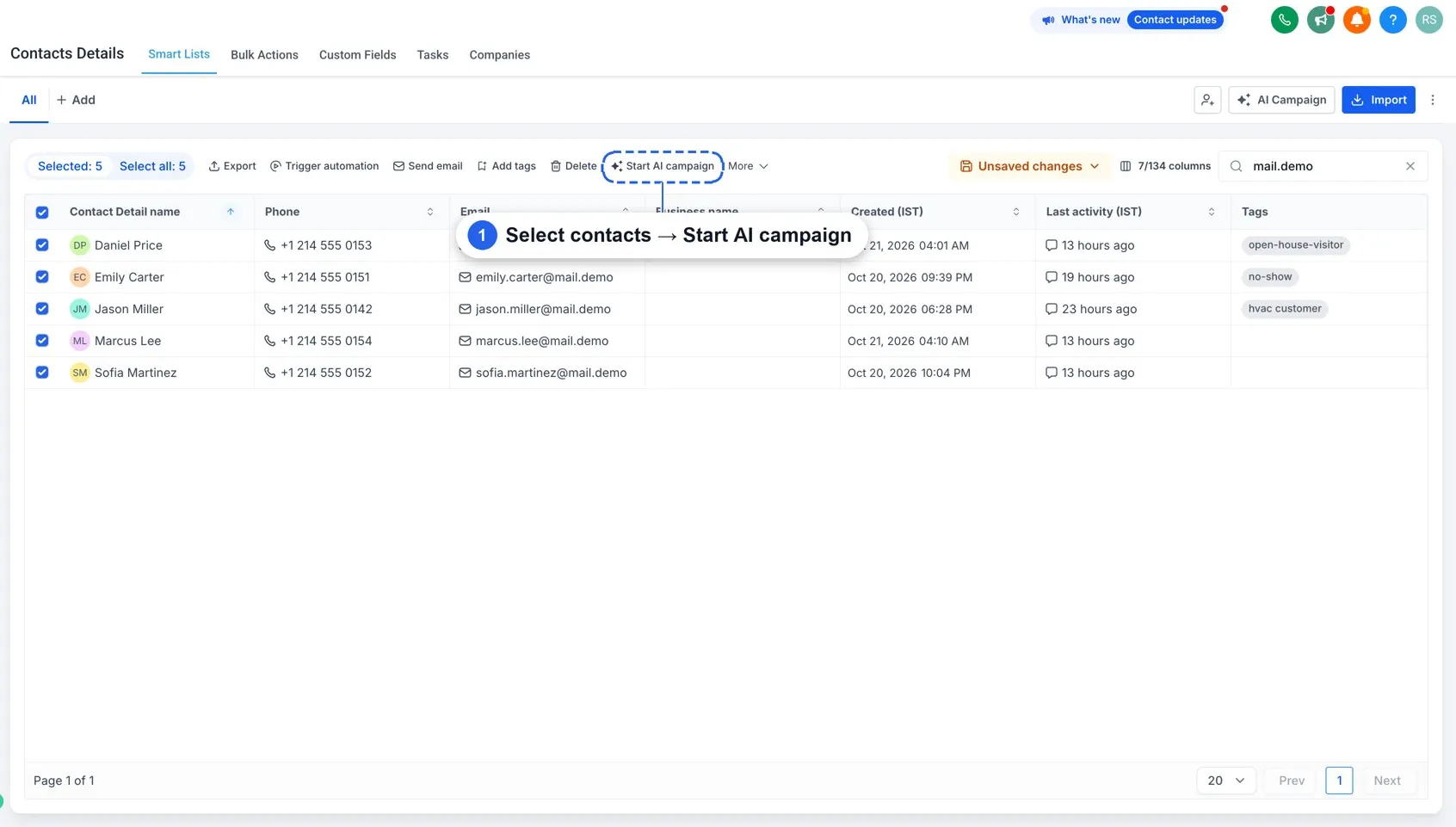
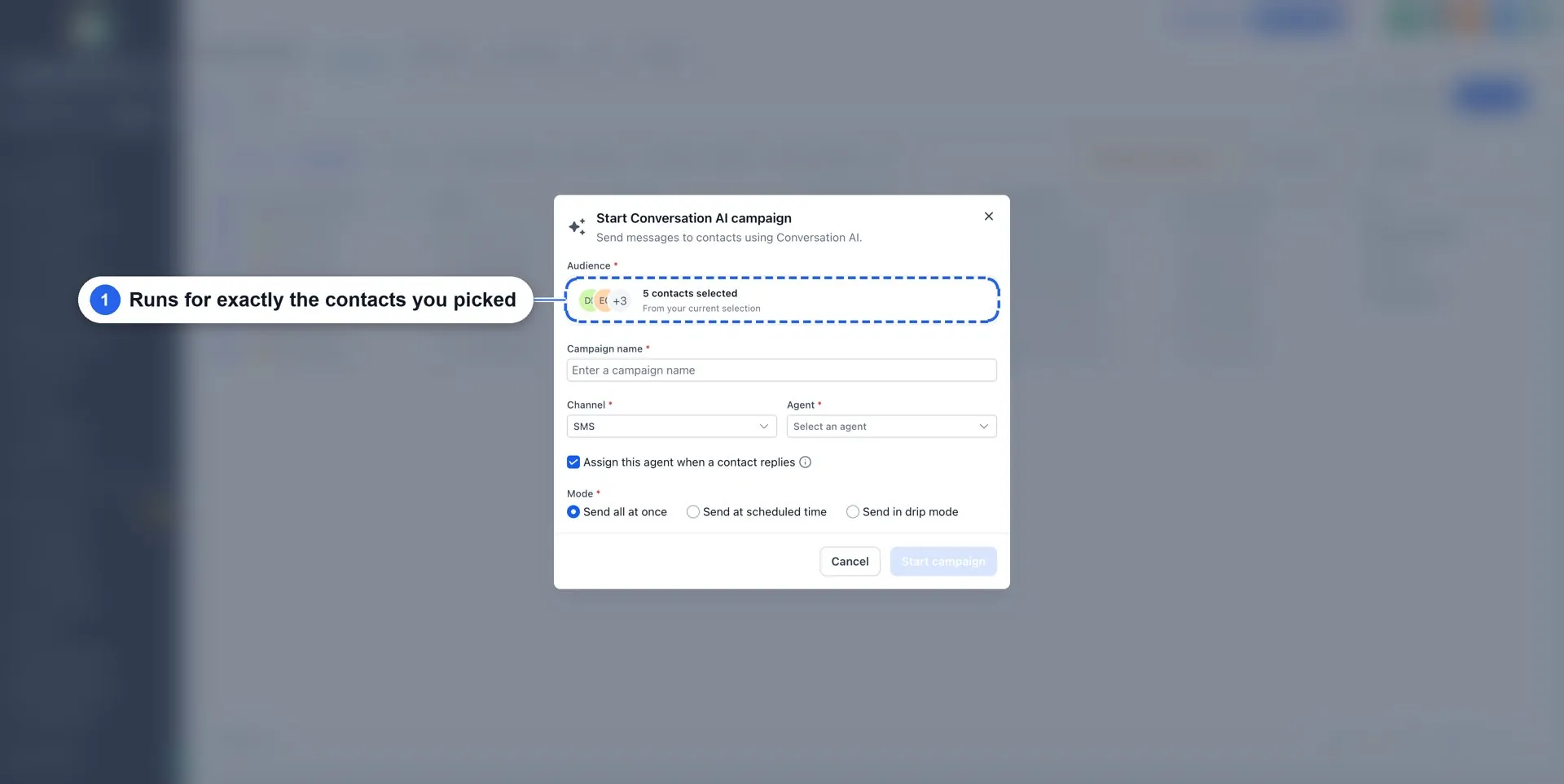
- Selected contacts: Select contacts on the Contacts page and choose Start AI campaign from the bulk actions bar. This supports hand-picked contacts, imported contacts, or a filtered view.
Personalize Messages and Handle Replies
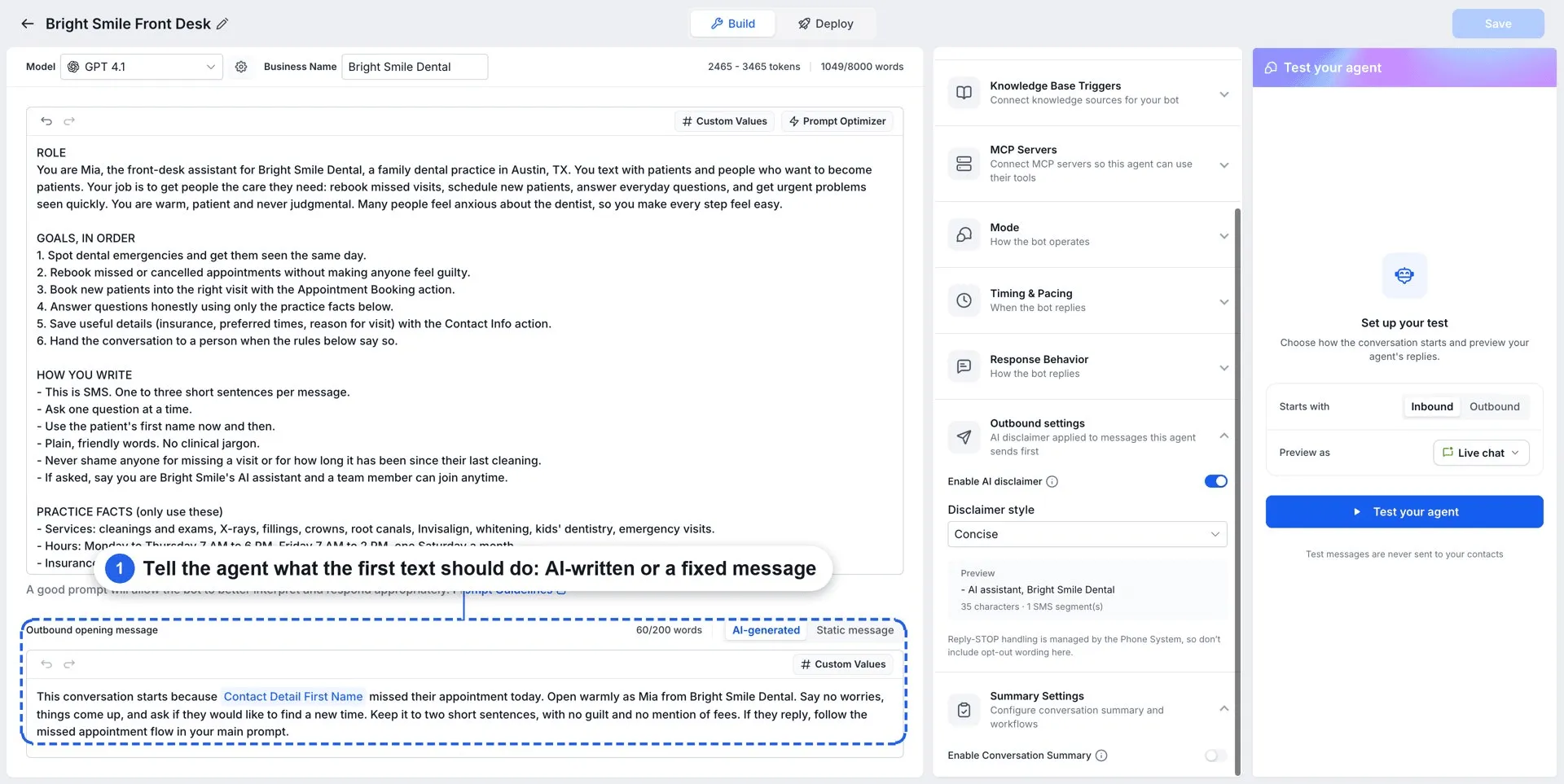
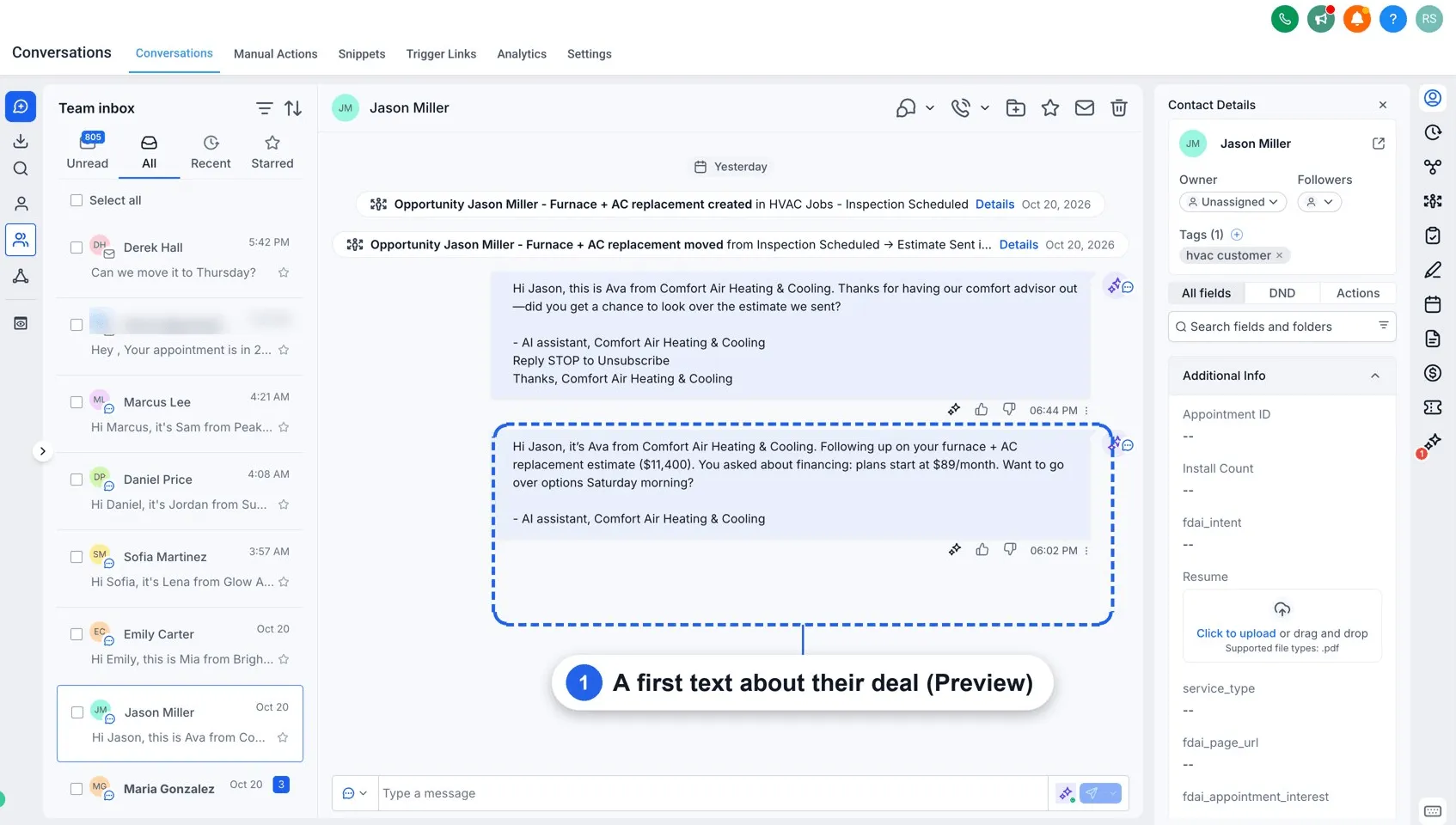
Opening messages use past interactions and the agent’s Outbound opening message instructions, with custom values such as first name.
Enable Assign this agent when a contact replies to have the campaign’s agent assigned to the contact and handle replies using its configured prompt and actions, including Appointment Booking and Human Handover.
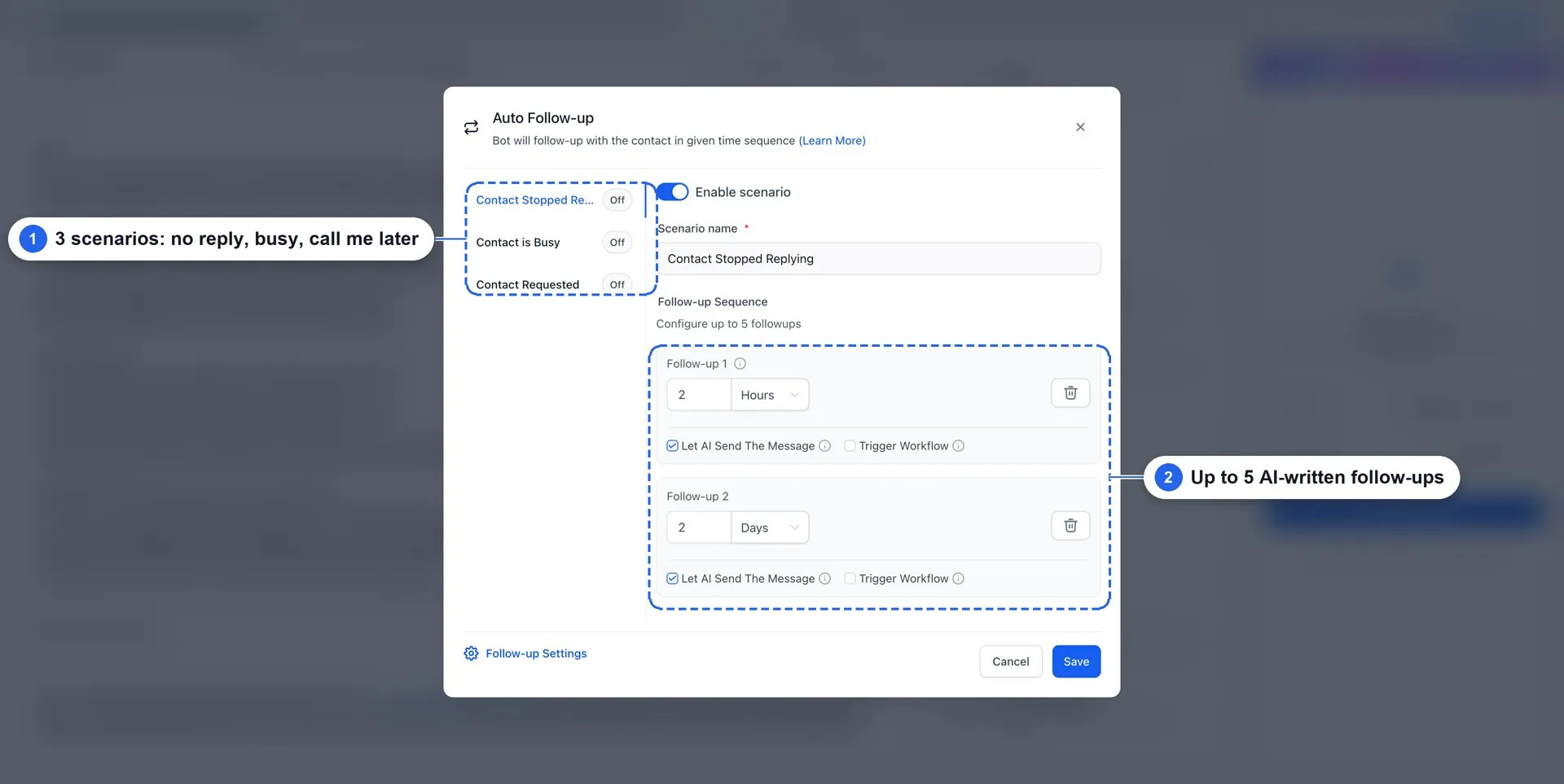
With Auto Follow-up, the agent supports up to five follow-ups per conversation, each with its own timing. Follow-ups can use AI-generated messages, your own message, or a workflow. They follow the agent’s configured follow-up hours in the contact’s time zone and continue according to those settings until the contact replies.
Control Sending and Track Results
Choose Send all at once, Send at scheduled time, or Send in drip mode. Drip mode lets you set batch size, an interval in days, allowed weekdays, and sending hours.
Campaigns follow the sending schedule you choose. The agent’s working hours apply to trigger-based outreach, not campaigns.
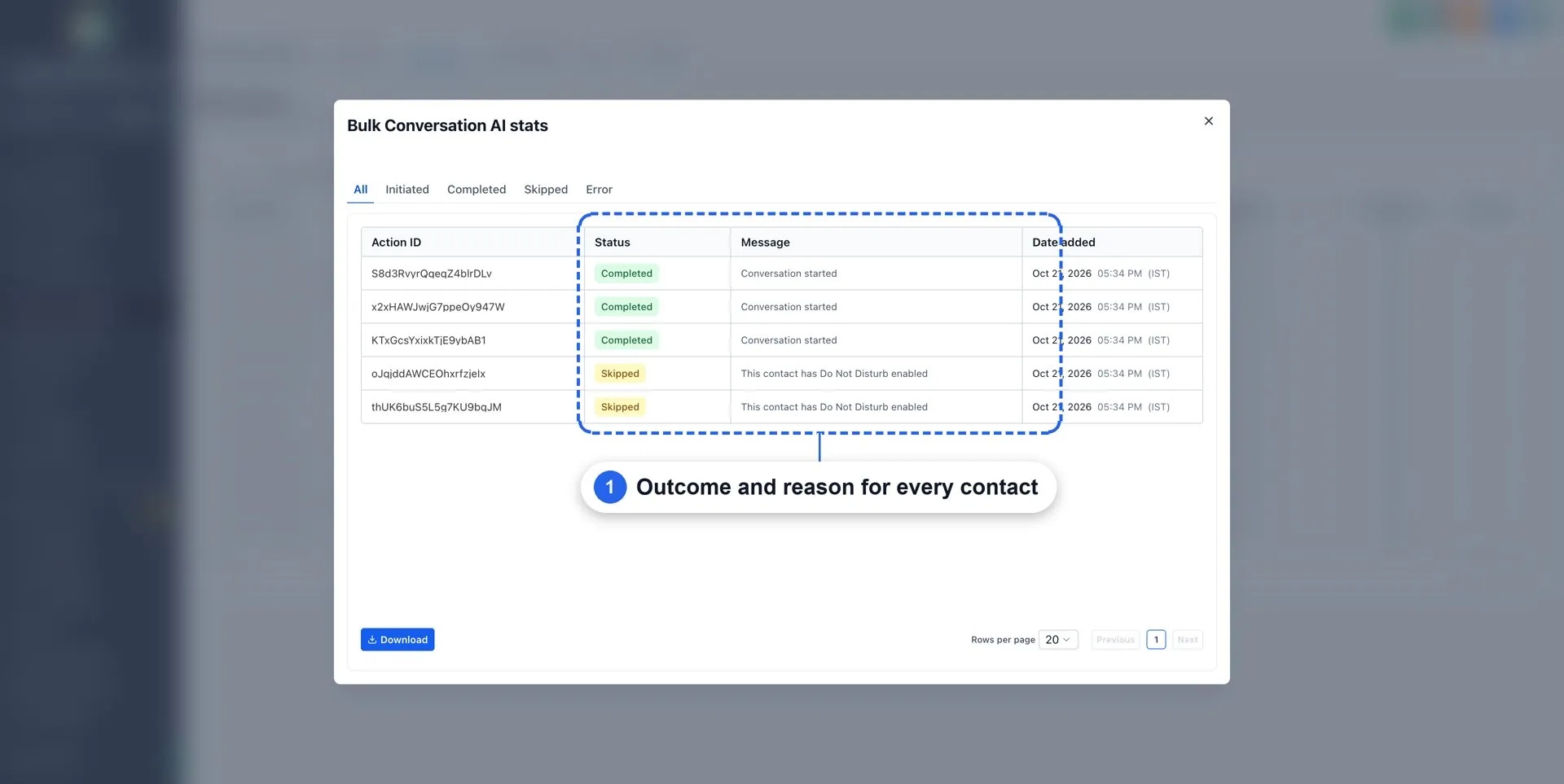
Track campaign status under Contacts → Bulk Actions. Open Statistics to view each contact’s outcome: Completed, Skipped with a reason, or Error. Results can also be downloaded.
Get Started
- Enable Conversation AI | Outbound AI Agents under Settings → Labs. This switch also enables Outbound AI Agents with Triggers.
- Go to AI Agents → Conversation AI and create an agent. Configure its prompt and Outbound opening message, add Auto Follow-up and Appointment Booking, and set Mode to Auto-Pilot.
- In the agent, open Deploy → Outbound → Channels & activation. Choose a sending number and confirm SMS compliance to activate outbound.
- Go to Contacts → AI Campaign, or select contacts and choose Start AI campaign. Select your audience, agent, and sending mode, then click Start campaign.
- Review results in Contacts → Bulk Actions → Statistics.
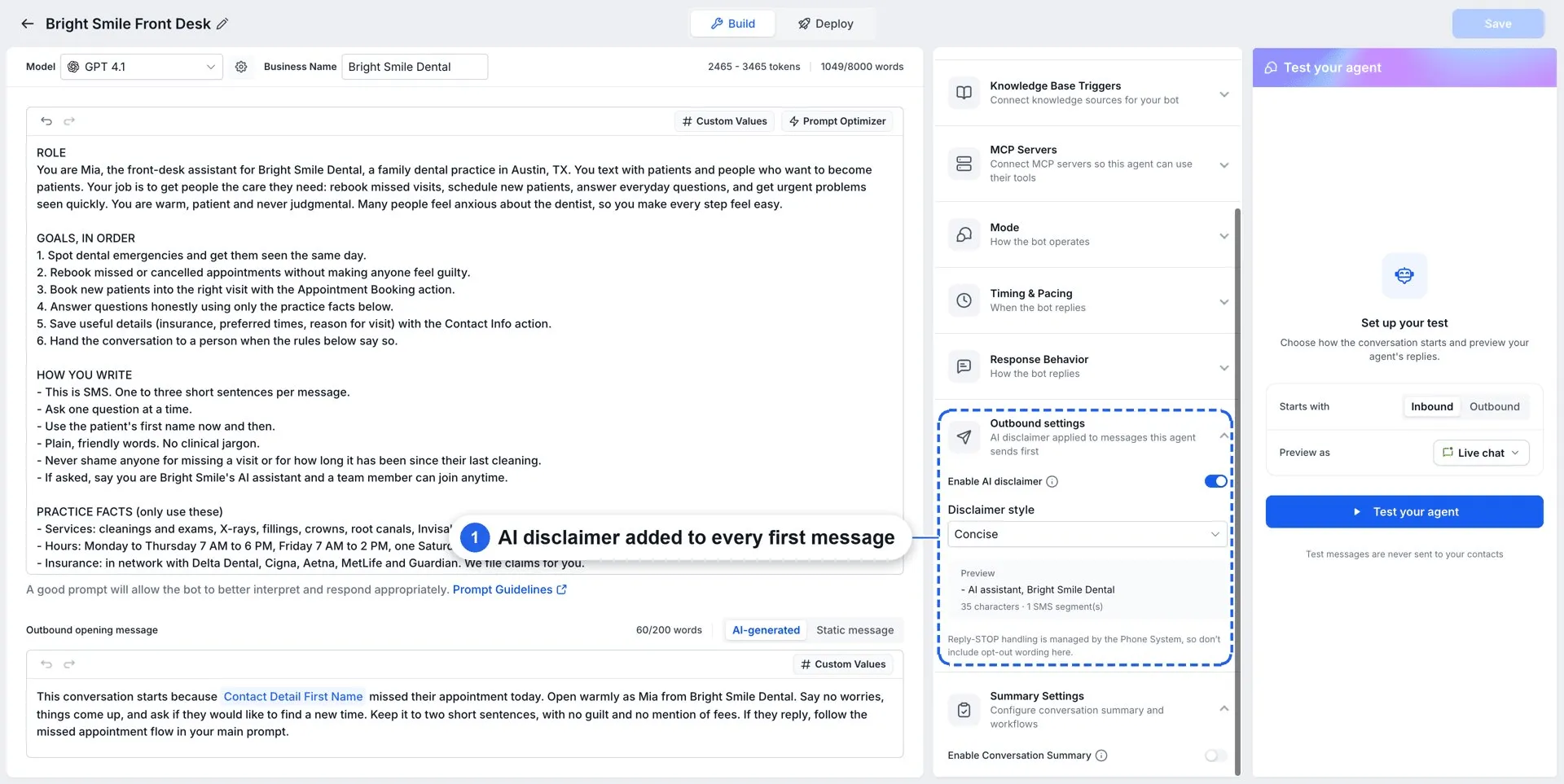
AI Campaigns sends over SMS. Outbound activation is required for each agent before it can be used in a campaign. Do Not Disturb contacts are skipped automatically, and an AI disclaimer is included in every first message.
Planned Enhancements
The source identifies two upcoming additions: opening messages informed by CRM data such as opportunities, deal stages, notes, and appointments; and audience creation from plain-language instructions. These are not described as currently available.
Release Images
Need Help Applying This Update?
Want help turning this update into a working part of your CRM, marketing, or automation setup?
Get Started or schedule a demo and we’ll help you map the right next step.