Ask AI now opens directly from a contact’s detail screen in the SMBcrm Mobile app. Review the relationship, prepare for an appointment, or dictate a note without leaving the contact.
See contact details in one view
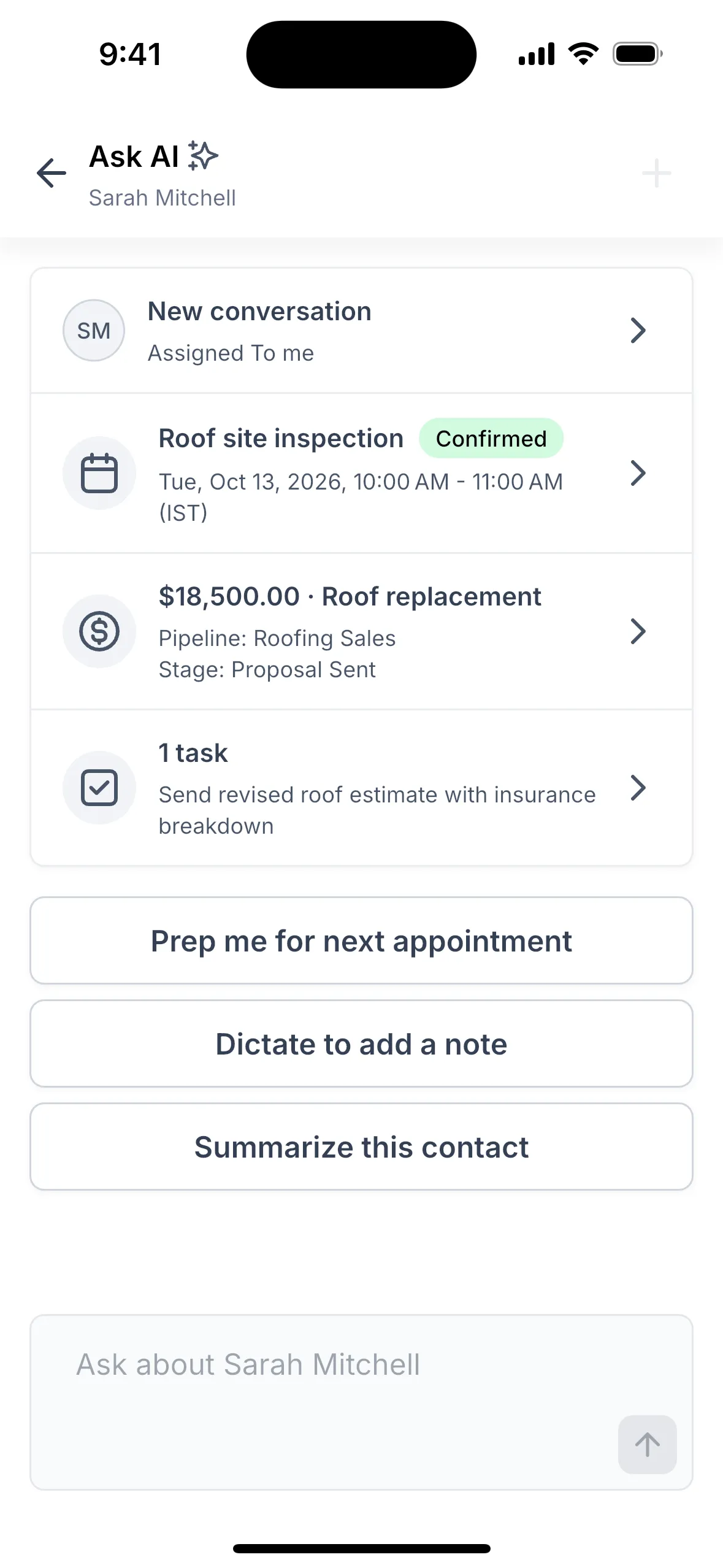
Tap the Ask AI icon at the top of a contact to open a summary card built from your actual records, not AI-generated text. The card brings together key CRM contact information:
- Last message: The channel and how long ago it was sent.
- Next appointment: Its status, including custom statuses, plus a count of additional upcoming appointments.
- Biggest open deal: Its pipeline, stage, and days since its last stage change.
- Open tasks: Including an overdue-task badge.
Tap any row to open the underlying record. The card only displays records and deal values you have permission to see, and it uses your account’s custom name for contacts when applicable.
Prepare, summarize, or dictate
Below the card, Ask AI offers three actions:
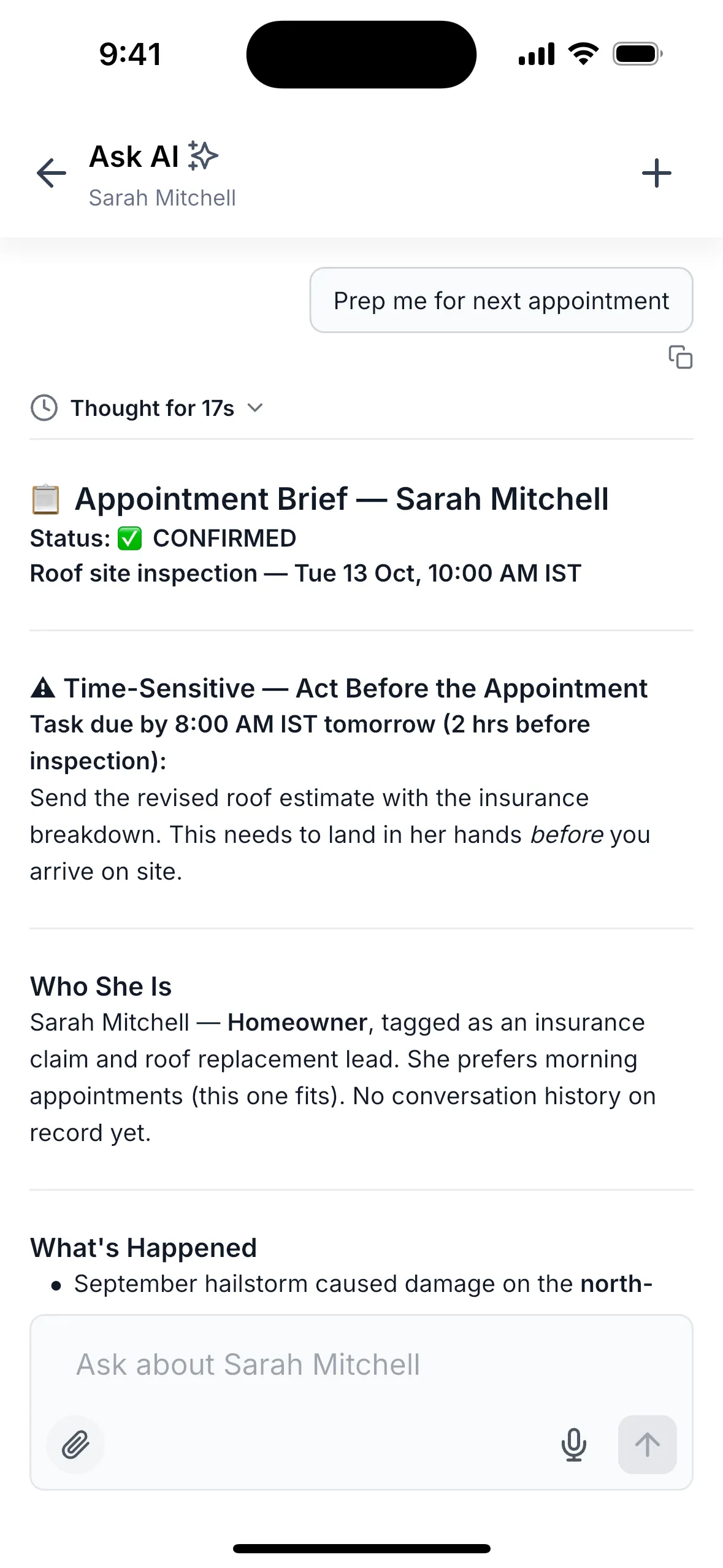
- Prep me for next appointment: Get a briefing when an appointment is scheduled within the next seven days.
- Summarize this contact: Request a recap for any contact.
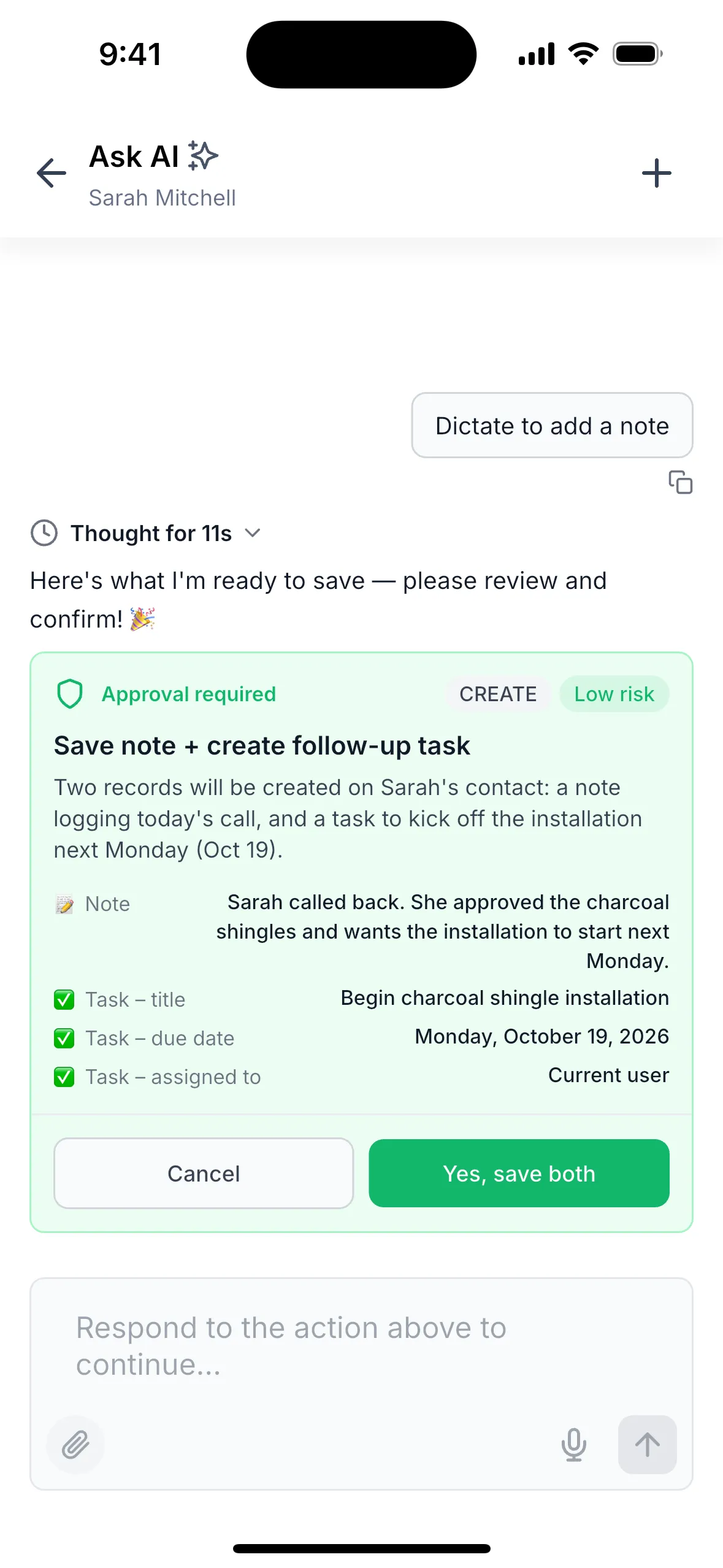
- Dictate to add a note: Turn spoken input into a proposed note and, if needed, a task. Nothing is saved until you approve it.
You can also type your own question about the contact. Ask AI reads the latest contact records for each answer, including changes made during the chat. AI runs only when requested, and only the contact’s record ID is passed when opening Ask AI.
Access and usage details
The source lists this release as public for October 2026, available in version 4.27.0 and later on iOS and Android. Users need Ask AI access; there is no separate permission for this feature.
To begin, open a contact from Contacts, Conversations, or search, then tap the Ask AI icon in the top bar.
Keep these details in mind:
- Each contact launch starts a fresh chat. After your first message, tap + to restart a chat about the same contact.
- Offline, the card shows data already stored on your phone. If no details have loaded, it displays “Couldn’t load details.” Pull down to retry when online.
- If the contact was deleted or your access was removed, Ask AI displays a message instead of a summary.
- Voice mode is not available in contact chats. Use Dictate to add a note instead.
- Deal amounts in AI answers appear as plain numbers without currency symbols.
Release Images
Need Help Applying This Update?
Want help turning this update into a working part of your CRM, marketing, or automation setup?
Get Started or schedule a demo and we’ll help you map the right next step.