SMBcrm workflows now support Available Quantity as both a filter and a custom value for the Abandoned Cart and Order Fulfilled triggers. This helps teams build automation logic based on product inventory levels.
What changed
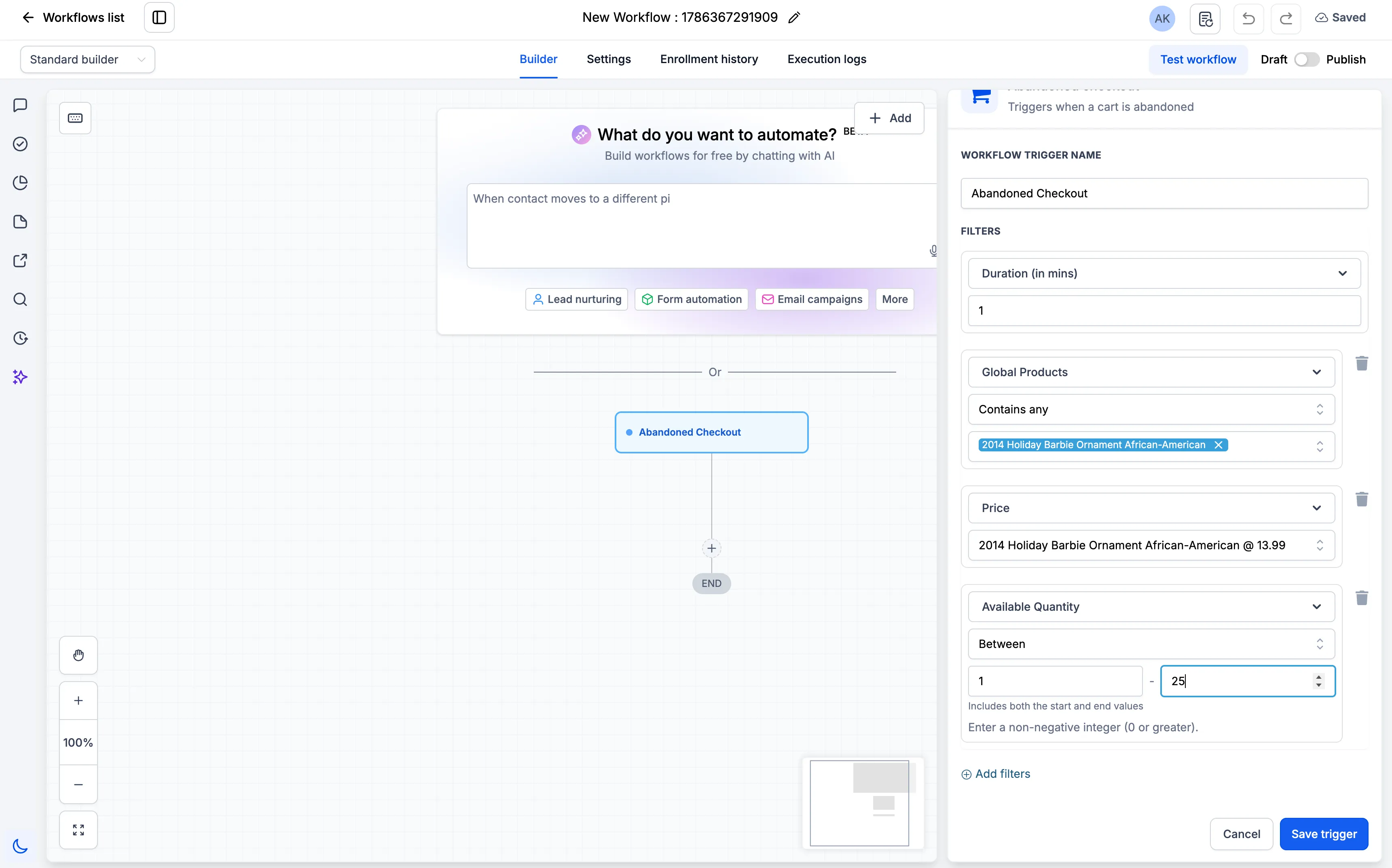
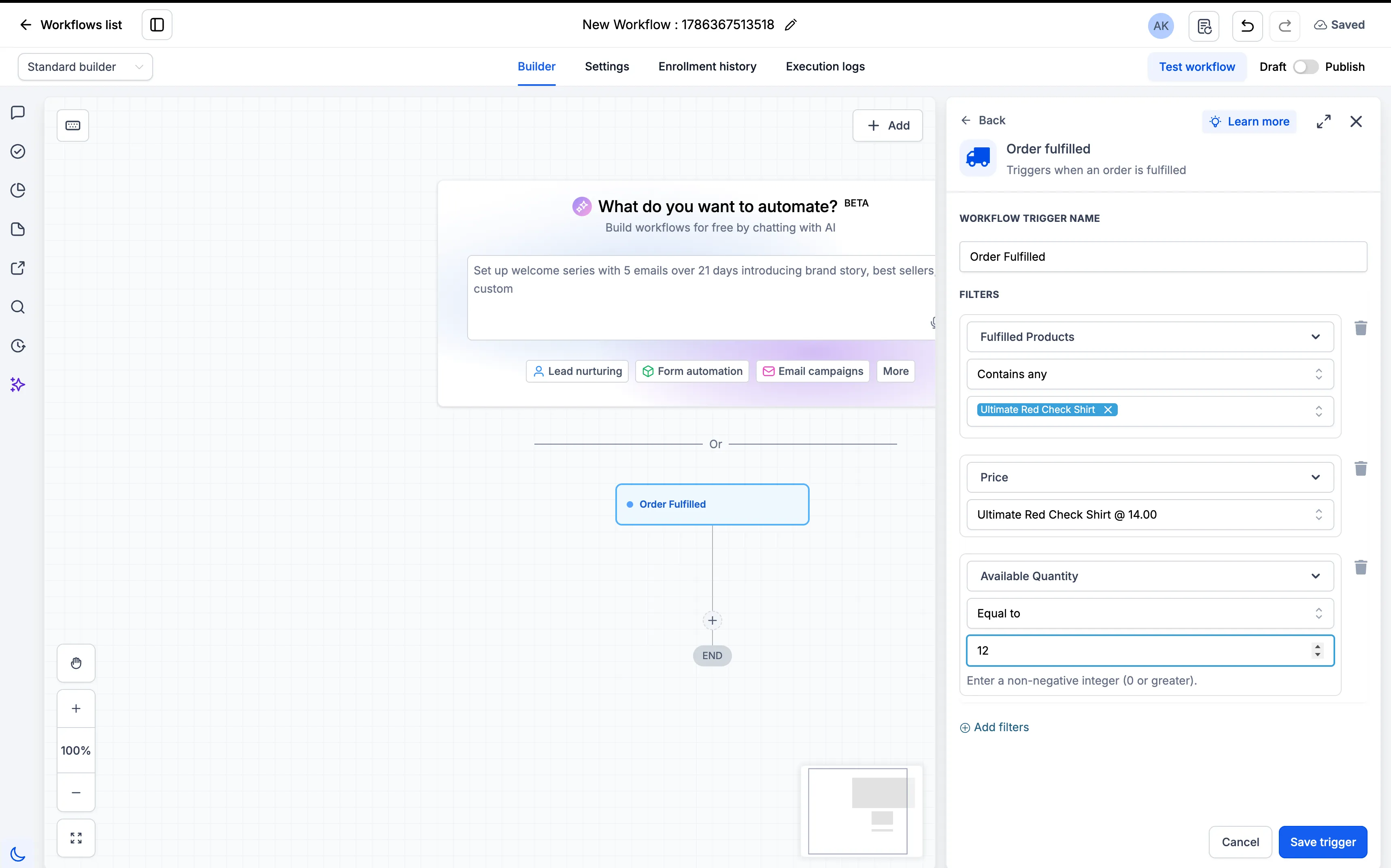
You can now use Available Quantity when configuring workflow filters for Global Products. Available Quantity and Price can also be used as custom values in supported workflow actions.
How to use it
- Select the Abandoned Cart or Order Fulfilled trigger.
- Add Global Products in the workflow filters.
- Select a single Price.
- Configure Available Quantity using the required condition and numeric value.
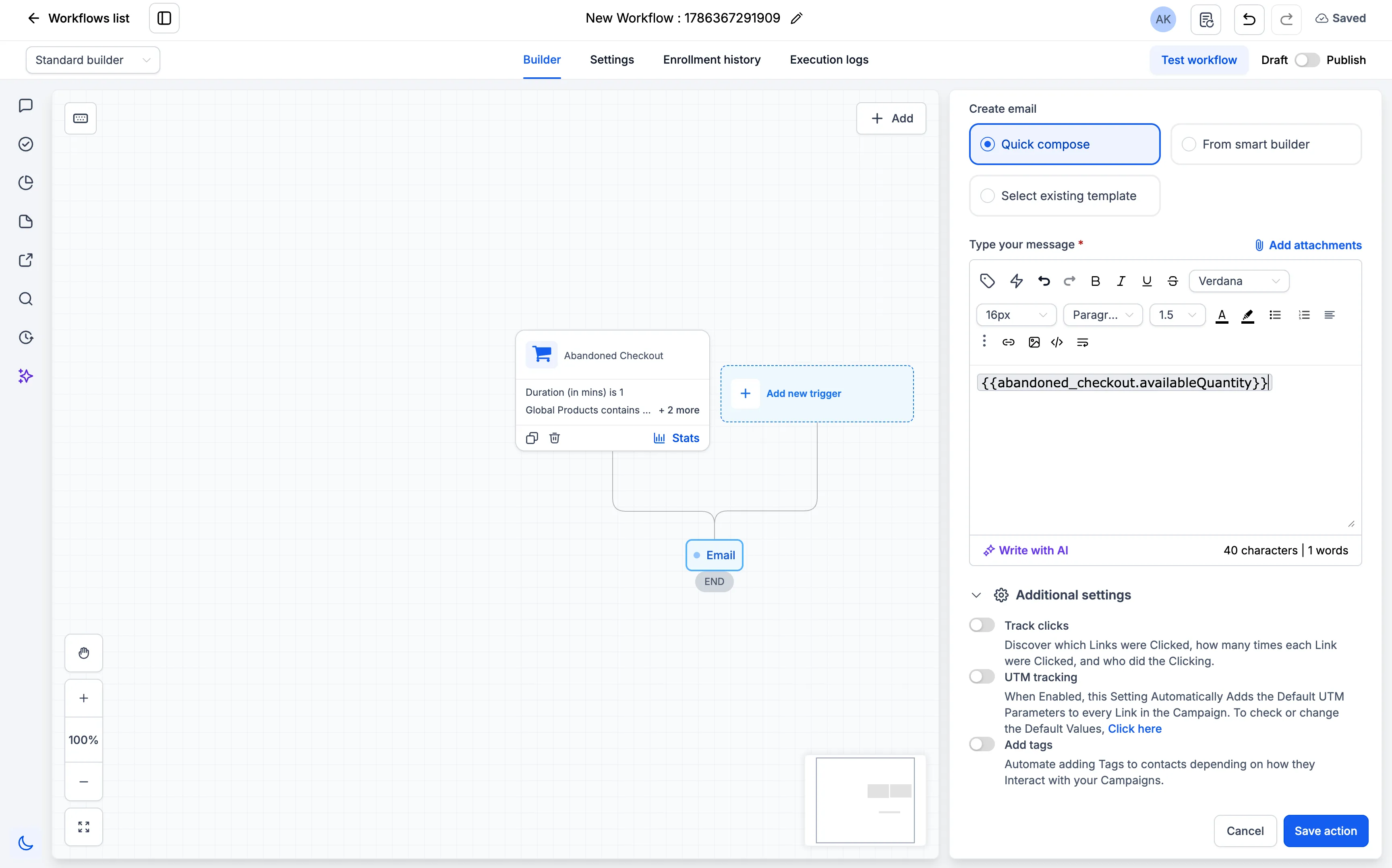
- Use Available Quantity or Price as a custom value in supported workflow actions.
Important details
- Filters are nested in this order: Global Products > Price > Available Quantity.
- This iteration supports only a single Price and a single numeric quantity value.
- Price and Available Quantity are not supported in If/Else blocks in this iteration.
Need Help Applying This Update?
Want help turning this update into a working part of your CRM, marketing, or automation setup?
Get Started or schedule a demo and we’ll help you map the right next step.