Breakout Rooms let you split a meeting into smaller groups for discussions, training, workshops, and collaboration without leaving Meeting Room.
Create and Assign Rooms
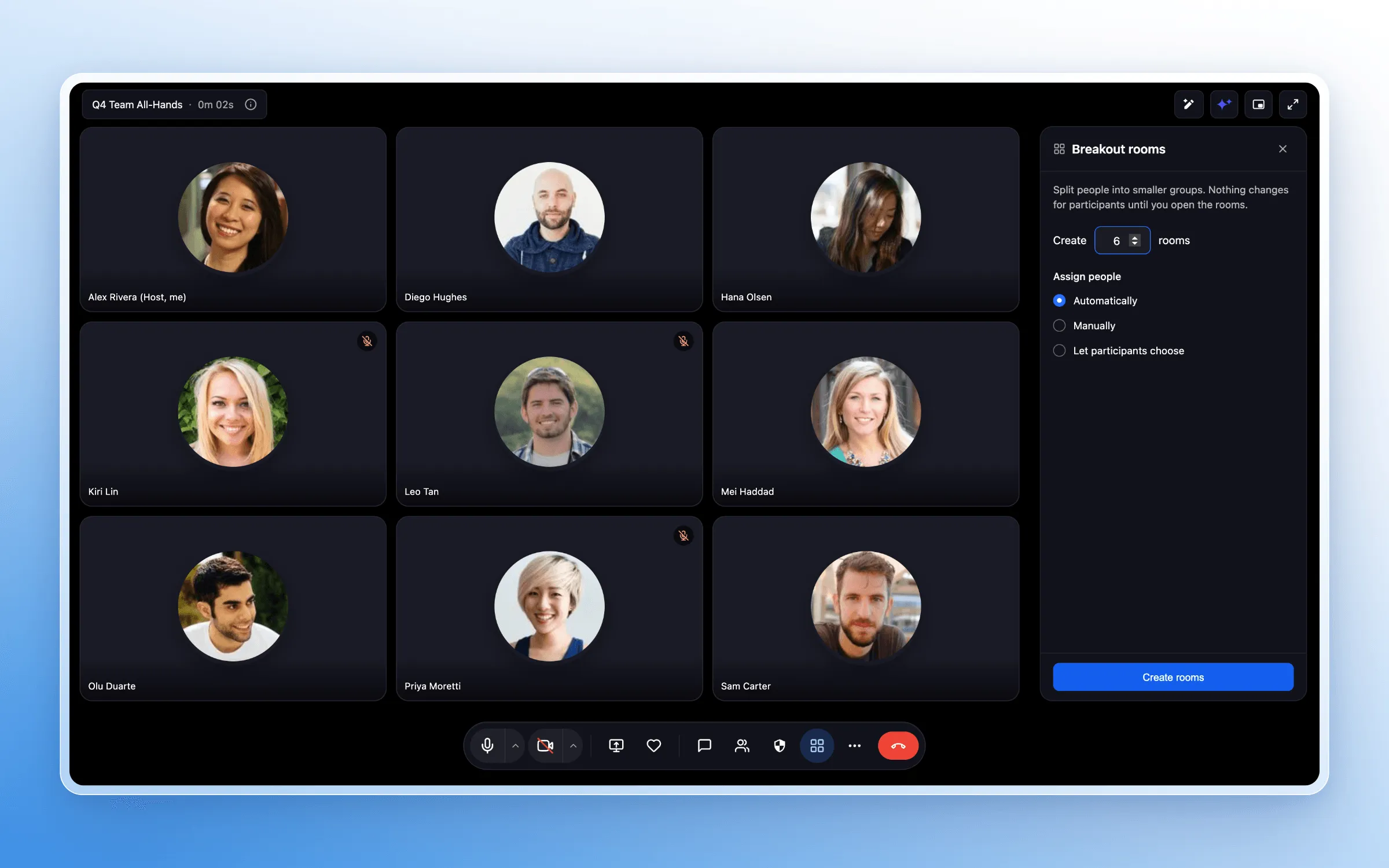
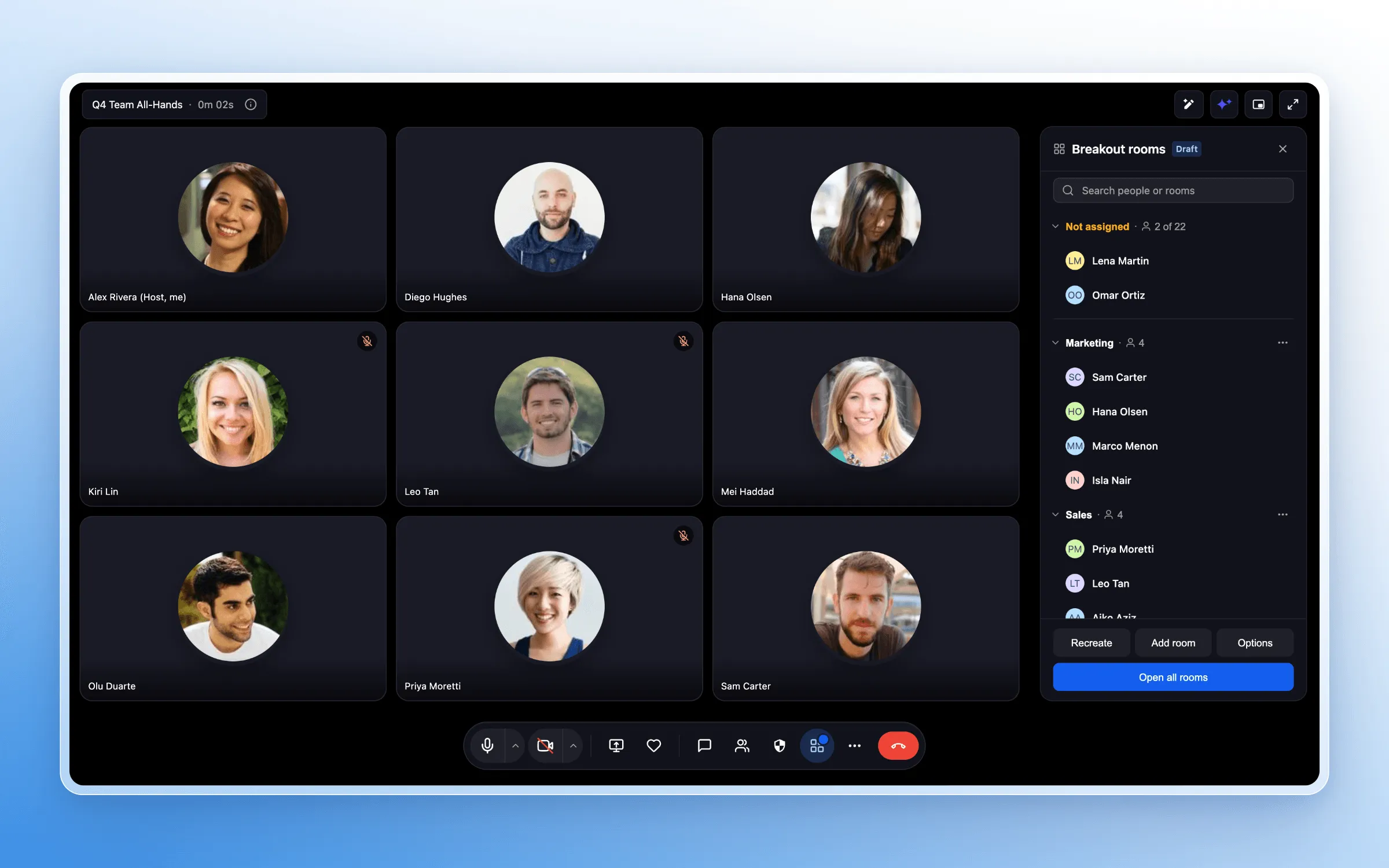
Create up to 100 breakout rooms in a single meeting. Assign participants automatically or manually, or let them choose their own rooms. Before the breakout session begins, you can rename rooms and update assignments.
Manage Breakout Sessions
Meeting hosts can:
- Move participants between rooms and join any room.
- Broadcast a message to all rooms at once.
- Set a session timer and extend an active session.
- Automatically return participants to the main meeting when time expires.
Control Recording and Transcription
Recording and live transcription are controlled separately for each breakout room. You can start or stop recording, enable or disable live transcription, and see which rooms are being recorded or transcribed.
Participant Experience
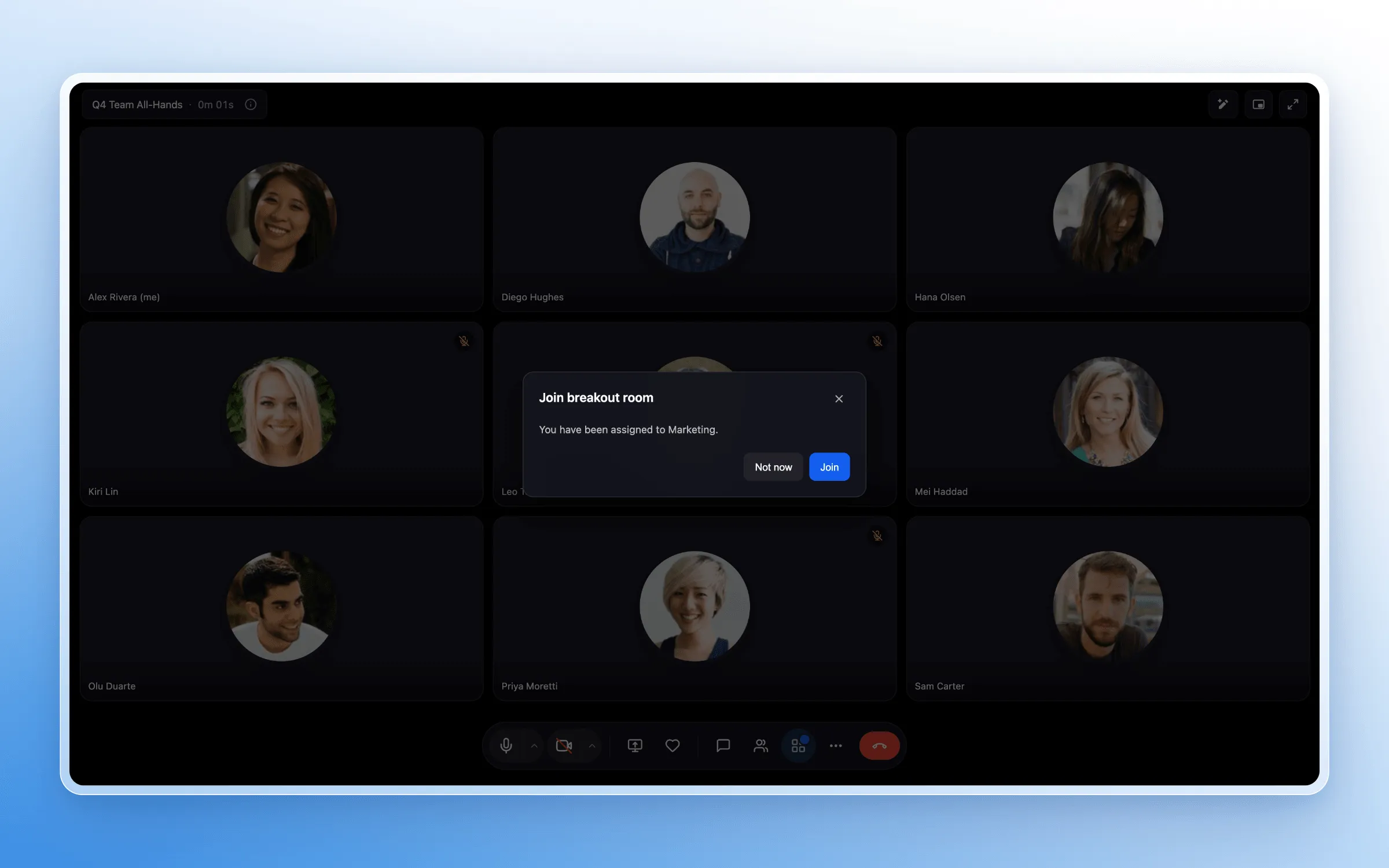
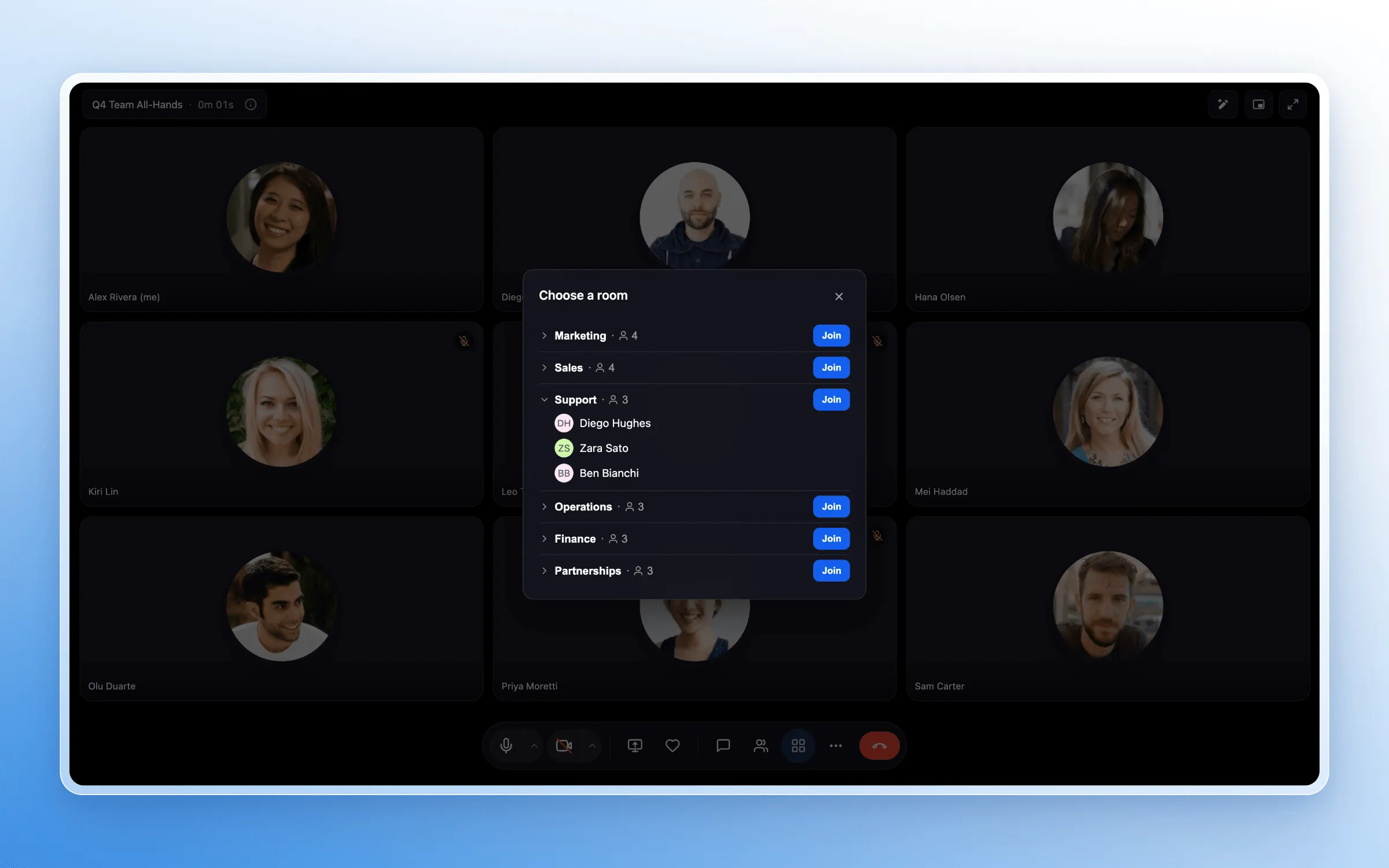
Participants can join their assigned room with one click or be moved automatically. When the host allows it, they can select or switch rooms. Countdown reminders let participants know when the session is ending before they return to the main meeting.
Get Started
While hosting a Meeting Room, select Breakout Rooms from the meeting toolbar. Create your rooms, choose how participants should be assigned, and start the breakout session.
Release Images
Need Help Applying This Update?
Want help turning this update into a working part of your CRM, marketing, or automation setup?
Get Started or schedule a demo and we’ll help you map the right next step.