SMBcrm now supports bulk delete across Custom Objects, Companies, and Tasks, with no upper limit on how many records can be deleted in a single action.
Previously, Custom Objects could only be deleted one record at a time from the list view. Companies and Tasks supported bulk delete, but were capped at 100 records per action. The delete experience is now consistent across all three areas.
This feature is currently available in account Labs.
How Bulk Delete Works
Go to the Custom Objects, Companies, or Tasks list view in your account. Use the checkboxes on the left side of each row to select the records you want to delete. You can also use the header checkbox to select all records on the page.
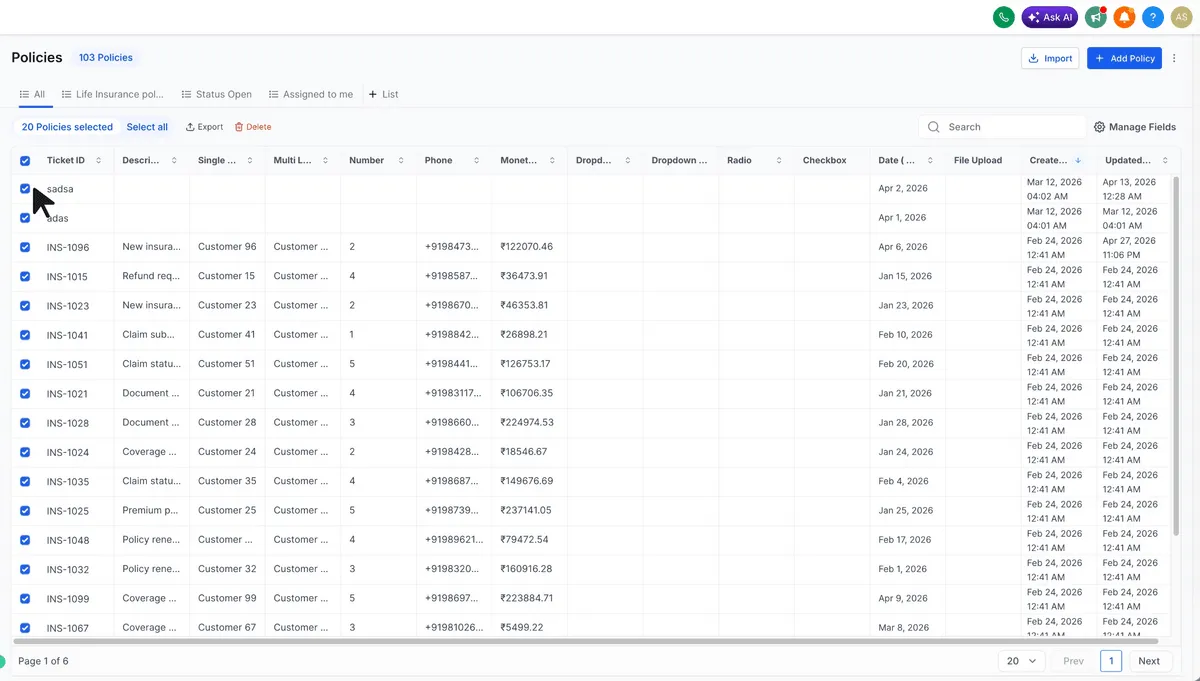
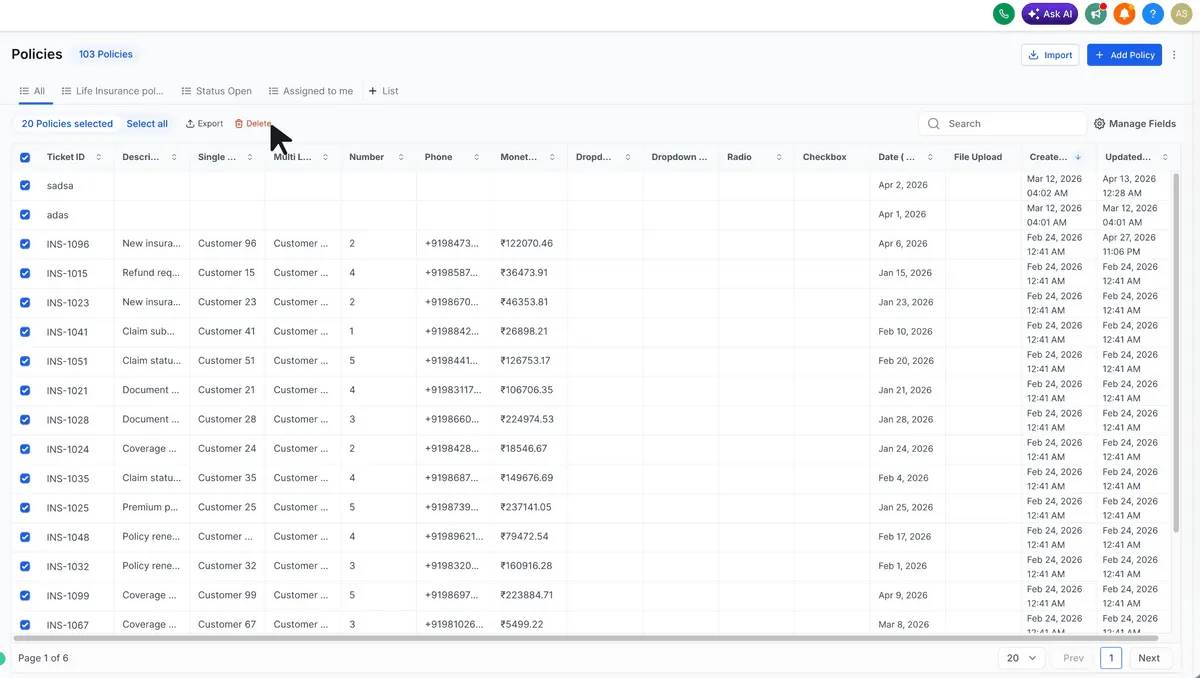
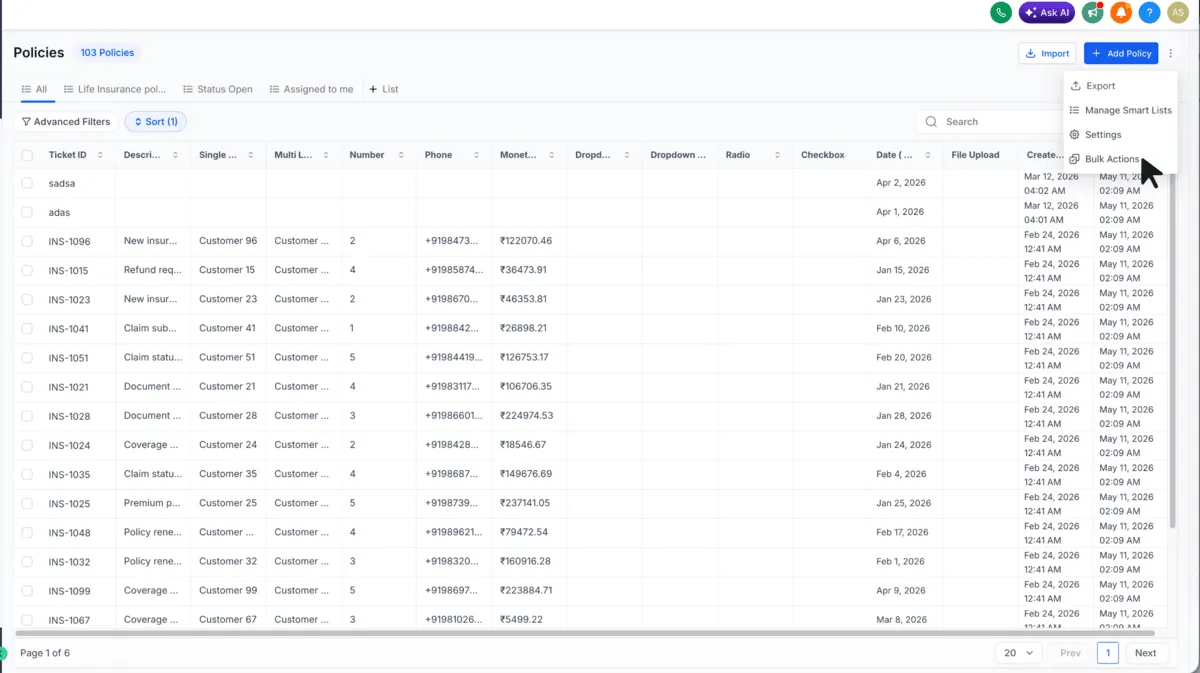
After selecting records, click Delete from the bulk actions bar.
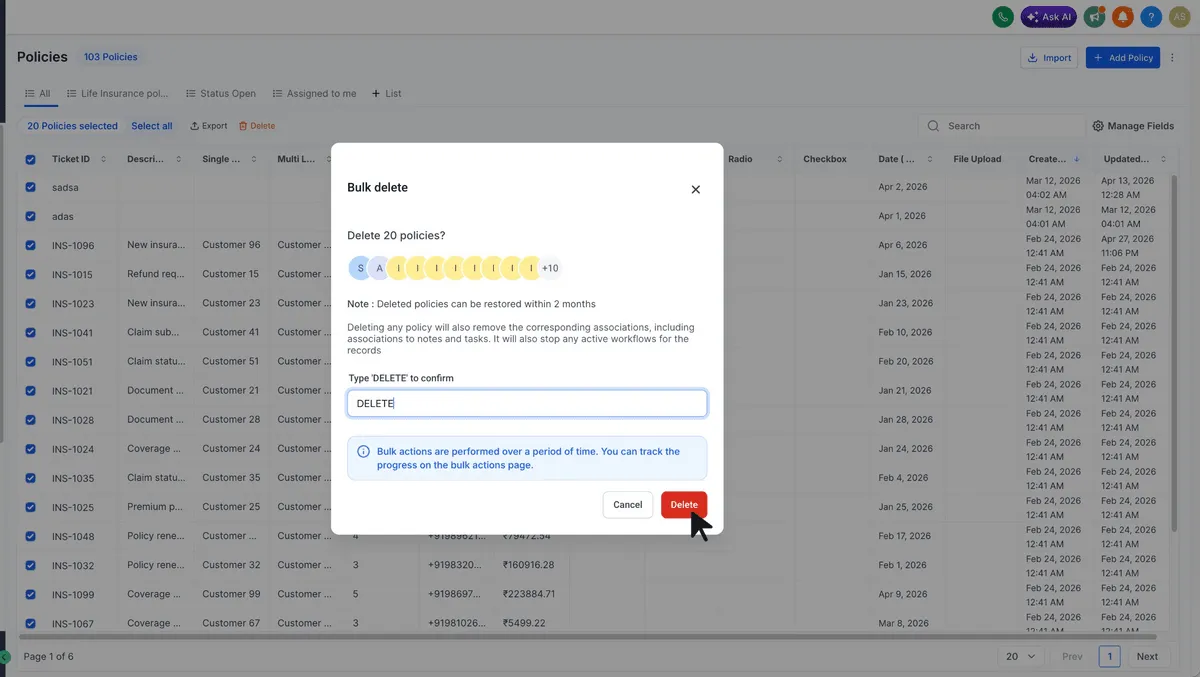
Confirm the action in the dialog.
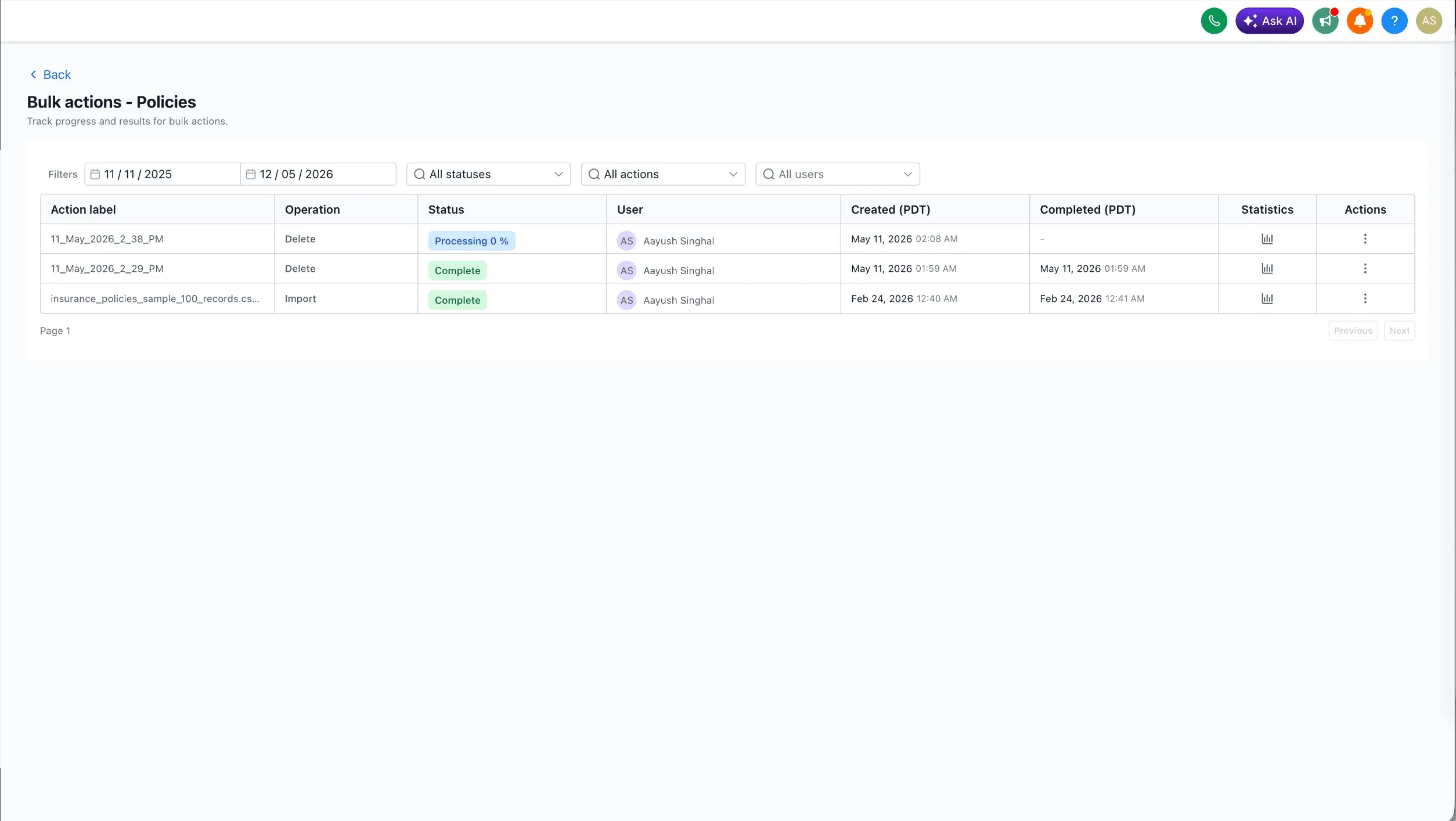
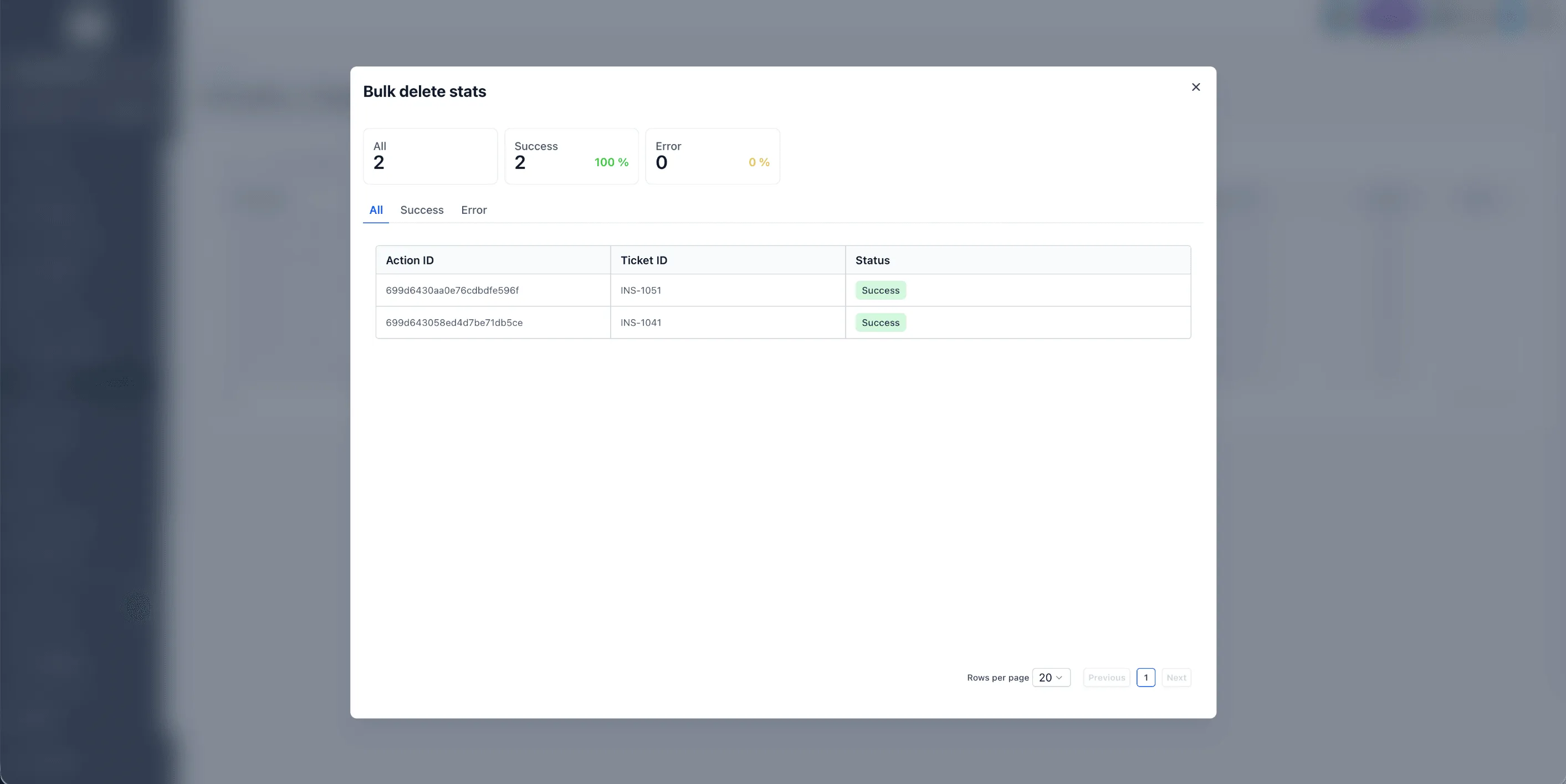
You can review progress and logs from the Bulk Actions page.
What Gets Removed
Deleting a record also removes its relations and associations, including:
- Associations to related Notes and Tasks
- Associations to related Contacts, Companies, Opportunities, and other Custom Object records
- Any association labels applied to those relationships
The related records themselves are not deleted. Only the link between them and the deleted record is removed.
Restore Deleted Records
Bulk-deleted records can be restored within 60 days from the Bulk Actions page.
Open the Bulk Actions page, locate the deletion job you want to reverse, then use the three-dot menu to select Restore.
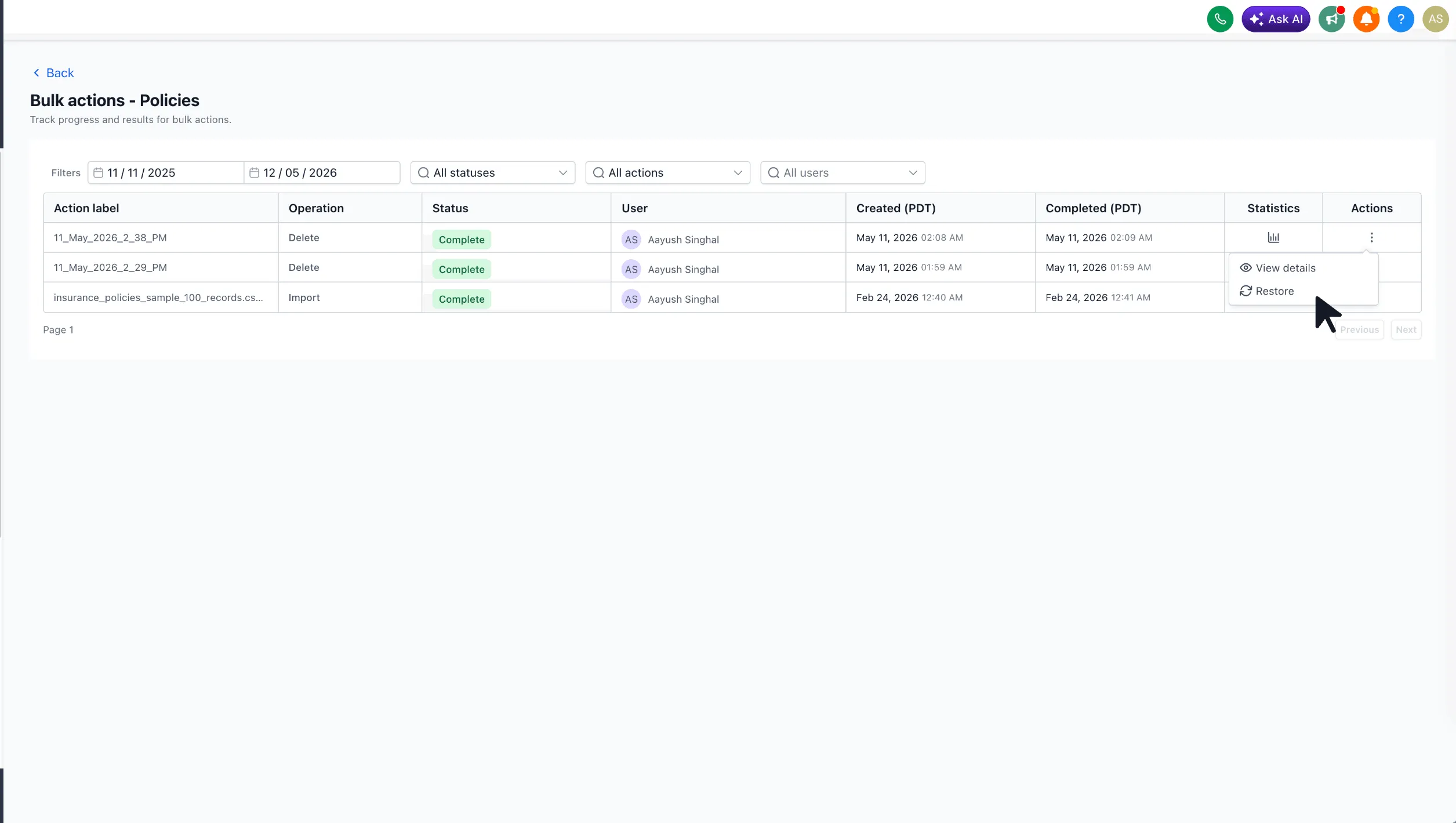
The restore runs as a new job and reinstates the records along with their field values, associations, and association labels.
Why It Matters
Bulk delete helps teams clean up stale, test, or mis-imported records faster. It also removes the need to delete Custom Object records one at a time or split Company and Task cleanup into 100-record batches.
In Case You Missed It
You may also want to read about Linear Workflow Actions and Triggers in SMBcrm.
Release Images
Need Help Applying This Update?
Want help turning this update into a working part of your CRM, marketing, or automation setup?
Get Started or schedule a demo and we’ll help you map the right next step.
Explore this in SMBcrm
See the next step for each opportunity.
Explore contacts and pipelines, then follow a sample lead through the CRM and plan your own stages.
Explore contacts and pipelinesAlready using this feature? Find setup help