Bulk Email Contacts from Company and Custom Object Lists
SMBcrm now lets you send bulk email to contacts associated with selected company or custom object records, without rebuilding the audience from the Contacts list.
What changed
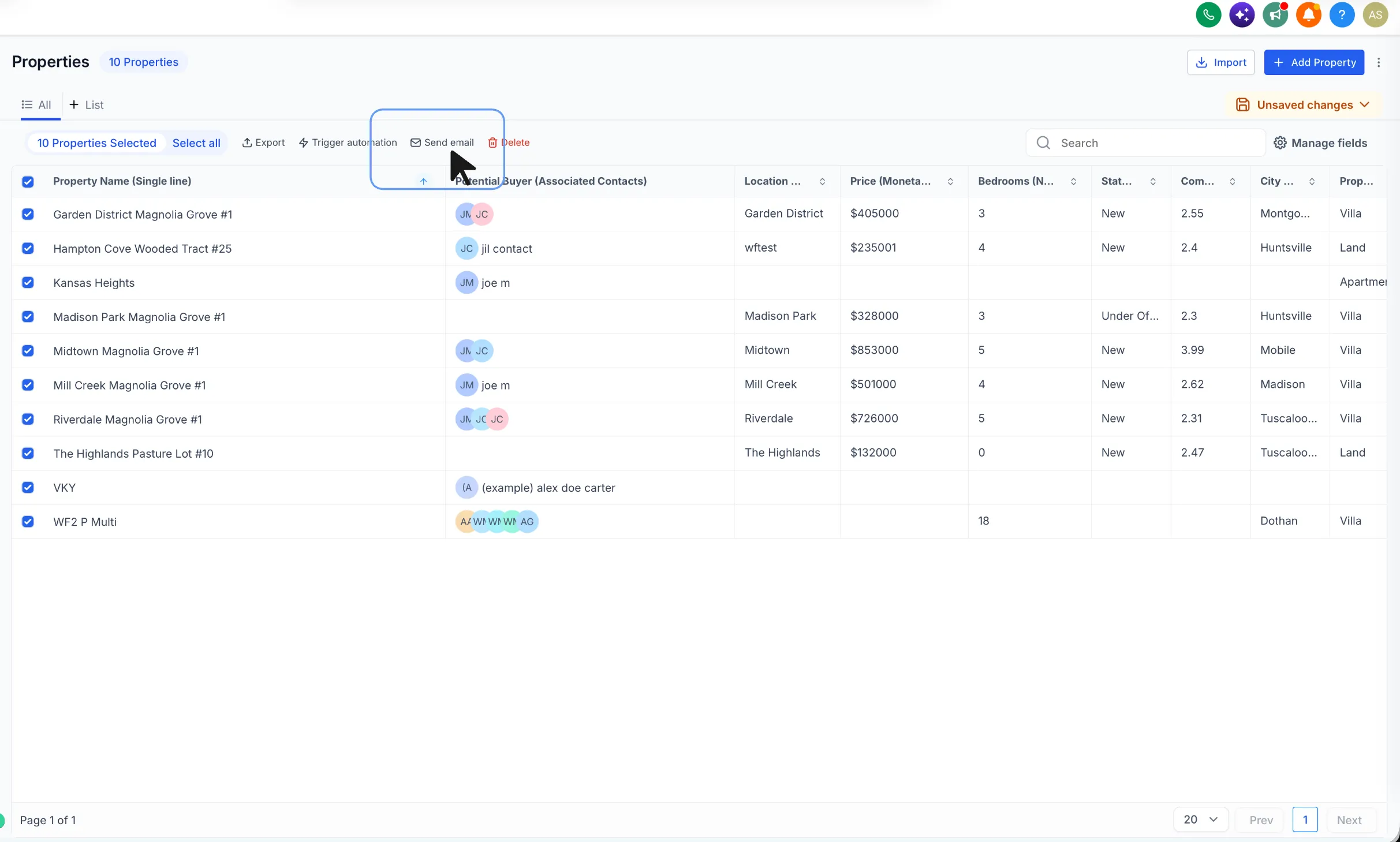
From company and supported custom object list views, you can select records and use a Send email bulk action to reach the contacts associated with those records.
This helps teams work from segments already built with company or custom object data inside SMBcrm CRM tools.
You can:
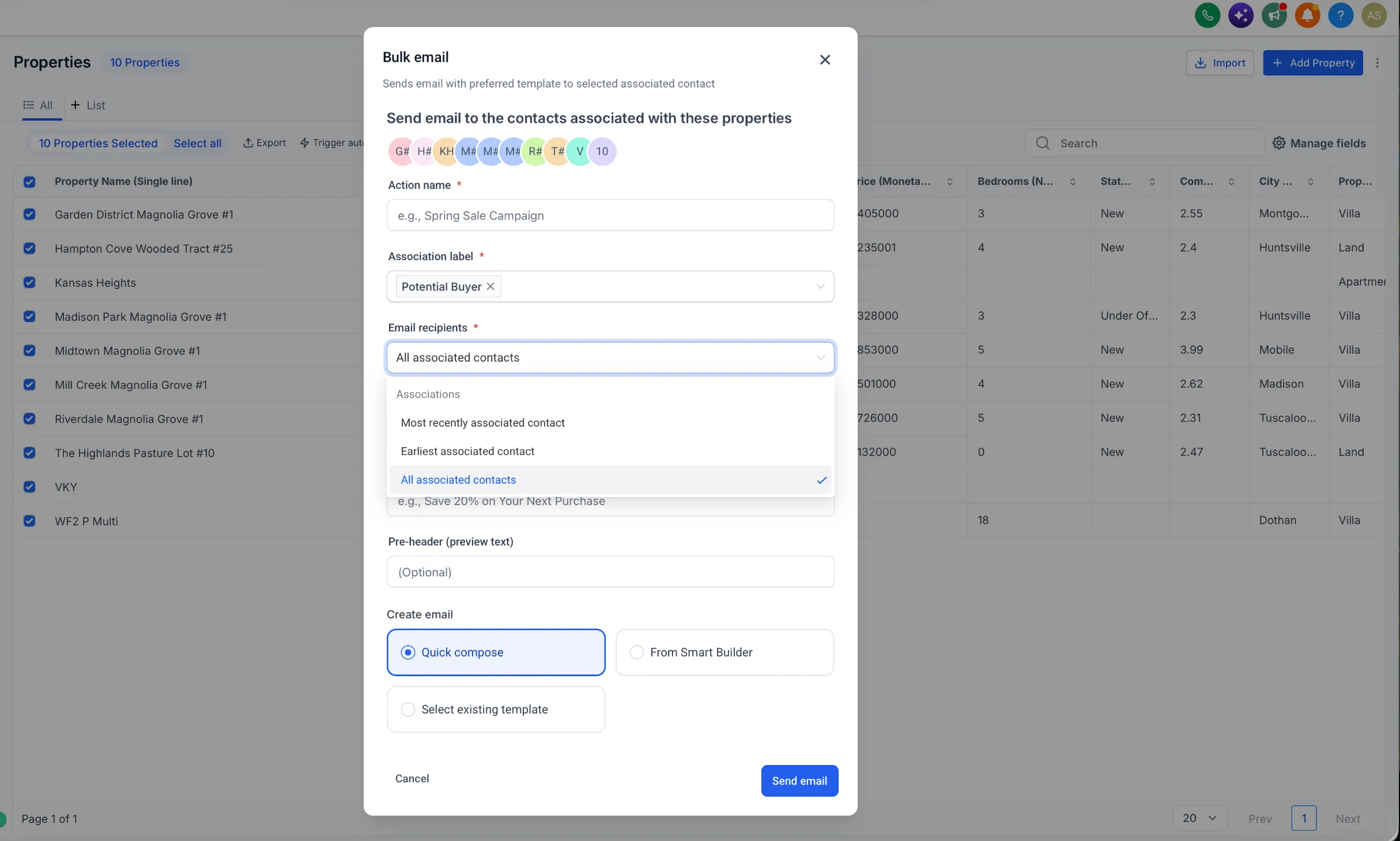
- Select one or more association labels for custom objects to define recipients
- Send to the most recently associated contact, earliest associated contact, or all associated contacts
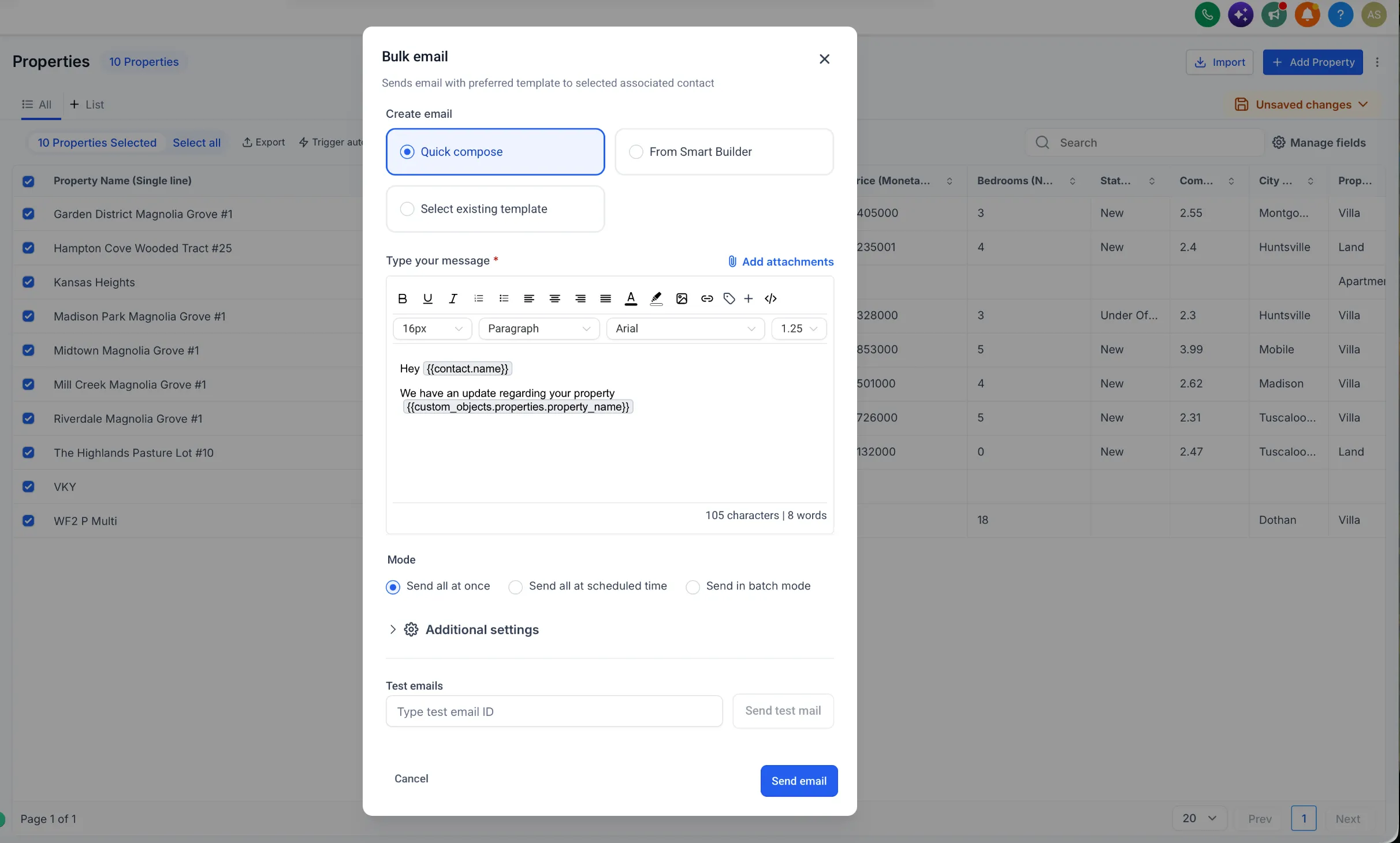
- Personalize email content with contact, company, or custom object fields
- Compose with Quick Compose, Smart Builder, or an existing template
- Send immediately, schedule for later, or use batch mode
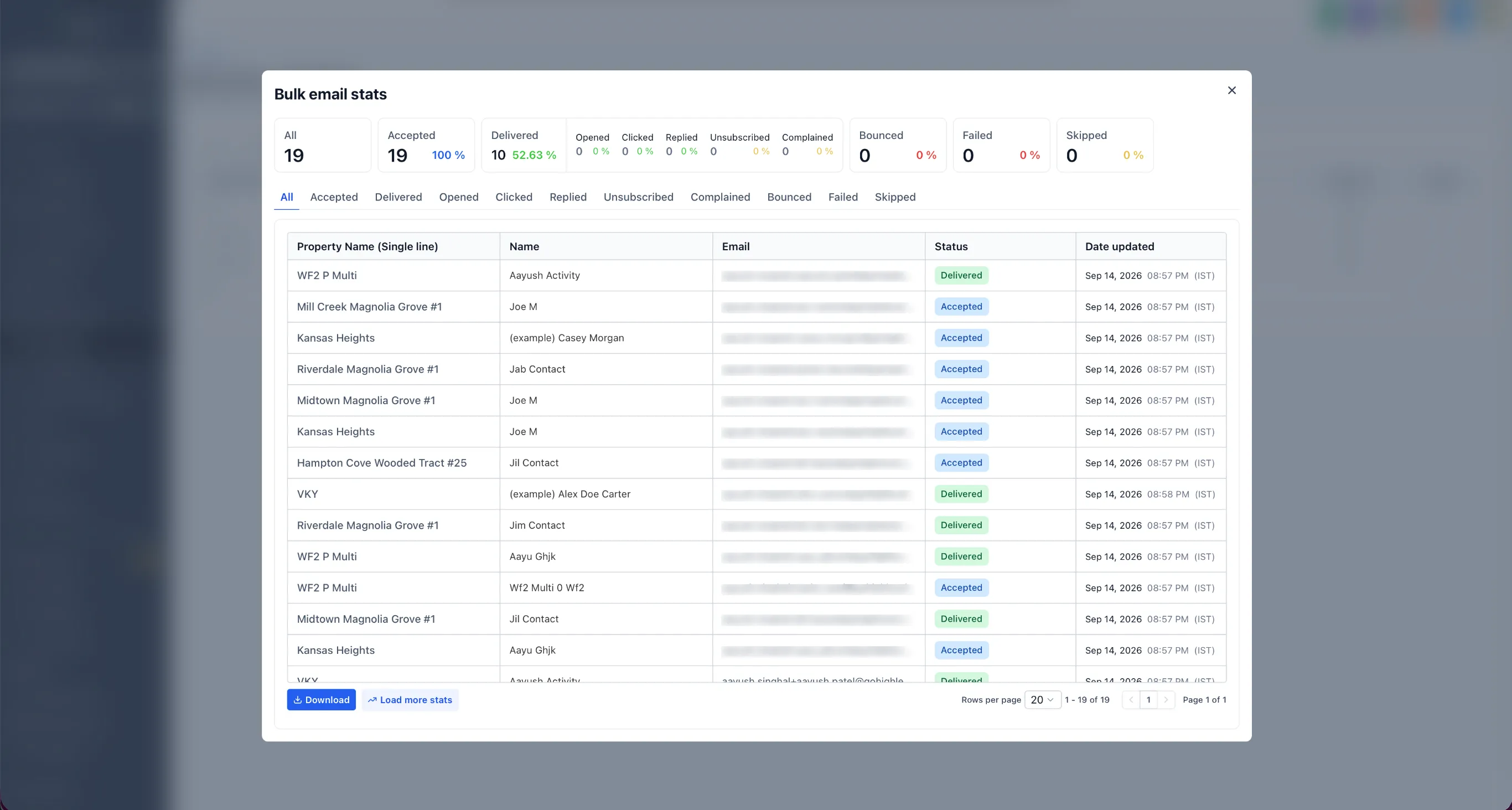
- Track delivery and engagement from Bulk Actions and Marketing > Emails > Bulk Action Campaigns
- Automatically de-duplicate contacts that appear through multiple selected association labels
How to use it
- Open Companies or a supported custom object.
- Select the records you want to email from.
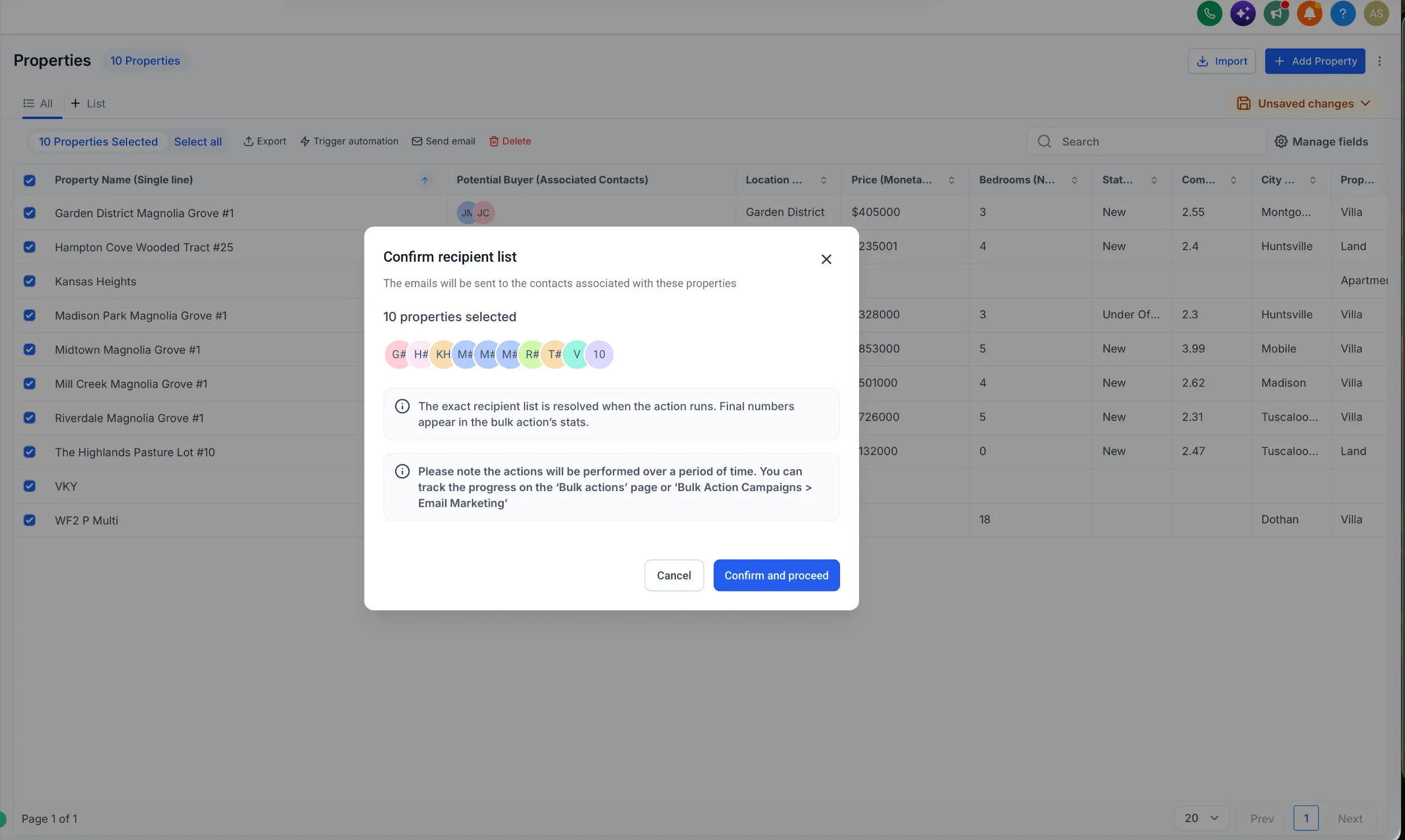
- Choose Send email.
- For custom objects, select the required association label or labels.
- Choose which associated contacts should receive the email.
- Compose and personalize the email.
- Send now, schedule it, or use batch mode.
- Track results from Bulk Actions.
Example use cases
- Filter properties by city, price, property type, or status and email associated potential buyers.
- Filter policies by renewal date and email associated policy holders.
- Filter companies by industry, lifecycle stage, account tier, or owner for targeted B2B outreach.
- Filter memberships or subscriptions by expiry date and email associated members.
- Build a Smart List using custom object fields and email the contacts associated with those records.
Notes
- The action is available for custom objects that have an association with contacts.
- For companies, the contact association is selected automatically.
- Existing email permissions, consent requirements, and deliverability rules still apply.
- The final recipient list is resolved when the bulk action runs.
Release Images
Need Help Applying This Update?
Want help turning this update into a working part of your CRM, marketing, or automation setup?
Get Started or schedule a demo and we’ll help you map the right next step.